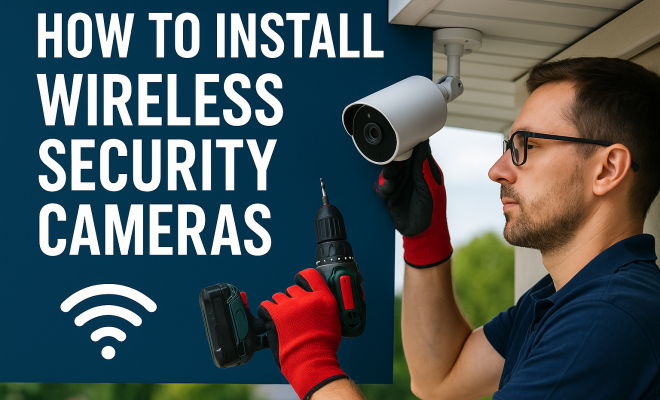
How to install wireless security cameras
“`html
In today’s world, safeguarding your home or business has never been more important. The rise in crime rates and the increasing need for remote monitoring have made installing wireless security cameras a priority for many. But how do you install wireless security cameras effectively? This comprehensive guide will walk you through the process step-by-step, covering everything from choosing the right camera to troubleshooting common issues. Let’s dive in!
1. Choosing the Right Wireless Security Camera
The first step in your journey to install wireless security cameras is selecting the right model. With a plethora of options available, it’s essential to consider several factors, including resolution, field of view, night vision capabilities, and price. High-definition cameras (1080p or higher) are preferred for capturing detailed images, while a wide field of view ensures that you cover more area with fewer cameras.
Moreover, think about the types of wireless security cameras available. Options include indoor cameras, outdoor cameras, and specialized models like floodlight cameras or doorbell cameras. Outdoor cameras should be weather-resistant and equipped with infrared night vision to ensure functionality in low-light conditions. Assess your specific needs before making a purchase to ensure you get a camera that meets all your requirements.
Additionally, consider the integration capabilities of the camera. Some advanced models communicate with smart home systems, allowing you to control them via voice commands or integrate them with other devices such as motion sensors and door locks. This kind of interconnectivity enhances security measures and improves the overall efficiency of your security system.
2. Gathering Necessary Tools and Equipment
Before you start to install wireless security cameras, it’s crucial to gather all the necessary tools and equipment. While wireless cameras minimize the need for extensive wiring, you’ll still need a few essentials. Generally, you’ll require a drill (if mounting), screws, anchors, a ladder, if installing at height, and a smartphone or tablet for configuration.
Check the product specifications of your chosen camera as they often come with additional accessories like mounting kits or power adapters. Having everything on hand will streamline the installation process and help you avoid frustrating delays.
It’s also wise to keep a tape measure handy. Accurate measurements will help you position your cameras at the right height and angle, ensuring they capture optimal footage of the areas you want to monitor. If your security system includes multiple cameras, keeping a notebook to jot down their locations and angles can help you keep track of your setup.
3. Planning the Camera Locations
Location is vital when installing wireless security cameras. Before you start drilling holes or mounting brackets, take your time to plan where each camera will go. Consider areas that need monitoring, such as entry points, driveways, backyards, and common areas. Ideally, you want to install cameras at a height that provides a clear view while being out of reach of potential tampering.
Additionally, keep in mind the camera’s field of view and wireless range. Most cameras can be controlled through a smartphone app, requiring a strong Wi-Fi connection. To avoid connectivity issues, test the Wi-Fi strength at the proposed locations using your smartphone or a portable Wi-Fi analyzer. Remember that thick walls and metal objects can interfere with wireless signals.
When selecting locations, also think about the potential for environmental factors. For example, if you’re placing a camera outdoors, ensure it’s not directly facing the sun during peak hours, which could wash out the video quality. Similarly, be mindful of potential obstructions, like large trees or buildings, that might impede the camera’s line of sight.
4. Installing the Cameras
Once you’ve selected your camera locations, it’s time to install the cameras. Start by marking the drill holes for mounting brackets with a pencil. Use a level to ensure the camera is straight before drilling. For outdoor installations, securing the camera with screws into a wooden beam or wall anchor can provide better stability.
After securing the camera bracket, attach the camera and ensure it’s positioned correctly. Most modern cameras have adjustable brackets that allow you to fine-tune the angle for optimal coverage. This is the point where you can also connect the camera to its power source if applicable, or ensure it’s charged if it’s battery-operated.
Don’t forget to consider the cable management if your wireless camera has a power cord. Use cable ties or clips to route the cable neatly along walls to avoid unsightly tangles or potential tripping hazards. This approach not only enhances the aesthetic but also protects cables from damage, ensuring the longevity of your setup. (See: importance of security cameras.)
5. Connecting to Wi-Fi and Configuring Settings
After physically installing the cameras, the next step is to connect them to your Wi-Fi network. Most wireless security cameras come with a companion mobile app that guides you through this process. Follow the onscreen instructions to connect each camera to your Wi-Fi network, ensuring that you input the correct password.
Once connected, take some time to configure the camera settings. This includes adjusting motion detection sensitivity, setting up alerts, and scheduling recording times. You might also want to explore cloud storage options for saving footage. Many cameras offer subscription services that allow you to retain recorded clips, which is useful for reviewing events in case of an incident.
Don’t overlook the importance of setting up strong security measures for your cameras. Change the default passwords and enable two-factor authentication through the app if available. This will help protect your cameras from unauthorized access and ensure your footage remains private.
6. Testing and Adjusting Camera Placement
With your cameras installed and connected, it’s essential to test their functionality. Check the video feed from each camera using the mobile app. Look for any blind spots or areas that may require additional coverage. Adjust the angles as necessary to ensure the best possible views.
Testing your cameras also involves checking the night vision capabilities. Ensure that the cameras are capturing clear images in low-light conditions. If needed, adjust the brightness settings or reposition the cameras for optimal performance. Consider doing this during different times of the day to assess their effectiveness under various lighting conditions.
Another important factor to test is the motion detection feature. Walk in front of each camera to see how quickly it detects movement and sends notifications to your device. Some cameras allow you to customize the zones for motion detection, which can help reduce unnecessary alerts from passing cars or animals.
7. Maintenance and Troubleshooting
Once your wireless security cameras are up and running, maintenance is key to ensuring they continue to function optimally. Regularly check the camera lenses for dirt or obstructions that might affect image quality. Additionally, make sure the software and firmware for your cameras are up to date. Manufacturers often release updates that enhance performance and security features.
Should you encounter any issues, most wireless cameras provide troubleshooting guides in the user manual or within the app. Common problems include connectivity issues, which can often be resolved by repositioning the router or the camera to improve the Wi-Fi signal. If problems persist, consider reaching out to the manufacturer’s customer support for assistance.
It’s also a good idea to periodically review your camera settings and alert preferences. As your security needs change, you might find that adjusting these settings provides better monitoring and peace of mind. Keeping an eye on new features introduced through software updates can also help you make the most of your system.
8. Advanced Features to Consider
As technology evolves, so do the features available in wireless security cameras. Let’s take a look at some advanced features that can enhance your security system.
Smart Home Integration: Many modern cameras are compatible with smart home ecosystems like Amazon Alexa or Google Assistant. This allows you to control the cameras using voice commands, making your security system more user-friendly and efficient.
Two-Way Audio: Some cameras come equipped with speakers and microphones, enabling two-way communication. This feature can be particularly useful for letting delivery personnel know where to leave packages or communicating with someone at your door when you’re not home.
Cloud Storage Options: While many cameras save footage locally, cloud storage offers a more secure option. Providers may charge a monthly fee, but it can be worth it for the peace of mind that comes with knowing your footage is safely stored off-site.
AI-Powered Alerts: Advanced cameras now come with AI capabilities that can distinguish between people, pets, and vehicles. This means you’ll only receive relevant notifications, reducing alarm fatigue and helping you stay more vigilant.
9. Common Questions About Installing Wireless Security Cameras
What is the range of a wireless security camera?
The range of a wireless security camera varies based on its design and the environment. Typically, most cameras work effectively within a 100-300 feet radius of the Wi-Fi router. However, obstacles like walls and large objects can significantly reduce this range.
Do I need a Wi-Fi extender for outdoor cameras?
If your outdoor camera is located far from the router, a Wi-Fi extender can help boost the signal and ensure a steady connection. This is particularly important for cameras that rely heavily on a stable internet connection for streaming and notifications. (See: safety and security in homes.)
How often should I charge or replace batteries in wireless cameras?
The frequency of charging or replacing batteries in wireless cameras depends on usage and the camera model. Battery-operated cameras may need recharging every few weeks to several months. Check the manufacturer’s guidelines for specific recommendations.
Can I install wireless security cameras myself, or should I hire a professional?
Installing wireless security cameras can often be a DIY project, especially if you’re comfortable with basic tools and technology. However, if you’re unsure about positioning or connecting to your Wi-Fi, hiring a professional can ensure optimal installation and placement.
What happens if my Wi-Fi goes down?
If your Wi-Fi goes down, many cameras will stop recording or streaming. Some models include local storage features that will continue to capture footage until the connection is restored. Always check your camera specifications to know what to expect during connectivity issues.
10. Additional Considerations and Best Practices
When you install wireless security cameras, there are several extra considerations to keep in mind to maximize their effectiveness. Here are some best practices to enhance your security system:
Regular Updates: Keep your camera’s software up-to-date. Manufacturers frequently release firmware updates to improve functionality and fix security vulnerabilities. Regularly check for updates within the mobile app and apply them promptly.
Privacy Zones: If your camera has a vast field of view, it might inadvertently capture footage from neighboring properties. Most modern cameras offer a privacy zone feature to mask areas where you don’t want to record. This helps protect the privacy of others while ensuring you are compliant with local laws regarding surveillance.
Backup Power Options: For critical areas, consider cameras with backup power options. This could be a battery backup or a solar panel. This ensures your cameras remain operational during power outages, keeping your property secure when you need it most.
Routine Maintenance Checks: Schedule regular checks of your camera system. This can include cleaning lenses, checking for obstructions, and ensuring that all cameras are functioning as expected. Set reminders to do this every few months, especially for outdoor units that may be exposed to the elements.
Setting Up Alerts Wisely: Customizing alerts is essential to avoid alarm fatigue where you start ignoring notifications. Be selective about which alerts are most critical for your security needs. For instance, you might want alerts for motion detected at night but could disable them during the day when regular activity occurs.
11. Exploring Popular Brands of Wireless Security Cameras
With numerous brands on the market, choosing a reliable wireless security camera can feel overwhelming. Here’s a brief overview of some of the most popular brands that consistently receive high ratings for quality and customer satisfaction:
Ring: Known for their video doorbells, Ring also offers a range of cameras for both indoor and outdoor use. Their products integrate smoothly with other Ring devices and provide user-friendly mobile app control.
Arlo: Arlo cameras are celebrated for their high-quality video recording, advanced features, and excellent battery life. They also offer a wide variety of camera types, including floodlight cameras and indoor options. (See: technology in home security.)
Nest (now Google Nest): Nest cameras are known for their sleek design and advanced AI capabilities. They integrate seamlessly with Google Home devices and offer features like facial recognition.
Wyze: If you’re looking for a budget-friendly option, Wyze cameras provide excellent quality at an affordable price. They are easy to install and come with features like free cloud storage and motion detection alerts.
Each of these brands has its strengths and weaknesses, so consider your specific requirements and budget when making a selection.
12. Future of Wireless Security Cameras
The world of wireless security cameras is evolving rapidly, driven by technological advancements and growing consumer demand for enhanced security. Here are some trends to keep an eye on:
Improved AI Capabilities: As artificial intelligence continues to develop, future cameras will likely have even better capabilities for distinguishing between different types of motion. This could include recognizing familiar faces, pets, and vehicles, leading to more relevant alerts.
Higher Resolutions: The push for ultra-high-definition (UHD) cameras means that we can expect more options with 4K resolution in the near future. Higher resolutions lead to better image quality, making it easier to identify faces and license plates.
Integration with Smart Home Technology: As smart homes become the norm, expect security cameras to integrate more deeply with other smart devices. This could mean cameras that work seamlessly with home automation systems to enhance security further.
Subscription Services: As cloud storage becomes more standard, consumers may encounter more subscription models for storing footage. Understanding what is included in these services and weighing the costs versus benefits will become increasingly important.
13. Conclusion
Installing wireless security cameras is a proactive step toward enhancing your safety and security. By following these steps, you can effectively protect your home or business. Remember, the goal is to create a system that not only deters potential threats but also provides peace of mind. With the right preparation, equipment, and maintenance, you can enjoy the benefits of a secure environment for years to come.
As technology continues to advance, keep an eye out for new features and improvements in wireless security cameras. Staying informed can help you update your system and maintain the highest level of security possible. Don’t hesitate to revisit your security setup regularly, ensuring it continues to meet your needs and adapt to any changes in your surroundings.
“`
Trending Now
Frequently Asked Questions
What do I need to install wireless security cameras?
To install wireless security cameras, you will need the cameras themselves, a stable Wi-Fi connection, mounting tools (like a drill and screws), and possibly a ladder for outdoor installations. Additionally, ensure you have a smartphone or computer for setup and monitoring.
How do I choose the right wireless security camera?
Choosing the right wireless security camera involves considering factors like resolution, field of view, night vision capabilities, and weather resistance for outdoor models. Assess your specific security needs and the camera's integration capabilities with smart home systems before making a purchase.
Can I install wireless security cameras myself?
Yes, you can install wireless security cameras yourself. The process typically requires basic tools and following the manufacturer's instructions. However, ensure you choose a suitable location with good Wi-Fi coverage and proper mounting to enhance camera effectiveness.
What is the best placement for wireless security cameras?
The best placement for wireless security cameras includes areas with high foot traffic, entrances, and blind spots around your property. Ensure cameras are mounted at a height that captures clear images while being out of reach from potential tampering.
How do I troubleshoot common issues with wireless security cameras?
Common issues with wireless security cameras can often be resolved by checking the Wi-Fi connection, ensuring the camera is properly powered, and positioning it for optimal signal strength. If problems persist, consult the user manual or reach out to customer support for assistance.
Agree or disagree? Drop a comment and tell us what you think.