How to view security cameras remotely
“`html
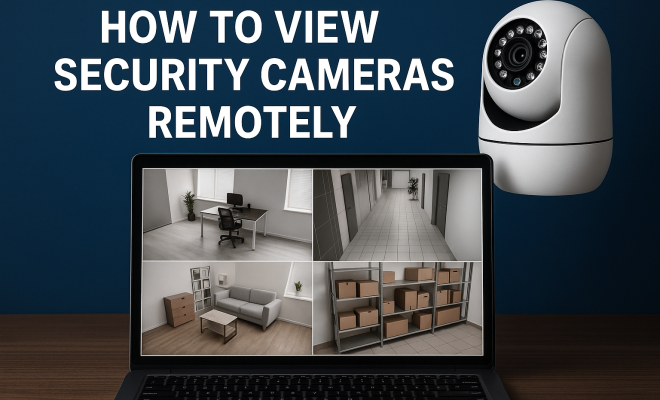
In an increasingly connected world, monitoring your property has never been easier or more essential. Whether you’re a homeowner wanting to keep an eye on your surroundings or a business owner safeguarding your assets, the ability to view security cameras remotely can provide peace of mind. But how exactly do you do it? This guide explores the various methods, technologies, and tips for accessing your security cameras from anywhere.
1. Understanding Remote Viewing
Remote viewing of security cameras allows you to access live or recorded video footage from your devices, such as smartphones, tablets, or computers, regardless of your location. This capability relies on a combination of internet connectivity and advanced technology. As a result, you can monitor your property in real-time, receive notifications about suspicious activities, and retrieve footage for later review.
Most modern security systems utilize IP (Internet Protocol) cameras that connect to the internet. This means as long as you have a reliable internet connection—either Wi-Fi or cellular—you can easily view your security cameras remotely. The process typically involves using a dedicated app or web interface provided by the camera manufacturer or a third-party service.
2. Choosing the Right Security Camera
The first step in being able to view security cameras remotely is selecting the right camera system. Several options are available, from basic models to advanced systems with multiple features. When evaluating your options, consider factors such as video quality, resolution, night vision capabilities, and whether the camera supports remote access.
Some popular brands that allow remote viewing include Arlo, Ring, and Nest. Each of these systems comes equipped with their own apps, enabling you to view live feeds and recorded footage. Make sure to read reviews and research the features to find a camera that suits your needs best.
3. Setting Up Your Security Camera System
Once you’ve chosen your security cameras, installation and setup are crucial to ensure seamless remote access. Begin by following the manufacturer’s guidelines for installation. Many modern cameras come with user-friendly apps that walk you through the setup process, including connecting to your Wi-Fi network and creating an account.
After the physical setup, you’ll need to configure settings within the app. This typically includes enabling remote viewing features, setting up motion detection alerts, and ensuring that cloud storage options are activated if you wish to save recorded footage. It’s essential to secure your camera’s settings with strong passwords to prevent unauthorized access.
4. Utilizing Mobile Apps for Remote Access
The majority of security cameras today come with mobile applications designed for remote access. After installing the app and linking your camera, you can view live feeds, receive notifications about movement, and even interact with features like two-way audio if your camera supports it.
Different brands have distinct features and intricacies in their apps. For example, Arlo’s app offers advanced features such as a customizable activity zone, while Ring’s app integrates seamlessly with their doorbell cameras. Familiarize yourself with the app’s functionality to maximize the benefits of your security system.
5. Web Interfaces for Desktop Viewing
If you prefer larger screens for monitoring or need to access your security system from a desktop computer, many camera systems provide web interfaces. You can log in to your security camera’s web portal through a browser using your credentials. (See: NIST Cybersecurity Framework.)
This option can be particularly useful for business owners who need to monitor multiple locations simultaneously. The web portals typically offer similar functionalities to the mobile apps, such as live viewing, playback of recorded footage, and configuration settings.
6. Integrating with Smart Home Systems
Smart home technology has transformed how we interact with security cameras. Many modern security systems can integrate with smart home platforms like Amazon Alexa, Google Assistant, or Apple HomeKit. This integration makes it easier than ever to view security cameras remotely using voice commands or through a centralized app.
For example, if you have a Google Nest camera, you can simply ask your Google Assistant to show the camera feed on your smart display. This not only provides convenience but also adds an additional layer of control and accessibility to your security system.
7. Best Practices for Security and Maintenance
While it’s essential to have remote access to your security cameras, it’s equally important to prioritize security and maintenance. To protect your camera’s feed from unauthorized access, ensure you regularly update your camera’s firmware and app. Manufacturers frequently release updates that patch vulnerabilities, so staying up-to-date is crucial.
Furthermore, examine your camera’s physical security. Ensure they are mounted securely and are in locations that are not easily tampered with. Regularly check the positioning to ensure that the coverage remains effective. Lastly, keep an eye on cloud storage options to make sure you’re not missing crucial footage during a security incident.
8. Understanding Different Types of Security Cameras
When it comes to viewing security cameras remotely, the type of camera you choose can significantly impact your experience. Here’s a breakdown of the different types of security cameras you might consider:
- Dome Cameras: Often used indoors, these cameras are styled like a dome and are less noticeable. They provide a wide-angle view and can be ceiling-mounted to deter vandalism.
- Bullet Cameras: These are cylindrical in shape and are typically used outdoors. Bullet cameras are great for long-range viewing and can come equipped with various lenses for different fields of view.
- PTZ Cameras: Pan-Tilt-Zoom cameras can be remotely controlled to move in different directions and zoom in on specific areas. These are excellent for monitoring large areas but may require a more sophisticated setup.
- Wireless Cameras: These cameras connect to your network without requiring a physical cable, making them easy to install. However, they rely heavily on a strong Wi-Fi signal.
- Wired Cameras: Offering more stable performance, wired cameras connect directly to a recording device. They may require more effort to install but are generally more reliable.
Choosing the right type of camera depends on your needs, the area you want to monitor, and the specifics of your installation environment.
9. Comparing Cloud Storage Options
When you view security cameras remotely, you will likely need to store footage for later access. Cloud storage options vary significantly between different manufacturers. Some offer free limited storage while others require subscriptions for longer retention times. Here’s a brief comparison:
- Ring: Offers a subscription service where users can save recorded footage for 60 days for a nominal monthly fee. Their basic plan includes a single device.
- Arlo: Provides several subscription plans that allow you to save footage for various durations, ranging from 7 days to 30 days. The plans depend on the number of cameras linked to your account.
- Nest: Google’s Nest Aware service provides continuous recording and the ability to save footage for up to 30 days. The service is subscription-based and also includes intelligent alerts.
Assessing how much storage you’ll need is essential for effective remote monitoring. Consider how often you want to review footage and the potential number of incidents that could occur.
10. Future Trends in Security Camera Technology
The landscape of security technology is always evolving. Here are some trends to look out for in the coming years that could enhance the way you view security cameras remotely:
- AI and Machine Learning: More security cameras are integrating AI to improve motion detection and reduce false alerts. Cameras that can distinguish between humans, animals, and objects will lead to more accurate notifications.
- Integration with Drones: As drone technology advances, we might see cameras that can integrate with drones for aerial views of properties, providing unparalleled surveillance capabilities.
- Enhanced Privacy Features: As concerns about privacy grow, manufacturers are likely to implement more robust privacy features, such as end-to-end encryption and local storage options.
- Advanced Video Analytics: Technologies that analyze video in real-time for activities, such as loitering or package theft, will become more prevalent, allowing for proactive security measures.
Keeping an eye on these trends can help you choose a system that remains relevant and efficient for years to come. (See: CDC on safety and security.)
11. Frequently Asked Questions (FAQ)
1. Can I view my security cameras remotely on multiple devices?
Yes, most security camera systems allow you to log into your account from multiple devices. You can view your cameras on your smartphone, tablet, or computer simultaneously.
2. What internet speed do I need to view security cameras remotely?
Typically, a minimum upload speed of 1-2 Mbps is recommended for smooth remote viewing. However, higher speeds may be necessary, especially if you are accessing multiple cameras simultaneously or streaming high-definition video.
3. Are there any security concerns when viewing cameras remotely?
Yes, there are security concerns. It’s vital to use strong, unique passwords and enable two-factor authentication if available. Regularly update your camera firmware to keep it secure from vulnerabilities.
4. What happens if my internet goes down?
If your internet connection is lost, you won’t be able to view your cameras remotely. However, many cameras have local storage options that allow them to continue recording even without an internet connection. Once your internet is restored, you can access the footage.
5. How can I prevent unauthorized access to my cameras?
To prevent unauthorized access, use strong passwords, enable two-factor authentication if available, and regularly change your passwords. Avoid using default settings and ensure your Wi-Fi network is secured with WPA3 encryption when possible.
6. Are there any legal considerations for remote security monitoring?
Yes, laws regarding surveillance vary by location. It’s essential to be aware of local laws regarding privacy and surveillance. For example, some areas may require signage indicating that cameras are in use, especially if they capture public spaces.
7. How can I improve my camera’s Wi-Fi connectivity?
To enhance your camera’s connectivity, ensure it’s placed within range of your router. You might also consider using Wi-Fi extenders or a mesh Wi-Fi system to improve coverage in larger properties.
8. Can I view my cameras when traveling abroad?
Yes, as long as you have a stable internet connection, you can access your security cameras from anywhere in the world. Just ensure that your camera system supports international remote access.
12. Security Camera Installation Tips
Installing security cameras is a crucial step to ensure effective surveillance. Here are some practical tips for installation: (See: Remote surveillance technologies.)
- Optimal Placement: Place cameras in strategic locations, such as entry points, driveways, and backyards. Ensure they cover areas where intruders are likely to approach.
- Height Matters: Mount cameras at a height of 8-10 feet to capture a broader view and prevent tampering. Avoid placing them too high where the angle may not capture facial details.
- Lighting Conditions: Consider lighting conditions during installation. Cameras with night vision capabilities can be a good choice for low-light areas.
- Wiring Considerations: For wired cameras, plan the route for cables to avoid exposure to the elements and ensure they don’t create trip hazards.
- Testing Angles: Before finalizing the camera position, test different angles to ensure optimal coverage and visibility.
13. Integrating Alarm Systems with Security Cameras
Integrating your security cameras with an alarm system enhances your property’s security. Here’s how such a setup can benefit you:
- Real-Time Alerts: When the alarm is triggered, your camera system can send instant notifications and begin recording automatically, capturing crucial evidence of the incident.
- Remote Monitoring: You can monitor your alarm status and camera feeds simultaneously, allowing you to respond to alerts more effectively.
- Automation: Some systems allow you to set up automation where the cameras turn on when the alarm is armed, or the lights flash when motion is detected.
This integration can be particularly effective for businesses that require constant monitoring of their properties.
14. Understanding Video Quality and Compression
Video quality is essential for effective surveillance. Key factors include resolution and frame rate:
- Resolution: Higher resolutions, such as 1080p or 4K, provide clearer images, which can be crucial for identifying faces and license plates. However, higher resolutions require more bandwidth and storage.
- Frame Rate: The frame rate, measured in frames per second (fps), determines how smooth the video looks. A higher frame rate can capture fast actions more accurately, but it also demands more from your storage and bandwidth.
- Compression: Video compression algorithms, such as H.264 or H.265, help manage file sizes without sacrificing too much quality. H.265 is more efficient, allowing for better quality at lower bitrates.
An understanding of these elements can help you select the best camera to fit your needs while ensuring that you can view security cameras remotely without interruptions.
15. Exploring Third-Party Security Camera Platforms
If you’re looking for versatility, third-party security platforms can be a valuable resource. These platforms often integrate various camera brands, allowing for centralized control and monitoring. Popular options include:
- Blue Iris: A powerful software that supports multiple camera brands and types. It offers advanced features like motion detection, recording schedules, and alerts.
- SecuritySpy: Designed for macOS users, this platform allows you to connect, view, and manage security cameras with ease, providing a streamlined interface.
- iSpy: An open-source security camera application that supports a wide range of cameras. It offers features like remote viewing, motion detection alerts, and local recording.
Using third-party platforms can extend your camera’s functionality and provide a more tailored experience to your security needs.
Final Thoughts on Remote Security Monitoring
In a time when security is more important than ever, the ability to view security cameras remotely offers unparalleled peace of mind. With the right equipment, apps, and practices, you can monitor your property from anywhere at any time. Remember to stay informed about security best practices to protect your privacy and ensure your system’s reliability. By investing in quality security cameras and understanding how to use them effectively, you’re taking a proactive step towards safeguarding what matters most to you.
“`
Trending Now
Frequently Asked Questions
How can I access my security cameras remotely?
To access your security cameras remotely, you'll need a camera system that supports remote viewing, an internet connection, and the manufacturer's app or web interface. Once set up, you can monitor live footage or recorded videos from your smartphone, tablet, or computer from anywhere.
What do I need to view security cameras on my phone?
To view security cameras on your phone, you need a compatible security camera system, a reliable internet connection, and the specific app provided by the camera manufacturer. Ensure your phone is connected to the internet to access the live feeds and recorded footage.
What types of security cameras can be viewed remotely?
Most modern IP (Internet Protocol) cameras can be viewed remotely. Brands like Arlo, Ring, and Nest offer systems that allow remote access through their dedicated apps. When choosing a camera, make sure it supports remote viewing features and has good video quality.
Is it safe to view security cameras remotely?
Viewing security cameras remotely can be safe if you use secure passwords and enable encryption features. Always make sure to use official apps and keep your software updated to protect against unauthorized access and ensure your footage remains secure.
What features should I look for in a security camera for remote viewing?
When selecting a security camera for remote viewing, consider features like high video resolution, night vision, motion detection alerts, and compatibility with mobile apps. Additionally, check for reliable customer reviews and the overall ease of use to ensure it meets your needs.
Agree or disagree? Drop a comment and tell us what you think.