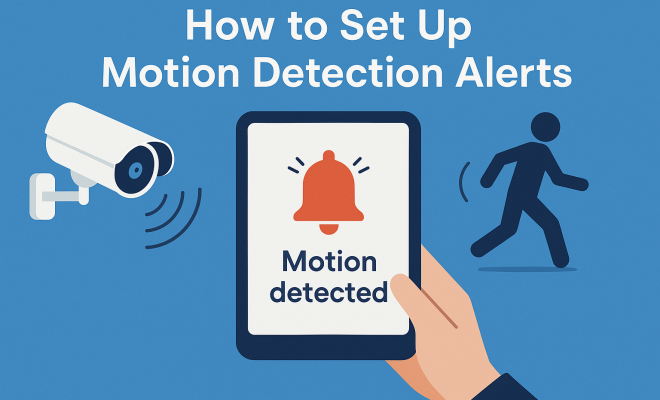
How to set up motion detection alerts
“`html
In a world where security is paramount, motion detection alerts have become a cornerstone for safeguarding both homes and businesses. Understanding how to properly set up these alerts can significantly enhance your peace of mind. This guide will walk you through the essential steps to establish effective motion detection alerts, ensuring you stay informed about any activity around your property.
1. Understanding Motion Detection Technology
Before diving into the setup process, it’s crucial to grasp the underlying technology behind motion detection. This technology primarily relies on sensors that detect movement in a specified area. There are various types of motion sensors, including passive infrared (PIR) sensors, active sensors, and dual-technology sensors, which combine both methods for enhanced accuracy.
PIR sensors are the most commonly used in residential security systems. They work by detecting changes in infrared radiation, which are emitted by warm objects, such as humans and animals. Active sensors, on the other hand, emit a signal (like infrared or ultrasound) and measure its reflection to detect motion. Knowing the difference between these technologies can help you choose the right setup for your needs.
2. Choosing the Right Security Camera System
The first step in setting up motion detection alerts is selecting the appropriate security camera system. Factors to consider include the camera’s resolution, field of view, and night vision capabilities. High-definition cameras provide clearer images, while cameras with a wide field of view can cover more area.
Some camera systems come equipped with built-in motion detection features, which can send alerts directly to your smartphone or email. Others may require additional software or integration with existing home automation systems. Researching various brands and models will help you identify the best fit for your security needs.
3. Positioning Your Cameras Effectively
Once you’ve chosen your security camera system, the next step is to position your cameras effectively. The placement of your cameras is critical to maximizing their effectiveness in detecting motion. Ideally, cameras should be mounted at a height of 8-10 feet, angled downwards to cover entry points such as doors, windows, and driveways.
Be mindful of obstructions that could block the camera’s view. It’s also advisable to avoid placing cameras in direct sunlight, as this can lead to glare and washed-out images. Instead, look for shaded areas that still allow for clear visibility. Consider using test alerts during the installation process to ensure optimal positioning.
4. Configuring Motion Detection Settings
Now that your cameras are in place, it’s time to configure the motion detection settings. Most modern camera systems feature customizable settings that allow you to adjust sensitivity levels, detection zones, and alert types. Finding the right balance is essential; you want to be alerted to significant movements without being overwhelmed by false alarms.
Start by setting the sensitivity level to a moderate setting. This will allow you to gauge how many alerts are triggered and adjust accordingly. Many systems allow you to create specific detection zones, focusing on areas that matter most, like entryways while ignoring less important areas, such as passing cars on a busy street.
5. Integrating Smart Home Technology
Today’s smart home technology allows for seamless integration with motion detection alerts. If you already have a smart home setup, consider linking your security cameras with your home automation system. Many security cameras can connect to hubs like Amazon Alexa, Google Assistant, or Apple HomeKit, enabling you to control them through voice commands.
Integration can also enhance functionality. For instance, you might set your lights to turn on automatically when motion is detected or receive real-time notifications on your smartphone. This not only increases security but also adds convenience to your everyday life.
6. Testing Your Setup
After configuring your motion detection alerts, it’s crucial to test your entire system. Walk through the detection zones at various times of the day and in different lighting conditions to see how your system responds. This step is essential to ensure that alerts are being triggered appropriately and that you’re receiving notifications as expected. (See: Understanding motion detection technology.)
Consider running these tests on different days and times to evaluate the reliability of the alerts. If you notice that certain areas are consistently missing alerts, revisit the camera positioning and settings. Regular testing can help maintain the effectiveness of your motion detection alerts.
7. Maintaining Your Security System
Setting up motion detection alerts is not a one-time task; ongoing maintenance is essential for optimal performance. Regularly check your camera lenses for dirt or obstructions and ensure that all hardware is functioning correctly. Software updates should also be kept up to date to benefit from the latest features and security patches.
Additionally, reassess your detection settings periodically. Changes in your environment, such as new landscaping, construction, or changes in pedestrian traffic, may require adjustments to your motion detection parameters. By staying proactive, you can ensure that your security system continues to provide reliable monitoring and alerts.
8. Current Relevance of Motion Detection Alerts
As our world becomes increasingly connected, the importance of motion detection alerts continues to grow. With rising crime rates in certain areas and the ongoing impact of COVID-19 on personal safety, more people are investing in security systems that feature these alerts. The ability to monitor your property remotely, receive real-time updates, and even engage with potential intruders through two-way audio has made motion detection alerts a critical component of modern security.
Furthermore, as technology advances, we can expect even more sophisticated motion detection systems equipped with artificial intelligence and machine learning. These advancements promise to reduce false alarms, enhance detection capabilities, and provide users with more control over their security environments. Staying informed about these developments will help you make the best choices for your personal security needs.
9. Types of Motion Detection Alerts
When setting up motion detection alerts, it’s important to understand the different types available. Each type serves unique purposes and can be tailored to your specific needs. Here’s a closer look at some common types of alerts:
9.1. Email Alerts
Email alerts are among the most common forms of notification. They can provide detailed information about detected motion, including time, location, and even images captured during the event. This option is ideal for users who prefer receiving updates straight to their inbox and who may not always have their smartphone on hand.
9.2. Push Notifications
Push notifications are instant alerts sent directly to your mobile device via an app associated with your security camera. This type of notification is beneficial for real-time updates, allowing you to respond immediately to potential threats. With a quick glance at your phone, you can assess the situation and decide on necessary actions.
9.3. SMS Alerts
For individuals who may not have a smartphone or prefer traditional communication methods, SMS alerts can be a useful option. These text messages inform you of any detected motion, ensuring you remain updated no matter where you are. It’s a reliable method that doesn’t require an internet connection.
9.4. Automated Responses
Some advanced systems allow for automated responses when motion is detected. For example, your security system might automatically activate outdoor lights or trigger a loud alarm. This immediate response can deter potential intruders and provide an added layer of security.
10. Factors Influencing Motion Detection Alerts
There are several factors that can influence the effectiveness and reliability of motion detection alerts. Understanding these factors can help you optimize your setup and get the most out of your security system.
10.1. Environmental Conditions
Environmental conditions can significantly impact how motion sensors operate. Factors such as temperature, humidity, and even foliage can affect sensor performance. For instance, heavy rain or snow might trigger false alarms, while extreme temperatures can hinder sensor sensitivity. Being aware of these conditions can help you adjust your settings accordingly.
10.2. Camera Quality
The quality of the camera you choose plays a crucial role in the effectiveness of motion detection alerts. High-resolution cameras can capture clearer images and provide more accurate alerts. A low-quality camera might miss important details, leading to missed alerts or false alarms. Investing in a reliable camera system will pay off in terms of security effectiveness. (See: NIST on motion detection technology.)
10.3. Sensor Sensitivity
Adjusting the sensitivity of your motion sensors can help reduce false alerts while ensuring you still receive notifications for significant movements. If the sensitivity is set too high, even small animals or pedestrians might trigger alerts. Conversely, if set too low, important movements could go unnoticed. Regularly reviewing and adjusting sensitivity settings based on your environment is key.
11. Real-World Examples of Motion Detection Alerts
To understand the practical application of motion detection alerts, it’s helpful to look at real-world scenarios where these systems have proven effective.
11.1. Home Security
Imagine you’ve just left your house for a family vacation. With a motion detection alert system in place, you receive an immediate notification on your smartphone that motion has been detected in your driveway. You quickly check the live feed and see a stranger lingering near your car. Armed with the knowledge of potential trouble, you can contact law enforcement or even scare the intruder away by activating a loudspeaker system that warns them they are being monitored.
11.2. Business Surveillance
In a retail setting, motion detection alerts can help prevent theft and vandalism. A store owner sets up cameras at strategic points throughout the store. One day, they receive a push notification that motion has been detected in an area after hours. By immediately checking the security footage, they discover a break-in attempt and alert the police before significant damage occurs.
11.3. Package Delivery Monitoring
With the rise of online shopping, many people are using motion detection alerts to monitor package deliveries. For example, a homeowner receives an alert that someone is approaching their front porch. Upon reviewing the footage, they see the delivery person leaving a package. This capability not only ensures that packages arrive safely but also provides peace of mind regarding the security of deliveries.
12. Common Questions About Motion Detection Alerts
12.1. What causes false alarms in motion detection alerts?
False alarms can be triggered by a variety of factors, including moving shadows, pets, insects, or changes in temperature. To minimize false alerts, consider adjusting the sensitivity settings and using detection zones to focus on critical areas.
12.2. Can I customize the type of alerts I receive?
Yes, most modern motion detection systems allow you to customize alert types. You can choose to receive email notifications, push alerts on your phone, or SMS texts, depending on your preferences.
12.3. How do I know if my motion detection system is working properly?
Regular testing is essential to ensure your system is functioning correctly. Create a routine to test the detection zones and review camera footage to confirm alerts are triggered accurately. If you notice consistent gaps in coverage, consider re-evaluating the camera positioning or sensitivity settings.
12.4. Are motion detection alerts effective during the night?
Yes, many motion detection systems are designed to work effectively at night, especially those equipped with infrared or night vision capabilities. These features allow your cameras to detect movement in low-light conditions and provide alerts just as they would during the day.
12.5. What should I do if I receive a motion alert?
Upon receiving a motion alert, check the live feed to assess the situation. If you see something suspicious, consider contacting local authorities. Additionally, you might activate any deterrents, such as alarm systems or outdoor lights, to scare off potential intruders.
13. Future Trends in Motion Detection Alerts
The landscape of motion detection alerts is continuously evolving as technology advances. Here are some future trends to keep an eye on: (See: Safety and security technology.)
13.1. AI and Machine Learning
One of the most significant changes on the horizon is the integration of artificial intelligence (AI) and machine learning in motion detection systems. These technologies enable cameras to learn from past events, reducing false alarms by distinguishing between human movements and animals or objects. As a result, homeowners and business owners might experience a much more streamlined alert system with fewer interruptions.
13.2. Integration with Smart Home Devices
As smart homes become increasingly popular, the integration of motion detection alerts with other smart devices will likely expand. Imagine a scenario where motion detection alerts not only trigger your security cameras but also activate security lights, lock doors, or alert a monitoring service if needed. This interconnectedness can enhance security and provide peace of mind, knowing that your home is responding to unusual activity automatically.
13.3. Advanced Analytics
Future systems may come equipped with advanced analytics capabilities, allowing users to receive not just alerts but also insights into patterns of movement. For instance, you might get reports on peak times for movement around your property or alerts about frequent visitors, which could help identify potential security issues or enhance convenience in your daily routine.
14. Case Studies: Success Stories of Motion Detection Alerts
Real-life success stories can illustrate the effectiveness of motion detection alerts in various scenarios:
14.1. Residential Break-In Prevention
A family in an urban neighborhood installed a comprehensive security system with motion detection alerts. After receiving several alerts in the middle of the night, they reviewed the footage and saw individuals attempting to enter their backyard. They contacted law enforcement, who arrived promptly and apprehended the suspects before any damage was done. This proactive response showcased the critical role motion detection alerts played in preventing a break-in.
14.2. Store Loss Prevention
A small retail store began using motion detection alerts to monitor high-value merchandise. The owner set alerts for specific areas of the store, particularly where expensive products were displayed. On one occasion, the alert system notified them of suspicious activity near the merchandise. The owner quickly engaged the store’s security, who intervened and prevented a theft attempt. The owner reported a significant drop in loss after implementing the alert system.
14.3. Community Safety Initiatives
In a suburban neighborhood, residents banded together to implement a community-wide motion detection alert system. Cameras were strategically placed around the neighborhood with shared access to alert notifications. When a resident received an alert about unusual activity, they could instantly notify their neighbors and local authorities. This community approach not only improved security but also fostered a sense of camaraderie among residents.
15. Final Thoughts on Motion Detection Alerts
Motion detection alerts serve as a vital component of modern security systems. By understanding the technology, choosing the right equipment, and maintaining your setup, you can enhance your home or business’s security. As you incorporate these alerts into your security measures, you’ll gain an added sense of safety and peace of mind in your everyday life. The constant evolution in technology promises even more robust solutions, making it essential to stay informed and adaptable to new advancements in the field.
“`
Trending Now
Frequently Asked Questions
How do motion detection alerts work?
Motion detection alerts work by using sensors to detect movement in a specified area. Common types include passive infrared (PIR) sensors that sense changes in infrared radiation and active sensors that emit signals to measure reflections. When motion is detected, alerts are sent to users via smartphone or email.
What type of security camera is best for motion detection?
The best security camera for motion detection depends on factors like resolution, field of view, and night vision capabilities. High-definition cameras provide clearer images, while those with a wide field of view can cover larger areas. Some cameras come with built-in motion detection features for direct alerts.
Where should I position my security cameras for motion detection?
Position your security cameras at strategic locations that cover entry points and high-traffic areas. Ensure they have an unobstructed view and are mounted at an appropriate height to maximize their field of view and effectiveness in detecting motion.
Do I need special software for motion detection alerts?
Some security camera systems come with built-in motion detection features that do not require additional software. However, others may need integration with home automation systems or specific software to enable alert functionalities. Research your camera system's capabilities to determine your needs.
Can motion detection sensors differentiate between humans and animals?
Yes, certain motion detection sensors, especially those that use dual-technology, can differentiate between humans and animals. PIR sensors detect changes in infrared radiation, which helps them identify warm-blooded beings, while active sensors measure reflections, enhancing accuracy in detection.
What did we miss? Let us know in the comments and join the conversation.