Master Cloud Storage: 9 Essential Tips for Digital Life
“`html
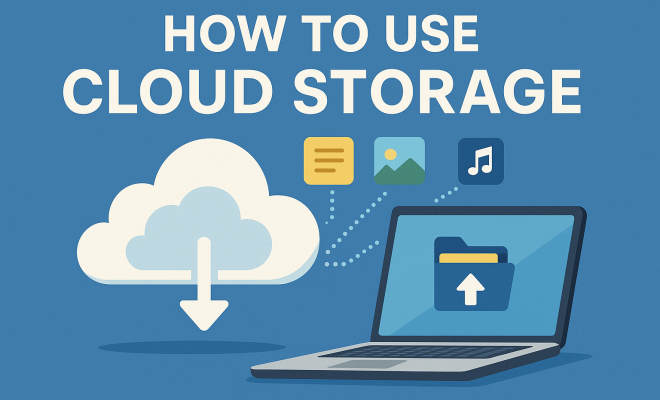
In a world increasingly driven by digital information, understanding how to effectively use cloud storage is vital. Whether you’re a student, a small business owner, or just someone looking to back up personal files, mastering cloud storage can streamline your digital life. Here are nine critical tips to help you navigate the often confusing landscape of cloud storage.
1. Understand the Basics of Cloud Storage
Cloud storage operates on the principle of remotely storing data on servers managed by a third-party provider. This means you can access your files from any device with internet connectivity, making it ideal for collaboration and sharing. Unlike traditional storage solutions, which can be limited to physical devices, cloud storage offers scalable options that can grow as your data needs increase.
Most cloud storage services operate on a subscription model, offering a range of pricing tiers based on the amount of storage you need. Popular providers include Google Drive, Dropbox, Microsoft OneDrive, and Apple iCloud. Each platform has its own set of features, making it essential to understand what suits your needs best.
2. Choose the Right Provider
Not all cloud storage services are created equal. Depending on your specific needs—such as storage capacity, compatibility with other applications, and budget—your choice of provider can significantly impact your experience. For instance, Google Drive offers seamless integration with Google’s suite of tools, while Dropbox is renowned for its user-friendly interface.
When selecting a cloud storage provider, consider factors like data security, backup options, and customer support. Read reviews, compare features, and perhaps even trial a service before committing to a subscription. It’s crucial to find a service that not only meets your current needs but also has the capacity to grow with you.
3. Implement Strong Security Measures
Security should be a top priority when using cloud storage. Although many providers offer robust security features such as encryption, it’s wise to take additional precautions. Using two-factor authentication (2FA) adds an extra layer of protection by requiring a second form of verification when logging in.
Additionally, being cautious about the types of files you upload is essential. Avoid storing sensitive personal information like financial documents unless absolutely necessary. Regularly updating your passwords and monitoring your account activity can help safeguard your data against unauthorized access.
4. Optimize Your File Organization
One of the best cloud storage tips is to develop a solid organizational system. Just like a well-organized closet, a clean and structured cloud storage system can save you time and hassle. Use folders and subfolders to categorize files by type, project, or date. This way, locating specific documents becomes a breeze.
Consider naming conventions that make sense to you; for example, include dates or version numbers in file names to keep track of updates. Regularly audit your cloud storage to delete outdated files and keep everything streamlined. A tidy digital space enhances productivity and reduces stress.
5. Leverage Collaboration Tools
Cloud storage excels in promoting collaboration, especially for teams working from multiple locations. Most providers offer features that allow you to share files and folders easily. Google Drive, for example, enables real-time collaboration on documents, making it a go-to choice for many teams.
When sharing files, you can often set permission levels, allowing others to view, comment, or edit. This functionality is essential for maintaining control over your files while also fostering teamwork. Additionally, utilizing built-in comment features can streamline communication, negating the need for endless email threads. (See: Understanding cloud storage basics.)
6. Automate Backups
Consider setting up automated backups to ensure that your most important files are always protected. Many cloud storage solutions offer this feature, allowing you to specify which folders or files to back up automatically. This can save you from the hassle of remembering to do it yourself and provides peace of mind knowing that your data is safe.
Be selective about what you choose to automate; backing up every single file might not be necessary. Focus on critical documents, media files, and projects that require extra protection. Automating backups allows you to focus on your tasks while your data remains secure.
7. Utilize Advanced Features
Many cloud storage services come packed with advanced features beyond simple file storage. For example, Google Drive includes tools for creating documents, spreadsheets, and presentations directly within the platform. Similarly, Microsoft OneDrive offers integration with Microsoft Office applications, allowing users to collaborate seamlessly.
Take time to explore the advanced features offered by your cloud storage provider. Features such as version history, file recovery, and offline access can significantly enhance your workflow. Understanding these tools can help you make the most of your cloud storage experience.
8. Stay Informed About Storage Limits and Costs
Cloud storage services often come with limitations on how much data you can store based on your subscription plan. It’s important to stay informed about these limits to avoid unexpected costs. Some providers may charge additional fees if you exceed your storage capacity.
Keep an eye on your usage statistics and be proactive about upgrading your plan when necessary. Many services also offer promotional deals or discounts for annual subscriptions, allowing you to save money in the long run. By staying informed, you can manage your expenses effectively.
9. Consider Data Portability
Lastly, it’s essential to think about data portability. While you may love your current cloud storage provider, circumstances can change. Ensure that you can transfer your data easily should you choose to switch services. Most reputable providers facilitate exporting files in a standard format, making it easier to migrate your data elsewhere.
Before committing to a specific service, investigate whether they offer features like data exports or integrations with other platforms. This foresight can save you headaches down the line, ensuring that you’re not locked into a single provider without a clear exit strategy.
10. Understand Different Types of Cloud Storage
Before diving into cloud storage, it’s helpful to understand the various types available. The three main types are public cloud, private cloud, and hybrid cloud. Each has its own advantages and is suited for different use cases.
- Public Cloud: This is a service offered by third-party providers over the public internet, making it accessible to everyone. Examples include services like Dropbox and Google Drive. Public cloud solutions are cost-effective and scalable, making them a popular choice for individuals and small businesses.
- Private Cloud: This type is dedicated to a single organization, providing increased security and control. Organizations often use private clouds for sensitive data that requires compliance with privacy regulations.
- Hybrid Cloud: A combination of public and private clouds, hybrid solutions allow businesses to maintain sensitive data on a private cloud while utilizing the scalability of a public cloud for less critical operations.
11. Assess Your Storage Needs Regularly
Just as your personal or business needs evolve, so should your cloud storage solution. It’s a good idea to assess your storage requirements periodically. You may find that your needs have changed, either increasing or decreasing since you first signed up for cloud services.
Engage in a storage audit to determine what files you really need and which files can be archived or deleted. Most providers give you a clear overview of your storage usage, which can help you identify underutilized space or areas where you might need to upgrade. With storage options varying widely in terms of pricing and features, regularly reassessing your needs can ensure you’re getting the most value for your investment.
12. Consider Multi-Cloud Strategies
Using multiple cloud storage providers can offer advantages that single-provider solutions lack. By adopting a multi-cloud strategy, you can take advantage of the best features, pricing, and services each provider offers. For example, you might use Google Drive for document collaboration and Dropbox for file sharing.
A multi-cloud approach not only enhances flexibility and performance but also acts as a safeguard. If one service experiences downtime or data loss, you’ll still have access to your essential files stored elsewhere. However, managing multiple cloud services requires careful organization and a reliable system to track where your data is stored, so ensure you have a clear plan in place. (See: Cloud computing and health IT.)
13. Backup Cloud Storage to Local Drives
Even though cloud storage is designed to safeguard your data, nothing beats a good old-fashioned backup. Consider regularly backing up your critical cloud-stored files to local drives, such as external hard drives or USB thumb drives. This dual-layer protection can be lifesaving if your cloud provider experiences an unexpected outage or data breach.
Setting up a routine for physical backups can be a straightforward process. Schedule weekly or monthly backups, depending on how frequently your files change. This routine helps to ensure that you always have the most current versions of your crucial documents available offline.
14. Common Mistakes to Avoid
Even seasoned users can make mistakes when managing cloud storage. Here are a few common pitfalls and how to avoid them:
- Neglecting Security Practices: Failing to use encryption or skipping two-factor authentication can leave your data vulnerable. Always prioritize security.
- Ignoring File Organization: Haphazard file management can lead to lost documents and frustration. Invest time in a proper organizational scheme from the start.
- Not Reading Terms of Service: Many users sign up without reviewing the fine print. Understanding what you’re agreeing to can save you from unpleasant surprises.
15. FAQ About Cloud Storage
Q: What is cloud storage?
A: Cloud storage is a service that allows you to store files on remote servers accessed via the internet, rather than on local hard drives.
Q: Is cloud storage secure?
A: While cloud storage can be secure, it’s essential to implement additional security measures like two-factor authentication and encryption to protect your data further.
Q: Can I access my files offline?
A: Many cloud services offer offline access options, but you’ll need to configure this feature beforehand to ensure you can access your files without an internet connection.
Q: How do I choose the right cloud storage plan?
A: Evaluate your storage needs, budget, and the features offered by different providers. Compare services and take advantage of trial periods to find the best fit. (See: Latest trends in cloud storage.)
Q: What happens if I exceed my storage limit?
A: Exceeding your storage limit may result in extra charges from your provider or restrictions on uploading new files until you free up space or upgrade your plan.
16. Future Trends in Cloud Storage
The cloud storage landscape is continuously evolving, and staying aware of trends can help you make informed decisions. Here are some future trends to watch:
- AI Integration: Many cloud services are beginning to incorporate artificial intelligence to help users manage their files better, automatically organizing data, and even suggesting backups.
- Increased Focus on Privacy: As concerns about data privacy continue to grow, many cloud providers will likely enhance their security protocols and transparency to build trust with users.
- Edge Computing: This technology allows data processing closer to where it’s generated, improving speed and efficiency. As edge computing becomes more common, it will change how we approach cloud storage.
17. Comparative Analysis of Popular Cloud Storage Providers
When considering cloud storage options, understanding the strengths and weaknesses of major players can help you make a more informed choice. Here’s a brief comparison of some of the most popular cloud storage services:
| Provider | Storage Space | Price | Best For |
|---|---|---|---|
| Google Drive | 15 GB free, up to 30 TB paid | Starts at $1.99/month for 100 GB | Integration with Google Workspace |
| Dropbox | 2 GB free, up to 3 TB paid | Starts at $9.99/month for 2 TB | User-friendly sharing and collaboration |
| Microsoft OneDrive | 5 GB free, up to 6 TB paid | Starts at $1.99/month for 100 GB | Integration with Microsoft Office |
| Apple iCloud | 5 GB free, up to 2 TB paid | Starts at $0.99/month for 50 GB | Apple ecosystem users |
This comparison highlights key aspects of each service, from pricing to storage capacity and target user base. Depending on your specific needs, one may stand out as the best choice for you.
18. Expert Insights on Cloud Storage Best Practices
To further enhance your understanding of cloud storage, here are insights from industry experts:
- Tim O’Reilly, Tech Publisher: “Data is the new oil. Protecting your data with solid cloud storage practices is not just about access; it’s about security and resilience.” He emphasizes the importance of not just choosing a service based on cost but also considering its security features and reputation.
- Jessica Lee, Data Security Consultant: “Many users underestimate the importance of data encryption. Always ensure that your cloud provider supports end-to-end encryption to keep your files safe from unauthorized access.” This is a crucial reminder to prioritize security when selecting storage solutions.
19. Cloud Storage Tips for Businesses
For businesses, cloud storage offers unique benefits and challenges. Here are some tailored tips:
- Evaluate Compliance Needs: Depending on your industry, you may need to comply with regulations (e.g., HIPAA for healthcare). Ensure your cloud provider meets these requirements.
- Train Your Team: Educate employees on best practices for using cloud storage securely. Awareness can prevent costly breaches.
- Consider Scalability: Choose a provider that can grow as your business expands. Look for options that allow easy upgrades to storage and features.
20. Conclusion
Cloud storage is more than just a digital filing cabinet; it’s a powerful tool that can enhance your productivity, collaboration, and data security. By following these essential cloud storage tips, you can harness the full potential of this technology and make it an integral part of your daily workflow. The digital landscape is evolving, and effective cloud storage management is key to staying ahead.
“`
Trending Now
Frequently Asked Questions
What is cloud storage and how does it work?
Cloud storage allows you to store data remotely on servers managed by a third-party provider. You can access your files from any device with internet connectivity, making it ideal for sharing and collaboration. It operates on a subscription model, offering scalable options based on your storage needs.
How do I choose the best cloud storage provider?
To choose the best cloud storage provider, evaluate your specific needs like storage capacity, application compatibility, and budget. Consider factors such as data security, backup options, and customer support. Reading reviews and comparing features can help you select a service that fits your requirements.
What are the security measures for cloud storage?
Implementing strong security measures for cloud storage is crucial. This includes using strong, unique passwords, enabling two-factor authentication, and regularly monitoring your account for unauthorized access. Understanding the security features offered by your provider can further enhance your data protection.
Can I access cloud storage from multiple devices?
Yes, one of the main advantages of cloud storage is the ability to access your files from any device with internet connectivity. This flexibility allows for seamless collaboration and sharing, making it convenient for users who switch between devices frequently.
What are the benefits of using cloud storage?
The benefits of using cloud storage include easy access to files from anywhere, scalable storage options, enhanced collaboration capabilities, and automatic backups. It eliminates the limitations of physical storage and provides a cost-effective solution for managing digital information.
Agree or disagree? Drop a comment and tell us what you think.