Mastering Pull Requests: A Guide to Collaborative Coding
“`html
1. Understanding Pull Requests: A Fundamental Tool in Collaborative Coding
In the world of software development, collaboration is key. Developers often work on projects simultaneously, and this is where pull requests come into play. A pull request (PR) is essentially a method for contributing code changes back to a central repository. When you create a pull request, you’re asking the project maintainers to review your changes, discuss them, and potentially merge them into the main codebase.
Pull requests serve several important purposes: they facilitate code review, allow for discussion about the changes, and help maintain a comprehensive history of modifications. Without pull requests, tracking contributions and maintaining code quality becomes increasingly difficult. They act as a buffer between your contributions and the main branch, ensuring that only reviewed and approved code gets integrated.
In addition to these core functions, pull requests also help in fostering a culture of transparency and accountability within a team. By documenting the process of change, PRs provide valuable insights into the evolution of a project, making it easier for new developers to understand the history of decisions made.
Consider this: when you look at a project with a history of well-documented pull requests, it often tells a story of collaboration and shared knowledge. Each PR reflects a piece of that story, highlighting challenges faced and solutions crafted. It’s this narrative aspect that can be incredibly beneficial for both current and future contributors.
2. Preparing Your Environment: Essential Tools and Setup
Before you can create a pull request, you’ll need a few basic tools set up in your development environment. First and foremost, ensure you have a GitHub account since it’s one of the most popular platforms for managing pull requests.
You also need to have Git installed on your local machine to clone repositories and manage version control. Familiarize yourself with Git commands, as they will be critical in the process. Lastly, a code editor like Visual Studio Code or Sublime Text will help you make the necessary changes to your code effectively.
Once you have these tools in place, the next step is to clone the repository you want to contribute to. This will create a local copy of the project for you to work on. You can do this by running the command:
git clone https://github.com/username/repository.gitSubstituting ‘username’ and ‘repository’ with the actual GitHub account and repository name.
Additionally, it’s a good idea to familiarize yourself with the repository’s structure and any contributing guidelines provided by the project maintainers. This can help you understand the project better and align your contributions with the project’s goals.
It’s important to note that, depending on the size and complexity of a project, there may be additional tools or dependencies you need to install. Always check the project’s README file for specific instructions regarding setup, as this can save you a lot of time and effort.
3. Branching Out: Creating a Feature Branch
Before making any changes, it’s important to create a new branch. This helps keep your work organized and separate from the main codebase. The main branch, often called ‘main’ or ‘master’, should always contain stable code. By creating a feature branch, you can work on your changes without affecting the integrity of the main code.
To create a new branch, use the following command:
git checkout -b feature-branch-nameReplace ‘feature-branch-name’ with a descriptive name that reflects the changes you plan to make. This step is crucial, as it allows for multiple features or fixes to be worked on concurrently without conflicts.
Branch naming conventions can also play a role here. For instance, you might include a ticket number from a task management system, such as git checkout -b 1234-add-user-authentication. This can help in tracking changes related to specific tasks, making it easier for maintainers to understand the context of your changes.
By using branches effectively, you can experiment with new ideas and features without the risk of destabilizing the main project. If something doesn’t work out, you can easily delete the branch without impacting the rest of the project. (See: Understanding Pull Requests on Wikipedia.)
4. Making Your Changes: Coding with Purpose
Now that you’ve created a new branch, it’s time to dive into the code. As you make changes, it’s a good practice to commit frequently. Each commit should represent a logical unit of work; this makes it easier for reviewers to understand your changes. Use descriptive commit messages that summarize the changes made. For instance:
git commit -m "Fix issue with user authentication"This level of detail helps maintainers quickly grasp what each change entails without diving deep into the code.
When working on complex features, it can be beneficial to break your changes into smaller, incremental commits. This not only aids in clarity but also allows for easier reversion if something goes wrong. If a reviewer finds an issue in one of your commits, they can address it without needing to sift through a massive PR.
Remember to test your changes thoroughly before preparing to submit the pull request. This ensures that your contributions don’t introduce bugs or degrade the existing functionality. Automated tests can also be particularly useful in this regard—consider adding or updating tests as part of your work to help ensure that your changes are robust and reliable.
5. Syncing with the Main Repository: Keeping Your Branch Updated
While you work on your branch, the main repository may receive updates from other contributors. To prevent merge conflicts and ensure your changes are based on the latest code, regularly sync your branch with the main repository. To do this, first switch back to the main branch:
git checkout mainThen, pull the latest changes:
git pull origin mainAfterward, switch back to your feature branch and merge the updates:
git checkout feature-branch-name
git merge main
Resolving any conflicts that may arise at this stage is crucial. Address the conflicts manually, and once resolved, commit the changes. It’s also a good practice to write brief messages in your merge commits to explain why the merge occurred, especially if there were conflicts.
By keeping your branch updated, you not only facilitate a smoother review process but also minimize the risk of introducing errors from outdated code. This practice shows respect for your fellow developers and contributes to a more efficient workflow.
6. Creating the Pull Request: The Moment of Truth
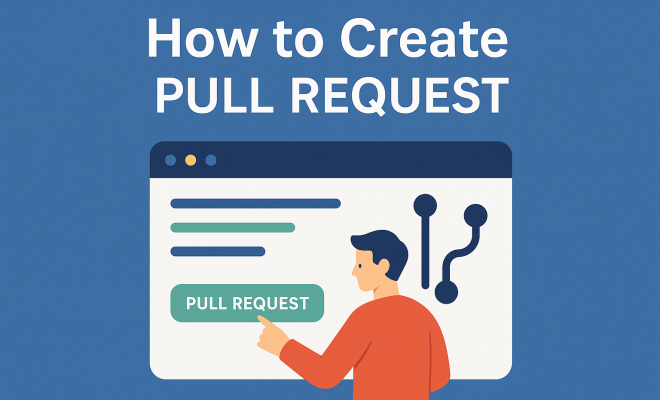
With your feature branch ready and changes committed, it’s time to create a pull request. Navigate to the GitHub repository page and locate the “Pull requests” tab. Click on “New Pull Request” to begin the process. You’ll be prompted to select the base branch (typically ‘main’) and your feature branch.
GitHub provides a visual interface that will show you the differences between the branches. This is a critical moment — make sure everything looks good! You can add a title and description for your pull request, which should explain the purpose of the changes, any relevant context, and instructions for testing the new code.
Be sure to highlight any potential issues or caveats in your description. For instance, if your changes affect a particular area of the codebase that might lead to unexpected behavior, mention it clearly. This transparency helps reviewers understand what to pay particular attention to during their review.
Once you’re satisfied, hit the “Create Pull Request” button. This will notify the repository maintainers and kick off the review process. Some repositories may have templates for pull requests; if so, consider using them to ensure you capture all relevant information.
7. Review Process: Engaging with Feedback
After submitting your pull request, it enters the review stage. This is a collaborative process where maintainers and other contributors can suggest improvements, highlight potential issues, or request additional changes. Engaging with feedback is essential. If reviewers request changes, respond promptly and address their concerns.
It’s beneficial to maintain an open line of communication. If something isn’t clear, don’t hesitate to ask for clarification. This back-and-forth can be instrumental in honing not just your pull request but also your coding skills over time.
During the review, reviewers may also suggest changes that align better with the overall project direction or coding standards. Embrace this feedback as an opportunity for growth. Each interaction is a chance to learn from seasoned developers and improve your own skills.
Once the reviewers approve your changes, your pull request can be merged into the main branch. Depending on the project’s workflow, you may be able to merge it yourself or it might require a maintainer to do so. Understanding the rules of merging in your specific project is crucial—some projects may prefer or require squashing commits, while others might favor a straight merge. (See: CDC's approach to collaboration.)
8. Finalizing the Pull Request: Merging and Closing
Once your pull request has been approved, it’s time to merge. Merging is the step that integrates your changes into the main codebase. Go to your pull request page and look for the “Merge” button. Confirm the merge, and your changes are now part of the project!
After merging, it’s best practice to delete your feature branch both locally and on GitHub. This keeps the repository tidy and allows you to start fresh with your next feature or bug fix.
git branch -d feature-branch-name
git push origin --delete feature-branch-name
Additionally, taking a moment to reflect on what you learned during the process can be beneficial. Did you encounter any challenges? Were there particular aspects of the code review that stood out? This reflection can help you improve in future contributions.
9. Best Practices for Pull Requests: Ensuring Quality and Collaboration
Creating pull requests isn’t just about following the steps; it’s also about adhering to best practices that enhance collaboration and code quality. Here are a few tips to keep in mind:
- Keep Pull Requests Small: Aim for smaller, focused pull requests. This makes them easier to review and less likely to introduce bugs.
- Write Detailed Descriptions: Provide context in your PR descriptions. This can include the problem being solved, the approach taken, and instructions for testing.
- Be Respectful of Reviewers’ Time: Be responsive and respectful to the feedback you receive. This can lead to a more productive review process.
- Test Thoroughly: Before submitting, ensure your code is well-tested. Include unit tests if applicable, as they can greatly assist reviewers.
- Follow Project Conventions: Adhere to coding styles and conventions set by the project maintainers. This fosters consistency and readability.
By following these best practices, you enhance the collaboration experience for yourself and your team. Learning how to create a pull request effectively is not just about mastering Git and GitHub; it’s also about becoming a better team member in the software development community.
Engaging in the pull request process can be daunting at first, but with practice, you’ll find it to be an invaluable part of collaborative software development. Embrace the feedback, learn from the process, and contribute to building better software together!
10. Common Challenges in the Pull Request Process: Overcoming Hurdles
Each step of creating a pull request can come with its own set of challenges. Being aware of these common pitfalls can make your experience smoother. Here are some frequently encountered issues:
- Merge Conflicts: These occur when two branches have changes that conflict with each other. To resolve this, you’ll need to manually edit the conflicting sections and choose the correct version.
- Insufficient Documentation: If your PR lacks context, it can lead to confusion. Always provide enough detail in your description and comments to guide reviewers.
- Long Review Times: If your PR takes longer to review, consider reaching out to the maintainers politely to check the status. Sometimes, simply reminding them can expedite the process.
- Inconsistent Coding Standards: Different contributors might have varying styles. Always try to align with the project’s coding standards, which can often be found in the repository guidelines.
- Unclear Feedback: If you receive feedback that seems unclear or unhelpful, don’t hesitate to ask for clarification. It’s important to fully understand what changes are expected before proceeding.
Addressing these challenges proactively can help you manage your pull requests more effectively and reduce frustration.
11. Real-World Examples of Pull Requests: Learning from the Community
Learning how other developers approach pull requests can be incredibly enlightening. Many open-source projects have a wealth of PRs that you can browse through. Here are a few notable examples from well-known projects:
- React: The React project on GitHub is known for its active community and numerous contributions. Browsing through their PRs can provide insights into how complex features are discussed and implemented.
- TensorFlow: TensorFlow often sees pull requests that involve intricate machine learning models. Observing their PR discussions can highlight how contributors tackle challenging issues.
- Mozilla Firefox: With a rich history in open-source contributions, Mozilla’s PRs can showcase best practices in documentation and testing.
By analyzing these examples, you can gain valuable insights into how well-structured pull requests look, how to approach complex feedback, and the kinds of discussions that arise during reviews. This exposure can bolster your understanding of effective communication and collaborative coding practices.
12. Pull Request FAQs: Answering Your Questions
Here are some frequently asked questions about pull requests:
Q1: How long should a pull request be open?
A: The duration varies by project, but aim to keep your PR open for as short a time as necessary. The quicker it is reviewed and merged, the less likely it is to become stale.
Q2: What if my PR isn’t getting attention?
A: If your PR doesn’t receive feedback in a timely manner, consider politely reaching out to the maintainers or mentioning it in the project’s chat channel, if available. (See: New York Times on technology collaboration.)
Q3: Can I make changes to my PR after it’s submitted?
A: Yes! If you need to make changes after submitting, simply push the updates to your branch. Your PR will automatically update with the latest commits.
Q4: What if my changes conflict with another contributor’s work?
A: If you encounter merge conflicts, you’ll need to resolve them manually by updating your branch with the latest changes from the main branch and fixing the conflicts before you can merge.
Q5: Should I squash my commits before submitting?
A: It depends on project guidelines. Some projects prefer squashed commits for clarity, while others may want a detailed commit history. Always check the repository’s contributing guidelines for specifics.
Q6: How can I improve my chances of getting my PR merged?
A: To enhance your chances, ensure your code is well-documented, follows coding standards, and passes existing tests. Engaging with reviewers and being open to feedback can also make a significant difference.
Q7: What if my pull request gets rejected?
A: If a PR gets rejected, don’t be discouraged. Reviewers may provide constructive feedback. Use their insights to improve your code, and resubmit your pull request when ready.
Q8: Is there a limit to how many pull requests I can create?
A: No, there isn’t a strict limit on the number of pull requests you can create. However, it’s best to focus on quality over quantity. Ensure that each PR adds value to the project and is manageable for reviewers.
Q9: How can I track the status of my pull request?
A: You can track your PR’s status directly on GitHub. You’ll receive notifications on comments, approvals, or merges. Additionally, you can check the PR page for any updates.
Q10: Are there any tools available to help manage pull requests?
A: Various tools can assist with pull request management, such as GitHub Projects, ZenHub, and Jira. These can help organize tasks, provide visibility, and streamline the review process.
Understanding these common questions can further enhance your confidence in navigating the pull request process.
Creating a pull request is more than just a technical skill; it’s a vital part of collaborating with others in the development community. The more comfortable you become with the process, the more effective your contributions will be, leading to better projects and a stronger team dynamic.
13. Further Insights on Pull Requests: Tips from the Experts
To further enhance your understanding of how to create a pull request effectively, consider the insights from seasoned developers. Here are some expert tips:
- Engage with the Community: Participating in discussions, whether in issue comments or PR reviews, can significantly boost your reputation within the community. Being an active member can lead to more substantial contributions and recognition.
- Document Your Learning: As you navigate the PR process, keep notes on what you’ve learned. This personal documentation can serve as a valuable reference for future submissions and help you recognize your growth over time.
- Seek Mentorship: If you’re new to open-source, finding a mentor who has experience with PRs can be incredibly beneficial. They can provide guidance, share best practices, and help you navigate the nuances of the process.
- Review Other PRs: Take the time to review pull requests submitted by others. This not only helps you understand the review process from the other side but also exposes you to various coding styles and practices.
- Stay Updated: Keep abreast of the latest developments in GitHub and Git. New features or tools can streamline the PR process and improve collaboration.
By incorporating these expert tips into your approach, you can refine your pull request skills and foster a more enriching experience for yourself and your team.
“`
Trending Now
Frequently Asked Questions
What is a pull request in Git?
A pull request (PR) in Git is a method for proposing changes to a codebase. It allows developers to submit their code modifications to a central repository for review, discussion, and potential merging. PRs help maintain code quality and provide a historical record of changes made.
How do you create a pull request?
To create a pull request, first, ensure you have a GitHub account and Git installed. After making changes in a separate branch, push the branch to the remote repository and navigate to the repository on GitHub. Click the 'New Pull Request' button, select your branch, and submit your PR for review.
Why are pull requests important?
Pull requests are essential as they facilitate code review, encourage team collaboration, and maintain a clear history of changes. They ensure that only reviewed and approved code is merged into the main branch, enhancing code quality and transparency in the development process.
What tools do I need to create a pull request?
To create a pull request, you need a GitHub account and Git installed on your local machine. These tools will allow you to clone repositories, manage version control, and submit your code changes effectively for review.
How do pull requests improve team collaboration?
Pull requests improve team collaboration by providing a platform for discussion and review of code changes. They document the decision-making process and allow team members to share knowledge, making it easier for new contributors to understand project history and context.
What did we miss? Let us know in the comments and join the conversation.