Mastering Pull Requests: A Guide to Merging Code Effectively
“`html
In the world of software development, collaboration is key. One of the most vital tools for facilitating this collaboration is the pull request (PR). Understanding how to merge pull requests effectively is crucial to maintaining a healthy codebase, especially in teams that work with version control systems like Git. In this article, we will explore the ins and outs of merging pull requests, including what they are, how they work, and the best practices for getting it right.
1. What is a Pull Request?
A pull request is a way for developers to notify team members that they have completed a feature or a fix and are ready for their changes to be reviewed and merged into the main codebase. It serves as a bridge between the developer’s branch—where they made their changes—and the main repository branch, such as ‘main’ or ‘master’. Pull requests are particularly popular in collaborative environments, allowing team members to discuss and review code before it is integrated.
Typically, when a developer creates a pull request, they provide a description of the changes made and why they are important. This description helps reviewers understand the context of the code, making it easier to evaluate the contribution. PRs can also include comments from the author and reviewers, enabling a discussion that can lead to improvements before merging.
2. The Importance of Merging Pull Requests
Merging pull requests is a critical process in software development because it ensures that new contributions are thoroughly vetted before they enter the primary codebase. This practice not only enhances code quality but also fosters collaboration and knowledge sharing within the team. By reviewing pull requests, developers can learn from each other, ensure consistency in coding standards, and catch potential bugs early in the development process.
Moreover, pull requests create a historical record of changes. This record is invaluable for tracking the evolution of the codebase over time, making it easier to identify when and why certain decisions were made. The ability to look back at previous pull requests also aids in understanding the rationale behind specific coding strategies and architectural choices.
3. The Steps to Merge a Pull Request
Merging a pull request involves a few well-defined steps. Here’s a breakdown of the process:
- Review the Pull Request: Before merging, it’s essential to review the code changes. This includes checking for coding standards, testing adequacy, and potential conflicts with existing code.
- Run Tests: If the project includes automated tests, run them against the pull request to ensure that the new code doesn’t break any existing functionality. Any failing tests should be addressed before proceeding.
- Resolve Conflicts: If there are changes in the main branch that conflict with the pull request, these conflicts must be resolved. This can often be done directly in the pull request interface.
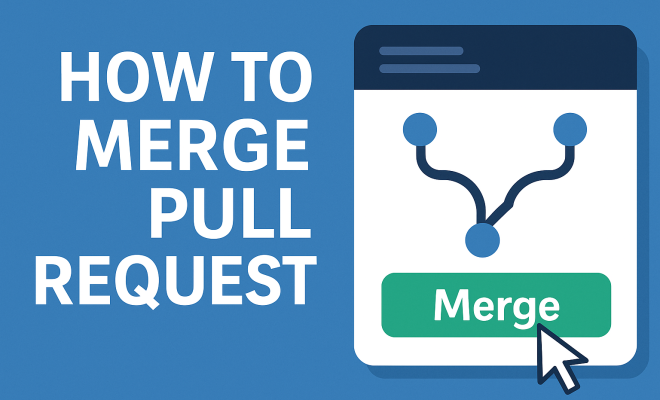
- Merge the Pull Request: Once the pull request has been reviewed, conflicts have been resolved, and tests have passed, it’s time to merge. This can typically be done with a single click in platforms like GitHub or GitLab.
- Delete the Branch: After the merge, consider deleting the branch that was used for the pull request. This keeps the repository tidy and prevents confusion over which branches are still active.
4. Best Practices for Merging Pull Requests
To ensure that the process of merging pull requests goes smoothly, follow these best practices:
- Communicate Clearly: Ensure that the purpose of the pull request is clear. Use descriptive titles and detailed comments to explain the changes made. This clarity is essential for effective code reviews.
- Keep Pull Requests Small: Aim to limit the size of pull requests. Smaller PRs are easier to review and have a lower chance of introducing bugs. If your changes are substantial, consider breaking them into smaller, manageable pieces.
- Perform Code Reviews: Make code reviews an integral part of your development process. Encourage team members to review each other’s work and provide constructive feedback.
- Merge Regularly: Regularly merging pull requests helps keep the codebase up to date and reduces the likelihood of merge conflicts down the line. Establish a routine for merging to maintain project momentum.
5. Handling Merge Conflicts
Merge conflicts occur when two branches have changes that cannot be reconciled automatically. This is a common scenario in collaborative development. Here’s how to handle merge conflicts effectively:
First, when a conflict arises, Git will highlight the areas of the code that are in dispute. You’ll need to manually resolve these conflicts. Open the file(s) in question, and look for the conflict markers (typically <<<<<<<, =======, >>>>>>>). Edit the file to incorporate the desired changes from both branches, and then remove the conflict markers.
After you’ve resolved the conflicts, stage the changes and commit them. Finally, complete the pull request merge. It’s advisable to communicate with your team about the changes made during conflict resolution to ensure transparency.
6. Tools for Managing Pull Requests
Several tools can help streamline the process of managing pull requests, making it easier to collaborate and maintain code quality. Here are some of the most popular:
- GitHub: One of the most widely used platforms for version control, GitHub offers a comprehensive interface for managing pull requests, including code reviews, discussions, and integrated CI/CD pipelines.
- GitLab: Similar to GitHub, GitLab provides a robust platform for managing repositories and pull requests, with additional features like built-in CI/CD tools and project management capabilities.
- Bitbucket: Bitbucket, owned by Atlassian, integrates seamlessly with Jira and offers a great environment for teams already using Atlassian products. It supports pull requests and code reviews with ease.
- Phabricator: An open-source suite of tools for peer code review, task management, and project communication, Phabricator is great for teams looking for a customizable solution.
7. Integrating Continuous Integration/Continuous Deployment (CI/CD)
Integrating CI/CD into your pull request process can significantly enhance code quality and deployment efficiency. CI/CD automates testing and deployment, ensuring that new code is always reliable and ready to go. (See: Understanding pull requests on Wikipedia.)
When a pull request is created, CI tools automatically run tests on the new code. If all tests pass, the code is confirmed for merging. This minimizes the risk of introducing bugs into the main codebase and allows developers to catch issues early in the development process.
Popular CI/CD tools include Jenkins, Travis CI, CircleCI, and GitHub Actions, which can be easily integrated into your workflow. Setting up automated checks through CI/CD will save time and ensure that your merges are smooth and safe.
8. Pull Request Reviews: Key to Success
Effective pull request reviews are essential for ensuring the quality and maintainability of your code. A thorough review can catch bugs, improve code quality, and facilitate knowledge sharing among team members.
Encourage reviewers to focus on both the code itself and the overall architecture. It’s also beneficial to set specific review guidelines, such as checking for test coverage, adherence to coding standards, and overall clarity of the code. Some teams choose to implement a system of multiple reviewers for critical changes, ensuring that more than one set of eyes evaluates significant contributions.
Additionally, creating an environment where feedback is constructive and respectful fosters a positive team dynamic. Remember, the goal is to improve the code and help one another grow as developers.
9. The Future of Pull Requests
As technology continues to evolve, so too does the process of merging pull requests. With the rise of AI and machine learning, we can expect to see smarter tools that assist developers in identifying potential issues before they even create a pull request.
Additionally, as remote work becomes more prevalent, the importance of clear communication and collaboration tools in managing pull requests will only grow. Teams will need to adopt practices that ensure everyone is on the same page, regardless of location.
Ultimately, mastering the art of merging pull requests is essential for any developer looking to thrive in a collaborative environment. Not only does it improve code quality, but it also strengthens team dynamics and facilitates a culture of continuous improvement.
10. Common Challenges When Merging Pull Requests
While merging pull requests is a standard practice, it often comes with its own set of challenges. Understanding these challenges can help teams navigate them more effectively.
- Timing Issues: It’s crucial to merge pull requests in a timely manner. Delays can lead to changes becoming stale or no longer relevant. Keeping an eye on the timing of merges can help prevent these issues.
- Under-Reviewed Changes: Sometimes, due to time pressures or workload, pull requests may not receive the necessary reviews they need. This can lead to integration problems later on. Implementing a rule to always have at least one reviewer can mitigate this risk.
- Lost Context: As pull requests are reviewed over several days or weeks, the context behind the changes can be lost. Encourage authors to keep the discussion alive, sharing updates as they work through feedback.
- Team Dynamics: Personal conflicts or misunderstandings can impede the smooth merging of pull requests. Fostering a collaborative and respectful team environment is essential for overcoming interpersonal challenges.
- Tool Limitations: Not all tools for managing pull requests are created equal. Some may lack the features needed for efficient review and merging. Consider investing time in selecting the right platform that meets your team’s needs.
11. Statistical Insights on Pull Requests
Understanding the impact of pull requests on software development can be enhanced by looking at some statistics. Research shows that teams that implement pull requests effectively can significantly reduce the number of bugs that make it to production. A study by GitHub found that teams that regularly use pull requests reported a 30% decrease in post-release bugs. This underscores the importance of the review process in maintaining code quality.
Additionally, a survey by Stack Overflow indicated that approximately 70% of developers prefer to work in teams that utilize pull requests, citing improved code quality and better communication as key reasons. This preference highlights the positive impact that a well-structured pull request process can have on team morale and project success.
12. Expert Perspectives on Merging Pull Requests
Industry professionals often share insights on best practices for managing pull requests. For instance, GitHub’s engineering team emphasizes the importance of keeping pull requests focused. They suggest that each pull request should ideally address a single issue or feature. This approach not only simplifies the review process but also makes it easier to track changes in the codebase.
Similarly, expert developers advocate for establishing a culture of constructive feedback. They suggest that code reviews should not only focus on finding faults but should also recognize well-written code. By balancing criticism with praise, teams can create a more positive environment that encourages openness and continuous learning. (See: CDC on data collaboration in projects.)
13. Best Tools for Code Review
In addition to managing pull requests, choosing the right code review tools can greatly enhance the process. Here are some highly regarded tools:
- Review Board: This open-source tool supports multiple version control systems and offers a robust platform for code review, including inline commenting and easy integration with existing workflows.
- Crucible: Another Atlassian product, Crucible, provides a comprehensive code review solution with powerful analytics and reporting features, making it ideal for larger teams.
- CodeScene: This tool uses machine learning to analyze code changes in pull requests, offering insights into potential risks and areas for improvement, thus enhancing the decision-making process during merges.
- GitHub’s Review Feature: Built into GitHub, this feature allows for easy inline comments and discussions directly on the code, facilitating seamless collaboration.
14. Improving Your Merge Strategy
To improve the efficiency of your merge strategy, consider incorporating the following practices:
- Establish Clear Guidelines: Define guidelines on how changes should be submitted and reviewed. Ensure that all team members are on the same page regarding expectations.
- Automate Where Possible: Leverage automation tools to streamline workflows, such as automatically assigning reviewers or running tests on pull requests.
- Foster an Open Culture: Encourage team members to voice their opinions and questions during the review process. Open dialogue can lead to better solutions and innovations.
- Conduct Regular Retrospectives: After a sprint or release, hold retrospectives to discuss what worked and what didn’t in the merging process. Use these insights to continuously refine your practices.
15. Frequently Asked Questions (FAQ)
What is the purpose of a pull request?
The primary purpose of a pull request is to facilitate code review and discussion before changes are merged into the main codebase. It allows developers to propose changes and receive feedback from team members.
How do I create a pull request?
To create a pull request, first, ensure your changes are pushed to a branch in the repository. Then, navigate to the repository’s pull request section and click on “New Pull Request.” Select the branch containing your changes and provide a title and description before submitting.
What should I do if my pull request is not being reviewed?
If your pull request is taking longer than expected to be reviewed, consider reaching out to the team directly for an update. You can also check if there are any outstanding issues that need to be addressed before the review can be completed.
Can I merge my own pull request?
While it’s possible to merge your own pull request, it’s advisable to have another team member review it first. This helps maintain code quality and fosters collaboration.
What happens after a pull request is merged?
Once a pull request is merged, the changes become part of the main codebase. It is common practice to delete the feature branch to keep the repository organized, especially if the branch is no longer needed.
How can I improve my pull request reviews?
To improve your pull request reviews, focus on providing clear, actionable feedback and take the time to understand the changes. Consider implementing a checklist for reviews to ensure consistency and thoroughness.
What is a code review checklist?
A code review checklist is a set of criteria that reviewers can use when assessing a pull request. This may include checking for coding standards, documentation, test coverage, and overall readability of the code.
16. Common Mistakes When Merging Pull Requests
Even experienced teams can make mistakes while merging pull requests. Here are some common pitfalls and how to avoid them:
- Ignoring Documentation: Always ensure that updates to documentation accompany code changes. This includes updating any relevant wikis, README files, or comments in the code. Failing to do so can leave team members confused about how to use new features or understand code changes.
- Neglecting Review Feedback: Sometimes, developers may feel defensive about their code and ignore valuable feedback. Encourage a culture where all feedback is considered, as it can lead to better code quality and team dynamics.
- Insufficient Testing: Some teams may skip thorough testing before merging a pull request, assuming the changes are minor. This can lead to unexpected bugs. Always conduct automated tests as well as manual testing when necessary.
- Not Updating the Base Branch: If the main branch is updated after a pull request is created, it’s essential to sync the branch with the latest changes. Failing to do this can lead to complex merge conflicts and integration issues.
17. Case Study: Successful Pull Request Management
To illustrate the importance of effective pull request management, consider the case of Company X, a medium-sized software development firm. They struggled with consistent quality in their releases due to the lack of a structured pull request process. Frustration grew among developers as bugs slipped into production more often than they should. (See: New York Times on GitHub pull requests.)
In response, they implemented a strict pull request policy that included mandatory reviews, automated testing, and clear documentation requirements. Within six months, they reported a 40% reduction in production issues, and team morale improved as developers felt more supported in their work.
This transformation highlights how a focus on merging pull requests with discipline can lead to tangible benefits, including better code quality, fewer bugs, and a more engaged team.
18. Emerging Trends in Pull Request Management
The landscape of pull request management is constantly evolving, and staying on top of trends can give teams a competitive edge. One emerging trend is the integration of AI-driven tools that can help with code reviews, flagging issues before human reviewers even look at the code. This can significantly speed up the review process and increase accuracy.
Another trend is the rise of “pre-merge” checks that automate tests and standards compliance before a pull request is even submitted for review. These checks can help maintain code quality and reduce the workload of human reviewers.
Also, with the ongoing shift to remote work, there’s greater emphasis on tools that facilitate communication and collaboration among distributed teams. Features such as threaded comments, discussion boards, and real-time notifications are becoming standard in pull request management platforms.
19. Engaging the Community with Open Source Pull Requests
Open source projects provide a unique environment for learning about pull requests. Contributors from various backgrounds come together to improve codebases, and managing pull requests in these settings often requires additional considerations. Communication becomes even more critical, as contributors may be unfamiliar with the project’s standards.
To engage the community effectively, it’s important to provide clear contribution guidelines, including how to create pull requests, the review process, and what kind of feedback is expected. By simplifying the contribution process, open source projects can attract more developers and foster a more vibrant community.
Additionally, showcasing successful contributions on social media or project blogs can motivate new contributors to get involved, creating a continuous cycle of engagement and improvement.
“`
Trending Now
Frequently Asked Questions
What is a pull request in software development?
A pull request (PR) is a method for developers to notify their team that they have completed a feature or fix, and it is ready for review and merging into the main codebase. It allows for discussion and evaluation of changes before integration.
Why are pull requests important?
Pull requests are crucial as they ensure new contributions are reviewed before entering the main codebase. This enhances code quality, fosters collaboration, and helps catch potential bugs early, while also maintaining a historical record of changes.
How do you merge a pull request?
To merge a pull request, you typically review the proposed changes, discuss any necessary adjustments with team members, and then use version control tools like Git to integrate the changes into the main branch, ensuring code quality and consistency.
What should be included in a pull request description?
A pull request description should include an overview of the changes made, reasons for those changes, and any relevant context to help reviewers understand the contribution. This information aids in effective evaluation and discussion.
What are best practices for merging pull requests?
Best practices for merging pull requests include thorough code reviews, ensuring all tests pass, maintaining clear communication between team members, and documenting changes effectively. This approach helps enhance collaboration and maintain a healthy codebase.
What’s your take on this? Share your thoughts in the comments below — we read every one.