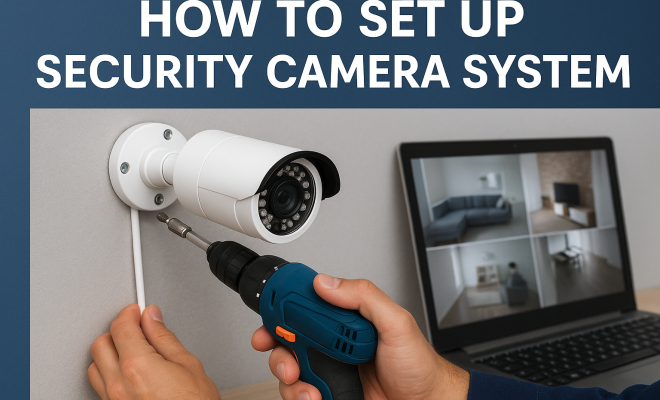
How to set up security camera system
“`html
Setting up a security camera system is crucial for ensuring the safety and security of your home or business. In an era where crime rates fluctuate and surveillance technology advances, having a reliable security camera system setup can provide peace of mind. This comprehensive guide will take you through the essential steps and considerations for establishing a robust security camera system that meets your specific needs.
1. Understanding Your Security Needs
Before diving into the technical aspects of a security camera system setup, it’s vital to assess your security needs. What are the primary areas you want to monitor? Consider both indoor and outdoor spaces. For instance, homes may require cameras at entry points, driveways, and yards, while businesses may need surveillance in parking lots, entrances, and cash register areas.
Conduct a risk assessment to identify vulnerable spots. This evaluation will guide your camera selection, placement, and features to ensure that your system is optimized for your specific situation. You might also want to think about privacy concerns; ensure that your cameras are installed in a way that respects the privacy of neighbors and passersby.
2. Choosing the Right Camera Type
When it comes to security camera system setup, the type of cameras you choose plays a significant role in the effectiveness of your system. The primary options include analog cameras, IP cameras, and wireless cameras. Analog cameras are often more budget-friendly but lack the high-definition quality of IP cameras. IP cameras, on the other hand, provide superior image quality and can be accessed remotely via a smartphone or computer.
Wireless cameras offer flexibility in placement and installation; however, they require a stable Wi-Fi connection. If you’re setting up a large area, consider using wired cameras for reliability. Additionally, think about features such as night vision, motion detection, and two-way audio, which can enhance the functionality of your security system.
3. Planning Camera Placement
Effective camera placement is critical to maximizing the coverage of your security system. Start by mapping out your property and identifying key locations for your cameras. Aim for areas that are prone to trespassing or criminal activity. Essential locations include doorways, driveways, windows, and any blind spots in your property.
For outdoor cameras, ensure they are mounted high enough to prevent tampering while still capturing clear images. Indoors, focus on high-traffic areas and vulnerable spots where theft could occur. Moreover, consider the field of view each camera offers; you want to ensure that there are no gaps in your surveillance coverage.
4. Wiring and Connectivity Considerations
Once you’ve determined the types of cameras you need and where to place them, it’s time to tackle the technical aspects of your security camera system setup, particularly the wiring and connectivity. For wired systems, running cables through walls or ceilings can seem daunting, but with a little planning, it can be straightforward.
For outdoor installations, ensure that cables are weatherproofed and protected from the elements. If you opt for a wireless security system, make sure your Wi-Fi signal reaches all areas where cameras are installed. You may need to invest in Wi-Fi extenders or a mesh network to improve connectivity. Additionally, consider how you’ll power your cameras; some may require a local power source, while others can run on rechargeable batteries.
5. Setting Up the Recording System
Your security camera system setup wouldn’t be complete without a reliable recording system. Most cameras come with options for local storage (using a DVR or NVR) or cloud storage. Local storage can be more secure, as your footage isn’t dependent on an internet connection, while cloud storage offers convenience and remote access.
When selecting a DVR or NVR, consider the number of channels you require, which corresponds to the number of cameras you plan to use. Additionally, think about the required storage capacity; higher-resolution cameras will take up more space. Set your recording schedule based on your needs — continuous recording, motion-activated recording, or a combination of both can be configured within your system. (See: CDC on workplace violence prevention.)
6. Integrating Smart Features
Modern security camera systems are increasingly equipped with smart features that enhance their functionality. Many systems now offer integration with smart home devices, allowing you to control your cameras via voice commands or through smartphone apps. Moreover, features like motion alerts and facial recognition can provide added layers of security.
Consider a system that enables remote viewing, so you can check in on your property anytime, anywhere. Some cameras can also store video clips in the cloud, making it easy to review footage if an incident occurs. Before choosing a security camera system, check user reviews to ensure the smart features function reliably and check user reviews to ensure compatibility with your existing devices.
7. Testing and Maintenance
After your security camera system setup is complete, don’t overlook the importance of testing and regular maintenance. Start by checking the clarity of the video footage and ensuring all cameras are correctly positioned. Adjust angles as necessary to eliminate blind spots, and confirm that recording is functioning properly.
Regular maintenance is essential for keeping your system in top condition. Schedule periodic checks to clean the camera lenses, update software, and verify that all components are working correctly. Additionally, monitor the storage capacity of your recording system to prevent data loss. Keeping your security camera system well-maintained ensures it will effectively protect your property for the long haul.
8. Understanding Legal Considerations
When you set up a security camera system, it’s crucial to be aware of the legal implications involved in surveillance. Depending on where you live, there may be laws governing the use of video surveillance. For instance, in many jurisdictions, it’s illegal to record audio without consent. You should also consider privacy laws that dictate where you can and cannot point your cameras.
It’s a good idea to familiarize yourself with local regulations regarding surveillance. Some areas may require you to notify neighbors that cameras are in operation, especially if they can capture footage from their property. Researching these laws not only keeps you compliant but can also help avoid potential disputes down the line.
9. Comparing Different Security Camera Systems
With a multitude of options available, comparing different security camera systems can be daunting. Let’s break it down into key factors to consider: cost, features, ease of installation, and customer support.
For cost, look beyond the initial price of the cameras. Factor in installation costs, subscription fees for cloud storage, and ongoing maintenance. Some systems may have lower upfront costs but higher long-term expenses due to subscription models. Next, consider features. Some cameras offer advanced functionalities such as high-resolution video, night vision, and integrated alarms. When evaluating ease of installation, remember that some systems are designed for quick DIY setups, while others may require professional installation.
Finally, consider the level of customer support offered by the manufacturer. Reliable support can be invaluable if you run into any issues. Reading reviews can provide insight into the experiences of other users, helping you make a more informed decision.
10. Case Studies: Real-World Applications
Examining case studies can provide insight into how various security camera setups operate in real-world scenarios. For instance, a retail store implemented a multi-camera system covering entry points, checkout areas, and parking lots. Within months, they reported a 30% decrease in theft, primarily due to the visible presence of cameras and the footage helping to identify shoplifters.
Similarly, a homeowner who installed cameras in their yard and driveway found the system invaluable during a burglary attempt. The footage captured helped law enforcement apprehend the suspects, showcasing the effectiveness of a well-placed security camera system. These examples highlight the importance of thoughtful planning in a security camera system setup and the tangible benefits it can provide.
11. Frequently Asked Questions (FAQ)
What is the best type of security camera for outdoor use?
Outdoor cameras should be weatherproof and have features like night vision and motion detection. IP cameras are often recommended for their superior resolution and ability to connect to Wi-Fi for remote access. (See: NIST guidance on security camera systems.)
How much should I expect to spend on a security camera system?
The cost varies widely based on the type of cameras, the number of units, and features. On average, a basic setup can range from $200 to $500, while advanced systems can exceed $2,000.
Can I access my security camera footage remotely?
Yes, many modern security camera systems offer remote access through mobile apps or web portals, allowing you to monitor your property from anywhere.
Do I need professional installation for my security camera system?
It depends on the complexity of your setup. Simple systems can often be installed by homeowners, while larger or more complex installations may benefit from professional assistance.
What happens if my internet goes down?
If you have a system with local storage (DVR/NVR), your cameras will continue to record even if the internet goes down. However, you won’t have remote access until your internet is restored. Cloud-based systems will stop recording until connectivity is re-established.
How can I ensure my security camera system is safe from hacking?
To secure your cameras, use strong, unique passwords, enable two-factor authentication, and regularly update the camera firmware. Also, ensure your home network is secure by using encryption and strong passwords.
12. Advanced Features to Consider
If you want to take your security camera system setup to the next level, consider investing in advanced features that can significantly enhance your security. For example, look for cameras equipped with artificial intelligence that can differentiate between people and pets, reducing false alerts. Some systems even offer integration with facial recognition technology, allowing you to identify known individuals and alert you to intruders.
Another noteworthy feature is the ability to set up geofencing. This allows you to get alerts when your cameras detect motion while you’re away from home. Such features can provide peace of mind, especially for frequent travelers or those with second homes.
High-definition, 4K cameras provide exceptional image clarity, which is crucial when you need to identify faces or license plates. Some modern cameras also come with integrated sirens, which can deter potential intruders when activated. Furthermore, systems with two-way audio allow you to communicate through the camera, making it possible to talk to delivery personnel or warn off potential intruders.
13. Future Trends in Security Camera Technology
As technology continues to evolve, so do security camera systems. The future of surveillance is leaning towards smarter, more integrated solutions. Cloud computing is becoming increasingly popular, enabling users to store and access video footage more efficiently and securely. With cloud technology, footage is less likely to be tampered with and can be accessed from anywhere with an internet connection.
Artificial intelligence is also expected to play a larger role, with systems learning from past incidents to improve their detection capabilities. This could include recognizing suspicious behavior patterns and automatically alerting law enforcement when necessary. Furthermore, advancements in battery technology are likely to enhance wireless camera options, making them even more flexible and user-friendly. (See: ScienceDirect on security camera technology.)
Another trend to watch is the rise of integration with smart home ecosystems. Security cameras that work seamlessly with devices like smart locks, lights, and alarms can create a more secure environment. This interconnectedness will provide homeowners with better control over their security systems and enhance overall safety.
14. Common Mistakes to Avoid
Even with the best intentions, there are several common pitfalls that people can encounter during a security camera system setup. One major mistake is not considering the lighting conditions in areas where cameras are installed. Poor lighting can severely affect image quality, making it difficult to identify subjects. Always test camera visibility in varying light conditions.
Another frequent error is neglecting to cover all vulnerable areas. While you may think certain spots are secure, criminals often exploit overlooked areas. Ensure that your entire property is adequately monitored, especially entry points that may not be immediately visible.
Some users also underestimate the importance of regular updates and maintenance. Failing to update software and firmware can leave your system vulnerable to hacking. Additionally, neglecting to check camera angles and clarity over time can lead to gaps in surveillance coverage. Regularly revisiting your setup can help catch and correct these issues.
15. Real-Life Experiences and Testimonials
Hearing from others who have set up security camera systems can be incredibly valuable. Take, for instance, Sarah from Ohio, who faced multiple break-ins in her neighborhood. After installing a comprehensive system, she noticed a significant drop in suspicious activity in her vicinity. Sarah emphasizes the importance of having cameras visible, stating, “Just knowing they’re there deters criminals.”
Similarly, a small business owner named Mike shared that after installing a security camera system, he was able to resolve customer disputes quickly by reviewing footage. This not only saved him money in refunds but also improved customer satisfaction. He noted, “Having that footage was a game changer for my business.” These testimonials highlight how effective a well-thought-out security camera system can be in real-life scenarios, providing both protection and peace of mind.
Final Thoughts
Setting up a security camera system may seem overwhelming at first, but with careful planning and consideration, you can create a reliable system that meets your needs. By understanding your security requirements, choosing the right camera types, and ensuring proper placement and connectivity, you’ll be well on your way to achieving a robust security setup.
Don’t forget to take advantage of the smart features available and maintain your system regularly for optimal performance. Investing time and resources into your security camera system setup is an investment in peace of mind for you and your loved ones.
“`
Trending Now
Frequently Asked Questions
What are the steps to set up a security camera system?
To set up a security camera system, begin by assessing your security needs, including identifying vulnerable areas. Next, choose the right type of cameras, such as analog, IP, or wireless. Then, plan the camera placement for optimal coverage, ensuring you respect privacy concerns. Finally, install the cameras and configure them for remote access if applicable.
How do I choose the right security cameras for my home?
Choosing the right security cameras involves evaluating your specific needs, such as the areas you want to monitor and the level of detail required. Consider factors like camera type—analog, IP, or wireless—and features such as night vision, motion detection, and audio capabilities. This ensures your selected cameras provide effective surveillance for your home.
What features should I look for in a security camera?
When selecting a security camera, look for features like high-definition video quality, night vision for low-light conditions, motion detection to alert you of activity, and two-way audio for communication. Additionally, consider whether the camera is wired or wireless, as well as the ability to access footage remotely via your smartphone or computer.
How can I ensure my security camera system is effective?
To ensure your security camera system is effective, start with a thorough risk assessment of your property to identify vulnerable areas. Choose the appropriate camera types and features based on your specific needs. Proper placement and installation are crucial, as is ensuring cameras have reliable power and internet connections for optimal performance.
Can I install security cameras myself?
Yes, you can install security cameras yourself, provided you have the necessary tools and technical knowledge. Many cameras come with detailed installation guides. However, if your system is complex or requires hardwiring, consider hiring a professional for optimal placement and configuration to ensure the system functions effectively.
Have you experienced this yourself? We’d love to hear your story in the comments.