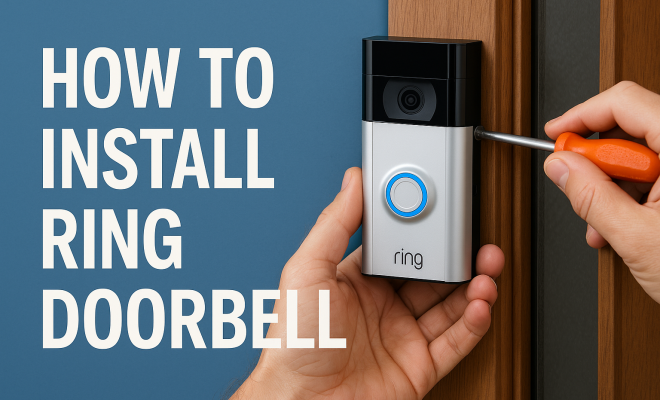
How to install Ring doorbell
“`html
The world of smart home technology is rapidly evolving, and one product that has gained immense popularity is the Ring doorbell. If you’re considering enhancing your home’s security with this innovative device, you’re in the right place. In this comprehensive guide, we’ll walk you through everything you need to know about how to install a Ring doorbell, ensuring you’re equipped with all the practical insights and tips for a successful installation.
1. Why Choose a Ring Doorbell?
Before diving into the installation process, let’s understand why you might want to install a Ring doorbell in the first place. The Ring doorbell offers a range of features that enhance safety and convenience. Equipped with high-definition video, two-way audio, and motion detection, it allows you to see and speak to visitors from your smartphone, no matter where you are.
Additionally, the Ring ecosystem connects seamlessly with other smart devices, enhancing your home security setup. With millions of units sold, it’s not just a trend; it’s a reliable tool for safeguarding your home. Plus, the ease of installation makes it accessible for homeowners and renters alike.
One of the standout benefits of the Ring doorbell is its cloud storage feature, which allows you to review recorded footage anytime. This can be crucial for security and insurance purposes. Whether it’s a package delivery or an unexpected visitor, having a record can provide peace of mind. There’s also the option to subscribe to Ring Protect, which offers extended video storage and additional features, ensuring you won’t miss important events.
2. Gathering Your Tools and Equipment
Before you can successfully install your Ring doorbell, you’ll need a few tools and equipment. Here’s the essential list:
- Ring Doorbell Kit
- Smartphone with Ring App installed
- Drill with drill bits
- Screwdriver (Phillips and flathead)
- Level
- Measuring tape
- Wire cutters (if applicable)
- Electrical tape (for wired installations)
- Stud finder (optional but helpful for wall installations)
- Safety goggles
Having these tools on hand will facilitate a smooth installation process. Don’t forget to review the specific installation instructions included with your Ring doorbell model, as they can vary slightly between different versions. If you’re unsure about any steps, don’t hesitate to watch tutorial videos online—they can provide visual aid to complement the written instructions.
3. Choosing the Right Location
The placement of your Ring doorbell is crucial for optimal performance. Ideally, it should be installed at eye level (about 4 to 5 feet from the ground) to capture clear video of visitors. Make sure there’s adequate lighting in the area, as this can significantly improve video quality, especially at night.
Consider the angle of your doorbell, as well. It should be positioned to capture motion in the most active areas, like pathways leading to your front door. Using a wide-angle lens can also be beneficial, so if your doorbell model supports this, adjust it accordingly. Use your measuring tape and level to ensure accuracy before proceeding with the installation.
Also, think about potential obstructions. Trees, bushes, or architectural features may block the camera’s view or interfere with the motion detector. If you live in a high-traffic area, you might even want to consider a secondary camera for complete coverage.
4. Preparing for Installation
Once you’ve selected the ideal spot, it’s time to prepare for installation. If you’re installing a battery-operated Ring doorbell, you can skip this step, but for wired installations, you need to turn off the power at the circuit breaker. Safety first!
Next, if you are replacing an existing doorbell, remove it now. Often, this means unscrewing the old doorbell from its mount and disconnecting the wires. Take care not to touch any exposed wires, and if you’re unfamiliar with electrical systems, consider consulting a professional. Always ensure that the power is off before working with electrical components.
5. How to Install a Wired Ring Doorbell
For those opting for a wired installation, follow these steps for a successful setup: (See: Overview of smart home technology.)
- Connect the Wires: Use the wire connectors to connect the existing doorbell wires to your Ring doorbell. Typically, you’ll find two wires — it doesn’t matter which wire goes to which terminal.
- Mount the Doorbell: Use the bracket provided in the Ring kit. Align it with the holes you’ve pre-drilled and secure it with screws. Ensure the doorbell is level.
- Reconnect Power: Once everything is in place, turn the power back on at the circuit breaker and follow the app instructions for setup.
Wired installations can offer a continuous power supply, eliminating the need for frequent battery replacements. However, they require careful handling of electrical wires and may be ideal for those experienced with electrical work. If you encounter any challenges, consider reaching out to Ring’s customer support for guidance.
6. How to Install a Battery-Powered Ring Doorbell
If you prefer the simplicity and mobility of a battery-powered model, the installation process is even easier. Here’s how:
- Attach the Bracket: Use the provided mounting bracket to create holes in your wall. Secure it with screws, ensuring it’s level.
- Insert the Battery: Once the bracket is secure, insert the battery into the doorbell. This will usually require pressing a tab or button.
- Secure the Doorbell: Finally, click the Ring doorbell into the mounting bracket until it’s firmly in place.
Battery-powered models are great for those who want flexibility in placement and may not have existing doorbell wiring. Just remember to periodically check the battery life in the app to ensure it remains charged. Depending on usage and environmental factors, the battery life can vary, so keep an eye on any low battery notifications you receive.
7. Setting Up the Ring App
After physically installing your Ring doorbell, the next step is setting it up via the Ring app. Here’s how:
- Download the App: If you haven’t already, download the Ring app from the Apple App Store or Google Play Store.
- Create an Account: Open the app and create a Ring account if you’re a new user. If you already have an account, simply log in.
- Add Your Device: Follow the prompts to add your Ring doorbell by scanning the QR code on the device or entering it manually.
- Connect to Wi-Fi: The app will guide you through connecting your doorbell to your home Wi-Fi network. Ensure you have a strong signal at the installation location.
Setting up the app is crucial for accessing live video feeds, getting notifications, and adjusting settings. Familiarize yourself with the app’s features to maximize your Ring doorbell’s capabilities. You can customize motion detection zones to limit the amount of unnecessary alerts you receive, which can be particularly useful in busy neighborhoods.
8. Testing and Troubleshooting
With your Ring doorbell installed and connected, it’s time to test its functionality. Ring provides a built-in feature to test the device and ensure everything is working properly. Here are some steps to follow:
- Press the doorbell button to check if you receive a notification on your smartphone.
- Test the two-way audio feature by initiating a call through the app.
- Check the video quality during the day and night—adjust settings in the app as necessary.
If you encounter any issues, such as connectivity problems or video quality concerns, consult the troubleshooting section of the Ring app or website. Common fixes include resetting the doorbell or repositioning your Wi-Fi router for better signal strength. If the video feed is lagging, it could be due to slow internet speeds, so running a speed test might be worthwhile.
Additionally, consider checking the firmware version of your doorbell through the app. Keeping your device updated ensures you have the latest features and security improvements. If problems persist, reaching out to Ring support for personalized assistance can often lead to a quicker resolution.
9. Maintaining Your Ring Doorbell
Once you’ve successfully installed your Ring doorbell, maintenance is key to ensuring optimal performance. Regularly check for updates in the Ring app, as these can enhance functionality and security.
Periodically clean the camera lens, especially if you notice a decline in video quality. Dust and dirt can accumulate, affecting the clarity of your footage. Also, if you’re using a battery-powered model, ensure you charge the battery regularly to maintain functionality.
To keep your Ring doorbell in top shape, you might also consider investing in a Ring solar charger if you have a compatible model. This allows you to harness solar energy to keep the battery charged, especially if your doorbell is installed in a well-lit area.
Lastly, consider expanding your Ring ecosystem with additional devices, such as Ring cameras or smart lights, to create a comprehensive home security network. This can provide better coverage of your property and give you more control over your home security.
10. Expert Perspectives on Smart Doorbells
Experts in home security often emphasize the importance of utilizing smart technology to enhance protection. According to a study from the University of California, homes equipped with smart doorbells are less likely to experience break-ins, as potential intruders are deterred by the visible presence of surveillance technology. Security specialists recommend integrating your Ring doorbell with other smart home systems for enhanced protection.
For instance, linking your Ring doorbell with smart lighting can create a more secure environment. When the doorbell detects motion, the lights can automatically turn on, illuminating the area and potentially scaring off intruders. Experts suggest considering a comprehensive security strategy that includes door locks, cameras, and outdoor lighting in tandem with your Ring doorbell. (See: Home safety tips from CDC.)
11. Comparing Ring Doorbells
When deciding to install a Ring doorbell, it’s wise to familiarize yourself with the various models available. The Ring Video Doorbell Pro and the Ring Video Doorbell 3 Plus offer advanced features such as enhanced video resolution and improved motion detection capabilities. If you prioritize video quality, the Pro model’s 1080p HD video and wider field of view may be particularly appealing.
On the other hand, if you’re looking for a budget-friendly option, the Ring Video Doorbell Wired provides essential features at a lower cost. It’s crucial to assess your needs carefully; if you only require basic functionalities, opting for a more economical model may save you money without sacrificing security.
Additionally, consider any subscription plans associated with the models. While basic features are available without a subscription, accessing recorded videos and advanced functionalities often requires a Ring Protect plan, which can add to your overall investment. Weigh the initial costs against potential long-term benefits to make the best choice for your situation.
12. FAQs about Installing a Ring Doorbell
1. Can I install a Ring doorbell myself, or do I need a professional?
You can install a Ring doorbell yourself, as the process is designed to be user-friendly. However, if you feel uncomfortable with electrical work or if you have specific installation challenges, it’s always a good idea to consult a professional.
2. What if I don’t have existing doorbell wiring?
If you don’t have existing doorbell wiring, you can opt for a battery-powered Ring Doorbell. This model doesn’t require wiring and can be easily installed in any location where you can mount it securely.
3. How often do I need to charge the battery for a battery-powered Ring doorbell?
The battery life can vary based on usage and environmental factors. Typically, it lasts between 6 to 12 months before needing a charge. The Ring app will notify you when the battery is running low, so you can plan ahead.
4. Can I use my Ring doorbell without a subscription?
Yes, you can use your Ring doorbell without a subscription, but you’ll have limited access. Free features include real-time notifications and live view, while recorded video access requires a Ring Protect subscription.
5. What should I do if my Ring doorbell isn’t connecting to Wi-Fi?
If your Ring doorbell isn’t connecting to Wi-Fi, start by checking your router placement and ensuring it’s within range. Restart both your doorbell and router, and try reconnecting through the app. If the issue persists, consult Ring’s support resources.
6. Is the Ring doorbell weatherproof?
Yes, Ring doorbells are designed to withstand various weather conditions, including rain and snow. However, it’s important to check the specific model’s weather resistance ratings and ensure proper installation to minimize exposure to extreme elements.
7. Are there any privacy concerns with using a Ring doorbell?
Privacy concerns can arise with any surveillance technology, including Ring doorbells. It’s essential to manage your privacy settings within the app and be aware of local laws regarding video recording. Sharing footage with neighbors or law enforcement should be done judiciously to protect your privacy and that of others.
13. Understanding Video Features
One of the most appealing aspects of the Ring doorbell is its advanced video features. Depending on the model, you can access a variety of video qualities, from 720p to 1080p HD. For those who want the best clarity, the Ring Video Doorbell Pro provides high-definition video with night vision, ensuring you can see clearly regardless of lighting conditions. (See: Ring doorbell security features.)
Another great feature is the live view function, which allows you to watch the video feed in real time. This can be particularly useful if you’re waiting for a package delivery or want to check on your home while you’re away. Furthermore, the option to adjust video settings like resolution and motion sensitivity helps tailor the device to your preferences.
Ring also offers the ability to create custom motion zones. This allows you to set specific areas to monitor, minimizing unnecessary notifications from passing cars or pedestrians. By focusing on crucial areas, you can ensure that alerts are only sent when they matter most.
14. Integrating with Other Smart Home Devices
One of the benefits of using a Ring doorbell is its compatibility with a variety of other smart home devices. For instance, if you have smart lights, you can set them to turn on when motion is detected by your Ring doorbell, enhancing visibility and security. Many users find this integration helps create a more secure atmosphere, especially at night.
Additionally, Ring doorbells can work with voice assistants like Amazon Alexa. With Alexa, you can ask your device to show you the live feed from your doorbell on compatible smart displays, making it easy to see who’s at your door without having to get up. This feature adds an extra layer of convenience, especially for those who enjoy the seamless integration of smart technologies in their homes.
Consider setting up routines in your smart home system that incorporate your Ring doorbell. For example, you could create a routine that locks your doors and turns off the lights at bedtime while also sending you a final alert of who visited during the day. This not only enhances security but also streamlines your evening routine.
15. Future Developments in Ring Technology
The world of smart doorbells is constantly evolving, and Ring continues to innovate within this space. As technology advances, we can expect new features that enhance usability and security. For instance, developers are exploring AI-driven features that could help differentiate between familiar faces and strangers, potentially reducing false alarms and improving response times.
Moreover, there’s ongoing research into improving battery life and increasing the efficiency of video streaming. These advancements could lead to longer-lasting devices and quicker responsiveness when notifications are triggered. Staying informed about updates from Ring can ensure you make the most of your device and benefit from the latest technology available.
As Ring continues to add new functionalities and refine existing features, users can look forward to a more powerful and intuitive security solution that evolves alongside their needs.
16. Final Thoughts
Installing a Ring doorbell can dramatically enhance your home security, offering peace of mind whether you’re home or away. With easy installation steps, comprehensive app features, and ongoing support from Ring, you can enjoy the benefits of modern security technology with confidence. Remember to stay proactive with maintenance and updates, ensuring your security system remains effective. As smart home technology continues to evolve, investing in tools like the Ring doorbell can greatly contribute to a safer living environment.
“`
Trending Now
Frequently Asked Questions
What tools do I need to install a Ring doorbell?
To install a Ring doorbell, you will need the Ring Doorbell Kit, a smartphone with the Ring App, a drill with drill bits, screwdrivers (both Phillips and flathead), a level, measuring tape, wire cutters (if applicable), and electrical tape for wired installations.
How long does it take to install a Ring doorbell?
The installation of a Ring doorbell typically takes about 20 to 30 minutes, depending on your experience and whether you are installing it wired or wireless. Following the instructions carefully and having all your tools ready can streamline the process.
Can I install a Ring doorbell myself?
Yes, one of the advantages of a Ring doorbell is its user-friendly design, allowing homeowners and renters to install it themselves. The installation process is straightforward, and the accompanying app provides step-by-step guidance.
Do I need an electrician to install a Ring doorbell?
While many users can install a Ring doorbell without professional help, if you're opting for a wired installation and are not comfortable with electrical work, it may be wise to consult an electrician for safety and compliance.
What are the benefits of using a Ring doorbell?
The Ring doorbell offers high-definition video, two-way audio, and motion detection, allowing you to monitor visitors remotely. It integrates with other smart devices, provides cloud storage for recorded footage, and can enhance your overall home security.
What’s your take on this? Share your thoughts in the comments below — we read every one.