Smart Doorbell Setup: Your 9-Step Installation Guide
“`html
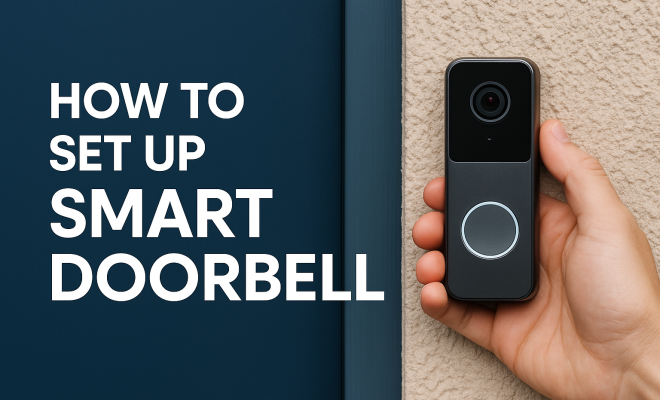
In the age of smart technology, the smart doorbell has emerged as a staple for modern homes. These innovative devices do more than just alert you when someone is at your door; they offer video feeds, two-way audio, and sometimes even facial recognition. If you’re considering upgrading your home security with a smart doorbell setup, you’re in the right place. This guide will take you through nine essential steps to ensure a perfect installation and usage of your smart doorbell.
1. Understanding Smart Doorbells
Before diving into the setup process, it’s critical to understand what a smart doorbell is and how it functions. Essentially, a smart doorbell is a device that combines a traditional doorbell with a camera, allowing you to see and communicate with visitors remotely via your smartphone or other connected devices. Brands like Ring, Nest, and Arlo have popularized this technology, transforming a simple entryway into a high-tech surveillance point.
Most smart doorbells come equipped with features such as HD video, night vision, motion detection alerts, and cloud storage options for recorded footage. These capabilities not only enhance home security but also contribute to convenience as you can interact with delivery personnel or guests without opening the door. Understanding these functionalities is crucial when considering your specific needs during the smart doorbell setup.
2. Choosing the Right Smart Doorbell
The market is flooded with a variety of smart doorbells, each offering different features and price points. When selecting the right device, consider factors such as resolution, field of view, audio quality, and additional features like smart integration (Alexa, Google Assistant, etc.).
For example, the Ring Video Doorbell offers a 1080p HD video and a wide field of view, making it a popular choice. On the other hand, Nest Hello boasts facial recognition features and a sleek design. Determine what features align most closely with your needs. It’s also beneficial to read customer reviews and consult comparison articles to make an informed choice.
Additionally, consider the design and aesthetics that best fit your home’s exterior. Some models offer customizable faceplates to fit different styles, while others have a more standardized look. It’s also worth noting that certain smart doorbell models come with enhanced features tailored for particular user needs. For instance, if you live in an area with a high volume of packages being delivered, a doorbell with advanced motion detection and delivery notifications may be the best fit.
3. Gathering Necessary Tools and Materials
Once you’ve selected your smart doorbell, it’s time to prepare for the installation process. Gather all necessary tools and materials ahead of time to streamline your setup. Tools commonly needed include a screwdriver, drill, level, and possibly a chisel or pry bar, depending on your existing doorbell setup.
Additionally, check the contents of your smart doorbell package; it usually includes screws, mounting brackets, and wiring adapters. If you plan to connect your smart doorbell to existing wiring, ensure you have wire connectors and electrical tape on hand. Preparing all these materials upfront will save you time and frustration during installation.
Pro tip: Having a helper can be invaluable during the installation. One person can hold the doorbell in place while the other secures it, making the process faster and easier. Additionally, consider having a flashlight handy if you’re installing in low-light conditions, as this will help you see the wiring and setup clearly.
4. Power Source Options
There are primarily two ways to power your smart doorbell: battery-operated or hardwired. Battery-operated doorbells are easy to install and don’t require electrical work, making them suitable for renters or those who are not comfortable with electrical installations.
In contrast, hardwired doorbells connect to your home’s existing doorbell wiring, providing a constant power source and often reducing maintenance since you won’t need to worry about recharging batteries. If you opt for a hardwired setup, ensure that your existing doorbell transformer is compatible with your new device, typically requiring 8 to 24 volts.
When considering your power source options, think about the long-term usability of the doorbell. Battery-operated models may seem convenient, but their reliance on battery life means you’ll need to keep an eye on charge levels. Some models even feature power-saving modes to extend battery life, which can be beneficial if you live in an area with frequent activity. (See: Smart doorbell on Wikipedia.)
5. Disconnecting the Old Doorbell
If you’re replacing an existing doorbell, the first step is to safely disconnect it. Start by turning off the power at your circuit breaker to prevent any electrical hazards. Then, remove the old doorbell by unscrewing it from the wall and disconnecting the wiring.
Label the wires using tape or a marker to avoid confusion when connecting the smart doorbell. If you’re unsure about handling electrical components, consider consulting a professional to assist with the disconnection. Safety should always come first during this smart doorbell setup process.
It’s also a good time to check the condition of the existing wiring. If the wires are frayed or damaged, it’s best to replace them before installing your new doorbell to avoid future issues. Consult with a qualified electrician if you’re unsure how to handle any wiring safely.
6. Installing the Smart Doorbell
With the old doorbell removed and the wiring prepared, it’s time to install your new smart doorbell. If you’re working with a hardwired device, connect the wires from your doorbell to the corresponding wires in your home using wire connectors. Always follow the manufacturer’s instructions for wire configuration.
Once connected, mount the smart doorbell onto the wall using the provided bracket and screws. Use a level to ensure it is straight before tightening the screws. For battery-operated doorbells, simply follow the installation instructions to secure the device in place. Don’t forget to turn the power back on to test the installation.
After installation, consider the placement of your doorbell. Positioning it at the right height can make a significant difference in its effectiveness. Generally, smart doorbells should be installed at about 4 feet off the ground to capture the best view of visitors and packages. Additionally, ensure that the camera lens is unobstructed for optimal performance.
7. Connecting to Wi-Fi and Configuring Settings
Once your smart doorbell is physically installed, the next step involves connecting it to your home Wi-Fi network. Download the corresponding app for your smart doorbell on your smartphone and create an account if necessary. Follow the in-app instructions, which typically include scanning a QR code on the doorbell or entering a setup code.
During this stage, you’ll also configure settings such as motion detection sensitivity and notification preferences. Make sure to explore all available features, as many smart doorbells offer options like scheduling alerts or integrating with other smart home devices. Optimizing these settings can greatly enhance your user experience.
For enhanced security, look for two-factor authentication options within the app. This adds an extra layer of protection to your smart doorbell account, making it harder for unauthorized users to access your video feeds. Also, consider setting up alerts for when your doorbell goes offline, which can be crucial for noticing potential connectivity issues before they arise.
8. Testing the Smart Doorbell
After everything is set up, it’s time for a thorough test to ensure everything works seamlessly. Ask a family member or friend to press the doorbell while you monitor the live feed on your smartphone. Check if the video quality meets your expectations and if you can hear and communicate clearly through the two-way audio feature.
Additionally, experiment with motion detection by walking past the doorbell to verify that you receive alerts as expected. If you encounter any issues, revisit the app settings or consult the troubleshooting section in the user manual. Proper testing will help catch any potential problems early on.
Don’t forget to check how well the night vision functions. Test it in various lighting conditions to understand how your smart doorbell performs in low-light scenarios. If your doorbell supports it, try out features like person detection that can help reduce false alarms.
9. Maintenance and Troubleshooting
Maintaining your smart doorbell is crucial for ensuring its longevity and performance. Regularly clean the camera lens to prevent dirt or grime from obscuring your view. Depending on your model, you may also need to recharge the battery periodically. Keeping an eye on software updates is equally important, as these often include security patches and new features. (See: NIST guidelines on smart doorbells.)
In the event that you experience issues, refer to the troubleshooting guide in the user manual or the app. Common problems may include poor video quality or connectivity issues. If problems persist, don’t hesitate to reach out to customer support for assistance. With proper care, your smart doorbell can continue to enhance your home security for years to come.
10. Advanced Features to Consider
As technology advances, many smart doorbells come equipped with features that go beyond simple video recording and alerts. Some models now offer package detection, which can notify you when deliveries arrive, and even allow you to have two-way conversations with delivery personnel verifying that packages are left in safe spaces.
Facial recognition is another advanced feature that can help distinguish between family members and strangers. This can add an extra layer of security, allowing you to receive specific alerts for known individuals while filtering out unrecognized visitors. Additionally, some doorbells integrate with home automation systems, allowing you to unlock doors or adjust indoor lighting directly through the doorbell interface.
11. Comparing Different Models
When it comes to smart doorbell setups, not all devices are created equal. A comparison of several popular models can help you narrow down your choices based on your specific needs. For example, the Ring Video Doorbell Pro offers high-definition video and customizable motion zones, while the Arlo Video Doorbell includes a built-in siren and can integrate with various smart home ecosystems.
On the other hand, the Google Nest Hello provides facial recognition and smart alerts, making it a solid choice for those heavily invested in the Google ecosystem. For those on a budget, models like the Wyze Video Doorbell offer impressive features at a lower price point, including free cloud storage and a user-friendly interface.
12. Frequently Asked Questions (FAQ)
What is the average lifespan of a smart doorbell?
The lifespan of a smart doorbell varies based on usage and the quality of the device, but you can expect most smart doorbells to last anywhere from 3 to 5 years with regular maintenance. Proper care, including software updates and physical cleaning, can extend the lifespan significantly.
Do smart doorbells work in extreme weather conditions?
Most smart doorbells are designed to withstand a range of weather conditions, including rain, snow, and heat. However, it’s essential to check the manufacturer’s specifications for their temperature and weather tolerance ratings. Some models are more resistant to extreme conditions than others.
Can I use a smart doorbell if I don’t have an existing wired doorbell?
Yes, many smart doorbells are battery-operated or come with their own power supply, allowing you to install them without existing wiring. Just ensure that your chosen model can operate on battery power if hardwiring is not an option for you.
How do I secure my smart doorbell against hacking?
To secure your smart doorbell against hacking, enable two-factor authentication, regularly update the device’s firmware, and use strong, unique passwords for your accounts. Additionally, ensure your home Wi-Fi network is secure by using WPA3 encryption and a robust password.
Can smart doorbells record continuously?
Most smart doorbells do not record continuously due to storage limitations and battery constraints. Instead, they typically record only when motion is detected or when the doorbell is pressed. Some models offer cloud storage options for recorded footage, which you can access through the associated app.
13. Installing Smart Doorbells in Different Home Types
Smart doorbell installation can vary significantly based on the type of home you live in. For instance, in urban areas where you might be closer to the street, consider doorbells with wider fields of view and advanced motion detection features. In suburban settings, where homes are spaced further apart, a standard model might suffice. (See: CDC on home safety technology.)
In apartments or condos, where wiring may be non-existent, battery-operated models are often the most viable option. Make sure to consider the proximity of your doorbell to your Wi-Fi router, as signal strength can impact performance. If needed, Wi-Fi extenders can help maintain a stable connection.
14. The Impact of Smart Doorbells on Home Security
Smart doorbells not only offer convenience but also play a substantial role in enhancing home security. Studies show that homes equipped with visible security features, including smart doorbells, experience a 60% reduction in package theft and break-ins. The deterrent effect comes from the visible camera, which makes potential intruders think twice before approaching.
Moreover, the integration of smart doorbells with neighborhood watch programs can enhance community safety. Many smart doorbells can share video footage with local police or neighborhood groups, providing a valuable resource in the case of suspicious activity or crime.
15. Potential Challenges with Smart Doorbell Technology
While the benefits of smart doorbells are significant, there are challenges you may encounter. One common issue is connectivity; if your Wi-Fi signal is weak, you may experience delayed notifications or poor video quality. Investing in a good router or Wi-Fi extender can help mitigate this.
Another challenge is privacy concerns. With cameras continuously monitoring the area, some residents worry about how footage is stored and who has access. Always review privacy settings in your app and opt for models with end-to-end encryption to ensure your data remains secure.
16. Smart Doorbell Trends to Watch
The smart doorbell market is continuously evolving, with emerging trends that promise to enhance functionality and user experience. One growing trend is the increasing use of artificial intelligence for improved facial recognition and activity detection. This could allow for more personalized notifications based on who is at your door.
Another trend is the integration of smart doorbells with other home security systems, offering more comprehensive solutions that include alarms and surveillance cameras. As technology advances, expect to see doorbells that can not only alert you of visitors but also provide real-time data analytics and insights about activity around your home.
17. Conclusion
Investing in a smart doorbell can significantly enhance your home security while offering added convenience. By following the steps outlined in this guide, you can ensure a seamless smart doorbell setup. Remember to choose the right model for your needs, take the time to install it properly, and keep it maintained for optimal performance. As technology continues to advance, staying informed about new features and updates can help you make the most of your smart doorbell experience.
“`
Trending Now
Frequently Asked Questions
What is a smart doorbell and how does it work?
A smart doorbell is a device that combines a traditional doorbell with a camera, allowing homeowners to see and communicate with visitors remotely via a smartphone or connected device. It typically features HD video, two-way audio, motion detection alerts, and cloud storage for recorded footage, enhancing both security and convenience.
How do I choose the right smart doorbell for my home?
When selecting a smart doorbell, consider factors such as video resolution, field of view, audio quality, and additional features like compatibility with smart home systems (e.g., Alexa, Google Assistant). Popular options include the Ring Video Doorbell for its 1080p HD video and Nest Hello for its facial recognition capabilities.
What features should I look for in a smart doorbell?
Key features to look for in a smart doorbell include high-definition video quality, night vision, a wide field of view, motion detection alerts, two-way audio, and cloud storage options. Additionally, consider smart integration capabilities with devices like Alexa or Google Assistant for enhanced functionality.
Can I install a smart doorbell myself?
Yes, most smart doorbells are designed for easy installation and can be set up by homeowners with basic DIY skills. The installation typically involves mounting the device, connecting it to your Wi-Fi network, and configuring it through a smartphone app. Detailed instructions are usually provided by the manufacturer.
What are the benefits of using a smart doorbell?
Smart doorbells provide enhanced home security by allowing you to monitor and communicate with visitors remotely. They offer features like video feeds, motion alerts, and two-way audio, enabling you to interact with delivery personnel or guests without opening the door. This added convenience and peace of mind make them a popular choice for modern homes.
What did we miss? Let us know in the comments and join the conversation.