How to update AirPods firmware
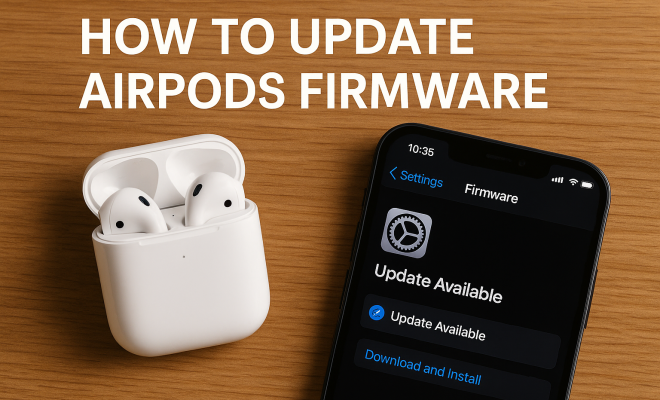
“`html
Keeping your AirPods up-to-date is crucial for maximizing performance and enjoying the latest features. Whether you own the AirPods, AirPods Pro, or AirPods Max, an update AirPods firmware process can enhance sound quality, improve connectivity, and fix bugs that might detract from your listening experience. This comprehensive guide will walk you through everything you need to know to ensure your AirPods are running the latest firmware. From understanding the importance of firmware updates to step-by-step instructions on how to perform them, we’ve got you covered.
1. Understanding AirPods Firmware
Firmware refers to the software that is embedded in hardware devices, like your AirPods. This software controls various functionalities and features, including audio performance and battery management. Apple routinely updates AirPods firmware to fix bugs, improve performance, and add new features.
For example, the transition from AirPods to AirPods Pro brought not only design changes but also new features such as Active Noise Cancellation. Firmware updates are how Apple ensures users continue to receive the best possible experience as technologies evolve. Keeping your AirPods firmware current is essential for accessing these improvements.
2. Why You Should Update AirPods Firmware Regularly
Regular firmware updates can significantly enhance your AirPods’ experience. Here’s why you should prioritize keeping your devices updated:
- Performance Enhancements: Each firmware update is designed to optimize performance. Whether it’s improving battery life or connectivity, updates can make a noticeable difference.
- Bug Fixes: Like any software, AirPods may have bugs that affect their functionality. Updates often address these issues, ensuring a smoother experience.
- New Features: Apple frequently adds new features through firmware updates. Missing out on these features means missing out on potential improvements that could enhance your user experience.
In short, updating your AirPods firmware is not just a matter of keeping up with the latest trend; it’s about ensuring that your device functions optimally.
3. How to Check Your AirPods Firmware Version
Before you can update AirPods firmware, you need to know the current version running on your devices. Here’s how to check your AirPods firmware version:
- Connect your AirPods to your iPhone or iPad.
- Open the Settings app.
- Tap on Bluetooth and find your AirPods in the list.
- Tap the info icon (i) next to your AirPods’ name.
- On this screen, you will see a section labeled Version; this indicates the firmware version of your AirPods.
Knowing your current firmware version is important to determine if an update is necessary. Apple periodically releases updates, so you may find that your version is outdated.
4. How to Update AirPods Firmware
Updating your AirPods firmware is a straightforward process, but it’s important to follow the steps carefully to ensure a successful update:
- Ensure your AirPods are connected to your iPhone or iPad.
- Put your AirPods back into their charging case and ensure they are charging.
- Connect your iPhone or iPad to Wi-Fi.
- Leave the AirPods case near your iPhone or iPad.
After completing these steps, the firmware update will occur automatically if a new version is available. There’s no manual trigger for this update; it happens in the background while your devices are connected, charging, and nearby.
5. Troubleshooting Firmware Update Issues
Sometimes, updating the firmware isn’t as smooth as it should be. If you find that your AirPods aren’t updating, try these troubleshooting tips:
- Reset Your AirPods: Place your AirPods in the case, close the lid, wait 30 seconds, then open the lid. Press and hold the setup button on the back of the case until the LED light flashes amber.
- Check Your Device: Make sure your iPhone or iPad is running the latest version of iOS. Compatibility issues can prevent firmware updates.
- Distance Matters: Ensure your AirPods are close to your iPhone or iPad during the update process. A weak Bluetooth connection can cause delays.
If you continue to experience issues, you may want to reach out to Apple Support for additional assistance.
6. Keeping Track of AirPods Updates
Apple doesn’t provide a detailed log of every firmware update for AirPods, which can make it hard to keep track of what’s new. However, you can stay informed about updates through a few channels: (See: New York Times review of AirPods Pro.)
- Apple’s Official Website: Occasionally, Apple will announce significant updates on their website or through press releases.
- Tech News Outlets: Following tech news websites and blogs can provide insights into recent updates and what changes they bring.
- Apple Community Forums: Engaging in discussions with fellow users can often reveal user experiences and knowledge about specific updates.
By staying tuned into these channels, you can better understand what updates are available and how they might affect your AirPods usage.
7. Comparing AirPods Firmware Updates Across Models
It’s interesting to note that different models of AirPods may have different update schedules and features. AirPods Pro, for instance, frequently receive updates to enhance their noise-canceling capabilities, while standard AirPods may focus more on battery life improvements.
For users who own multiple models, understanding the distinctions in firmware updates can help tailor the overall experience. While the core functionality remains similar, advanced features like spatial audio or transparency mode may evolve differently across models.
Tracking these differences can be particularly beneficial if you’re considering upgrading. Knowing what enhancements come with the latest firmware can inform your decision on whether to stick with your current model or invest in a new one.
8. AirPods Firmware Update Frequency
So, how often can you expect Apple to release updates for your AirPods? While there’s no set schedule, Apple has historically released firmware updates every few months. Major updates usually coincide with new product launches or significant iOS updates, ensuring compatibility and performance enhancements.
For instance, when Apple rolled out spatial audio capabilities, it was part of a firmware update that significantly enhanced user experiences across their devices. Staying mindful of these updates can help ensure that you’re taking full advantage of what your AirPods can offer.
9. Future of AirPods Firmware Updates
As technology continues to advance, the future of AirPods firmware updates looks promising. With the rise of features such as augmented reality and a greater emphasis on audio personalization, it’s likely that future updates will focus on enhancing interactivity and user engagement.
As Apple invests more in AI technology, we can expect updates that leverage machine learning to adapt the audio experience based on your personal preferences and environment. For instance, imagine your AirPods adjusting noise cancellation levels automatically based on the ambient noise around you.
In summary, as we move forward, keeping your AirPods firmware updated will be more critical than ever. Not only will it help maintain performance, but it will also prepare your device for the innovative features that lie ahead.
10. Frequently Asked Questions (FAQ)
1. How do I know if my AirPods firmware is up to date?
To check whether your AirPods firmware is up to date, follow the steps outlined in section 3. If your version matches the latest version listed on Apple’s website or tech blogs, then you’re good to go. If not, make sure to follow the update instructions.
2. Can I manually update the firmware on my AirPods?
No, you can’t manually update the firmware on your AirPods. The updates occur automatically when your AirPods are connected to your iPhone or iPad and are in the charging case. Ensure they’re near your device and that your device is connected to Wi-Fi for the update to take place.
3. What should I do if my AirPods are not updating?
If your AirPods are not updating, try resetting them as described in section 5. Make sure your iPhone or iPad is also updated to the latest iOS version. If the problem persists, consider reaching out to Apple Support for further assistance.
4. Will an AirPods update delete my saved settings?
No, updating the firmware on your AirPods should not affect your saved settings, such as your equalizer preferences or device connections. However, it’s always wise to back up your settings where possible, just in case something goes awry. (See: CDC on ergonomics and audio devices.)
5. Are firmware updates for AirPods free?
Yes, all firmware updates for AirPods are free. Apple includes these updates as part of the product’s ongoing support and improvement strategy.
6. How can I improve the chances of receiving AirPods firmware updates?
To enhance your chances of receiving firmware updates, ensure your AirPods are regularly connected to your iPhone or iPad and that your device has a stable Wi-Fi connection. Keeping your device updated to the latest iOS version also plays a crucial role.
7. What enhancements have been made in recent AirPods firmware updates?
Recent firmware updates have introduced features such as improved sound quality, better battery management, and enhancements to existing features like Active Noise Cancellation. Updates can also bring stability improvements and bug fixes that enhance overall device performance.
8. Can firmware updates affect battery performance in AirPods?
Yes, firmware updates can enhance battery performance by optimizing how your AirPods use battery power. Apple often releases updates intended to improve battery efficiency, which can lead to longer listening times between charges.
9. Do I need to update my AirPods if I don’t use them frequently?
Even if you don’t use your AirPods frequently, it’s a good idea to keep them updated. Updates often include security patches and performance enhancements that ensure safety and efficiency, even if the device isn’t in regular use.
10. Is there a way to find out what changes each firmware update brings?
While Apple does not provide a detailed changelog for AirPods firmware updates, you can often find information through tech news outlets or community forums where users discuss their experiences and the noticeable changes they observe after updates. Keeping an eye on Apple’s official announcements may also provide insights into major updates.
11. Common Issues Post Update and Resolutions
After updating your AirPods firmware, some users report issues such as connectivity problems or reduced sound quality. Here are common problems and how to resolve them:
- Connectivity Issues: If your AirPods frequently disconnect, try resetting them and your Bluetooth connection. Go to your iPhone’s Bluetooth settings, forget the AirPods, and then reconnect them.
- Sound Quality Changes: Some users feel that updates can alter the sound profile. You might want to check if your equalizer settings have been reset after the update or if there’s a need to recalibrate your audio preferences.
- Battery Drain: If you notice a significant decrease in battery life, ensure that you’ve restarted both your AirPods and the connected device. Sometimes a simple restart can resolve unexpected issues.
12. User Experiences with AirPods Firmware Updates
User feedback on AirPods firmware updates can be quite varied. Many users appreciate the enhancements and new features introduced with updates, especially improvements to Active Noise Cancellation in the AirPods Pro. However, some users express frustration when an update doesn’t go as planned or leads to unexpected problems.
For instance, many have shared on forums how a recent update improved their audio clarity during calls but caused sporadic connectivity drops. This user feedback is invaluable as it helps Apple identify issues that may require further attention or additional updates.
When considering an update, it can be helpful to look at user reviews or experiences shared on social media or tech forums. These insights can provide a more comprehensive view of what to expect before you initiate the update process.
13. Comparative Analysis: AirPods vs. Competitors
When it comes to true wireless earbuds, AirPods are often compared with competitors like Samsung Galaxy Buds, Sony WF-1000XM4, and Bose QuietComfort Earbuds. Each brand offers its own unique features and firmware update strategies.
For example, Sony’s earbuds have a reputation for excellent noise cancellation, supported by frequent firmware updates that enhance their performance. In contrast, Bose focuses on sound quality and comfort, with updates that often emphasize tweaking acoustic performance.
When considering which earbuds to buy, looking at firmware updates can be just as important as the sound quality and design. Brands that commit to regular enhancements through updates often provide a better long-term user experience. Users should weigh the potential for future improvements as they decide on their purchase.
14. AirPods in Different Environments
Your experience with AirPods can differ greatly depending on the environment. Whether you’re at home, in a noisy coffee shop, or on public transport, the effectiveness of features like noise cancellation or transparency mode can vary.
For example, in a quiet environment, you might not appreciate the full benefits of noise cancellation, while in a bustling city, it can transform your listening experience. Apple’s firmware updates often aim to optimize performance based on these environments, ensuring that users get the most out of their AirPods regardless of where they are.
Testing your AirPods in different settings can help you understand how updates improve functionality specific to your lifestyle. This way, you can maximize your use of features as they evolve through firmware updates.
15. Future Update Anticipations: What Users Want
As users look to the future, many express desires for specific features in upcoming AirPods firmware updates. Here are some frequently mentioned wishes:
- Better Battery Management: Users want more efficient battery life, particularly during prolonged use.
- Enhanced Spatial Audio: As content creation evolves, many users are looking for improvements in spatial audio capabilities, ensuring a more immersive experience while watching movies or playing games.
- More Customization Options: Users are eager for more personalized settings, including customizable touch controls and sound profiles.
Listening to user feedback is crucial for companies like Apple, as it guides their development of future updates. Keeping track of these user desires not only showcases what is currently lacking but also highlights areas of innovation for upcoming firmware updates.
16. Conclusion: The Importance of Staying Updated
In the fast-paced world of technology, staying updated is essential for ensuring your devices function at their best. Regularly updating your AirPods firmware means you won’t miss out on the latest features, improvements, and fixes that can enhance your daily listening experience. With the steps outlined in this guide, you should feel equipped to navigate firmware updates confidently. Whether it’s fixing bugs, enhancing sound quality, or introducing new features, each update brings a new opportunity to enjoy your AirPods to their fullest potential.
“`
Trending Now
Frequently Asked Questions
How do I check the firmware version of my AirPods?
To check the firmware version of your AirPods, connect them to your iPhone or iPad, then go to Settings > Bluetooth. Tap the 'i' icon next to your AirPods, and you will see the firmware version listed.
Do AirPods update firmware automatically?
Yes, AirPods usually update their firmware automatically when they are connected to a compatible Apple device, charging, and within Bluetooth range. Ensure your device is updated to the latest iOS version to facilitate this process.
What happens if I don't update my AirPods firmware?
If you don't update your AirPods firmware, you may miss out on performance enhancements, new features, and bug fixes. This can lead to connectivity issues and a less optimal listening experience.
Can I manually update my AirPods firmware?
There is no manual method to initiate firmware updates for AirPods. Updates occur automatically when your AirPods are connected to an Apple device, so ensure they are charged and in range to receive the latest firmware.
How often does Apple release firmware updates for AirPods?
Apple does not have a fixed schedule for releasing firmware updates for AirPods. Updates are released periodically to improve performance, fix bugs, and introduce new features, so it's important to keep your devices connected to ensure you receive them.
What’s your take on this? Share your thoughts in the comments below — we read every one.