Boost Security: How to Change Your Email Password
“`html
Your email account is often a gateway to various aspects of your digital life, from personal communications to financial transactions. Thus, knowing how to change your email password is not just a good practice—it’s essential for maintaining your security and privacy online. This comprehensive guide will walk you through the importance of strong passwords, the step-by-step process of changing your email password, and additional tips to enhance your email security.
1. The Importance of a Strong Email Password
First off, let’s talk about why a strong email password matters. Your email account holds sensitive information, including personal messages, banking details, and even access to other accounts through password resets. A weak password can lead to unauthorized access, identity theft, and other malicious activities.
According to a report from Cybersecurity Ventures, cybercrime damages are projected to reach $10.5 trillion annually by 2025. Much of this crime stems from compromised email accounts. Therefore, it’s crucial to create a strong password that’s not easily guessed. Ideally, it should be at least 12-16 characters long, combining upper and lower case letters, numbers, and special symbols.
2. When Should You Change Your Email Password?
Knowing when to change your email password is just as important as knowing how to do it. If you suspect your account has been compromised or if you’ve received any security alerts, it’s time to act quickly. Regularly changing your email password—at least every three to six months—is also recommended to minimize risks.
Additionally, if you use the same password across multiple accounts, changing it should be a priority, especially if any of those other accounts have been breached. Even simple things like sharing your password with someone or using public Wi-Fi could warrant a password change. Always err on the side of caution.
3. Step-by-Step: How to Change Your Email Password
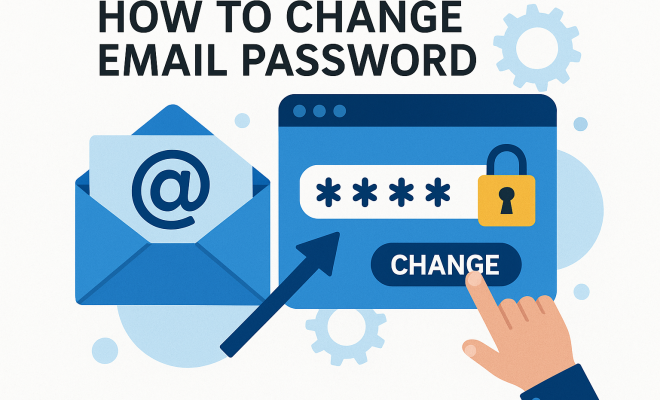
Now, let’s dive into the nitty-gritty: how to change your email password across various platforms. Although the steps may differ slightly depending on your email service, the general process is quite similar.
For Gmail: 1) Sign in to your Gmail account, 2) Click on your profile picture in the top right corner and select “Manage your Google Account,” 3) Navigate to the “Security” tab, 4) Scroll down to “Signing in to Google” and click “Password.” You’ll need to enter your current password and then enter your new password.
For Outlook: 1) Log into your Outlook account, 2) Click on your profile picture at the top right, 3) Select “View account,” 4) Go to the “Security” tab, then click “Password security.” You’ll be prompted to enter your current password and your new password.
4. Tips for Creating a Strong Password
Changing your password is just half the battle; creating a strong password is equally important. Avoid common pitfalls like using easily guessed information (birthdays, names) or simple patterns (12345678, password). Instead, consider these strategies: (See: CDC on cybersecurity best practices.)
- Use a Passphrase: Combine words into a unique phrase, like “BlueSky!TigerDance21”.
- Incorporate Symbols: Use special characters where possible for added complexity.
- Randomization: Employ a password manager that can generate and store complex passwords securely.
5. Two-Factor Authentication: An Extra Layer of Protection
While changing your password adds a layer of security, implementing two-factor authentication (2FA) can elevate your account protection further. 2FA requires not just your password but also a second piece of information—often a temporary code sent to your phone.
Most email providers offer 2FA as an option. For example, both Google and Microsoft allow you to enable this feature in your account settings. If someone tries to log in from an unfamiliar device, they will be prompted for the second form of authentication, making it much harder for unauthorized users to gain access.
6. Common Mistakes to Avoid
Even the most security-conscious individuals can slip up. Here are some common mistakes to watch out for when changing your email password:
- Not Logging Out of Other Devices: After changing your password, ensure you log out of all devices to prevent unauthorized access.
- Using Similar Passwords: Even if you create a complex password, reusing parts of your old password can make it easier to crack.
- Ignoring Security Alerts: If your email provider sends you alerts about suspicious activities, take them seriously.
7. Managing Passwords Across Multiple Accounts
With the average person having over 100 online accounts, managing multiple passwords can become overwhelming. Here are some strategies for effective password management:
- Password Managers: Consider using a reputable password manager that securely stores all your passwords and can even auto-generate strong passwords.
- Regular Updates: Set reminders to change your passwords regularly, particularly for sensitive accounts.
- Account Recovery Options: Ensure you have up-to-date recovery options, such as secondary email addresses or phone numbers, in case you forget your password.
8. What to Do After Changing Your Password
Once you’ve successfully changed your email password, there are several follow-up steps you should consider:
- Update Linked Accounts: If your email is linked to other services (like banking or social media), make sure to update your password there too.
- Monitor Account Activity: Keep an eye on your email activity for any unauthorized logins or suspicious messages.
- Educate Others: If you share your email with family or friends, inform them about the password change to avoid confusion.
9. The Future of Email Security
The landscape of email security is constantly evolving. As cyber threats become more sophisticated, email providers are implementing advanced technologies to enhance security measures. Innovations like artificial intelligence and machine learning are being utilized to identify and respond to potential threats in real-time.
Staying informed about these advancements can help you take proactive steps to secure your email account. Regularly check your email provider’s security blog or updates to ensure you’re aware of the latest features and best practices.
10. Understanding Phishing Attacks
Phishing attacks are a prevalent method used by cybercriminals to compromise email accounts. These attacks usually involve fraudulent emails that appear to be from legitimate sources, tricking recipients into revealing their passwords and personal information. In fact, according to a report by the Anti-Phishing Working Group, the number of phishing attacks in 2022 increased by 36%, underscoring the growing sophistication of these scams.
To protect yourself from phishing attacks, always be cautious about clicking links in emails, especially if they ask you to log into your account or provide sensitive information. Hover over links to see where they lead before clicking, and if you’re ever in doubt, go directly to the website instead of following the link in the email.
11. Statistics on Email Security
The need for robust email security is backed by alarming statistics:
- According to the 2023 Data Breach Investigations Report, 30% of breaches involved phishing emails.
- Cybersecurity Ventures predicts that by 2025, there will be over 75 billion connected devices, which could increase the attack surface for email accounts.
- A survey by the Ponemon Institute revealed that companies spend an average of $3.86 million per data breach incident, highlighting the financial impact of insufficient email security.
12. Real-Life Examples of Email Account Compromises
Learning from real-world incidents can help underline the importance of changing your email password and practicing good security hygiene. Take, for instance, the 2014 Sony Pictures hack, where attackers gained access to sensitive emails by exploiting weak passwords. This breach not only resulted in financial losses but also damaged the company’s reputation. (See: NIST password guidance release.)
Another example is the 2017 Equifax breach, where personal information of over 147 million people was exposed due to a failure to secure their systems, including email accounts. This incident emphasizes that one weak link can lead to widespread consequences.
13. FAQs About Changing Your Email Password
Q1: How often should I change my email password?
A1: It’s generally recommended to change your email password every three to six months or immediately if you suspect any unauthorized access.
Q2: Can I recover my email if I forget my password?
A2: Yes, most email providers have recovery options such as security questions, recovery email addresses, or phone number verifications that can help you regain access.
Q3: What should I do if I receive a suspicious email?
A3: Do not click on any links or download attachments. Report the email as phishing to your email provider and delete it.
Q4: Is it safe to use a password manager?
A4: Yes, using a reputable password manager is generally safe. It can help you create and store complex passwords securely.
Q5: How can I tell if my email account has been compromised?
A5: Signs of a compromised account include unrecognized login attempts, changed settings, or emails sent from your account that you didn’t authorize. If you notice any of these, change your password immediately.
14. Best Practices for Email Security
In addition to changing your password regularly, there are several best practices that can significantly enhance your email security:
- Be Wary of Public Wi-Fi: Avoid accessing your email account over public Wi-Fi. If you must, use a VPN to encrypt your connection.
- Regularly Update Recovery Information: Keep your recovery phone number and secondary email address up to date to ensure you can recover your account effectively.
- Educate Yourself on Security Trends: Stay informed about the latest security threats and updates by reading cybersecurity blogs and following trusted sources on social media.
- Use Secure Connections: Always ensure that your email provider uses SSL or TLS protocols, which encrypt the connection to your email service.
15. How to Manage Your Email Security Settings
Most email providers come with built-in security settings that you should regularly check and manage. For instance, you can review recent account activity, check which devices have accessed your account, and manage app passwords if you’ve granted access to third-party apps.
If you’re using Gmail, follow these steps: (See: Research on password security.)
- Log in and go to the “Security” tab.
- Review “Recent Security Events” to see any unusual activity.
- Check “Your Devices” to see all devices that have accessed your account recently.
16. Email Security Tools for Enhanced Protection
Several tools can help bolster your email security beyond just a strong password. Here are a few noteworthy options:
- Email Encryption: Services like ProtonMail or Tutanota offer end-to-end encryption, ensuring only you and your recipients can read your messages.
- Security Software: Use reputable security software that includes phishing protection, malware detection, and email scanning features.
- Browser Extensions: Consider using browser extensions that warn you about potential phishing sites and help verify the security of websites before you interact with them.
17. Understanding the Email Security Landscape
The realm of email security is constantly shifting as new threats emerge and technology evolves. A notable trend is the increase in collaboration between email service providers and cybersecurity companies to develop advanced detection systems. These systems can identify abnormal behavior, such as unusual login attempts or mass email sending, and can alert users or lock accounts to prevent unauthorized access.
Another significant development is the adoption of DMARC (Domain-based Message Authentication, Reporting, and Conformance) by many businesses. DMARC helps prevent email spoofing by ensuring that emails are genuinely from the domain they claim to be from, thereby reducing phishing attempts.
18. Emerging Threats to Email Security
As email security measures improve, so do the tactics used by cybercriminals. One emerging threat is Business Email Compromise (BEC), where attackers impersonate a high-ranking official within an organization to trick employees into transferring money or sensitive data. This type of scam is particularly damaging as it often involves social engineering tactics to build trust before executing the attack.
Another growing concern is the rise of ransomware, where attackers not only hijack data but demand payment for its release. Many ransomware attacks begin through malicious email attachments or links, making it essential to stay vigilant.
19. Conclusion: The Ongoing Responsibility of Email Security
Securing your email account is an ongoing responsibility that extends beyond simply knowing how to change your email password. By adopting a comprehensive approach that includes regular updates, awareness of threats, and utilizing available tools, you can significantly reduce the risk of unauthorized access. Email is a vital part of our lives, and safeguarding it is paramount to ensuring our overall online security.
“`
Trending Now
Frequently Asked Questions
How do I change my email password?
To change your email password, log into your email account, navigate to the settings or security section, and look for the option to change your password. Follow the prompts to enter your current password and create a new one. Ensure your new password is strong, combining letters, numbers, and symbols.
When should I change my email password?
You should change your email password if you suspect your account has been compromised, receive security alerts, or if you share your password. It’s also advisable to change it every three to six months to enhance your account's security.
What makes a strong email password?
A strong email password should be at least 12-16 characters long, incorporating a mix of upper and lower case letters, numbers, and special symbols. Avoid using easily guessed information like birthdays or common words to enhance security.
Can I use the same password for multiple email accounts?
No, it's not advisable to use the same password across multiple email accounts. If one account is breached, it can lead to unauthorized access to your other accounts. Always use unique passwords for better security.
What should I do if I forget my email password?
If you forget your email password, use the 'Forgot Password' link on the login page. Follow the instructions to reset your password, usually involving email verification or answering security questions to regain access to your account.
What’s your take on this? Share your thoughts in the comments below — we read every one.