How to recover hacked email account
“`html
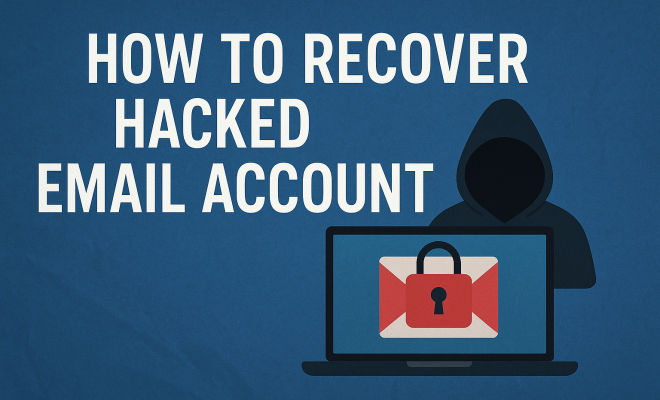
In today’s digital age, email accounts are like the keys to our online lives. From personal communications to important documents and sensitive data, losing access to your email due to hacking can be a traumatic experience. If you find yourself in this unfortunate situation, you need a clear strategy to recover your hacked email account. Here’s a comprehensive guide covering the necessary steps you should take, along with practical insights and tips to help you regain control over your email.
1. Recognize the Signs of a Hacked Account
The first step in the recovery process is recognizing that your email account has been compromised. There are several signs that can alert you to potential hacking. For instance, you might notice unusual password resets, login attempts from unfamiliar locations, or messages in your sent folder that you didn’t send. Additionally, if your contacts report receiving strange emails from you—especially if they include suspicious links—it’s a strong indication that your account has been hacked.
Sometimes, hackers can remain undetected for long periods, so it’s vital to regularly monitor your account activity. Look for any changes in settings, such as forwarding addresses or recovery options that you did not set. Keeping an eye out for these signs can help you act quickly, which is critical in preventing further damage.
2. Act Quickly: Secure Your Account
Once you suspect that your email has been hacked, time is of the essence. The faster you act, the better your chances of recovering your hacked email account and protecting your sensitive information from misuse. Start by trying to log in to your account. If you can access it, immediately change your password to something strong and unique. Utilize a mix of letters, numbers, and special characters for maximum security.
If you can’t access your account, proceed to the email provider’s recovery page. Most major providers like Gmail, Yahoo, and Outlook have recovery options in place designed for situations like this. They often require you to verify your identity through security questions or backup email addresses. Be prepared to provide as much information as possible to help verify your identity.
3. Reset Your Password
Changing your password is one of the most critical steps in recovering a hacked email account. If you’re able to log in, go to your account settings and change your password immediately. Use a password that you haven’t used before and ensure it’s complex enough to resist brute-force attacks.
If you’ve lost access to your account and need to reset your password, follow your email provider’s recovery process. This usually involves receiving a verification code sent to your recovery email or phone number. If you do not have access to these recovery options, you may need to answer security questions to verify your identity. It’s wise to review any security questions and answers you previously set and ensure they are still valid.
4. Enable Two-Factor Authentication (2FA)
Once you regain access to your email, enabling two-factor authentication (2FA) is essential. 2FA adds an additional layer of security by requiring a second form of verification beyond just your password. This can be a code sent to your phone, an authenticator app, or even biometric verification like a fingerprint. By implementing 2FA, you significantly reduce the risk of unauthorized access in the future.
Most email providers offer 2FA in their security settings. It’s highly recommended to take this step as it makes it much harder for anyone who might have stolen your password to access your account, as they would also need the second form of identification.
5. Check Your Account Settings
After you’ve secured your password and enabled 2FA, it’s time to thoroughly review your account settings. Hackers often change settings to maintain access even after you think you’ve secured your account. Look for any forwarding addresses or linked accounts you did not set up. Also, verify if any filters have been created that might redirect your emails to another account.
Take the time to review your recovery options as well, including any phone numbers or alternative email addresses linked to your account. Ensure they are correct and that you have access to them. This information is crucial for future recovery attempts, should you ever find yourself in a similar situation again.
6. Inform Your Contacts
After recovering your hacked email account, you need to take responsibility for any potential fallout. Inform your contacts about the compromise, particularly if they received suspicious messages from your account. This transparency can help prevent them from falling victim to scams or phishing attempts that may have originated from your hacked account. (See: CDC on cybersecurity and hacking.)
Consider sending out a message to all your contacts explaining what happened and advising them to be cautious with emails they received from you during the time your account was compromised. This simple step can help protect others from similar threats and ensures that they remain vigilant.
7. Monitor for Suspicious Activity
Recovering your hacked email account is just the beginning of your responsibility. For a while after regaining access, keep a close eye on your account for any suspicious activity. Be alert for new login attempts, changes in settings, or any unusual emails that might indicate your account is still being targeted.
Consider using a credit monitoring service as well. A compromised email account can lead to identity theft, making it essential to monitor your financial accounts for any unauthorized transactions. If you spot anything unusual, act promptly to secure your financial information and report any fraud.
8. Learn from the Experience
Every hacking incident is an opportunity to learn and improve your security measures. Take some time to reflect on how the hack occurred. Were your passwords weak? Did you fall for a phishing scam? Identifying the weaknesses can help you reinforce your defenses in the future.
Consider updating your passwords across all your accounts, opting for a secure password manager to generate and store complex passwords. Additionally, familiarize yourself with common phishing tactics so that you can spot suspicious emails in the future and avoid being a victim again.
9. Report the Incident
Finally, it’s crucial to report the hacking incident to your email provider as well as any relevant authorities. Many email services have a dedicated channel for reporting hacked accounts. This not only helps them improve their security but could also assist you in the recovery process. If you suspect that personal information has been stolen, consider reporting to the Federal Trade Commission (FTC) or local law enforcement.
Documenting the incident can also be beneficial for your records, especially if you experience further issues related to identity theft. Taking these steps can help you protect yourself and potentially prevent others from falling victim to the same hacking methods.
10. Take Preventative Measures
Recovering a hacked email account is crucial, but taking steps to prevent future incidents is equally important. One of the simplest and most effective measures is to regularly change your passwords. Establish a schedule to change your passwords every three to six months. This practice can significantly reduce the chances of unauthorized access.
Additionally, be cautious with your email usage. Avoid clicking on links in unsolicited emails, and always verify the sender’s identity before providing any personal information. Install reputable antivirus software on your devices, and keep it updated to defend against malware that might compromise your security.
Consider educating yourself on cybersecurity topics. Many organizations offer free resources and courses that cover basic to advanced security practices. Being informed about current threats can help you recognize potential risks before they lead to bigger problems.
11. Utilize Security Tools
In this digital age, using security tools can provide an extra layer of protection for your email account and personal information. Password managers can help securely store and generate unique, strong passwords for each of your accounts. Many of these services also alert you if there’s a known data breach associated with any of your accounts.
Additionally, using a Virtual Private Network (VPN) when accessing your email on public Wi-Fi can help protect your information from being intercepted by hackers. Always prioritize securing your network connections, particularly when using unsecured networks.
Some email providers also offer built-in security features that analyze incoming emails for phishing attempts and other threats. Make sure these features are enabled and familiarize yourself with how they work. (See: New York Times article on hacked email accounts.)
12. What to Do if You Can’t Recover Your Account
Sometimes, despite your best efforts, you might not be able to recover your hacked email account. If this happens, it’s essential to take steps to minimize potential damage. Start by creating a new email account, preferably with a different provider. Use strong security practices for this new account, such as a unique password and 2FA.
Update your accounts linked to your old email address with your new one. This includes banking sites, social media, and any subscriptions or services. It’s crucial to secure these accounts to prevent unauthorized access.
You may also want to monitor your financial accounts and credit report for any unusual activity. If you notice any suspicious transactions or signs of identity theft, report them immediately to your financial institution and consider placing a fraud alert with credit bureaus.
13. Frequently Asked Questions (FAQ)
What are the first steps I should take if I think my email has been hacked?
The first steps involve trying to log into your account. If you can access it, change your password immediately. If you cannot access it, visit your email provider’s recovery page and initiate the recovery process.
How can I tell if my email account has been hacked?
Signs include unusual login attempts, password reset requests you didn’t initiate, strange emails sent from your account, or changes to your account settings without your knowledge.
What makes a strong password?
A strong password is typically at least 12 characters long and includes a mix of uppercase and lowercase letters, numbers, and special characters. Avoid using easily guessed information like birthdays or names.
Why is two-factor authentication important?
Two-factor authentication adds an extra layer of protection by requiring not just a password but also a second form of verification, making unauthorized access much more difficult.
What should I do if my contacts received suspicious emails from my hacked account?
Inform your contacts about the security breach and advise them to be cautious with any emails that came from your account, especially if they contained links or attachments.
What should I do if I can’t recover my email account?
If you can’t recover your account, create a new email account, update your information on all linked services, and monitor your financial accounts for any unusual activity.
How can I prevent my email from getting hacked again?
To enhance your email security, regularly change your passwords, enable two-factor authentication, be cautious about unsolicited emails, and use security tools like password managers and VPNs.
14. Common Hacking Methods
Understanding the techniques hackers use can help you better protect your email account. Here are some common methods:
- Phishing: Hackers often use deceptive emails that appear to be from legitimate sources, tricking users into providing personal information.
- Malware: Malicious software can be installed on your device without your knowledge, allowing hackers to access your accounts.
- Social Engineering: This technique involves manipulating individuals into divulging confidential information, often by impersonating a trustworthy entity.
- Weak Passwords: Simple or easily guessable passwords can lead to unauthorized access. It’s essential to use complex passwords.
By recognizing these methods, you can take proactive steps to improve your email security and reduce the risk of falling victim to hacking attempts.
15. Statistics on Email Hacking
To truly grasp the significance of protecting your email account, let’s take a look at some alarming statistics:
- According to the 2023 Cybersecurity Almanac, cybercrime is projected to cost the world $10.5 trillion annually by 2025.
- Research from Verizon’s 2022 Data Breach Investigations Report reveals that 82% of data breaches involve a human element, such as phishing.
- Over 90% of successful cyberattacks start with an email.
- A survey by LastPass showed that 59% of people reuse passwords across multiple sites, increasing their vulnerability.
These statistics highlight the importance of being vigilant and proactive in securing your email accounts and personal information.
16. Professional Help for Email Recovery
If you find yourself overwhelmed with the recovery process, or if you’re unable to regain access to your account despite following all recommended steps, consider seeking professional help. There are various cybersecurity firms that specialize in account recovery and can assist with the process.
These professionals typically employ advanced techniques that might not be available to average users and may help navigate complex recovery processes. However, always ensure to choose reputable companies by researching their reviews and credentials, as the cybersecurity field can sometimes attract untrustworthy players.
17. Stay Informed on Cybersecurity Trends
Cybersecurity is an ever-evolving field, and staying updated on the latest trends and threats can greatly enhance your email security. Follow cybersecurity blogs, subscribe to newsletters, and participate in forums. Here are some reputable sources:
- Krebs on Security – A blog by journalist Brian Krebs that focuses on in-depth cybersecurity news.
- Cybereason Blog – Offers insights into the latest cybersecurity threats and prevention techniques.
- SecurityWeek – Provides news and analysis on cybersecurity trends and threats.
By staying informed, you can implement timely practices and tools to fortify your defenses against email hacking.
Recovering a hacked email account can be stressful, but by following these steps, you can regain control and secure your digital life. Remember, the key is to act quickly, stay vigilant, and continuously improve your security practices to protect yourself in the future.
“`
Trending Now
Frequently Asked Questions
What are the signs that my email account has been hacked?
Common signs of a hacked email account include unusual password reset requests, login attempts from unfamiliar locations, and sent messages that you did not send. Additionally, if your contacts receive strange emails from you, it's a strong indication of a compromise.
How can I recover my hacked email account?
To recover a hacked email account, first try to log in and change your password immediately. If you can't access your account, visit your email provider's recovery page for assistance, where you can follow the steps to regain access.
What should I do if I can't access my hacked email account?
If you can't access your hacked email account, go to your email provider's recovery page. Most providers have specific recovery steps, which may include answering security questions or verifying your identity through alternate methods.
How can I secure my email account after recovering it?
After recovering your email account, enhance its security by creating a strong, unique password, enabling two-factor authentication, and reviewing your account settings for any unauthorized changes, such as forwarding addresses.
What can I do to prevent my email from being hacked in the future?
To prevent future hacking, regularly update your password, use a mix of characters, enable two-factor authentication, and monitor your account activity for any unusual behavior or changes in settings.
What did we miss? Let us know in the comments and join the conversation.