Essential Guide: Setting Up Your Baby Monitor for Peace of Mind
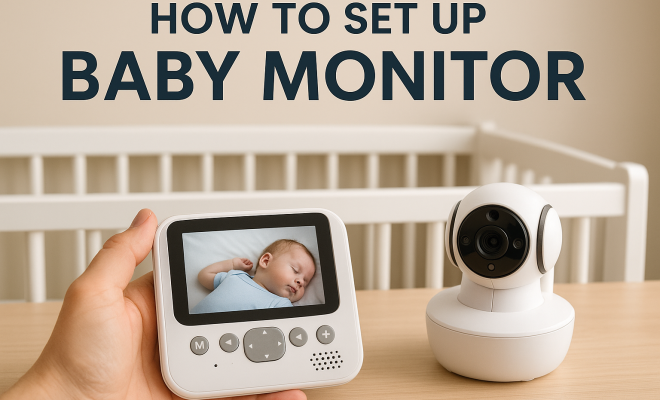
“`html
If you’re a new parent, the importance of a reliable baby monitor setup can’t be understated. These devices provide peace of mind, allowing you to keep an eye (or ear) on your little one from anywhere in the house. With various types of monitors available, understanding how to effectively set one up can make all the difference in ensuring your child’s safety. In this comprehensive guide, we’ll walk you through everything you need to know about baby monitor setup, including types, installation tips, and best practices.
1. Understanding Baby Monitors
Baby monitors have evolved significantly in recent years, transitioning from simple audio devices to sophisticated video monitors with Wi-Fi capabilities. The primary function of these devices is to provide parents with a way to monitor their infants while they’re in another room. They come in various forms, including audio monitors, video monitors, smart monitors, and movement monitors.
Audio monitors capture sound and send it to a receiver, allowing parents to hear their baby’s cries. Video monitors add a visual component, so you can see your baby without entering the room. Smart monitors connect to your smartphone or tablet, enabling remote monitoring from anywhere, while movement monitors track your baby’s movements to alert you if they are still or not breathing.
With the surge in technology and innovation, many monitors also now feature additional functionalities such as night vision, cloud storage for video recordings, and integration with home automation systems. These advancements make it easier and more convenient for parents to keep an eye on their baby from various locations within and outside the home.
2. Choosing the Right Monitor for Your Needs
Before delving into the baby monitor setup process, it’s vital to choose the right monitor that fits your lifestyle and needs. Consider factors like the size of your home, your budget, and the monitor’s features. For example, if you have a large house, a monitor with a longer range might be necessary.
When deciding on features, think about whether you need video capabilities, two-way communication, temperature sensors, or movement sensors. Parents with twins or multiple children may want to look into monitors that allow for multiple camera connections or split screens. Don’t forget to read reviews and check for compatibility with your home Wi-Fi network if you opt for a smart monitor.
As you weigh your options, you might also want to think about the monitor’s battery life and charging methods. Some monitors have rechargeable batteries, while others rely on constant power sources. If you’re frequently traveling or moving the monitor between rooms, a model with good battery life could be crucial.
3. Preparing for Installation
Once you’ve selected your monitor, the next step is to prepare for installation. First, read the user manual thoroughly. Each baby monitor may have specific setup instructions that are crucial for optimal performance. Gather all the necessary tools and materials, which may include screws, brackets, and power adapters.
Next, choose the best location for the monitor. Ideally, the baby monitor camera should be positioned at a height where it can capture the crib while avoiding potential hazards. This means the monitor should be placed out of reach of children and secured properly to prevent it from falling.
Consider the placement of your monitor in relation to your baby’s sleep environment. If your baby sleeps in a darkened room, ensure that the monitor has good night vision capability. Additionally, be mindful of other electronic devices that may interfere with the monitor’s signal, ensuring a clear and reliable connection.
4. Step-by-Step Baby Monitor Setup
Now that you’re prepared, let’s dive into the step-by-step process of baby monitor setup. Start by placing the camera or audio transmitter in the designated location. Ensure it has a clear line of sight to the crib, avoiding any obstructions like furniture or curtains.
Next, plug in the monitor and ensure it’s receiving power. Most monitors come with rechargeable batteries, but having it plugged in offers continuous use. Once powered, follow the manufacturer’s instructions to connect the monitor to its receiver or app on your smartphone. This process often involves connecting to Wi-Fi and may require a QR code scan or entering a password. (See: monitoring your child's safety.)
After establishing the connection, adjust the camera angle or transmitter position as needed to ensure optimal visibility and audio capture. This might involve a bit of trial and error, so don’t hesitate to check the monitor’s feed from various angles before finalizing the setup.
5. Testing Your Monitor
After setting up your baby monitor, it’s crucial to perform a thorough test. This test should verify both the audio and video functions. Position yourself in different rooms of your house to ensure the monitor’s range works effectively. Check for sound clarity and video quality, ensuring that the visuals are clear enough to identify your baby’s actions.
Don’t forget to test the two-way communication feature if your monitor has one. Practice talking to your baby through the monitor to ensure sound quality is optimal from both ends. If you notice any issues during testing, address them before relying on the monitor for overnight use.
During this testing phase, you can also evaluate the monitor’s battery life and any additional features. For instance, if the monitor has a temperature sensor, check whether it accurately reports the room temperature and whether the alerts function properly. This way, you’ll know exactly what to expect when you start using it for real.
6. Best Practices for Monitor Use
Proper usage of your baby monitor can enhance its effectiveness and your peace of mind. For starters, keep the monitor on at night but consider turning down the volume if your baby tends to make a lot of noise. This way, you won’t be kept awake by every little sound but can still hear when they genuinely need you.
Additionally, maintain a secure connection by regularly checking your Wi-Fi, especially for smart monitors. Change passwords periodically to enhance security, and ensure that you enable any encryption features available on your device. This practice helps protect your family’s privacy and prevents unauthorized access to your feed.
It’s also a good idea to periodically clean the monitor’s camera lens and microphone area, ensuring that dust or smudges don’t interfere with its performance. Keeping the monitor in good condition will help maintain the clarity of sound and video, providing you with reliable coverage of your baby.
7. Common Issues and Troubleshooting
Even with the best baby monitor setup, you may encounter issues from time to time. Common problems include poor battery life, connection drops, and interference from other devices. If your monitor runs on batteries, keep an eye on the charge level and replace batteries as needed.
If you experience connection issues, check your Wi-Fi signal strength in the location of the monitor and receiver. Sometimes, moving the monitor to another area can resolve connectivity issues. In case of persistent problems, consult the user manual for troubleshooting tips or reach out to customer service for assistance.
Additionally, monitor performance can vary depending on your home’s layout. Thick walls or large distances from the receiver may hinder the signal. If you notice that the monitor consistently drops out in certain areas of your home, consider investing in a Wi-Fi extender to enhance signal strength in those areas.
8. Keeping Your Monitor Secure
Security is a significant concern for parents using baby monitors, especially internet-connected devices. To keep your baby monitor secure, avoid using default usernames and passwords. Change these as soon as you set up the device.
Moreover, regularly update your monitor’s software. Manufacturers often release updates that enhance security and improve performance. Also, consider using a separate network for your baby monitor if you’re particularly concerned about security breaches, isolating it from your main Wi-Fi network.
It’s also wise to periodically review the devices connected to your home network. By knowing who and what is connected, you can quickly identify any unauthorized access or potential security threats. Taking a proactive approach can significantly reduce your risks. (See: importance of monitoring infants.)
9. The Future of Baby Monitors
As technology continues to advance, the future of baby monitors looks promising. Expect to see features like artificial intelligence integrated into monitors, enabling them to recognize different sounds and alert parents based on defined parameters. Some companies are already developing monitors that provide insightful data, helping parents track their baby’s sleep patterns and overall health through app connectivity.
Additionally, as privacy concerns grow, manufacturers will likely enhance security measures, ensuring that parents can monitor their babies without fear of breaches. As you consider your baby monitor setup, remember that investing in a high-quality, secure device can significantly impact your peace of mind as a parent.
In the coming years, we could also see the introduction of more advanced analytics, such as sleep cycle monitoring, breathing detection algorithms, and even integration with smart home devices to provide a more holistic approach to child care. These innovations will not only boost security but also offer deeper insights into your baby’s health and well-being.
10. FAQs About Baby Monitor Setup
What type of baby monitor is best for me?
The best type of baby monitor depends on your specific needs. If you want to see your baby, a video monitor may be the way to go. For basic audio monitoring, an audio monitor is sufficient. If you prefer advanced features, such as smartphone connectivity or health tracking, then a smart monitor would be ideal. Consider your home layout, budget, and personal preferences before making a decision.
How far can baby monitors reach?
Most baby monitors have a range of 600 to 1,000 feet, but this can vary based on the model and environmental factors. Walls, furniture, and other obstructions can reduce the effective range. Always check the manufacturer’s specifications for your specific model and perform tests to determine the best placement.
Can I use my baby monitor while traveling?
Yes, many baby monitors, particularly smart monitors, can be used while traveling. If you plan to use a monitor on the go, consider a model with a portable design and reliable battery life. Some smart monitors can connect to hotel Wi-Fi, allowing you to keep an eye on your baby from anywhere.
How do I secure my Wi-Fi baby monitor?
To secure your Wi-Fi baby monitor, start by changing the default passwords and usernames. Enable encryption features if available, and regularly update the device’s firmware. Consider placing the monitor on a separate network to isolate it from other devices in your home. Regularly check connected devices to ensure there are no unauthorized connections.
What should I do if my baby monitor is not working properly?
If your baby monitor is experiencing issues, start by checking the power supply and ensuring it’s properly charged or plugged in. Verify your Wi-Fi connection if it’s a smart monitor and consult the troubleshooting section of the user manual. If all else fails, contacting customer support is a good way to resolve any persistent problems.
Are there any health concerns related to baby monitors?
There have been discussions about electromagnetic fields (EMFs) emitted by wireless baby monitors. While current research indicates that the levels from baby monitors are generally low and considered safe, if you have concerns, you might prefer using audio monitors or opting for models that feature lower radiation levels. It’s always best to stay informed and choose products that align with your family’s health preferences.
How often should I test my baby monitor?
It’s a good idea to test your baby monitor regularly, especially when you change its location, after software updates, or before significant events such as a trip or a new sleeping arrangement for your baby. Regular testing ensures that you can depend on it when you need it the most.
11. Advanced Features of Modern Baby Monitors
Modern baby monitors come equipped with features that can greatly enhance your monitoring experience and your baby’s safety. For instance, some advanced models include movement sensors that can alert you if your baby has not moved for a certain period. This can be especially useful for newborns, who may not move as much during sleep.
Another feature to look for is the ability to monitor air quality. Monitors that come with environmental sensors can alert you when the air quality in the nursery changes, helping you to maintain a safe and healthy environment for your baby. (See: latest news on baby monitors.)
Some models even integrate with smart home systems, allowing you to control other devices like smart lights or temperature settings directly through the monitor. This means you can create a more comfortable sleeping environment for your baby without having to leave the room. For example, using a smart monitor, you could dim the nursery lights as your baby falls asleep or play calming sounds to soothe them during the night.
12. Comparative Analysis: Audio vs. Video vs. Smart Monitors
When deciding on your baby monitor setup, it can be helpful to compare the different types of monitors available. Audio monitors are often more affordable and simpler to use, focusing solely on sound. They’re perfect for parents who want a straightforward solution without additional frills. However, they lack visual capabilities, which means you won’t be able to see your baby’s movements or sleeping position.
Video monitors offer visual monitoring and many come with features like night vision, zoom, and pan functionalities. While these features provide a clearer view of your baby, they typically come at a higher price point and may require Wi-Fi, which can be a concern for some parents.
Smart monitors, while usually the most expensive option, offer the most features. They can connect to your smartphone or tablet, giving you access to your baby’s feed from anywhere. Smart monitors often come equipped with additional functionalities like temperature sensors, lullabies, and even breathing monitoring. These features can provide peace of mind, especially for first-time parents.
Ultimately, the choice between audio, video, and smart monitors comes down to personal preference, budget, and specific needs. If you prioritize simplicity and cost, an audio monitor may be best. If you want the ability to visually check on your baby, a video monitor is a solid choice. For those who want comprehensive features and the latest technology, a smart monitor is the way to go.
13. Important Considerations for Multi-Child Households
If you have more than one child, you might consider how best to monitor multiple kids simultaneously. Some manufacturers produce monitors that can connect to multiple cameras, allowing you to switch between feeds or even display them side by side on one screen. This can be a convenient way to keep an eye on your children without needing multiple devices.
Another option is to utilize separate monitors for each child, particularly if they have different sleep schedules or are in different parts of the house. This approach can sometimes provide clearer and more immediate monitoring, though it may increase the overall cost. When setting up monitors in a multi-child household, be sure to check that they don’t interfere with each other’s signals, especially if they operate on similar frequencies.
Finally, consider teaching older siblings about the monitor and how to use it responsibly. This can help them feel involved and provide added safety, as they can assist in monitoring while you attend to other tasks around the house.
“`
Trending Now
Frequently Asked Questions
What are the different types of baby monitors?
Baby monitors come in several types, including audio monitors that transmit sound, video monitors that provide visual feedback, smart monitors that connect to your smartphone, and movement monitors that track your baby's movements. Each type offers unique features to help parents monitor their children effectively.
How do I choose the best baby monitor for my needs?
To choose the best baby monitor, consider factors like the size of your home, your budget, and the features you desire. Think about whether you need audio, video, or smart capabilities, and assess any additional functionalities such as night vision or cloud storage.
What features should I look for in a baby monitor?
Look for features that enhance monitoring, such as video capability, night vision, two-way audio, and mobile app connectivity. Additional functionalities like motion tracking, temperature sensors, and cloud storage can also provide added peace of mind.
How do I set up a baby monitor?
Setting up a baby monitor typically involves placing the camera or monitor unit in a suitable location, connecting it to a power source, and following the manufacturer's instructions to connect to Wi-Fi or your smartphone. Ensure the monitor is positioned to have a clear view of the baby.
Are smart baby monitors worth it?
Smart baby monitors can be worth the investment as they offer advanced features such as remote access through smartphones, video streaming, and alerts for movement or sound. They provide convenience and peace of mind, particularly for tech-savvy parents.
What’s your take on this? Share your thoughts in the comments below — we read every one.