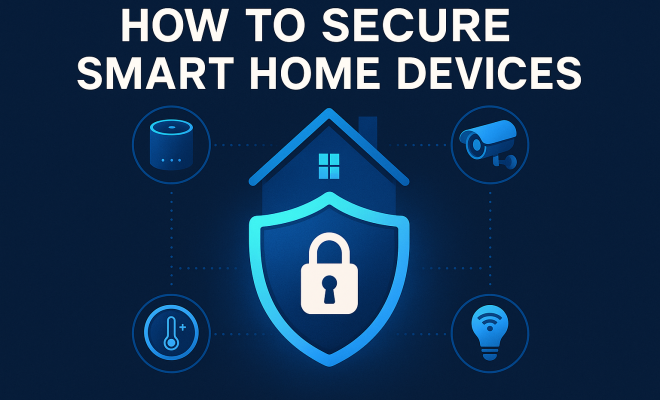
How to secure smart home devices
“`html
The rise of smart home technology has transformed the way we live, making our homes more convenient and more connected. However, with innovation comes risk, and many homeowners are unaware of the vulnerabilities that these devices can introduce. Securing smart home devices should be a priority to protect your privacy and safeguard your personal data. In this article, we’ll explore nine effective strategies to secure smart home devices, emphasizing the importance of cyber hygiene in our increasingly connected lives.
1. Start with Strong Passwords
One of the simplest yet most effective ways to secure smart home devices is by using strong, unique passwords. Weak passwords are an open invitation for cybercriminals, as they can be easily guessed or cracked using brute-force attacks. A strong password typically consists of at least 12 characters, including a mix of upper and lower-case letters, numbers, and special symbols.
When setting up your smart devices, do not use default passwords. Change them immediately to something unique for every device. Consider using a password manager to help you generate and store complex passwords securely, ensuring that you don’t forget them while keeping your devices safe.
2. Keep Your Firmware Updated
Manufacturers regularly update the firmware of smart devices to fix vulnerabilities and improve functionality. Ensuring that your devices are running the latest firmware is essential for security. Many individuals overlook this due to the belief that their devices are secure once installed or because they don’t receive frequent updates.
Make it a habit to check for updates regularly or enable automatic updates if the device allows it. This proactive measure minimizes the risk of exploitation from known vulnerabilities and ensures that you benefit from the latest security enhancements.
3. Utilize Two-Factor Authentication (2FA)
Two-factor authentication adds an extra layer of security to your smart devices and accounts. With 2FA enabled, you need to provide two forms of identification before access is granted. Typically, this involves something you know (your password) and something you have (a smartphone app or a text message verification code).
Enabling 2FA significantly reduces the chances of unauthorized access, even if your password is compromised. Most reputable smart home device brands offer 2FA as an option, so be sure to take advantage of this feature whenever possible.
4. Segment Your Network
Many smart home devices connect to your Wi-Fi network, which can create security vulnerabilities if not managed properly. A segmented network involves creating separate networks for different types of devices, such as smart home gadgets, computers, and smartphones. This approach prevents attackers from easily accessing all devices if one is compromised.
For example, you could set up a dedicated guest network for your smart devices that is isolated from your primary network. This way, even if an attacker gains access to your smart devices, they would not have direct access to your personal computers or sensitive data.
5. Monitor Network Traffic
Monitoring the traffic on your home network can help you identify unusual or unauthorized activities that may indicate a breach. Many routers come equipped with built-in monitoring tools, or you can use third-party software to keep an eye on what devices are communicating with the internet.
Look for unexpected devices connecting to your network or irregular data usage patterns. If something seems off, investigate immediately. Early detection can be key to preventing further damage and securing smart home devices before significant data loss occurs.
6. Disable Unused Features
Smart home devices often come with a range of features, many of which you might not use. Features like remote access, voice control, or universal plug-and-play (UPnP) can create additional security risks if left enabled. If you don’t plan on using certain features, it’s best to disable them. (See: CDC guidelines on smart home devices.)
For instance, if your smart camera has a remote viewing option that you don’t need, turn it off. The fewer features you have enabled, the lower your attack surface, making it harder for cybercriminals to exploit vulnerabilities.
7. Be Cautious with Third-Party Integrations
Many smart home devices can integrate with third-party applications or systems that enhance their functionality. While this can be convenient, it also opens up potential security risks. Third-party apps may not follow the same security protocols as the original device manufacturers, leading to vulnerabilities.
Before integrating third-party applications, do thorough research to ensure they are reputable and have a proven track record of securing user data. Opt for integrations that specifically mention robust security measures in their documentation. This will help you keep your smart home ecosystem secure while still enjoying its benefits.
8. Educate Yourself on Phishing Attacks
Phishing attacks are a common method used by cybercriminals to gain unauthorized access to devices. These attacks often involve tricking you into providing personal information or login credentials through fake emails or messages. Being aware of these tactics is vital in protecting your smart home devices.
Always scrutinize emails or messages that request sensitive information, especially those claiming to be from device manufacturers or service providers. If you receive an email that seems suspicious, don’t click on any links. Instead, go directly to the official website of the manufacturer to confirm the message’s authenticity.
9. Regularly Review Security Settings
Just setting up your devices securely once isn’t enough. Technology evolves rapidly, and so do the tactics used by cybercriminals. Regularly reviewing your security settings ensures that you stay one step ahead of potential threats.
Schedule periodic audits of your smart home devices and their settings—at least every few months. Check for any new security features offered by manufacturers, update passwords as necessary, and reassess which features you truly need. This continuous process is essential in maintaining a secure smart home environment.
10. Educate Your Family and Household Members
It’s not just about securing devices; it’s also about securing the people who use them. Cybersecurity is a shared responsibility in any household. Make sure everyone who has access to your smart home understands basic security practices. Share information about recognizing phishing attempts, the importance of strong passwords, and the risks of public Wi-Fi.
Consider holding an educational session or creating a simple guide that outlines how to use the devices securely. When everyone in your home is aware of best practices, it significantly reduces the risk of a security breach.
11. The Role of IoT Security Standards
As the Internet of Things (IoT) continues to grow, so do the frameworks and standards aimed at improving security across smart devices. Various organizations and governments are working to establish guidelines that manufacturers should follow to ensure their products meet certain security benchmarks.
Staying informed about these developments can help you make purchasing decisions. Look for devices that comply with recognized security standards, such as those set by the National Institute of Standards and Technology (NIST) or the Internet Engineering Task Force (IETF). These standards can provide peace of mind regarding the security of your smart home devices.
12. Utilize a Virtual Private Network (VPN)
A VPN encrypts your internet connection, which adds another layer of security to your smart home devices. By using a VPN, your online traffic is routed through a secure server, making it much more difficult for hackers to intercept your information.
Look for VPN services that are compatible with smart devices. Some routers even have pre-installed VPN options, allowing all connected devices to benefit from the encryption without needing individual installations. This is particularly useful for protecting sensitive data when using public Wi-Fi networks. (See: NIST guidelines for securing devices.)
13. Understand the Data Usage of Your Devices
Many smart devices collect data about your daily life, from when you’re home to your preferences and routines. Understanding what data is collected can help you make informed decisions about your privacy. Review the privacy policies of your devices to know what data is stored and how it is used.
If a manufacturer’s data collection practices seem intrusive, consider opting for alternatives that prioritize user privacy. This awareness can help you maintain better control over your personal information and avoid unnecessary risks.
14. Stay Informed with Security News
Technology and security threats are constantly evolving. By staying informed about the latest news and trends in smart home security, you can adapt your practices accordingly. Subscribe to cybersecurity newsletters, follow tech blogs, or join online forums where security professionals discuss emerging threats and solutions.
Being proactive about your knowledge can make a significant difference in your overall security posture. The more you know, the better equipped you’ll be to handle potential risks associated with your smart home.
15. Frequently Asked Questions (FAQ)
What types of devices should I secure in my smart home?
All smart devices, including cameras, smart speakers, door locks, thermostats, and even appliances, should be secured. Anything that connects to the internet can potentially pose a security risk.
How can I tell if my device has been compromised?
Signs of a compromised device can include unusual behavior, such as unexpected reboots, strange noises, or unfamiliar notifications. You may also notice irregular data usage or new devices connected to your network that you don’t recognize. If you encounter any of these issues, investigate immediately.
Is it safe to use public Wi-Fi with my smart home devices?
Public Wi-Fi networks can be risky for smart devices because they are often unsecured. If you must connect your smart device to public Wi-Fi, consider using a VPN to encrypt your connection while you’re using it.
How can I reset my smart device if I suspect a security breach?
Most smart devices have a reset option in their settings menu. Alternatively, you may need to press and hold the reset button located on the device itself. Check the manufacturer’s instructions for specific details on resetting your device.
Are there any specific brands known for better security practices?
While many brands are improving their security practices, some have gained a better reputation than others. Brands like Nest, Ring, and Philips Hue often prioritize security updates and offer robust security features. Review user feedback and security ratings for devices before purchasing.
16. Common Vulnerabilities in Smart Home Devices
Besides the strategies to secure smart home devices, understanding common vulnerabilities can help you better protect your home. Many smart devices suffer from poor encryption, outdated software, and lack of security features. For example, some cameras only use weak passwords or none at all, making them easy targets for hackers.
Statistics reveal that around 70% of IoT devices have security vulnerabilities, making them a prime target for cybercriminals. Poorly configured devices can allow hackers to gain access and execute malicious operations, such as spying on users or controlling devices remotely. Being aware of these vulnerabilities heightens your awareness and preparedness in securing your smart home environment.
17. The Importance of Reviews and Recommendations
When selecting smart home devices, it’s crucial to consult product reviews and recommendations from trusted sources. Consumer reports, tech blogs, and online reviews can provide insights into a device’s security features, usability, and vulnerabilities. Look for products that have undergone third-party security audits or have received certifications from recognized security organizations. (See: New York Times on smart home security.)
For example, devices that have won awards for innovation and security may offer a higher assurance of safety than more generic models. Engaging with community forums and discussions can also provide real-world perspectives and advice on the best devices to choose for your smart home.
18. Parental Controls: A Critical Feature
If you have children at home, parental controls can be an essential feature in securing your smart devices. With many devices allowing remote access and integration with the internet, parents can easily monitor and limit what their children access through smart technology.
For instance, smart speakers can be set to restrict certain content or functionalities based on age. This not only protects children from potential online threats but also helps in educating them on responsible device usage. Teaching kids about online safety while they interact with smart devices can foster a culture of security awareness in your home.
19. Regular Vulnerability Assessments
Conducting regular vulnerability assessments can help identify potential risks associated with your smart home devices. This involves reviewing the settings, checking for outdated software, and assessing the overall security posture. You can even engage third-party cybersecurity professionals to perform a comprehensive assessment.
By regularly evaluating your smart devices, you can proactively mitigate risks before they become significant issues. Just like physical security measures (locks, alarms, etc.), digital security demands consistent checks to ensure everything remains secure.
20. The Future of Smart Home Security
As smart home technology evolves, so too will the landscape of security. Expect to see greater integration of artificial intelligence in security systems, enhancing threat detection and response times. Smart homes may become more adept at learning usage patterns, which could help in identifying anomalies that signal breaches.
Additionally, as consumer demand for privacy and security grows, manufacturers will likely focus more on developing devices with built-in security features. Innovations like blockchain technology could further enhance the security of smart devices by providing a decentralized approach to data storage and access.
In the end, securing smart home devices is crucial for protecting your personal data and enhancing your overall home security. By implementing these strategies, you’ll not only reduce your risk of falling victim to cyber threats but also enjoy the convenience of smart technology with peace of mind. As technology progresses, remaining vigilant and proactive about security will ensure that your smart home remains a safe haven for you and your family.
“`
Trending Now
Frequently Asked Questions
How can I secure my smart home devices?
Securing smart home devices involves several strategies, including using strong, unique passwords, keeping firmware updated, and enabling two-factor authentication. These measures help protect your privacy and personal data from potential cyber threats.
What are the best practices for smart home security?
Best practices for smart home security include changing default passwords to strong, unique ones, regularly checking for firmware updates, and utilizing two-factor authentication. These steps enhance the overall safety of your connected devices.
Why is it important to update smart device firmware?
Updating smart device firmware is crucial because manufacturers release updates to fix security vulnerabilities and improve functionality. Regular updates help protect against cyber threats that exploit known weaknesses in outdated software.
What is two-factor authentication and why should I use it?
Two-factor authentication (2FA) is a security process that requires two forms of identification before granting access to your smart devices. Using 2FA adds an extra layer of protection, making it harder for unauthorized users to gain access.
How do I create a strong password for my smart devices?
To create a strong password for your smart devices, use at least 12 characters with a mix of upper and lower-case letters, numbers, and special symbols. Avoid common words and phrases, and consider using a password manager to help you generate and store them.
What did we miss? Let us know in the comments and join the conversation.