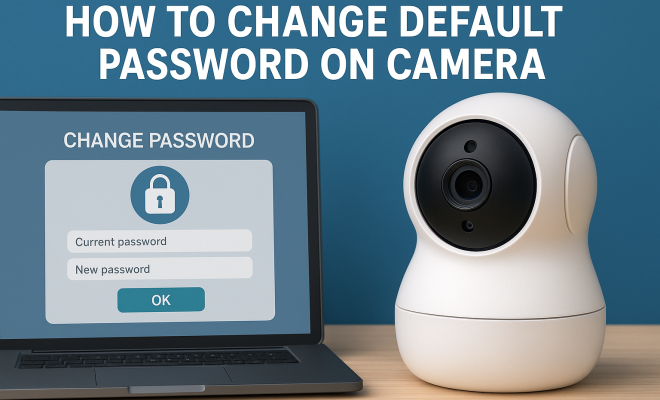
How to change default password on camera
“`html
In a world where security breaches are increasingly common, safeguarding your digital devices has never been more critical. One of the most accessible yet often overlooked security measures involves changing default passwords on devices like cameras. If you’ve ever wondered how to change camera password, you’re not alone. In this article, we’ll guide you through the importance of securing your camera, the step-by-step process of changing your password, and valuable insights to keep your device safe.
1. Why You Need to Change Your Camera Password
The default passwords on cameras are often simple and widely known, making them an easy target for hackers. According to a 2023 report by the Identity Theft Resource Center, over 1.3 million consumer devices, including home security cameras, were compromised last year. By changing your camera password, you significantly reduce the risk of unauthorized access, ensuring your privacy and security aren’t at stake.
Additionally, many modern cameras come equipped with Wi-Fi connectivity, allowing remote access via mobile apps or web browsers. While this functionality is convenient, it also means that if someone gains access to your camera, they could potentially surveil your home or even manipulate settings. Changing the default password is your first line of defense in protecting your camera and, by extension, your home.
2. Understanding Default Passwords and Their Risks
Most cameras come with a preset password, which is intended to get you started quickly. However, manufacturers often use the same passwords across multiple devices, which creates a predictable pattern that hackers can exploit. For example, a vast number of IP cameras utilize passwords like ‘admin’ or ‘123456’. This redundancy means that if someone knows the default password for one camera, they likely know it for many others.
Once a hacker gains access, they can potentially exploit vulnerabilities, from viewing live feeds to altering your camera settings or even accessing your home network. Thus, understanding the vulnerabilities associated with default passwords is crucial to taking the necessary steps toward securing your devices.
3. Preparing to Change Your Camera Password
Before diving into the steps to change camera password, it’s essential to prepare adequately. First, make sure you have access to your camera’s settings. Typically, this requires being connected to the same Wi-Fi network as your camera. Additionally, have your camera’s user manual handy, as it may contain specific instructions tailored to your model.
Next, ensure that you choose a secure password. A strong password should be at least 12 characters long and include a combination of uppercase letters, lowercase letters, numbers, and special characters. Avoid easily guessed terms like birthdays, names, or common phrases. The more complex your password, the harder it will be for a hacker to crack.
4. Step-by-Step Guide to Change Your Camera Password
Now that you’re prepared, let’s walk through the steps to change camera password. While the exact process may vary depending on your camera model, the general steps are often similar:
- Step 1: Access the Camera Interface – Open a web browser and enter the camera’s IP address. If you’re unsure about the IP address, check your user manual or use a network scanning tool.
- Step 2: Log In – Enter the default username and password. For most models, this is often ‘admin’ for both fields.
- Step 3: Navigate to Settings – Once logged in, look for a ‘Settings’ or ‘Configuration’ tab, which is usually on the main dashboard.
- Step 4: Change Password – Locate the ‘Change Password’ option. Enter your current password and then your new password, ensuring it meets security requirements.
- Step 5: Save Changes – After entering the new password, make sure to save your changes before logging out. Failure to do this could result in the old password still being in effect.
- Step 6: Reboot the Camera – Some models may require a reboot for changes to take effect. Reboot your camera to ensure the new password is active.
- Step 7: Log In Again – Test your new password by logging out and then logging back in using the new credentials.
This straightforward process can significantly enhance your camera’s security, putting you in control of your device. (See: importance of security measures.)
5. Common Issues When Changing Camera Passwords
Even with the best intentions, changing your camera password can sometimes lead to complications. One common issue is forgetting the current password, which can prevent you from accessing the settings. If you find yourself locked out, many manufacturers offer a password recovery option or a factory reset method that can restore your camera to its default settings, allowing you to set a new password.
Another potential problem is a failure to save changes. Always double-check that the new password has been applied and that you can log in with it. If you encounter persistent issues, consult the user manual or online forums specific to your camera model for troubleshooting advice.
6. Enhancing Your Camera Security Beyond Password Changes
Changing your password is just the beginning of securing your camera. Here are several additional strategies to further enhance your device’s security:
- Update Firmware: Regularly check for firmware updates from the manufacturer. These updates often patch security vulnerabilities that could be exploited by hackers.
- Enable Two-Factor Authentication (2FA): If your camera supports it, enable 2FA for an added layer of security. This typically requires a second form of verification, such as a text message code, in addition to your password.
- Limit Remote Access: If you’re not using remote access features, consider disabling them. This minimizes the attack surface for potential intruders.
- Monitor Logs: Keep an eye on the activity logs of your camera if available. Look for any unauthorized access attempts or unusual activity.
- Use a VPN: Consider setting up a Virtual Private Network (VPN) for an added layer of security, especially if you access your camera remotely.
Implementing these strategies will provide a multi-faceted approach to security, ensuring your camera remains protected.
7. Staying Informed About Camera Security
Cybersecurity is a constantly evolving field, and it’s crucial to stay informed about the latest threats and best practices. Follow industry news, subscribe to relevant security blogs, and join online communities focused on home security. This knowledge will empower you to keep your camera secure beyond just changing the password.
Additionally, consider participating in user forums or social media groups related to your camera model. These platforms often share updates on vulnerabilities, security patches, and tips from other users, which can keep you one step ahead of potential threats.
8. Frequently Asked Questions (FAQ)
8.1. How often should I change my camera password?
It’s a good practice to change your camera password every 3 to 6 months. Frequent changes can help mitigate the risk of unauthorized access, especially if you suspect your password may have been compromised.
8.2. What should I do if I forget my camera password?
If you forget your camera password, look for a password reset option in your camera’s settings. If that isn’t available, you may need to perform a factory reset, which will restore the camera to its original settings, allowing you to set a new password.
8.3. Is it safe to use the same password for multiple devices?
No, using the same password across multiple devices significantly increases your vulnerability. If one device is compromised, attackers can gain access to all other devices using that same password. Always use unique passwords for each device.
8.4. What makes a strong camera password?
A strong password should be at least 12 characters long and include a mix of uppercase letters, lowercase letters, numbers, and special characters. Avoid using easily guessed information, such as names or birth dates.
8.5. Can I change my camera password from a mobile app?
Many modern cameras come with dedicated mobile applications that allow you to modify settings, including changing the password. Check your camera’s manual or the app to see if this feature is available. (See: risks of camera hacking.)
8.6. What are the consequences of not changing the default password?
Failing to change your camera’s default password can lead to unauthorized access, which puts your privacy and security at risk. Hackers can view live feeds, record footage, and even manipulate settings without your knowledge.
8.7. How do I know if my camera has been hacked?
Signs that your camera may have been compromised include unexpected changes in settings, unusual noises, or a camera that turns on or off by itself. If you notice any of these signs, change your password immediately and consider contacting the manufacturer.
8.8. Should I enable automatic firmware updates?
If your camera offers the option for automatic firmware updates, it’s generally advisable to enable it. This ensures that your device receives the latest security patches and improvements without requiring manual intervention.
9. Expert Perspectives on Camera Security
Cybersecurity experts emphasize the importance of treating all connected devices as potential entry points for hackers. According to Dr. Elizabeth Smith, a cybersecurity analyst, “Many users underestimate how easily hackers can exploit weaknesses in IoT devices. Regularly changing passwords and staying updated on security practices is essential.”
Industry professionals recommend conducting regular security audits on your devices. “Check for unauthorized access attempts, update security settings, and familiarize yourself with the capabilities of your camera,” advises John Peterson, a tech security consultant. Knowing how your device operates can aid in preemptively identifying vulnerabilities.
10. Future Considerations for Camera Security
As technology continues to advance, the landscape of cybersecurity will evolve as well. Future cameras may incorporate more robust security features, such as biometric authentication or enhanced encryption methods. Keeping an eye on these trends will help you adapt your security measures effectively.
In addition, consider the growing role of Artificial Intelligence in security systems. Some new cameras are beginning to analyze activity and recognize patterns, potentially flagging suspicious behavior before it becomes a serious issue.
As smart home technology integrates deeper into our daily lives, staying proactive about security will be a key factor in protecting your privacy and ensuring peace of mind.
11. Advanced Techniques for Camera Security
In addition to the basic measures discussed earlier, there are some advanced techniques you can implement to further enhance the security of your camera system. Here are a few recommendations: (See: security considerations for IoT devices.)
- Network Segmentation: Consider creating a separate network for your IoT devices, including cameras. By isolating these devices from your primary network, you can limit the potential damage if one device is compromised.
- Port Forwarding: Avoid using port forwarding to access your camera externally unless absolutely necessary. If you must, ensure that strong security measures are in place to protect those ports.
- Utilize Strong Encryption: Make sure your camera and the wireless network it connects to use strong encryption standards, such as WPA3 for Wi-Fi networks. This helps protect the data being transmitted between your camera and your devices.
- Regular Security Audits: Conduct periodic security audits on your camera setup. Regularly review device logs, check for unauthorized access attempts, and verify that your firmware is up-to-date.
By taking these advanced security steps, you can ensure that your camera system is well-protected against evolving cyber threats.
12. The Role of Manufacturer Support in Camera Security
When choosing a camera, it’s essential to consider the manufacturer’s support and commitment to security. Look for companies that provide regular updates and patches for vulnerabilities. Strong customer support is equally important, as it can help you troubleshoot any security-related issues you may encounter.
Moreover, read reviews and user feedback on the manufacturer’s responsiveness to security concerns. A proactive approach to addressing vulnerabilities can be a strong indicator of a reliable camera brand.
13. Real-Life Examples of Camera Breaches
Understanding the risks associated with connected cameras can be more impactful when looking at real-life examples. Over the past few years, multiple incidents involving camera breaches have highlighted vulnerabilities in home security systems:
- Ring Doorbell Incident (2020): In late 2019 and early 2020, a series of incidents were reported where hackers were able to gain access to Ring doorbell cameras. The attackers used credentials obtained from data breaches of unrelated websites to access users’ accounts. This led to alarming incidents where users were spied on and, in some cases, verbally harassed through the camera’s speaker.
- Cloudflare Camera Breach (2021): A vulnerability in a popular IP camera led to the exposure of live feeds from thousands of cameras worldwide. The breach occurred due to inadequate security practices and poor implementation of encryption standards, illustrating the potential consequences of neglecting security updates.
- Webcam Hacking Cases: Numerous reports exist of hackers taking control of webcams on laptops and desktops, accessing users’ privacy without their knowledge. These incidents emphasize the importance of security not only for standalone cameras but for all connected devices.
These examples serve as a stark reminder of the importance of taking security seriously, especially in an age where security cameras are becoming increasingly prevalent in homes and businesses.
14. Conclusion
In summary, learning how to change camera password is an essential skill in today’s digital age. With a few simple steps and ongoing vigilance regarding security practices, you can protect your camera and your privacy effectively. Don’t become a victim; take action now to secure your devices.
“`
Trending Now
Frequently Asked Questions
How do I change the default password on my camera?
To change the default password on your camera, access the camera's settings through its mobile app or web interface. Look for the 'Security' or 'Password' section, and follow the prompts to create a new, strong password. Remember to save your changes and regularly update your password for added security.
Why should I change my camera's default password?
Changing your camera's default password is crucial for security. Default passwords are often simple and widely known, making your device an easy target for hackers. By setting a unique and complex password, you significantly reduce the risk of unauthorized access and protect your privacy.
What happens if I don't change my camera password?
If you don't change your camera password, you leave your device vulnerable to hacking. Default passwords are commonly known and can be easily exploited. This could lead to unauthorized surveillance, access to your live feeds, and control over your camera settings, compromising your home security.
How often should I change my camera password?
It's recommended to change your camera password every 3 to 6 months. Regularly updating your password helps protect against potential security breaches and unauthorized access, especially if your camera is connected to the internet and accessible remotely.
What are some tips for creating a strong camera password?
To create a strong camera password, use a mix of upper and lower case letters, numbers, and special characters. Aim for at least 12 characters in length and avoid using easily guessable information like birthdays or names. Consider using a password manager to keep track of your passwords securely.
Agree or disagree? Drop a comment and tell us what you think.