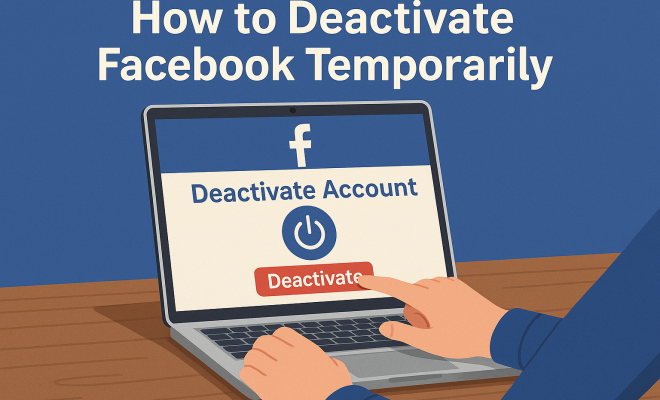
How to deactivate Facebook temporarily
“`html
In a world where social media consumes our attention and dictates our daily lives, you might find yourself yearning for a break from platforms like Facebook. Whether it’s to reclaim your time, focus on productivity, or simply take a breather from the noise, knowing how to deactivate Facebook temporarily can be a game-changer for your mental well-being. This guide will walk you through the process, its implications, and everything else you need to understand about temporarily opting out of the platform.
1. Why Consider Temporary Deactivation?
Social media can be both a blessing and a curse. On one hand, it allows us to connect with friends, share experiences, and even network professionally. On the other hand, it can lead to feelings of overwhelm, anxiety, and distraction. A significant number of users report feeling the need to step back from Facebook due to:
- Distraction: The constant barrage of notifications and updates can derail your productivity.
- Mental Health: Taking time off can help reduce feelings of anxiety and improve overall mental health.
- Focus: A temporary break allows you to concentrate on personal or professional goals without the social media noise.
By opting to deactivate Facebook temporarily, you gain the freedom to step away without losing your account or connections. It’s a simple yet effective way to manage your online presence and mental space.
2. The Difference Between Deactivation and Deletion
It’s important to distinguish between deactivation and deletion of your Facebook account. Deactivation is a temporary measure, while deletion is permanent. Here’s a closer look at both:
- Deactivation: Your profile is hidden, and people cannot see your timeline or search for you. However, your data remains stored within Facebook, making it easy to reactivate your account later.
- Deletion: This is a permanent action. Once you delete your account, you lose all your data, including photos and messages, and you cannot recover it.
For many users looking to take a break without losing their connections or data, deactivation is the preferred choice. It allows for a flexible approach to managing your online life.
3. How to Deactivate Facebook Temporarily
Ready to take the plunge? Here’s a step-by-step guide on how to deactivate Facebook temporarily. You can do this via both the mobile app and desktop version:
Using the Desktop Version
- Log into your Facebook account and click on the downward-facing arrow in the top right corner.
- Select Settings & Privacy and then choose Settings.
- From the left-hand menu, select Your Facebook Information.
- Click on Deactivation and Deletion.
- Choose Deactivate Account and click Continue to Account Deactivation.
- Follow the prompts to confirm your decision.
Using the Mobile App
- Open the Facebook app and tap on the three horizontal lines (hamburger icon) in the bottom right corner.
- Scroll down and tap on Settings & Privacy then Settings.
- Navigate to Account Ownership and Control.
- Select Deactivation and Deletion and then choose Deactivate Account.
- Follow the prompts to complete the process.
Once you’ve completed these steps, you’ll receive a confirmation, and your account will be temporarily deactivated.
4. What Happens When You Deactivate?
After deciding to deactivate Facebook temporarily, it’s vital to understand what changes occur:
- Your profile becomes invisible to other users. They won’t be able to search for you or view your content.
- Messages you’ve sent will remain in the inbox of the recipients, but your name will appear as “Facebook User”.
- Any groups you’re a part of will still exist, but your participation is paused until you reactivate your account.
- Your account settings and data remain intact, ready for you when you choose to return.
Overall, Facebook allows you to take a much-needed break without the stress of losing your online relationships and history.
5. How Long Can You Stay Deactivated?
One of the appealing aspects of temporarily deactivating your Facebook account is the flexibility it offers. You can stay deactivated for as long as you like. There’s no strict time limit imposed by Facebook, which is a relief for users who want a long hiatus. However, keep in mind: (See: impact of social media on mental health.)
- If you don’t log back into your account within a specific timeframe, Facebook may send you reminders to reactivate.
- After a prolonged period, you may miss important updates or messages from friends and family.
Ultimately, the choice is yours. Whether it’s a brief break or a more extended sabbatical, Facebook accommodates your needs.
6. Common Misconceptions About Deactivation
Despite its simplicity, several misconceptions surround the process of temporarily deactivating Facebook. Here are some myths worth debunking:
- Myth 1: Deactivating is the same as deleting. It’s not; deactivation hides your account, while deletion erases everything.
- Myth 2: You can’t reactivate your account after deactivation. False! You can reactivate your account anytime by simply logging back in.
- Myth 3: Friends can’t message you when deactivated. Actually, they can; your messages just appear as “Facebook User”.
Understanding these points clarifies the benefits of taking a break from Facebook without fear of permanent loss.
7. Alternatives to Facebook During Your Break
While you’re enjoying your time away from Facebook, you might be wondering what alternatives exist for staying connected with others. Here are several options to consider:
- Instagram: Owned by Facebook, Instagram allows you to share photos and stories without the pressure of constant updates.
- Twitter: A more concise platform that enables you to share thoughts and updates in real time.
- WhatsApp: A messaging app that lets you stay in touch with friends and family without the social media aspect.
- Snapchat: If you enjoy sharing moments in a more ephemeral way, Snapchat can be a fun alternative.
- Discord: Great for community interactions, especially for gamers or special interest groups, Discord provides a chat platform where you can engage in discussions without social media noise.
These platforms can help you maintain connections while giving you the space you need to focus on your personal goals.
8. How to Manage Your Time Off
Taking a break from Facebook can be liberating, but it also requires some planning to ensure it’s beneficial. Here are some tips for maximizing your time away:
- Set Goals: Determine what you want to achieve during this break—be it reading, exercising, or spending more time with loved ones.
- Limit Other Distractions: Consider reducing your use of other social media platforms to truly disconnect.
- Engage in Offline Activities: Pursue hobbies, engage in physical activity, or explore new interests.
- Practice Mindfulness: Use this time to practice mindfulness or meditation, helping you to reconnect with yourself.
- Reconnect with Nature: Spend time outdoors, whether it’s hiking, walking in the park, or gardening. Nature can have a soothing effect on the mind.
By approaching your time away from Facebook with intention, you can emerge from your break feeling refreshed and inspired.
9. When to Consider Reactivating Your Account
After a hiatus, you may wonder when the right time is to reactivate your Facebook account. Here are some signs it might be time:
- Social Events: If you’re missing out on social gatherings or events that are primarily organized through Facebook, it might be time to log back in.
- Work Communication: If your professional communications are being affected, consider reactivating to stay in touch.
- Curiosity: You might simply find yourself curious about updates from friends and family.
- Community Engagement: If you’re involved in local community groups or initiatives that use Facebook for coordination, reactivating could help you stay informed.
- Family Connections: If family members share important milestones through Facebook, it might be worth logging back in to stay updated.
Remember, reactivating is easy and can be done at any time. A break is meant to serve you, and so is returning to the platform when it suits your needs.
10. Final Thoughts on Deactivation
Deciding to deactivate Facebook temporarily is a powerful step towards prioritizing your mental health and reclaiming your time. By understanding the process, implications, and even the misconceptions, you can approach your social media usage with clarity and intent. Whether it’s a short break or a long withdrawal, take this time to focus on what truly matters to you. After all, your well-being should always come first.
11. Statistics on Social Media Use and Mental Health
The impact of social media on mental health is a widely studied topic, and the statistics can be quite revealing. A 2021 survey found that approximately 64% of users felt that social media contributed to feelings of anxiety and depression. Additionally, a study published in the American Journal of Preventive Medicine showed that individuals who spent more than two hours a day on social media platforms were more likely to report poor mental health outcomes.
Interestingly, researchers at the University of Pennsylvania found that limiting social media use to 30 minutes a day can significantly improve well-being and reduce feelings of loneliness. The study participants who reduced their social media usage reported feeling less lonely and isolated after just three weeks. (See: CDC resources on social media and mental health.)
12. Expert Perspectives on Social Media Breaks
Experts in psychology and digital wellness often emphasize the importance of taking breaks from social media. Dr. Cal Newport, author of “Digital Minimalism,” argues that reducing digital distractions can lead to a more fulfilling life. He suggests that reevaluating your relationship with social media allows for a deeper engagement with the world around you.
Similarly, Dr. Sherry Turkle, a sociologist at MIT and author of “Alone Together,” has noted that social media can create a false sense of connection. Taking a break helps restore genuine interactions with friends and family, leading to more meaningful relationships.
13. Frequently Asked Questions (FAQ)
Q1: Will my friends know if I deactivate my account?
A1: No, your friends will not receive a notification. Your profile becomes invisible, and they won’t be able to find you until you reactivate.
Q2: Can I still use Messenger while my Facebook account is deactivated?
A2: No, you cannot use Messenger while your account is deactivated. Messenger is directly linked to your Facebook account, so both services will be unavailable.
Q3: How do I know if I should reactivate my account?
A3: Consider reactivating if you find yourself missing important communications, social events, or updates about friends and family. Reflect on your goals and whether social media aligns with them.
Q4: Can I deactivate my account from a computer and reactivate it on my mobile?
A4: Yes, you can deactivate your account on one platform and reactivate it on another. Your account status is linked across all devices.
Q5: What if I forget my password while my account is deactivated?
A5: If you forget your password, you can still recover it through the password recovery options. This can be done even if your account is deactivated.
Q6: Can I deactivate my account multiple times?
A6: Yes, you can deactivate and reactivate your Facebook account as many times as you wish. There are no limits set by Facebook on this process.
Q7: How can I ensure I stay focused during my break?
A7: Set clear goals for your break, limit distractions from other social media platforms, and engage in offline activities that you enjoy to keep you on track.
Q8: How do I reactivate my account once I’m ready?
A8: Simply log back into Facebook with your credentials. Your account will be reactivated, and all your previous data will remain intact. (See: New York Times article on Facebook and mental health.)
14. Exploring the Emotional Impact of Social Media
Social media’s emotional impact is profound and multifaceted. Research indicates that constant exposure to curated lives can lead to feelings of inadequacy or FOMO (fear of missing out). A study from the University of Michigan found that increased Facebook usage correlates with a drop in life satisfaction. Those who deactivated their accounts reported more positive emotions and less stress.
Taking a break from Facebook can help mitigate these negative feelings. Many users discover that stepping away from the platform allows them to cultivate more authentic relationships and engage with the world directly, rather than through a screen. Engaging in face-to-face interactions can significantly enhance emotional well-being compared to online exchanges.
15. Social Media’s Role in Society
Social media plays a crucial role in modern society, serving as a tool for activism, information dissemination, and community building. However, it also raises questions about privacy, mental health, and the quality of interactions. For instance, platforms like Facebook have been pivotal during major global movements, allowing voices to be heard and communities to mobilize.
As a user, understanding the implications of how and why you use these platforms can allow you to engage more thoughtfully. Consider using your break to reflect on how social media fits into your values and lifestyle. Are there particular aspects you find beneficial? Are there ways to engage with social media that promote positivity and connection rather than stress?
16. Practical Steps for a Healthier Social Media Experience
In addition to taking breaks, there are several practical steps to cultivate a healthier social media experience:
- Curate Your Feed: Unfollow accounts that don’t bring you joy or that contribute to negative feelings.
- Set Usage Limits: Utilize tools that set time limits on how long you can spend on social media each day.
- Engage Mindfully: Before scrolling, ask yourself how you want to feel after your social media time, and curate your activities accordingly.
- Practice Digital Detoxes: Regularly schedule digital detox periods where you completely unplug from all devices.
By taking these steps, you can create a social media environment that supports your well-being rather than detracting from it.
17. Conclusion: The Power of a Digital Break
Ultimately, learning how to deactivate Facebook temporarily can be a transformative decision for many. Whether you’re seeking to improve your mental health, enhance your productivity, or simply reclaim your time, this choice empowers you to take control of your digital life. Remember, it’s okay to step back and prioritize your well-being. The connections will still be there when you’re ready to return.
“`
Trending Now
Frequently Asked Questions
How do I temporarily deactivate my Facebook account?
To temporarily deactivate your Facebook account, go to the settings menu, select 'Your Facebook Information,' then choose 'Deactivation and Deletion.' Follow the prompts to deactivate your account. This will hide your profile and prevent others from finding you, but your data will remain stored for future reactivation.
What happens when you deactivate Facebook temporarily?
When you deactivate Facebook temporarily, your profile becomes hidden, and others cannot see your timeline or search for you. However, all your data, including posts and messages, is securely stored, allowing you to reactivate your account anytime without losing your information.
Can I reactivate my Facebook account after deactivating it?
Yes, you can easily reactivate your Facebook account after deactivating it. Simply log back into your account using your email and password, and your profile will be restored along with all your data and connections.
Why should I consider deactivating my Facebook account?
Deactivating your Facebook account can help you reduce distractions, improve mental health, and regain focus on personal or professional goals. A temporary break allows you to step away from the noise of social media while keeping your connections intact.
What is the difference between deactivating and deleting Facebook?
Deactivating your Facebook account is a temporary action that hides your profile and preserves your data, while deleting your account is permanent and results in the loss of all your information. Choose deactivation for a break without losing your account.
What did we miss? Let us know in the comments and join the conversation.