Master Trello Offline: Your Guide to Productivity Anywhere
“`html
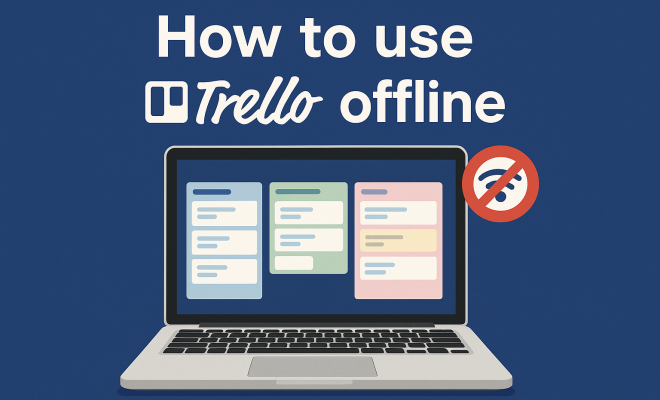
If you’re a fan of task management tools, chances are you’ve heard of Trello. This visually appealing platform allows users to organize projects through boards, lists, and cards, making collaboration simple and efficient. But what if you find yourself without internet access? You might be surprised to learn that you can still use Trello offline to stay productive. In this article, we’ll explore ten essential aspects of how to use Trello offline effectively, so you can keep your projects on track no matter where you are.
1. Understanding Trello’s Offline Capabilities
First things first: Trello’s offline capabilities aren’t as straightforward as you might think. While Trello itself is primarily a cloud-based application, it does offer some offline functionality, particularly through its mobile app. To use Trello offline, you’ll need to have these features set up and understand how they work before you find yourself without reliable internet.
The Trello mobile app allows users to access boards and cards they’ve recently viewed. When you’re offline, any changes you make will be stored locally on your device. As soon as you reconnect to the internet, Trello automatically syncs these changes. However, it’s crucial to note that only boards and cards that have been previously visited will be available offline. Therefore, a little preparation can go a long way.
2. Setting Up for Offline Use
To maximize your ability to use Trello offline, begin by preparing your boards in advance. This means opening your boards and cards while you still have internet access. Go through each board that you may need access to and ensure they are fully loaded. By doing so, you can ensure they are available for offline use.
Additionally, make sure to download the Trello mobile app from the App Store or Google Play. The desktop version of Trello does not support offline functionality, so mobile is your best shot for working without an internet connection. Once the app is installed, log in and navigate through the boards you want to keep accessible.
3. Managing Your Cards Offline
When using Trello offline, you can still manage your cards effectively. You can create new cards, move existing cards between lists, and edit card details. However, it’s essential to realize that these changes won’t be visible to your collaborators until you are back online. This means that any urgent updates should be handled with care.
For example, if you’re in a meeting or working in a location without Wi-Fi, you can jot down ideas or tasks on your Trello board. You can even assign due dates and labels. The key is to keep everything organized so that when you reconnect, everything syncs seamlessly.
4. Using Trello’s Features Offline
Even while offline, you can take advantage of many of Trello’s features. You can add checklists to your cards, mark items as complete, and comment on tasks. These features allow you to maintain productivity without internet access. Being proactive about utilizing these features can make a big difference in your workflow.
However, keep in mind that features like attachments and integrations with other apps will not be available offline. If you rely heavily on these integrations, you may want to consider alternative methods for accessing that information while offline, such as saving necessary files in advance.
5. Syncing Changes Once You’re Back Online
After working offline, syncing your changes when you regain internet access is a crucial step. Trello will automatically sync any changes made offline as soon as you connect. However, it’s wise to double-check if everything was synced correctly, especially if you were working on multiple boards.
If you find any discrepancies or missed updates, it’s a good idea to manually sync by refreshing your boards. This will ensure that all your collaborators see the latest updates. Understanding this process will help you avoid confusion and ensure that your team remains aligned on project progress.
6. Challenges of Using Trello Offline
While Trello allows for some offline functionality, it’s not without its challenges. One major limitation is the lack of access to real-time collaboration. This means that if you work offline and make changes, your team will not see those updates until you reconnect to the internet. (See: Trello overview on Wikipedia.)
Furthermore, you won’t be able to access any real-time updates or comments made by your team during your offline period. To mitigate these challenges, it’s a good practice to communicate with your team about your offline work period. This way, everyone is aware that certain updates might not be reflected immediately.
7. Using Trello for Team Projects Offline
If you’re part of a team, using Trello offline can still be effective, but it requires a bit more coordination. Before going offline, ensure that all team members have updated their boards and any necessary information is readily available. This could mean scheduling a brief meeting or discussion to ensure everyone is on the same page.
Once back online, make it a habit to share a summary of any changes you made while offline. This helps keep everyone in sync and can prevent any potential confusion about the project’s status. Establishing a routine for offline work can enhance overall team efficiency.
8. Alternatives for Offline Task Management
If you find Trello’s offline functionality insufficient for your needs, there are alternative task management tools that offer better offline capabilities. Applications like Todoist or Notion provide more robust offline support, allowing users to manage tasks seamlessly without internet access.
Consider evaluating your task management needs and weighing the pros and cons of each tool. While Trello is an excellent choice for many users, it might not be the best fit for those who frequently work offline. Understanding your requirements will help you select the right tool for your workflow.
9. Tips for Working Offline Effectively
To make the most out of your offline Trello experience, consider these tips: First, plan your work in advance. Before you go offline, outline what tasks you want to accomplish. This will give you a clear direction while you work.
Second, keep a backup of important information. It’s a good practice to have alternative forms of accessing critical documents or files when you’re offline. Lastly, make use of Trello’s mobile app to stay organized and efficient. With the right preparation and mindset, you can maintain your productivity regardless of internet availability.
10. The Future of Offline Task Management
As remote work continues to rise, the demand for offline capabilities in task management tools like Trello is likely to increase. Users are looking for reliable solutions that don’t rely heavily on internet connectivity, especially while traveling or in areas with spotty service.
In response, we may see enhancements in offline functionalities across various platforms, including Trello. Staying informed about updates and improvements in your preferred tools will ensure you’re making the most out of their capabilities, both online and offline.
By understanding how to use Trello offline, you can ensure that you remain organized and productive, regardless of your internet connection. With the right preparation and mindset, Trello can be an invaluable part of your workflow, even when you are without online resources.
11. Common Use Cases for Using Trello Offline
Using Trello offline can be particularly beneficial in various scenarios. If you’re traveling for work and may not have consistent internet service, accessing your boards offline ensures you can continue planning, organizing, and managing your tasks without interruption. Think of long flights, remote locations, or areas where Wi-Fi isn’t available.
Another common use case is during meetings or brainstorming sessions where internet access may be unreliable. You can jot down ideas, create new tasks, and rearrange cards based on group discussions, making the most of your time without worrying about connectivity issues. Additionally, when working on sensitive projects, some users prefer to keep their work offline to protect sensitive information from being exposed over unsecured networks.
12. Expert Perspectives on Offline Task Management
Industry experts often emphasize the significance of offline capabilities in project management tools, especially as more professionals embrace remote work. According to productivity consultant Jane Doe, “Having the ability to work offline is crucial for maintaining momentum. Many times, the best ideas come when you least expect them, and you shouldn’t be hindered by a lack of internet access.”
Additionally, technology analyst John Smith notes that “the future of project management tools will increasingly cater to hybrid work environments. Tools like Trello that adapt to both online and offline needs will stand out as leaders in the market.” These insights suggest that as the landscape of work changes, tools that offer flexibility in how and when users can access them will be paramount. (See: CDC's use of Trello for project management.) Related reading: love these collaboration apps.
13. Statistics on Remote Work and Productivity
Research shows that remote work is here to stay. According to a report from the Future Forum, 76% of workers want flexibility in where they work, indicating a clear trend toward hybrid models. Additionally, a survey conducted by Buffer revealed that 49% of remote workers struggle with collaboration and communication. This highlights the need for effective tools that can support productivity regardless of internet connectivity.
Another statistic worth noting is that 43% of remote employees reported feeling more productive when they have access to tools that allow them to work offline. This data underscores the value of features like those offered by Trello, allowing users to maintain productivity even in challenging conditions.
14. Frequently Asked Questions (FAQ)
Can I use Trello offline on my desktop?
No, the offline functionality for Trello is only available through the mobile app. The desktop version does not support offline use.
What should I do if I can’t access my boards offline?
To avoid this, open your boards and cards while you are still connected to the internet. Ensure that you load each board you may need access to in advance.
Will my changes still be saved if I forget to sync?
Yes, changes made while offline are stored locally on your device. They will sync automatically once you reconnect to the internet. However, it’s always a good idea to double-check that everything has synced correctly.
Can I access attachments when offline?
No, attachments cannot be accessed when you are offline. To work around this, you can save important files to your device in advance.
How can I ensure my team stays informed about my offline work?
Communicate with your team before going offline and summarize the changes made once you’re back online. Regular updates can prevent confusion and keep everyone aligned on project progress.
Are there any limitations to Trello’s offline capabilities?
Yes, the main limitations include the lack of access to real-time updates, comments from team members, and certain features like attachments and integrations. It’s essential to plan accordingly if you rely on these functionalities.
15. Maximizing Productivity with Offline Tools
While Trello provides essential features for offline management, maximizing productivity might also involve integrating other tools into your workflow. Consider utilizing note-taking applications like Evernote or Microsoft OneNote while offline for quick jotting down of ideas, which can later be transferred to Trello once you’re back online.
You might also want to explore using a digital calendar to schedule tasks or deadlines during your offline work period. This way, you can allocate time slots for specific tasks, ensuring a structured approach to your workload. Understanding which tools work well together can enhance your overall productivity, especially when internet access is limited.
16. Gearing Up for Remote Work: Essential Tools and Tips
If you’re frequently in situations where you need to use Trello offline, consider investing in additional tools that can help streamline your workflow. For example, a portable Wi-Fi hotspot can keep you connected in areas where cellular signals are weak. Alternatively, having a good quality power bank can ensure your devices stay charged during long journeys or in remote locations. (See: New York Times article on Trello.)
Additionally, familiarize yourself with offline-compatible apps that can complement your Trello usage. Tools like Google Docs allow you to work on documents without internet access, and they automatically sync once you’re back online. This can be particularly useful for drafting reports or taking meeting notes that you can later link to your Trello cards.
Lastly, consider time management techniques like the Pomodoro Technique, where you work for a set period (typically 25 minutes) and then take a short break. This can help maintain your focus and productivity, especially when you’re working offline and might be prone to distractions.
17. Customizing Your Trello Experience
To fully leverage Trello’s offline capabilities, customization can play a significant role. Consider creating templates for recurring tasks or projects that you can quickly access and modify while offline. This saves time and ensures consistency across your boards.
You can also utilize Trello’s Power-Ups to add functionalities that enhance your offline experience. For instance, integrating calendar or checklist features can help you keep track of tasks and deadlines even when you’re not connected to the internet. While some Power-Ups may require an internet connection to activate, once set up, they can be an essential part of your offline workflow.
18. Maintaining Data Integrity
When working offline, it’s crucial to ensure that you maintain data integrity. This includes double-checking that all changes are correctly synchronized once you regain internet access. Keeping a log or journal of your offline activities can help you track what changes were made, and it can serve as a reference for any potential discrepancies.
Additionally, consider setting up regular backup procedures for your Trello boards. While Trello itself is reliable, having an extra layer of security can prevent data loss in cases where sync issues arise. Use tools that can export your Trello boards into formats like CSV or JSON to ensure your project data is safe.
19. The Benefits of Using Trello Offline
Using Trello offline can lead to several benefits beyond just maintaining productivity. For one, it allows for a greater focus on tasks without the distractions of notifications or the temptation to browse the internet. Being offline can lead to deeper work sessions, where you can concentrate fully on the task at hand.
Moreover, it can foster creativity. When not connected to the internet, many users find that they can think more freely and generate ideas without the usual external influences. Many people report that their best brainstorming happens when they’re offline, as they can sketch or draft ideas without the pressure of immediate feedback or interruptions.
20. Conclusion: The Importance of Offline Functionality
In an increasingly connected world, having reliable offline capabilities in tools like Trello is essential for maintaining productivity. Whether you’re traveling, attending meetings, or working in a low-connectivity environment, knowing how to use Trello offline can help you stay organized and efficient. By preparing in advance and understanding how to maximize the features available to you, you can ensure that your projects remain on track, no matter where you are. As you navigate your tasks, keep these tips and insights in mind, and you’ll find that Trello can serve as a valuable ally in your productivity arsenal.
“`
Trending Now
Frequently Asked Questions
Can you use Trello offline?
Yes, you can use Trello offline through its mobile app. While Trello is primarily a cloud-based tool, it allows users to access recently viewed boards and cards without an internet connection. Any changes made offline will sync automatically once you reconnect.
How do I prepare Trello for offline use?
To prepare Trello for offline use, you should open and fully load the boards and cards you may need while still connected to the internet. This ensures that they are available for offline access later on.
What features does Trello offer for offline functionality?
Trello's offline functionality allows users to access previously viewed boards and cards. Changes made while offline will be stored locally and synced when the device reconnects to the internet. However, only boards and cards that have been accessed before can be used offline.
Is there a desktop version of Trello that works offline?
No, the desktop version of Trello does not support offline functionality. To use Trello offline, you need to download and use the Trello mobile app available on the App Store or Google Play.
What should I do if I lose internet access while using Trello?
If you lose internet access while using Trello, you can still work on your recently accessed boards and cards using the mobile app. Just ensure you have prepared by loading these boards in advance, so you can continue managing your tasks offline.
Have you experienced this yourself? We'd love to hear your story in the comments.