How to use Google search console
“`html
Google Search Console is an essential tool for anyone looking to optimize their website’s performance in search engines. Whether you’re a seasoned webmaster or a newcomer to the digital world, understanding how to effectively utilize this platform can significantly influence your site’s visibility and performance. In this Google Search Console guide, we’ll explore its features, how to use it for maximum benefit, and why it’s critical for your digital strategy.
1. What is Google Search Console?
Google Search Console (GSC) is a free web service provided by Google that allows website owners and webmasters to monitor and analyze their site’s presence in Google search results. It provides insights into how Google views your website, helping you to understand what elements are working, what needs improvement, and how you can enhance your site’s performance.
This tool was previously known as Webmaster Tools and was rebranded to encourage a broader audience, moving beyond technical experts to include all site owners. With Google Search Console, you can track your website’s performance metrics, submit sitemaps, and identify any crawling issues that might hinder your site’s visibility.
2. Setting Up Your Google Search Console Account
Getting started with Google Search Console is straightforward. First, you’ll need a Google account. Once logged in, navigate to the Search Console homepage and click ‘Start Now’. You can add your website either as a Domain or a URL prefix. The Domain option allows you to track all subdomains, while the URL prefix tracks a specific version of your site.
After selecting your preferred method, you need to verify your ownership of the website. This can be done through various methods, such as adding an HTML tag to your homepage, uploading an HTML file, or using your Google Analytics or Google Tag Manager account. Verification is crucial, as it grants you access to the site’s data and metrics.
3. Understanding the Dashboard
Once you have set up your account, you’ll find yourself on the Google Search Console dashboard. The dashboard is your command center for all things related to your site’s performance. Key sections include:
- Performance: View your search traffic and performance metrics.
- Coverage: Monitor indexation issues on your site.
- Enhancements: Identify areas for improvement in user experience and SEO.
- Links: Understand your linking profile.
Each section provides you with actionable insights that can help guide your optimization efforts. Familiarizing yourself with the dashboard is critical for efficient use of the platform.
4. Performance Reports: Insights into Your Traffic
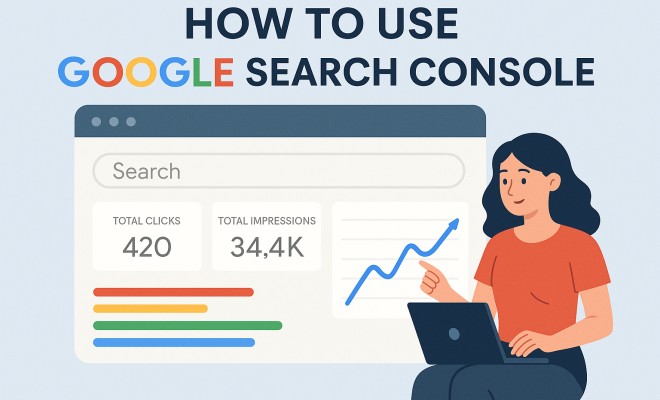
The Performance report is a valuable feature of GSC, allowing you to see how your site performs in Google search results. You’ll be able to analyze metrics such as total clicks, impressions, average click-through rates (CTR), and average position in search results.
With this information, you can identify which queries are driving traffic to your site and which pages are performing well. Additionally, you can filter this data by country, device, and search type, helping you tailor your content strategy based on user behavior.
5. Index Coverage: Ensuring Your Pages are Indexed
The Index Coverage report is critical for tracking how many of your pages are indexed by Google. This report will show you any errors or issues preventing Google from indexing your pages effectively. Common issues may include crawl errors, server errors, or pages that are intentionally excluded from indexing. (See: Google Search Console on Wikipedia.)
Resolving these issues is essential as it ensures that more of your content is discoverable in search results. Regularly check this section to catch any problems early and maintain your site’s search visibility.
6. Submitting a Sitemap: Making Navigation Easier
Creating and submitting a sitemap is a key step in ensuring that Google can effectively crawl and index your website. A sitemap acts as a roadmap for search engines, detailing the structure of your site and highlighting important pages.
To submit a sitemap, navigate to the Sitemaps section in GSC, enter the URL of your sitemap (usually found at `www.yourwebsite.com/sitemap.xml`), and click submit. Regularly updating your sitemap helps Google understand changes to your site and can lead to quicker indexing of new content.
7. Mobile Usability: Optimizing for Mobile Users
With more than half of global web traffic coming from mobile devices, Google prioritizes mobile usability in its search rankings. The Mobile Usability report in GSC highlights any issues that could affect user experience on mobile devices, such as text that’s too small to read, clickable elements too close together, or content wider than the screen.
By addressing these issues, you can enhance your site’s usability for mobile users, which in turn can improve your search visibility and rankings. Google’s mobile-first indexing means that your site should be as functional and easy to navigate on mobile as it is on desktop.
8. Enhancements: Improving Your Site’s User Experience
The Enhancements section of Google Search Console provides insights into various aspects of user experience, including Core Web Vitals, which measure your site’s performance based on loading speed, interactivity, and visual stability.
Improving these metrics is essential not only for SEO but also for providing a better overall experience for your visitors. Areas to focus on include optimizing images, reducing server response time, and leveraging browser caching. Regularly monitoring your Core Web Vitals can lead to significant improvements in your search rankings.
9. Link Reports: Understanding Your Linking Strategy
Understanding your internal and external linking strategies is crucial for SEO success. The Links report in GSC provides data on how your pages are linked both internally and externally. This includes the number of links pointing to your site, which pages are most linked, and the anchor text used.
By analyzing this report, you can identify opportunities for improving your internal linking structure, ensuring that valuable pages are easily accessible and helping to boost their visibility in search results. Additionally, understanding your backlink profile can inform your outreach strategies and help you build authority within your niche.
10. Staying Updated with Search Console Notifications
Google Search Console not only provides comprehensive reports but also sends notifications about critical issues, such as security problems or major errors that could affect your site’s performance. Staying on top of these notifications is paramount for maintaining your website’s health.
Set aside time regularly to review your notifications and address any issues promptly. This proactive approach can prevent minor problems from developing into significant obstacles that could hurt your site’s search visibility.
11. Advanced Features of Google Search Console
Beyond the basic features, Google Search Console offers several advanced tools that can provide deeper insights into your site’s performance. These features can be particularly useful for more experienced webmasters looking to fine-tune their digital strategies. (See: CDC official website.)
11.1 Enhancements for Structured Data
Structured data is a powerful way to help search engines understand your website’s content. Google Search Console provides a structured data report that helps you identify any errors associated with your structured data. This can include issues with schema markup that might prevent rich results from appearing in search snippets. By fixing these issues, you can improve the visibility of your site and potentially increase your click-through rates.
11.2 Performance by Country
If you operate an international website or are targeting specific regions, the Performance report allows you to dissect your traffic by country. This can provide insights into how your content is performing in different markets, allowing you to tailor your SEO strategies accordingly. For example, if you notice a high volume of impressions from a specific country but a low CTR, it might be time to consider localizing your content or changing your meta tags to better appeal to that audience.
11.3 URL Inspection Tool
The URL Inspection Tool allows you to check the index status of individual pages on your site. By entering a URL, you can see if it’s indexed, if there are any crawling issues, and how Google renders the page. This tool is especially useful for debugging issues after making changes to your site, ensuring that your updates are reflected in search results as quickly as possible.
12. Common Issues and How to Resolve Them
Even with the best intentions, you might encounter several issues while using Google Search Console. Here are some common problems and how to handle them:
12.1 Crawl Errors
Crawl errors can prevent Google from accessing your site’s pages. These can be caused by server issues, broken links, or incorrectly configured robots.txt files. Regularly checking the Coverage report will help you identify these errors, allowing you to address them swiftly. A good practice is to set up redirects for broken links and ensure your server is configured to handle requests effectively.
12.2 Security Issues
If Google detects any security issues on your site, such as malware, the Security Issues report will notify you. Addressing these issues is critical to maintaining your site’s reputation and user trust. You may need to consult with a security professional or follow Google’s guidelines for removing malware from your site. After fixing the issue, you can request a review through GSC.
12.3 Manual Actions
Google may apply manual actions to your website if it finds that you’re violating its webmaster guidelines. This could be due to spammy backlinks, thin content, or deceptive practices. The Manual Actions report will specify the issues, and you’ll need to address them before you can recover your site’s ranking. It’s essential to follow best practices and rectify any violations before requesting a reconsideration.
13. Frequently Asked Questions (FAQs)
13.1 What is the difference between Google Search Console and Google Analytics?
While both tools provide valuable insights, they serve different purposes. Google Search Console focuses on how your site appears in search results, offering data on search performance and indexing issues. Google Analytics, on the other hand, provides in-depth insights into user behavior on your site, tracking metrics such as visitor engagement and conversion rates. Together, they offer a comprehensive view of your site’s performance and user interactions.
13.2 How often should I check Google Search Console?
It’s a good idea to check Google Search Console at least once a week, especially if you’re actively working on SEO efforts. Regular monitoring helps you stay updated on any issues and allows you to respond quickly to changes in your site’s performance or crawling status.
13.3 Can I use Google Search Console for multiple websites?
Yes, you can add multiple properties to your Google Search Console account. This allows you to manage and monitor various sites from a single dashboard, making it easier to keep track of performance metrics and issues across all your online properties. (See: New York Times technology section.)
13.4 Is Google Search Console free to use?
Yes, Google Search Console is a completely free tool provided by Google. It’s accessible to anyone with a Google account and offers a wealth of information that can help you improve your site’s SEO performance without any associated costs.
13.5 How long does it take for changes to reflect in Google Search Console?
The time it takes for changes to reflect in Google Search Console can vary. Generally, it may take a few days for Google to crawl and index changes made to your site. However, using the URL Inspection tool to request indexing can expedite the process, especially for new or updated content.
14. Best Practices for Using Google Search Console
To get the most out of Google Search Console, consider these best practices:
- Regular Monitoring: Make it a habit to check GSC at least weekly, reviewing reports for any significant changes or notifications that require your attention.
- Set Up Alerts: Use the notification feature to stay informed about critical issues that might arise, such as security threats or severe crawl errors.
- Link with Google Analytics: Integrate GSC with Google Analytics for a more comprehensive understanding of user behavior and search performance.
- Optimize Content: Regularly review the Performance report to identify high-performing queries and optimize your content accordingly.
- Update Sitemaps: Keep your sitemap updated to reflect changes in your site structure or new content additions.
- Test Changes: Utilize the URL Inspection tool to test updates and ensure your changes are properly indexed.
15. Case Studies: Success Stories with Google Search Console
Many businesses have seen significant improvements in their online visibility and organic traffic thanks to effective use of Google Search Console. Here are a couple of success stories:
15.1 E-commerce Store Optimization
An e-commerce store specializing in eco-friendly products found that many of its key pages were not indexed, which was limiting its visibility. After using GSC to identify and fix crawl errors and submitting a new sitemap, the store saw a 40% increase in organic traffic within three months. They also utilized the Performance report to optimize their product descriptions, leading to improved click-through rates.
15.2 Blog Performance Enhancement
A personal finance blog used Google Search Console to track keyword performance and user engagement. By focusing on underperforming articles and optimizing them based on GSC data, the blog experienced a 60% increase in organic traffic and a significant boost in ad revenue over six months.
16. Conclusion: Harnessing the Power of Google Search Console
In the competitive digital landscape, leveraging tools like Google Search Console can give you a crucial edge. This Google Search Console guide highlights how vital it is to understand, monitor, and optimize your website’s performance. By actively engaging with the features of GSC, you not only enhance your site’s visibility but also improve the overall user experience. The insights gained can significantly inform your SEO strategies, driving more targeted traffic to your site and ultimately contributing to your online success.
“`
Trending Now
Frequently Asked Questions
What is Google Search Console used for?
Google Search Console is a free tool that helps website owners monitor and analyze their site's presence in Google search results. It provides insights into performance metrics, crawling issues, and optimization opportunities, enabling users to enhance their site's visibility and performance in search engines.
How do I set up Google Search Console?
To set up Google Search Console, first log in with your Google account. Click 'Start Now' on the homepage, then add your website as a Domain or URL prefix. Verify ownership through methods like adding an HTML tag, uploading an HTML file, or using Google Analytics.
Is Google Search Console free to use?
Yes, Google Search Console is a completely free web service offered by Google. It allows website owners to track their site’s performance in search results, making it an essential tool for improving online visibility without any cost.
What features does Google Search Console provide?
Google Search Console offers features such as performance tracking, sitemap submission, indexing status, and alerts for crawling issues. It helps users understand how Google views their site and what improvements can be made for better search performance.
How can Google Search Console improve my website's SEO?
By using Google Search Console, you can identify issues affecting your site's visibility, monitor performance metrics, and receive actionable insights. This information allows you to optimize your content and technical aspects, ultimately enhancing your site's SEO and search rankings.
What's your take on this? Share your thoughts in the comments below — we read every one.