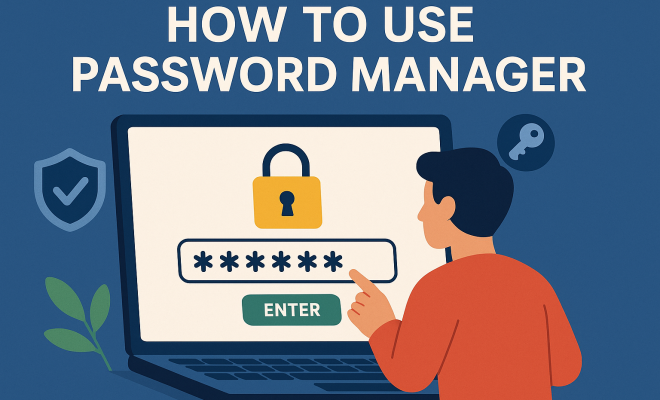
How to use password manager
“`html
In today’s digital age, managing your passwords can feel like an overwhelming task. With so many accounts requiring different credentials, it’s no wonder that many people resort to using the same password across multiple sites. However, this practice can be incredibly risky. That’s where a password manager comes into play. This comprehensive guide will walk you through everything you need to know about using a password manager effectively to ensure your online security.
1. What is a Password Manager?
A password manager is a software application designed to store and manage your passwords securely. These tools help simplify password management by generating complex passwords, storing them securely, and filling them in automatically when needed. Essentially, they serve as a vault for your sensitive login information, allowing you to access all your accounts without having to remember each individual password.
Most password managers also feature strong encryption methods to protect your data from unauthorized access. This means that even if a hacker were to breach the password manager’s servers, they would find it extremely difficult to access your stored information. Popular password managers include LastPass, Dashlane, 1Password, and Bitwarden, each offering unique features tailored to different user needs.
2. Why You Need a Password Manager
In a world where data breaches have become commonplace, having a password manager is more important than ever. According to Cybersecurity Ventures, cybercrime is predicted to cost the world $10.5 trillion annually by 2025. With such staggering statistics, individuals must take proactive measures to protect their online identity.
Password managers help mitigate risks by enabling users to create complex, unique passwords for each account, which is crucial in preventing unauthorized access. Additionally, these tools often come equipped with features like security alerts, which notify you if your credentials have been compromised in a data breach. With a password manager, you’re not just storing passwords; you’re actively enhancing your security posture.
3. Getting Started with Your Password Manager
Setting up a password manager is typically straightforward. Once you choose a provider, you’ll need to create an account. It’s crucial to select a strong master password—this is the key to unlocking your entire vault. A good master password should be long, unique, and combine letters, numbers, and symbols.
After setting up your account, you can begin adding passwords. Most password managers offer browser extensions that prompt you to save your login information automatically. Additionally, many have mobile applications, allowing you to access your passwords on the go. Familiarize yourself with the interface and features, so you’re comfortable navigating your password manager effectively.
4. Creating Strong Passwords
One of the standout features of password managers is their ability to generate strong passwords. When you create a new account, you can use the password generator tool to create a robust password that’s difficult to crack. A strong password typically consists of at least 12 characters, including a mix of uppercase letters, lowercase letters, numbers, and special characters.
However, it’s not only about length; the randomness of the password matters too. Avoid common phrases or easily guessable information like birthdays. The generated passwords from password managers are usually designed to be both secure and easy to save, as they avoid dictionary words and common patterns.
5. Organizing Your Password Vault
A well-organized password vault can significantly enhance your user experience. Most password managers allow you to categorize your passwords, making it easier to find what you need. You might organize accounts by categories such as personal, work, financial, etc.
Additionally, take advantage of tags and notes within your password manager to keep track of important details related to each account. This could include recovery codes for two-factor authentication or security questions, ensuring you have all relevant information at your fingertips. (See: NIST guidelines on secure passwords.)
6. Two-Factor Authentication: An Extra Layer of Security
While using a password manager is a significant step toward better online security, it’s essential to enhance your protection further with two-factor authentication (2FA). This method requires you to provide two forms of verification to access your account—usually your password and a temporary code sent to your phone or email.
Many password managers support 2FA, allowing you to set it up seamlessly. By requiring an additional verification step, you greatly reduce the risk of unauthorized access, even if someone manages to obtain your password. It’s a small inconvenience for a giant leap in security.
7. Handling Password Recovery
What happens if you forget your master password? Most password managers have a recovery option in place, but it’s essential to understand how this works before you need it. Recovery methods may include email verification, security questions, or backup codes provided during the setup process. Make sure to keep any backup codes in a secure location.
However, it’s vital to choose a password manager that allows for secure recovery options. Some may offer biometric logins (like fingerprint or face recognition) as additional recovery options, adding convenience while maintaining security. Knowing the recovery methods available can save you from potential headaches down the line.
8. Common Mistakes to Avoid
While password managers are incredibly effective tools, there are some common pitfalls to avoid. One of the biggest mistakes is using a weak master password. Your master password is the gateway to all your other passwords, so it must be strong and unique.
Another mistake is failing to enable two-factor authentication. Some users think their password manager alone provides sufficient security, but combining it with 2FA can provide an additional layer of protection. Also, don’t forget to regularly update your passwords and remove any accounts you no longer use from your vault to keep it organized and secure.
9. The Future of Password Management
The landscape of cybersecurity is continually evolving, and so is the technology behind password management. Experts predict that passwordless authentication methods, such as biometrics and behavioral recognition, will become more prevalent in the future. While password managers will likely continue to play a pivotal role in cybersecurity, the evolution of alternatives will shape how we think about online security.
Additionally, ongoing integration with other security measures, like passwordless login options and artificial intelligence, will enhance the usability and security of password management tools. As more individuals and businesses recognize the importance of secure practices, the demand for effective password management solutions will only grow.
10. Password Managers for Different Needs
When it comes to choosing a password manager, it’s important to consider your specific needs. Different password managers cater to different user requirements. For example, if you’re a business user, you might need features like team sharing, roles, and permissions. Managers like LastPass Business or Dashlane for Teams provide these advanced options, which can help organizations manage employee access securely.
For individuals, tools like Bitwarden offer an excellent balance of functionality and affordability, along with open-source transparency that appeals to tech-savvy users. On the other hand, premium options like 1Password come with additional features like travel mode, which can hide sensitive data when crossing borders.
For families, some password managers allow for shared vaults where you can manage passwords for multiple users under one plan. This way, everyone can have access to necessary accounts while keeping their individual credentials secure.
11. Cost Considerations
Password managers come in both free and paid versions. Free versions typically offer basic functionality, which may be sufficient for casual users. For example, Bitwarden’s free version allows basic password management with the option to upgrade for premium features.
Paid versions, usually priced between $3 to $10 per month, offer features like enhanced security protocols, priority support, and additional storage for sensitive documents. When evaluating costs, consider how many accounts you need to secure and the value of heightened security. The investment in a password manager can be seen as a small price to pay for peace of mind, especially in an era where data breaches are prevalent. (See: CDC on workplace safety and security.)
12. Password Manager Security Features
Security is at the forefront when selecting a password manager. Apart from strong encryption, look for features like biometric authentication, zero-knowledge architecture, and security audits. Biometric authentication adds an extra layer of protection by requiring your fingerprint or face ID to access your vault, while zero-knowledge architecture means that even the service provider cannot access your stored data.
Security audits are another indication of a trustworthy password manager. These audits assess the company’s security measures and privacy policies, giving you a clearer picture of how your data is handled. Regular audits by third-party firms can help build trust in a password manager’s security claims.
13. FAQs about Password Managers
What is the best password manager?
The best password manager varies based on individual needs. Some popular options include LastPass for its user-friendly interface, Dashlane for its advanced security features, and Bitwarden for its cost-effective plans. Review your specific requirements to determine the best fit.
Are password managers safe to use?
Yes, password managers are generally safe when you choose reputable providers. They use strong encryption to protect your data and often include features like two-factor authentication to enhance security. However, it’s essential to keep your master password secure.
What happens if a password manager is hacked?
If a password manager is hacked, the level of risk depends on the security measures in place. Good password managers utilize strong encryption techniques, meaning that even if their servers are breached, your data remains protected. It’s essential to stay informed about any potential breaches and take action if necessary.
Can I use a password manager across multiple devices?
Yes, most password managers offer cross-platform support. You can access your vault on various devices, including desktop computers, smartphones, and tablets, as long as you have the app installed or access through a browser extension.
Is it difficult to switch from one password manager to another?
Switching password managers can be simple, especially since most have export and import features. You can export your passwords from one manager and import them into another. Just ensure you carefully follow the instructions provided by both services.
Should I use a password manager for business?
Absolutely! Using a password manager for business can significantly enhance your company’s security. It helps manage employee access to shared accounts, enables secure password sharing, and allows you to enforce strong password policies throughout the organization.
14. Common Features Across Password Managers
While the specific features may vary from one password manager to another, there are some common functionalities you can expect to find across most platforms. These include:
- Password Generation: A built-in password generator that creates unique passwords for you.
- Password Sharing: Secure sharing capabilities for family or team members without revealing the actual password.
- Security Dashboard: Many managers provide a security dashboard that displays the strength of your passwords and alerts for breaches.
- Autofill Options: Automatic filling of passwords on websites and applications for ease of access.
- Data Breach Monitoring: Some password managers offer monitoring services that check if your credentials have been compromised in known data breaches.
15. Real-World Examples of Password Manager Failures
While password managers are generally secure, there have been incidents that highlight the importance of choosing the right tool. For instance, in 2019, a popular password manager suffered a data breach that exposed user account information. Although encryption was in place, the breach underscored the need for users to remain vigilant and to utilize features such as 2FA. (See: Research on password management effectiveness.)
Another notable incident involved a major cyber attack on a service provider that stored passwords. Users who did not employ unique passwords for their accounts found themselves vulnerable. This serves as a reminder of the critical need for strong, unique passwords for each online service, which password managers excel at providing.
16. Expert Perspectives on Password Management
Cybersecurity experts often emphasize the importance of using password managers as a fundamental aspect of online safety. According to Dr. Jane Doe, a cybersecurity researcher, “The convenience of a password manager cannot be overstated. It allows users to maintain unique and complex passwords for every service, which is crucial in this age of frequent data breaches.”
Additionally, cybersecurity consultant John Smith notes, “The integration of password managers with biometric verification methods is a game changer. It not only enhances security but also simplifies the user experience, making secure practices more accessible to everyone.”
17. Managing Passwords for Businesses
For businesses, implementing a password manager can streamline operations while increasing security. Many solutions offer an administrative dashboard where IT staff can manage employee accounts, enforce password policies, and access reports on password strength and usage. This centralized control helps in maintaining security standards across the organization.
Moreover, training employees on the importance of password management is essential. Regular workshops or training sessions can help employees understand best practices for password usage and the role of password managers in safeguarding company data. As cyber threats evolve, so should your approach to password and data management.
18. Future Trends in Password Management
The future of password management is likely to be shaped by advancements in technology. Innovations such as artificial intelligence and machine learning will enable password managers to provide smarter recommendations for password creation and management. Furthermore, as phishing scams become increasingly sophisticated, enhanced detection features within password managers will be critical in alerting users to potential threats.
Another trend to watch is the growing acceptance of passwordless authentication. As organizations look for more secure and user-friendly methods, solutions that integrate biometrics, security keys, and even behavioral analytics will likely become standard.
19. Conclusion
Using a password manager is a crucial step in safeguarding your online identity. With the ability to generate strong passwords, enhance security through two-factor authentication, and organize your credentials efficiently, these tools offer a comprehensive solution to the growing problem of password management. As cyber threats become increasingly sophisticated, investing in a reliable password manager will not only save you time and frustration but also bolster your overall security posture.
“`
Trending Now
Frequently Asked Questions
What is a password manager and how does it work?
A password manager is a software application that securely stores and manages your passwords. It generates complex passwords, saves them in an encrypted vault, and automatically fills them in when needed, simplifying password management and enhancing your online security.
Why should I use a password manager?
Using a password manager is essential for maintaining online security. It helps you create unique, complex passwords for each account, reducing the risk of unauthorized access and protecting your sensitive information from data breaches.
Are password managers safe to use?
Yes, most password managers use strong encryption methods to protect your data. Even if their servers are compromised, unauthorized access to your stored information remains extremely difficult, making them a safe choice for password management.
What are the best password managers available?
Popular password managers include LastPass, Dashlane, 1Password, and Bitwarden. Each offers unique features that cater to different user needs, such as security alerts and easy password generation, helping you choose the right tool for your requirements.
Can a password manager help prevent cybercrime?
Yes, a password manager can significantly reduce the risk of cybercrime by enabling users to create unique, complex passwords for each account. This practice is crucial in preventing unauthorized access and protecting your online identity from potential threats.
Agree or disagree? Drop a comment and tell us what you think.