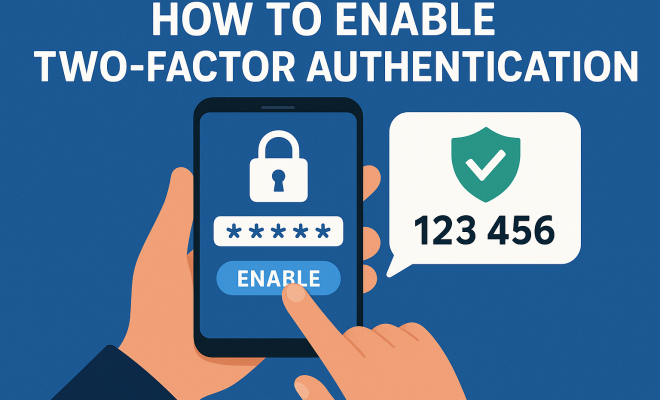
How to enable twofactor authentication
“`html
In an era where online security breaches are rampant, enabling two factor authentication (2FA) has become a crucial step for safeguarding your personal information. With the increasing frequency of cyberattacks, it’s essential to understand what 2FA is, why it matters, and how to enable two factor authentication for your various online accounts. In this article, we’ll explore the concept of 2FA, its benefits, and a step-by-step guide on how to implement it across popular platforms.
1. Understanding Two Factor Authentication
Two factor authentication is a security protocol that requires two different forms of identification before granting access to an account. While a password is the first verification step, the second can be something you have (like a smartphone) or something you are (biometric data). This method greatly enhances security, as it adds an additional barrier against unauthorized access.
The typical use case is a user logging into an online service with their password and then receiving a verification code via SMS, email, or an authenticator app. This means that even if your password is compromised, an attacker would still need the second factor to access your account.
2. Why You Should Enable Two Factor Authentication
The benefits of enabling two factor authentication are substantial. First and foremost, it significantly reduces the risk of unauthorized access. According to a 2022 study by the Cybersecurity & Infrastructure Security Agency (CISA), accounts that utilize 2FA are 99% less likely to be compromised.
Moreover, 2FA provides peace of mind. Knowing that even if your password is hacked, your accounts remain secure adds a layer of confidence in your online activities. In a world where identity theft is increasingly common, 2FA acts as a formidable line of defense.
Additionally, many services now require or strongly recommend 2FA as a standard security practice. When you enable two factor authentication, you’re not only protecting yourself but also contributing to a broader culture of security that can help protect others.
3. Types of Two Factor Authentication
Understanding the different types of 2FA available can help you choose what’s best for your needs. The most common types include:
- SMS Verification: A code is sent via text message to your registered phone number. While convenient, it can be vulnerable to SIM swapping attacks.
- Authenticator Apps: Apps like Google Authenticator or Authy generate time-based codes that are unique for each login attempt, providing a more secure option than SMS.
- Email Verification: A code is sent to your registered email address. This method is slightly more secure than SMS but still has vulnerabilities.
- Hardware Tokens: Physical devices that generate codes or connect to your computer via USB. These offer the highest level of security.
- Biometric Verification: Using your fingerprint or facial recognition as a second factor, this method leverages unique biological traits as a means of authentication.
Choosing the right method depends on the level of security you need and the resources available to you.
4. How to Enable Two Factor Authentication on Popular Platforms
Enabling 2FA varies slightly across different platforms. Here’s how to do it on some of the most commonly used services:
To enable two factor authentication on Facebook, go to your account settings, select ‘Security and Login’, and choose ‘Use two-factor authentication’. You can then select your preferred method of receiving codes.
For Google accounts, navigate to your Google Account page, click on ‘Security’, and then ‘2-Step Verification’. You’ll be guided through the process of setting it up, allowing you to choose from several options.
On Twitter, head to ‘Settings and Privacy’, then ‘Security and account access’, and select ‘Security’. From there, you can enable ‘Two-factor authentication’ and choose your method.
Microsoft
To set up 2FA on Microsoft accounts, go to ‘Security settings’, and enable ‘Two-step verification’. Follow the prompts to establish your preferred authentication methods. (See: Identifying and protecting against cyber threats.)
Amazon
For Amazon, after signing in, go to ‘Your Account’, select ‘Login & Security’, and then ‘Two-Step Verification (2SV) Settings’. This will take you through the enabling process.
By following these simple steps, you can enable two factor authentication on your most-used platforms and significantly improve your security posture.
5. Common Challenges and Solutions
While enabling 2FA is a crucial step in securing your accounts, some challenges may arise. Users often encounter issues with lost devices, failed authentication attempts, or difficulty in receiving codes. Here are some common challenges and their solutions:
- Lost Device: If you lose your primary device for receiving codes, many platforms offer backup codes during the 2FA setup. Store these codes in a secure location so you can access your account without your primary device.
- Failed Authentication: If you’re consistently facing issues with receiving codes, ensure your device is connected to a reliable network and that the time settings on your device are correct.
- Too Many Accounts: Managing multiple accounts can be overwhelming. Consider using a password manager that supports 2FA to help streamline your login process.
These solutions can help mitigate common obstacles and ensure a smooth experience with 2FA.
6. Best Practices for Two Factor Authentication
Once you’ve enabled two factor authentication, it’s important to follow best practices to maximize your security. Here are some key tips:
- Use Strong Passwords: Always pair 2FA with a robust, unique password. This combination is your first line of defense.
- Keep Backup Codes Secure: Store backup codes in a secure location, such as a password manager, rather than writing them down where they might be easily found.
- Regularly Update Your Authentication Methods: Circumstances change; regularly review and update your authentication methods to ensure you’re using the most secure options available.
- Be Wary of Phishing Attempts: Always verify the authenticity of login requests, and never provide your 2FA code in response to unsolicited requests.
By adhering to these practices, you can fortify your online security and reduce the likelihood of falling victim to cyber threats.
7. The Future of Two Factor Authentication
The landscape of online security is continually evolving. As cyber threats become more sophisticated, so too does the technology designed to combat them. One exciting development in the future of two factor authentication is the potential for biometric solutions to become the standard.
Advancements in biometric technology, such as facial recognition and fingerprint scanning, promise not only to enhance security but also to provide a more seamless user experience. Furthermore, the integration of artificial intelligence could lead to adaptive authentication methods that assess risk in real-time, providing a tailored security approach based on user behavior.
As these technologies mature, it’s vital to stay informed about updates and improvements in authentication methods. Embracing these changes will ensure that you remain at the forefront of online security.
8. The Role of Organizations in Promoting 2FA
While individuals can take steps to protect their accounts, organizations also play a crucial role in promoting two factor authentication. Companies can encourage their users to enable 2FA by making the process straightforward and accessible.
For instance, platforms can implement automatic prompts for users to enable 2FA during account setups or after suspicious activities are detected. Educational initiatives, like tutorials and awareness campaigns, can also help users understand the importance of 2FA and how to set it up. By creating a culture of security, organizations can help protect their users and themselves from breaches.
9. Case Studies: The Impact of Two Factor Authentication
Examining real-world examples can shed light on the effectiveness of enabling two factor authentication. One notable case is the 2016 hack of the Democratic National Committee (DNC). The lack of 2FA on critical accounts allowed hackers to access sensitive information, leading to significant political and social ramifications.
In contrast, major tech companies like Google have reported a dramatic decrease in account breaches since implementing 2FA. They found that users who adopted 2FA were 50% less likely to have their accounts compromised compared to those who did not.
These case studies highlight the tangible benefits of two factor authentication and serve as a compelling argument for its widespread adoption. (See: What is two-factor authentication.)
10. Final Thoughts on Enabling Two Factor Authentication
In conclusion, enabling two factor authentication is a vital step in securing your online presence. With the rise in cyber threats, taking proactive measures to protect your accounts is not just recommended; it’s necessary. By understanding how to enable two factor authentication, choosing the right method for you, and adhering to best practices, you can significantly reduce your risk of falling victim to cybercrime.
Don’t wait until it’s too late. Start enabling two factor authentication today, and contribute to a safer online environment for yourself and others. Remember, security is not just a personal responsibility; it’s a collective effort.
11. Understanding the Importance of 2FA in Business
Businesses are increasingly adopting 2FA to protect sensitive information and customer data. With breaches costing companies millions in lost revenue and reputational damage, implementing 2FA is an essential part of a comprehensive security strategy. A 2023 report from IBM found that organizations that implemented 2FA reduced their risk of a data breach by as much as 40%.
In the realm of finance, companies like PayPal and banks have already adopted mandatory 2FA protocols to protect their clients. These businesses understand that not only do they protect their assets, but they also enhance customer trust. When customers know that their financial institutions are taking extra steps to secure their accounts, they’re more likely to engage and transact.
12. Statistics on 2FA Adoption
While awareness of two factor authentication has grown, adoption rates vary. According to a 2023 survey by the Ponemon Institute, only 37% of consumers reported using 2FA across their online accounts. This suggests a significant gap between awareness and actual usage.
Interestingly, younger demographics appear more inclined towards enabling 2FA. The same study noted that 59% of individuals aged 18-29 reported using 2FA, compared to just 24% of those aged 50 and above. This highlights an opportunity for education and outreach targeted at older users who may not be as familiar with this technology.
13. Frequently Asked Questions about Two Factor Authentication
What is Two Factor Authentication?
Two factor authentication is a security measure that requires two forms of identification before granting access to an account. Typically, this involves something you know (like a password) and something you have (like a smartphone or a hardware token).
Why is Two Factor Authentication Important?
2FA is important because it adds an extra layer of security. Even if someone gets access to your password, they would still need the second factor to access your account, greatly reducing the risk of unauthorized access.
Is Two Factor Authentication Safe?
When implemented correctly, two factor authentication significantly increases the safety of your accounts. However, no system is entirely foolproof. It’s essential to choose a strong second factor and remain vigilant against phishing and other attacks.
Do I Need Two Factor Authentication for All Accounts?
While it’s not mandatory, it’s recommended to enable 2FA on accounts that hold sensitive information, such as banking, email, and social media accounts. The more critical the account, the greater the need for additional security.
What Should I Do if I Lose My 2FA Device?
If you lose your 2FA device, many platforms provide backup codes or alternative recovery methods during the setup process. Make sure to store these backup methods securely to prevent unauthorized access.
Can Two Factor Authentication Slow Down My Access?
Yes, 2FA can slow down the login process since it requires an additional step. However, the trade-off in enhanced security typically outweighs the slight inconvenience. (See: Two-factor authentication and its importance.)
What are Some Common Myths about Two Factor Authentication?
Some common myths include the belief that 2FA is only necessary for online banking or high-profile accounts. In reality, all accounts can benefit from 2FA, and security should be a priority regardless of the type of account.
14. Emerging Trends in Two Factor Authentication
As technology advances, so do the methods of implementing two factor authentication. One rising trend is the adoption of passwordless authentication methods. Companies are exploring ways to eliminate the password entirely, replacing it with more secure options such as biometric data or one-time codes sent to trusted devices.
For instance, platforms like Microsoft are moving towards a passwordless future, where users can log in using only their biometrics or a secure mobile app. This shift aims to reduce the risk of password-related breaches and make the login process more user-friendly.
Furthermore, the rise of decentralized identity solutions is paving the way for more secure and user-controlled methods of authentication. Users can manage their credentials without relying on a central authority, enhancing privacy and reducing the risk of large-scale data breaches.
15. Challenges in Implementing Two Factor Authentication
While the benefits of two factor authentication are clear, implementing it can come with its own set of challenges. One significant barrier is user resistance; many people find the additional step cumbersome and may choose to disable 2FA, undermining its effectiveness.
Education and clear communication about the importance of 2FA can help combat this resistance. Organizations must emphasize that the inconvenience is minor compared to the potential risks of a data breach. Additionally, offering various 2FA options can cater to different user preferences, making it more likely that individuals will adopt the practice.
Another challenge is ensuring that 2FA methods remain secure against emerging threats. As hackers become more sophisticated, organizations must stay updated on vulnerabilities related to their chosen 2FA methods, such as SIM swapping or phishing attacks aimed at stealing authentication codes.
16. Best Practices for Organizations Implementing 2FA
For organizations looking to implement two factor authentication, following best practices can streamline the process and enhance security. Here are several recommendations:
- Conduct a Risk Assessment: Evaluate the types of data and user accounts that require enhanced security. Focus on high-risk areas first.
- Provide User Training: Offer training sessions that explain how 2FA works, the importance of using it, and how to set it up. This can help increase adoption rates and reduce user frustration.
- Offer Multiple Authentication Options: Different users have different preferences. Providing various 2FA methods allows users to choose the option that works best for them, increasing the likelihood that they will engage with the security measure.
- Regularly Review and Update Security Policies: Security threats evolve, so it’s essential to review and revise security policies regularly. Stay informed about new 2FA technologies and best practices.
17. Conclusion: The Call to Action
Enabling two factor authentication is more than just a recommendation; it’s a necessity in today’s digital landscape. Whether for personal or professional accounts, taking steps to implement 2FA can significantly enhance your security and protect against potential cyber threats. Take action now, educate yourself and those around you, and contribute to a safer online environment.
“`
Trending Now
Frequently Asked Questions
What is two factor authentication?
Two factor authentication (2FA) is a security protocol that requires two different forms of identification to access an account. Typically, this involves entering a password followed by a second factor, such as a verification code sent via SMS or an authenticator app, enhancing security against unauthorized access.
Why should I enable two factor authentication?
Enabling two factor authentication significantly reduces the risk of unauthorized access to your accounts. Studies show that accounts using 2FA are 99% less likely to be compromised, providing an added layer of security and peace of mind against identity theft.
How does two factor authentication work?
Two factor authentication works by requiring two forms of verification before granting access to an account. After entering your password, you will receive a second verification code via SMS, email, or an authenticator app, which must be entered to complete the login process.
Is two factor authentication necessary?
While not strictly necessary, two factor authentication is highly recommended for enhancing online security. Many services now require or strongly suggest 2FA as a standard practice, significantly reducing the likelihood of account compromise.
How can I enable two factor authentication on my accounts?
To enable two factor authentication, go to the security settings of your online account. Look for the option to enable 2FA or two-step verification, then follow the prompts to set it up using your preferred method, such as SMS or an authenticator app.
What did we miss? Let us know in the comments and join the conversation.