How to play PUBG Mobile on BlueStacks
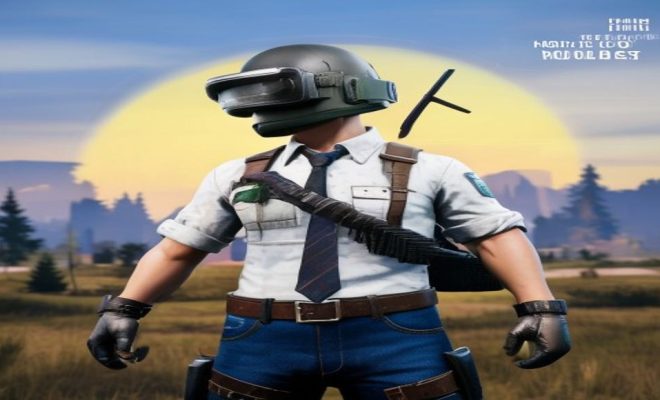
If you’re a fan of battle royale games, you’ve almost certainly heard of or played PUBG Mobile. It’s a global phenomenon, captivating hundreds of millions with its intense gameplay, strategic depth, and constant updates. But here’s a curious trend: a significant chunk of that massive player base isn’t actually playing on their phones. They’re opting to play PUBG Mobile on BlueStacks, a popular Android emulator for PC. Why? The reasons are compelling, ranging from superior control and graphics to a more comfortable, sustained gaming experience. It’s a fundamental shift in how many serious mobile gamers approach their favorite titles, blurring the lines between mobile and PC gaming.
For those unfamiliar, BlueStacks essentially creates a virtual Android environment on your desktop or laptop. This isn’t just about running apps; it’s about optimizing them for a PC setup. Imagine taking your favorite mobile game, typically constrained by a small screen and touch controls, and unleashing it on a large monitor with a keyboard and mouse. That’s the core appeal of BlueStacks. It transforms the experience, making games like PUBG Mobile feel like native PC titles without losing any of their mobile charm or cross-platform accessibility. We’re going to dive deep into exactly why this setup is so popular and how you can get in on the action to play PUBG Mobile on BlueStacks yourself.
1. The Unfair Advantage: Superior Controls: Mastering the Battlefield with Keyboard and Mouse
Let’s be honest: touch controls, while innovative, have their limitations, especially in a fast-paced, precision-dependent game like PUBG Mobile. Trying to aim, shoot, move, loot, and use abilities all simultaneously with just two thumbs can feel like patting your head and rubbing your stomach while doing calculus. It’s clunky, imprecise, and often frustrating. This is where the ability to play PUBG Mobile on BlueStacks truly shines, offering a game-changing advantage through traditional PC peripherals.
With a keyboard and mouse, your accuracy skyrockets. Headshots become more consistent, tracking moving targets feels natural, and quick scope adjustments are effortless. The mouse offers a level of precision that touchscreens simply cannot replicate, crucial for those clutch moments in a firefight. Your keyboard, on the other hand, gives you dedicated keys for every action: movement (WASD), jumping, crouching, prone, reloading, weapon switching, healing, and more. This separation of input drastically reduces the cognitive load and allows for far more complex maneuvers than are possible on a phone. You can strafe while shooting, peek around corners, and throw grenades with a fluidity that touch players can only dream of. This alone is a monumental reason why so many choose to play PUBG Mobile on BlueStacks.
2. Visual Grandeur: Bigger Screen, Better Graphics: Immersive Gameplay Beyond Your Phone’s Limits
PUBG Mobile is a visually impressive game, especially for a mobile title. Its maps are expansive, detailed, and filled with environmental nuances that contribute to the overall immersion and tactical gameplay. However, all that detail often gets lost on a small phone screen. Textures can look compressed, distant objects might be blurry, and the overall field of view is significantly restricted. When you play PUBG Mobile on BlueStacks, you’re not just getting a bigger picture; you’re getting a clearer, more vibrant one. We covered impact of mobile gaming trends in more detail.
Playing on a 24-inch, 27-inch, or even larger monitor fundamentally transforms the visual experience. Enemies are easier to spot in the distance, especially if they’re trying to blend into the environment. The intricate details of buildings, foliage, and vehicle models become apparent, enhancing the realism. Furthermore, BlueStacks often allows you to push the graphical settings beyond what most mobile devices can comfortably handle. We’re talking higher frame rates, sharper textures, and enhanced anti-aliasing, all contributing to a smoother, more aesthetically pleasing, and ultimately more competitive gaming experience. You’ll see things you never noticed on your phone, giving you a better understanding of the map and potential enemy positions.
3. Ergonomics and Endurance: Comfort for Long Gaming Sessions: No More Cramped Hands or Overheating Devices
Mobile gaming, while convenient for short bursts, can be a physically demanding endeavor during extended play. Holding your phone or tablet in an awkward grip for hours can lead to hand cramps, wrist strain, and even neck pain from constantly looking down. Plus, high-performance games like PUBG Mobile tend to push mobile hardware to its limits, often resulting in devices heating up significantly, which can be uncomfortable to hold and potentially throttle performance.
When you play PUBG Mobile on BlueStacks, these issues become non-existent. You’re sitting at a desk, in a comfortable chair, with your hands naturally resting on a keyboard and mouse. This ergonomic setup is designed for long hours of use without discomfort. Your PC, with its superior cooling systems, won’t overheat from running an emulator, ensuring consistent performance throughout your gaming session. This allows for sustained focus and enjoyment, letting you concentrate purely on the game rather than on your aching hands or a burning phone. For competitive players who spend hours grinding ranks, this comfort factor is an absolute deal-breaker.
4. Performance Powerhouse: Unleashing Your PC’s Potential: Stable FPS and Lag-Free Battles
Even the latest flagship smartphones can struggle to maintain consistent high frame rates in demanding games, especially during intense firefights or when many players are in close proximity. Frame drops, stuttering, and input lag can severely impact your performance and enjoyment. A split-second delay can mean the difference between victory and an early trip back to the lobby. (See: BBC on gaming trends and technology.)
Your PC, even a moderately powerful one, typically possesses significantly more processing power, RAM, and a more robust graphics card than any mobile device. When you play PUBG Mobile on BlueStacks, you’re leveraging that raw computational muscle. BlueStacks is designed to optimize the game to take full advantage of your PC’s hardware, resulting in buttery-smooth frame rates, minimal lag, and lightning-fast loading times. This consistent performance ensures that every action you take is registered precisely and immediately, giving you a distinct competitive edge. No more blaming your phone for missed shots or late reactions – your performance is entirely in your hands.
5. Multi-Instance Magic: Juggling Accounts and More: Beyond Just Playing One Game
BlueStacks isn’t just about running one game; it’s a versatile platform that offers advanced features for power users. One such feature, often overlooked but incredibly useful, is the Multi-Instance Manager. This allows you to run multiple instances of BlueStacks simultaneously. What does this mean for a PUBG Mobile player? A few things, actually.
You could, for example, run multiple PUBG Mobile accounts at once. Perhaps you have a main account and a secondary account for different friend groups or for experimenting with new strategies. Or maybe you want to grind daily missions on one account while actively playing on another. Beyond PUBG Mobile, you could have one instance running PUBG Mobile, another running a different mobile game, and yet another dedicated to a utility app or even a social media platform. This level of multitasking is simply impossible on a single mobile device, highlighting the power and flexibility that BlueStacks brings to the table for serious mobile gamers and app users alike.
6. Recording and Streaming Prowess: Content Creation Made Easy: Share Your Epic Moments Seamlessly
The world of gaming content creation, from YouTube montages to live Twitch streams, is booming. Many PUBG Mobile players dream of sharing their best moments, epic clutches, or hilarious fails with a wider audience. Doing this effectively on a mobile device can be cumbersome. Screen recording apps often consume significant resources, impacting game performance, and the quality can be inconsistent. Streaming directly from a phone is possible but often lacks the professional polish of a PC-based setup.
When you play PUBG Mobile on BlueStacks, you’re already on your PC, which is the native environment for professional-grade recording and streaming software. Tools like OBS Studio, Streamlabs OBS, and NVIDIA ShadowPlay integrate seamlessly with BlueStacks, allowing you to capture high-quality footage or stream your gameplay with minimal impact on performance. You can overlay webcams, chatboxes, and custom graphics, giving your content a professional look and feel. This makes BlueStacks an invaluable tool for aspiring content creators who want to showcase their PUBG Mobile skills without investing in complex mobile-specific capture setups.
7. Optimized Ecosystem: BlueStacks’ Dedicated Features: Beyond Basic Emulation
BlueStacks isn’t just a generic Android emulator; it’s a platform specifically designed with mobile gaming in mind. The developers have invested heavily in creating an optimized ecosystem that goes beyond merely running Android apps. This includes a suite of features tailored to enhance the gaming experience, particularly for competitive titles like PUBG Mobile.
For instance, BlueStacks offers a ‘Smart Controls’ feature that intelligently maps game actions to your keyboard and mouse, often pre-configured for popular games. This means less time fiddling with keybinds and more time playing. They also provide a ‘Game Controls’ editor, allowing you to customize every single input to your exact preference, creating highly personalized control schemes. Furthermore, features like ‘High FPS Mode’ and ‘Eco Mode’ allow you to fine-tune performance and resource consumption, ensuring you get the best possible experience whether you’re prioritizing maximum frame rates or trying to conserve PC resources while multitasking. These dedicated optimizations are a clear differentiator from other emulators and a significant reason why BlueStacks is the preferred choice for players who want to play PUBG Mobile on BlueStacks.
How to Get Started: Installing BlueStacks and PUBG Mobile
Getting set up to play PUBG Mobile on BlueStacks is remarkably straightforward. First, you’ll need to download the BlueStacks installer from their official website. Make sure you download the latest version for optimal performance and compatibility. The installation process is like any other PC application: run the installer, agree to the terms, and let it do its thing. Once installed, BlueStacks will launch, presenting you with an Android-like home screen.
From there, you’ll navigate to the Google Play Store within BlueStacks. You’ll need to log in with your Google account, just as you would on a new Android phone. After logging in, simply search for ‘PUBG Mobile’ and click ‘Install’. BlueStacks handles the rest, downloading and installing the game. Once installed, you can launch PUBG Mobile directly from the BlueStacks home screen. The emulator typically detects the game and applies optimized keymapping automatically, though you can always customize it further in the Game Controls editor.
Configuring BlueStacks for Optimal PUBG Mobile Performance
While BlueStacks does a great job out of the box, a few tweaks can significantly enhance your experience when you play PUBG Mobile on BlueStacks. Open the BlueStacks settings (usually accessible via a gear icon in the sidebar or top right). In the ‘Performance’ tab, you’ll want to allocate sufficient CPU cores and RAM. For PUBG Mobile, it’s recommended to assign at least 4 CPU cores and 4GB of RAM if your PC can spare it. Set the ‘Performance Mode’ to ‘High performance’ and ensure ‘Enable High frame rate’ is checked, pushing the FPS slider to 90 or even 120 if your monitor supports it.
Under the ‘Display’ tab, match the resolution to your monitor’s native resolution for the sharpest image. For ‘Graphics’ settings, choose ‘Performance (Legacy mode)’ or ‘Compatibility (Advanced mode)’ depending on your PC’s GPU and what works best. Experiment with ‘Graphics renderer’ between ‘OpenGL’ and ‘DirectX’ as different GPUs perform better with one over the other. Finally, ensure your GPU drivers are up to date, as this significantly impacts emulator performance. These small adjustments can make a world of difference in how smoothly you play PUBG Mobile on BlueStacks. (See: New York Times on PUBG Mobile's impact.)
Addressing the Elephant in the Room: Fair Play and Matchmaking
One common concern when discussing playing PUBG Mobile on BlueStacks is the issue of fair play and matchmaking. PUBG Mobile’s developers, Tencent, are well aware of players using emulators. To maintain a level playing field, they’ve implemented a system that primarily matches emulator players with other emulator players. This means you’re less likely to find yourself at a significant disadvantage against touch players, as your opponents will likely have similar control schemes.
However, there are nuances. If an emulator player teams up with a mobile player, their squad will typically be placed in emulator-only lobbies to prevent the mobile player from being at a disadvantage. While this system isn’t foolproof, it largely ensures that the competitive integrity of the game is maintained for both mobile and emulator players. It’s important to use the official BlueStacks client and avoid any third-party modified emulators, as these can lead to bans. Sticking to the trusted BlueStacks platform ensures you’re playing within the boundaries set by Tencent.
The Future of Emulated Mobile Gaming
The trend of playing mobile games on emulators like BlueStacks isn’t just a niche phenomenon; it points to a broader evolution in gaming. As mobile games become increasingly complex, graphically intensive, and competitive, the desire for a more robust and comfortable playing experience grows. Emulators bridge the gap, offering the best of both worlds: the accessibility and broad appeal of mobile titles combined with the precision and power of PC gaming.
Developers are also taking note, with some even releasing official PC clients for their mobile games or offering enhanced PC compatibility. This signals a recognition that a significant portion of their audience wants to play these games on a larger screen with traditional controls. BlueStacks continues to innovate, constantly updating its platform to support new games, improve performance, and add features that cater to this growing demand. So, if you’re looking for a way to elevate your PUBG Mobile experience, diving into the world of BlueStacks is definitely worth considering. You’ll likely wonder how you ever played it any other way.
Expert Perspectives: Why Pro Gamers and Streamers Lean into Emulation
It’s not just casual players making the switch; many professional PUBG Mobile players and popular streamers have openly embraced BlueStacks. Their endorsement speaks volumes about the competitive advantages. For a pro player, every millisecond of reaction time and every pixel of visual clarity matters. The ability to execute complex movements and precise aim, consistently, is non-negotiable. They often highlight how the keyboard and mouse combo allows for advanced techniques like “jump peeking” or “drop shotting” with far greater reliability than on a touchscreen. Streamers, on the other hand, love the seamless integration with their existing PC setups. They can manage their stream, interact with chat, and play at peak performance all from one machine, ensuring a high-quality viewer experience without compromising their gameplay. This dual benefit—competitive edge for pros and production value for streamers—solidifies BlueStacks’ position as a go-to platform.
Comparing BlueStacks to Other Emulators: What Sets It Apart?
While BlueStacks is a leading choice, it’s not the only Android emulator out there. You’ve got options like NoxPlayer, LDPlayer, and GameLoop (Tencent’s official emulator for some of its games, including a specific version for PUBG Mobile). So, why does BlueStacks often get the nod, especially for PUBG Mobile? A big part of it comes down to its long history and continuous development. BlueStacks has been around for over a decade, meaning it’s had more time to refine its engine, optimize for a wider range of games, and build a robust feature set. Its ‘Smart Controls’ and custom keymapping editor are often cited as more intuitive and powerful than competitors. BlueStacks also tends to have a slightly lower resource footprint on average compared to some others, and its active community and support channels are a significant plus. While GameLoop is official, some players find BlueStacks’ overall performance and customization options slightly superior for PUBG Mobile, particularly when it comes to visual fidelity and advanced control schemes beyond the default. It’s about finding the sweet spot between official support and peak performance, and for many, BlueStacks hits that mark.
Potential Challenges and How to Overcome Them
While playing PUBG Mobile on BlueStacks offers many advantages, it’s worth acknowledging that no technology is without its quirks. One common challenge can be initial setup and optimization. If your PC isn’t particularly powerful, you might experience some lag or stuttering. This is why following the configuration tips in this guide, like allocating enough CPU and RAM, and updating your GPU drivers, is so crucial. Another hurdle can be adjusting to the keyboard and mouse controls if you’re coming purely from a mobile background. It takes practice to build muscle memory for PC controls, but the learning curve is often rewarding. Occasionally, game updates can cause temporary compatibility issues with emulators, but the BlueStacks team is usually quick to release updates addressing these. Staying updated with both BlueStacks and your PC drivers is the best way to ensure a smooth experience and minimize potential headaches.
Beyond PUBG Mobile: Other Mobile Titles That Shine on BlueStacks
The benefits of BlueStacks aren’t exclusive to PUBG Mobile. Once you’ve experienced the joy of playing on a larger screen with precise controls, you’ll find many other mobile games are dramatically improved. Call of Duty Mobile, with its fast-paced FPS action, becomes an even more intense experience. Genshin Impact’s sprawling open world and intricate combat feel much more natural with a mouse and keyboard. Even strategy games like Clash of Clans or Rise of Kingdoms benefit from the larger screen real estate, letting you manage your empire with greater ease. Mobile RPGs, fighting games, and even racing titles can all find new life on BlueStacks. It really opens up a whole new world of gaming, transforming your perception of what “mobile gaming” can be.
Frequently Asked Questions (FAQ) About Playing PUBG Mobile on BlueStacks
Q1: Is playing PUBG Mobile on BlueStacks legal?
Yes, it is legal. BlueStacks is a legitimate software that emulates an Android environment. Tencent, the developers of PUBG Mobile, are aware of emulator usage and have implemented specific matchmaking systems to accommodate emulator players. As long as you use the official BlueStacks client and don’t use any third-party hacks or modified software, you won’t get banned for simply playing on an emulator. (See: Scientific research on gaming experiences.)
Q2: Will I be matched against mobile players if I play on BlueStacks?
Generally, no. PUBG Mobile’s matchmaking system is designed to place emulator players into separate lobbies with other emulator players. This ensures fair play. If an emulator player teams up with a mobile player, their entire squad will usually be placed in an emulator lobby.
Q3: Do I need a powerful PC to run PUBG Mobile on BlueStacks smoothly?
While BlueStacks can run on moderately spec’d PCs, a more powerful PC with a decent CPU (at least 4 cores recommended), sufficient RAM (4GB or more allocated to BlueStacks), and a dedicated graphics card will provide the best and smoothest experience, especially at higher graphical settings and frame rates. Keeping your graphics drivers updated is also key.
Q4: Can I use my existing PUBG Mobile account on BlueStacks?
Absolutely! When you first launch PUBG Mobile on BlueStacks, you’ll be prompted to log in using your Google Play, Facebook, or other linked account, just like on a mobile device. All your progress, purchases, and friends will carry over seamlessly.
Q5: How do I customize my keybinds in BlueStacks for PUBG Mobile?
BlueStacks comes with a default, optimized keymapping for PUBG Mobile. However, you can easily customize it. While in the game, look for the ‘Game Controls’ icon (often a keyboard icon) in the BlueStacks sidebar. Clicking it will open the controls editor, where you can drag and drop controls, assign new keys, and fine-tune your setup to your personal preference.
Q6: Does BlueStacks support controllers for PUBG Mobile?
Yes, BlueStacks generally supports game controllers. You can connect an Xbox, PlayStation, or other compatible PC controller, and BlueStacks allows you to map game actions to controller buttons. However, for a competitive edge in PUBG Mobile, most players still prefer the precision of a keyboard and mouse.
Q7: What if my game is lagging or freezing on BlueStacks?
First, check your BlueStacks settings for performance. Allocate more CPU cores and RAM if available, and set ‘Performance Mode’ to ‘High performance’. Ensure your PC’s graphics drivers are up to date. Close any unnecessary background applications on your PC. Sometimes, switching the ‘Graphics renderer’ between ‘OpenGL’ and ‘DirectX’ in BlueStacks settings can also help, as different GPUs prefer different rendering modes. If problems persist, try restarting BlueStacks or even your PC.
Trending Now
Frequently Asked Questions
Can you play PUBG Mobile on BlueStacks?
Yes, you can play PUBG Mobile on BlueStacks, which is a popular Android emulator for PC. It allows you to enjoy the game with enhanced controls, better graphics, and a more comfortable gaming experience on a larger screen.
What are the advantages of playing PUBG Mobile on BlueStacks?
Playing PUBG Mobile on BlueStacks offers several advantages, including superior controls with keyboard and mouse, improved graphics, and a more immersive experience on a larger display, making gameplay more strategic and enjoyable.
Is BlueStacks safe for playing games?
Yes, BlueStacks is considered safe for playing games. It is a reputable Android emulator that allows users to run mobile apps and games on their PCs without compromising security or privacy.
How do I install PUBG Mobile on BlueStacks?
To install PUBG Mobile on BlueStacks, download and install the BlueStacks emulator on your PC, then open the Google Play Store within BlueStacks, search for PUBG Mobile, and click 'Install' to start playing.
Does playing PUBG Mobile on BlueStacks give an unfair advantage?
Many players believe that using BlueStacks provides an unfair advantage due to superior controls and precision offered by keyboard and mouse compared to touch controls on mobile devices, which can enhance overall gameplay performance.
Have you experienced this yourself? We'd love to hear your story in the comments.