How to create a strong password
“`html
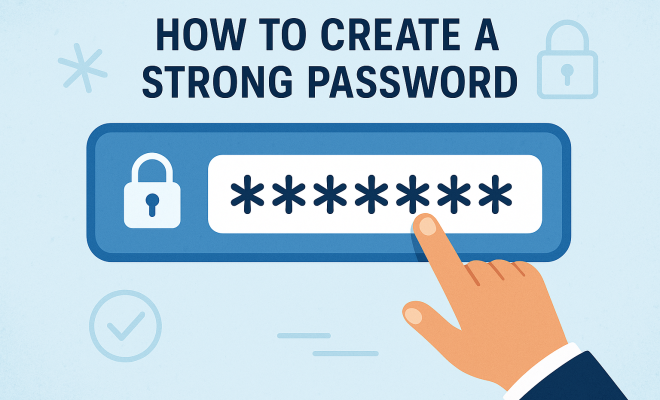
In an age where our lives are intertwined with digital platforms, the importance of creating a strong password cannot be overstated. With data breaches becoming increasingly common, knowing how to protect your personal information is crucial. This article explores ten essential strong password tips that will help you safeguard your online accounts effectively.
1. Understanding the Importance of Strong Passwords
Before diving into the mechanics of creating a strong password, it’s important to grasp why it matters. A strong password acts as the first line of defense against unauthorized access to your accounts. According to a 2021 report by Cybersecurity Ventures, cybercrime is projected to cost the world $10.5 trillion annually by 2025. Weak passwords are a significant contributor to this statistic, making it easier for hackers to exploit vulnerabilities.
Data breaches happen more often than you might think. In 2022 alone, over 22 billion records were exposed due to weak or compromised passwords. By understanding the risks associated with weak passwords, you can better appreciate the necessity of robust password strategies.
2. Characteristics of a Strong Password
What exactly qualifies as a strong password? Generally, a strong password should be at least 12-16 characters long and include a mix of uppercase letters, lowercase letters, numbers, and special characters. Avoid using easily guessable information such as birthdays, names, or common words.
Experts recommend not just length but also complexity. A password that combines various character types is harder to crack than a simple one. For example, instead of a password like “Password123!”, consider something like “C0mpl3xPassw0rd#2023”. This complexity raises the effort needed for attackers to gain unauthorized access.
3. Utilize Passphrases for Added Security
In recent years, the concept of passphrases has gained traction as a method to create stronger passwords. A passphrase is a sequence of words or a sentence that is easy for you to remember but hard for others to guess. For example, a phrase like “RedApplesBouncingOnMars!” is not only longer but also incorporates a unique set of words and characters.
Using a passphrase can significantly increase your password’s strength while still allowing you to easily recall it. The key is to ensure that the passphrase is not something easily associated with you or common phrases found in literature.
4. Change Passwords Regularly
Another fundamental strong password tip is to regularly change your passwords. Experts recommend updating your passwords every 3-6 months, especially for sensitive accounts like banking and email. Regular updates can mitigate the risk of unauthorized access, especially if your password has been compromised without your knowledge.
Many password managers can help you track when it’s time to change your passwords, making it easier to maintain this important security habit. Consistency is key — set a reminder to change your passwords and make it a routine part of your digital hygiene.
5. Be Cautious with Security Questions
Security questions are often used as an additional layer of protection, but they can sometimes work against you. Many common security questions have answers that are easily accessible through social media or public records, making them less secure than you might think.
Instead of using obvious answers to security questions, consider using fictitious answers that only you know. For example, if the question is “What is your mother’s maiden name?” you might provide an unrelated word or phrase that you can remember. This way, even if someone tries to guess, they’re less likely to succeed.
6. Two-Factor Authentication (2FA)
Implementing Two-Factor Authentication (2FA) can add another layer of security to your accounts. With 2FA, even if someone manages to acquire your password, they will still need a second form of verification to gain access. This could be a code sent to your phone or an authentication app. (See: CDC Cybersecurity Information.)
According to Google, enabling 2FA can block 100% of automated bots and 96% of bulk phishing attacks. This powerful tool reduces the likelihood of unauthorized access, making it an essential component of your password security strategy.
7. Utilize a Password Manager
Password managers are excellent resources for managing your passwords securely. They can generate strong, unique passwords for each of your accounts, meaning you don’t have to remember them all. This not only enhances your security but also simplifies your online experience.
Most password managers encrypt your data, so even if someone gains access to the password manager itself, they still wouldn’t be able to read your passwords. Popular options like LastPass, 1Password, and Bitwarden offer various features to make password management effortless and secure.
8. Recognize Phishing Attempts
Education is a critical part of maintaining password security. Phishing attacks often trick users into revealing their passwords by masquerading as legitimate entities, such as a bank or popular social media site. These emails or messages might seem harmless but can lead to significant breaches of security.
Always verify the source of any communication before clicking on links or entering your login credentials. Look for signs of phishing, such as generic greetings or misspelled URLs. Remember, a legitimate organization will never ask for sensitive information via email.
9. Monitor Your Accounts Regularly
Regularly monitoring your accounts can help you catch unauthorized activity early. Set aside time to check your bank statements and online accounts every month. Look for any transactions or logins that you don’t recognize.
Many financial institutions and platforms offer alerts for unusual activity. Enabling these alerts can provide extra peace of mind. If you notice anything suspicious, change your password immediately and report the issue to the institution involved.
10. Stay Informed About Security Trends
The digital landscape is constantly changing, and staying informed about the latest security trends is crucial. Follow cybersecurity news to understand emerging threats and new best practices for password creation. Websites like Krebs on Security and the Cybersecurity & Infrastructure Security Agency (CISA) provide valuable insights into current trends and tips for maintaining security.
Participating in online forums, webinars, and cybersecurity courses can also help you stay ahead of potential threats. The more you educate yourself, the better equipped you’ll be to safeguard your digital presence.
11. Creating Unique Passwords for Each Account
A crucial aspect of strong password tips involves the uniqueness of your passwords. Using the same password across multiple accounts may seem convenient, but it poses significant risks. If one account is hacked, all other accounts using that same password are immediately vulnerable.
To illustrate, imagine you use the password “Secure123!” for your email, social media, and banking. If a data breach occurs on one platform, malicious users can easily access your other accounts. This is why creating unique passwords for each account is vital. A password manager can help generate and store these unique passwords, easing the burden of remembering them.
12. The Role of Biometrics
Biometric authentication is becoming increasingly popular as a method to secure accounts. This technology uses unique physical characteristics, such as fingerprints, facial recognition, or even retina scans, to grant access. While not a replacement for strong passwords, biometrics can enhance security when used alongside traditional methods.
For instance, many smartphones now offer fingerprint recognition or facial ID as an additional means of authentication. This combination of something you have (your phone) and something you are (your fingerprint) creates a robust security layer. Adopting biometric security can be especially useful for mobile devices or applications that house sensitive information. (See: NIST Password Guidance.)
13. Understanding Password Breach Statistics
Understanding the statistics surrounding password breaches can motivate you to adopt better password practices. According to the 2022 Verizon Data Breach Investigations Report, approximately 81% of hacking-related breaches leverage stolen or weak passwords. This statistic highlights how critical it is to develop strong password strategies.
In addition, a study from the Ponemon Institute found that the average cost of a data breach in 2022 was approximately $4.35 million, a number that underscores the financial implications of inadequate password security. By investing time in creating strong passwords, you’re not just protecting your personal information; you’re also safeguarding yourself from potential financial loss.
14. Security Awareness Training
For businesses, implementing strong password tips often requires a culture of security awareness among employees. Regular training sessions can inform staff about the importance of strong passwords, how to recognize phishing scams, and the best practices for maintaining account security. Many organizations find that by educating their staff, they significantly reduce the risk of breaches caused by human error.
Consider organizing workshops or online courses that focus on cybersecurity. You can invite experts in the field to share insights, or use interactive platforms to engage employees. A well-informed workforce is less likely to fall prey to cyber threats.
15. FAQs About Strong Password Tips
What is the ideal length for a strong password?
Your password should be at least 12-16 characters long. The longer, the better, as it increases complexity and difficulty for attackers to crack it.
How often should I change my passwords?
It’s advisable to change your passwords every 3-6 months. If you suspect any unauthorized access or if your password is compromised, change it immediately.
Can I use a password manager across devices?
Yes, most password managers are designed to work across multiple devices. They often offer browser extensions and mobile apps, allowing you to access your passwords from your phone, tablet, or computer seamlessly.
What should I do if I think my password has been compromised?
If you suspect your password has been compromised, change it immediately and enable two-factor authentication on your accounts if you haven’t already. It’s also wise to monitor your accounts for any unusual activity.
Are long passwords harder to crack?
Yes, longer passwords are generally harder to crack compared to shorter ones. Length increases the number of possible combinations a hacker needs to try, making brute-force attacks less effective.
What are some examples of strong passwords?
Strong passwords should combine letters, numbers, and symbols. For example, “D3l!ghtf@llM0rning2023” is strong due to its length and complexity. Alternatively, a memorable passphrase like “MyDogLovesToRunInThePark!” provides both strength and memorability.
16. Additional Strategies for Strong Password Management
In addition to the tips outlined above, there are several other strategies you can adopt to bolster your password management and security practices.
16.1. Use Password Variations
Another way to maintain unique passwords without burdening your memory is to create variations of a base password. For instance, start with a strong base like “Travel2023!” and modify it slightly for different sites, such as “Travel2023@Amazon” or “Travel2023#Netflix”. This approach keeps each password unique while still being easy for you to remember.
16.2. Review Security Breach Notifications
Many websites and services will notify you if your account has been involved in a data breach. For example, services like Have I Been Pwned allow you to check if your email has appeared in any known breaches. If you discover that your account has been compromised, change your password immediately and consider enabling 2FA for extra security.
16.3. Beware of Public Wi-Fi
Logging into sensitive accounts over public Wi-Fi can expose you to significant risks. Hackers often set up fake networks that mimic legitimate public Wi-Fi to intercept your data. If you need to access sensitive information while on public networks, consider using a Virtual Private Network (VPN) to encrypt your internet connection and protect your privacy.
16.4. Consider the Context of Password Use
When creating a password for a specific account, consider the context of its use. For example, the password for your email account, which could be used to reset other passwords, should be considerably stronger than an account with less sensitive information. Tailoring password strength to the sensitivity of the account can enhance security.
17. Emerging Trends in Password Security
The field of password security is evolving, with new technologies and methodologies emerging. Here are a few trends to keep on your radar.
17.1. Passwordless Authentication
Passwordless authentication is gaining traction, with many platforms offering login methods that eliminate the need for traditional passwords. Instead, users may authenticate their identity through methods like biometric scanning, magic links sent to email, or one-time codes sent via SMS. This reduces the likelihood of password-related breaches significantly.
17.2. Decentralized Identity Solutions
Decentralized identity solutions leverage blockchain technology to create secure and tamper-proof digital identities. With this approach, users have greater control over their personal data and can authenticate their identity without relying on central authorities, which are often targets for cyberattacks.
17.3. AI-Powered Security Tools
As artificial intelligence advances, its application in cybersecurity is becoming more prevalent. AI-powered tools can analyze patterns and detect unusual behavior, which can help in identifying potential security threats before they result in breaches. This proactive approach can significantly enhance the effectiveness of password management.
18. Conclusion
Your online security begins with a strong password. Implementing these strong password tips can significantly enhance your protection against cyber threats. Remember, in the world of cybersecurity, a proactive approach is your best defense.
“`
Trending Now
Frequently Asked Questions
What makes a password strong?
A strong password typically includes at least 12-16 characters, a mix of uppercase and lowercase letters, numbers, and special characters. It should avoid easily guessable information like birthdays or common words, making it more difficult for hackers to crack.
How often should I change my passwords?
It's recommended to change your passwords every 3 to 6 months, especially for sensitive accounts. Regular updates help protect against potential breaches and ensure your security remains robust.
What is a passphrase and how is it different from a password?
A passphrase is a longer sequence of words or a sentence used as a password. It typically offers greater security due to its length and complexity, making it harder for attackers to guess compared to traditional passwords.
Why are weak passwords a security risk?
Weak passwords contribute significantly to cybersecurity threats, as they are easier for hackers to exploit. In 2022, billions of records were compromised due to weak passwords, highlighting the importance of using strong, complex passwords.
What are some tips for creating a strong password?
To create a strong password, use at least 12-16 characters, incorporate a mix of upper and lowercase letters, numbers, and special symbols. Avoid common phrases and personal information, and consider using a passphrase for added security.
What’s your take on this? Share your thoughts in the comments below — we read every one.