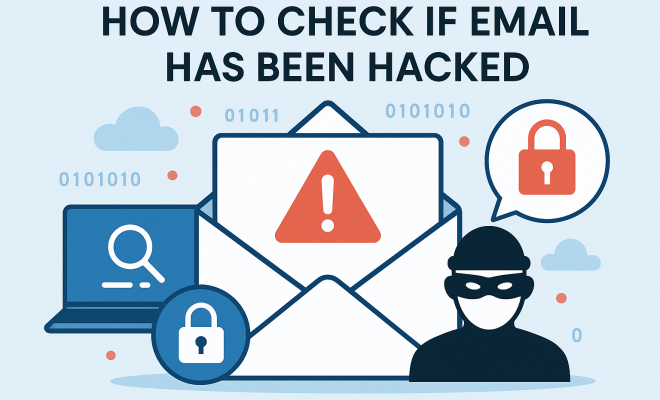
How to check if email has been hacked
“`html
In an age when our lives are intertwined with the digital world, securing our email accounts has never been more crucial. With hackers becoming increasingly sophisticated, understanding how to check if email is hacked can save you from potential financial losses, identity theft, and privacy invasions. In this article, we’ll explore ten critical signs that your email may have been compromised and how you can take swift action to protect yourself.
1. Unexpected Login Attempts
One of the most alarming indicators that your email has been hacked is receiving notifications or alerts regarding unfamiliar login attempts. Many email service providers, such as Gmail and Outlook, send notifications when there’s an attempt to access your account from an unrecognized device or location. If you see these alerts yet haven’t accessed your email from a different device, it’s a clear sign that someone may be trying to breach your account.
Check the details of these login attempts. Most providers will show the IP address and the approximate location of the device that tried to log in. If these details don’t align with your known devices and locations, it’s time to take immediate action.
2. Unfamiliar Email Activity
Another sign to look out for is any unusual activity within your email account. This can include sent emails that you didn’t compose, drafts saved that you don’t recognize, or contacts being emailed without your consent. Take note of any unfamiliar changes to your settings, like altered filters or forwarding addresses. If emails are being sent from your account without your knowledge, it’s usually a telltale sign of a security breach.
Regularly auditing your sent folder and drafts can help you catch suspicious activity early. If you find emails you didn’t send, change your password immediately and notify your contacts that your account may have been compromised.
3. Unusual Password Change Notifications
If you receive notifications regarding password changes that you did not initiate, it raises a red flag. This may indicate that someone has gained access to your account and is trying to lock you out. Email providers typically send a verification link or code when a password change is requested. If you receive such communications without taking action yourself, it’s time to secure your account.
Immediately check your account security settings to see if any changes have been made. If you can still access your account, change your password right away and enable two-factor authentication (2FA) for added protection.
4. Unusual Account Recovery Options
Keep an eye on the recovery options linked to your email account, including your secondary email addresses and phone numbers. If these have been altered or if you notice recovery emails being sent to unfamiliar addresses, it could indicate unauthorized access to your account. Hackers often change recovery options to maintain control over a compromised account, making it difficult for the original owner to regain access.
Verify your account recovery settings by logging into your email and checking the security options. If you notice discrepancies, correct them immediately and consider resetting your password.
5. Unusual Email Filters and Forwarding Settings
Another sophisticated technique hackers may use involves setting up filters or forwarding rules within your email account. This can allow them to quietly siphon off your emails without you ever noticing. Keep an eye out for any filters that you didn’t create, as well as email forwarding settings that may redirect your messages to unknown addresses.
To check for these, navigate to the settings section of your email account. Regularly review your filters and forwarding addresses; if you see anything suspicious, delete those filters and change your password as a precaution. (See: importance of cybersecurity awareness.)
6. Strange Email Behavior
Email services come with features that allow you to monitor your email behavior. If your emails start bouncing back or if colleagues report that they never received your messages, these could be signs of trouble. Additionally, if your email account starts generating a substantial amount of spam, it might be an indication that it has been compromised.
You can also look for unusual bounce-back messages that state your email was not delivered due to suspicious activity. If you suspect this is the case, consider conducting a thorough scan of your computer for malware or viruses that might compromise your email security.
7. Friends and Associates Receiving Spam
If you receive messages from friends or colleagues saying they received unexpected spam or phishing emails appearing to be from your account, it’s a strong sign that your email might be hacked. Cybercriminals often use compromised email accounts to send out spam, making it look like it’s coming from a trusted source.
Notify your contacts if you believe your account has been compromised. Advise them to be wary of any unexpected emails that appear to come from you, especially those requesting personal information or money.
8. Security Alerts from Third-Party Services
Many email providers offer advanced security features that alert users to unusual activity. If you’re receiving alerts from services like Google or Microsoft about suspicious activity or security incidents related to your email account, take them seriously. These alerts can include notifications about failed login attempts or suspicious device sign-ins.
Always pay attention to these alerts. If you receive an alert you weren’t expecting, follow the steps provided to secure your account immediately. This includes changing your password and potentially updating your recovery options.
9. Two-Factor Authentication (2FA) Issues
Two-factor authentication adds an extra layer of security to your email account. If you notice issues receiving 2FA codes or if codes are being sent to your phone or alternate email without your knowledge, this could indicate that your account has been compromised. Hackers may attempt to bypass this security measure, which can lead to unauthorized access.
Regularly check that your 2FA settings are intact and, if possible, consider changing your 2FA method (for example, switching from SMS to an authenticator app) to enhance security.
10. Frequent Phishing Attempts
Lastly, if you find that you’re receiving an increased volume of phishing emails, this could signify that your email address has been compromised. Hackers often sell lists of hacked email addresses on the dark web, leading to a barrage of phishing attempts that can further compromise your security.
Be cautious of any unsolicited emails, especially those requesting personal information or offering something too good to be true. Always verify the sender’s email address and refrain from clicking on suspicious links. If you’re seeing a spike in phishing attempts, consider changing your email address altogether as a last resort.
Additional Steps to Secure Your Email
Once you suspect that your email has been compromised, taking immediate action is crucial. Here are some additional steps you can follow:
1. Change Your Password Immediately
After identifying any signs of hacking, change your password right away. Choose a strong password that includes a mix of letters, numbers, and symbols. Avoid using easily guessed information like birthdays or common words. (See: email security and hacks.)
2. Review Account Activity
Most email providers allow you to see recent activity on your account. Check for any unfamiliar devices or locations that have accessed your account. If you see anything suspicious, this can provide further evidence of a compromise.
3. Inform Your Contacts
Let your contacts know that your account may have been hacked, especially if they received suspicious emails from you. Encourage them to delete any unsolicited emails and be cautious about sharing personal information.
4. Update Security Questions
If your email provider allows it, change your security questions and answers. Choose questions that others are unlikely to guess, and make sure the answers are not easily accessible through social media or other public information.
5. Monitor Financial Accounts
Since email accounts are often linked to financial accounts, monitor your bank and credit card statements for any unauthorized transactions. If you notice any discrepancies, report them immediately.
When to Seek Professional Help
If you find that the situation is beyond your capacity to manage, or if you suspect identity theft or fraud, consider seeking help from a professional cybersecurity consultant. They can provide in-depth analysis and assist in securing your accounts.
Statistics on Email Hacking
Understanding the prevalence of email hacking can reinforce the need for vigilance. According to recent studies:
- Over 90% of cyber attacks target email accounts.
- Approximately 1 in 3 data breaches involve email accounts.
- Phishing attacks, often conducted via email, have increased by over 250% year over year.
These statistics underscore the importance of knowing how to check if email is hacked and taking proactive measures to protect your information.
Expert Perspectives on Email Security
Experts in cybersecurity emphasize the need for proactive measures in email security. “It’s not just about having a strong password; it’s about being aware of your account’s activity and the signs of potential compromise,” says Dr. Jane Smith, a cybersecurity analyst. She advocates for regular audits of account settings and staying informed about new types of phishing attempts.
Furthermore, John Doe, a digital privacy advocate, stresses the importance of educating oneself continuously. “Hackers are always evolving their strategies. Staying informed about the latest threats can make a significant difference in your online safety,” he asserts.
Frequently Asked Questions (FAQ)
1. How can I tell if my email has been hacked?
Look for signs such as unfamiliar login attempts, unexpected password change notifications, or unusual activity in your account. If your contacts receive spam from your account, it’s also a strong indicator.
2. What should I do if I confirm my email is hacked?
Immediately change your password, review your account settings, enable two-factor authentication, and inform your contacts. Monitor your financial accounts for any unauthorized transactions.
3. Can I recover my hacked email account?
In many cases, yes. Most email providers have recovery options, but if hackers have changed these settings, you may need to follow specific recovery processes that may involve answering security questions or providing identification.
4. Is two-factor authentication really effective?
Yes, two-factor authentication provides an added layer of security, making it much harder for hackers to access your account even if they have your password.
5. How often should I change my email password?
It’s a good practice to change your password every 3 to 6 months, and immediately if you suspect any unusual activity.
Recognizing Phishing Attempts
Phishing is one of the most common tactics hackers use to gain access to your email account. Understanding the signs of phishing can help you avoid falling victim. Common phishing attempts include:
- Suspicious Links: Hover over links in emails to check the URL before clicking. Phishing emails often lead to fake websites designed to steal your credentials.
- Urgency: Emails that create a sense of urgency, such as “Your account will be locked unless you act now!” are often phishing attempts.
- Generic Greetings: Be wary of emails that use generic greetings like “Dear Customer” instead of your name.
Why Use a Password Manager?
To enhance your email security, consider using a password manager. These tools help you generate and store complex passwords, which can significantly reduce the risk of hacking. Here’s why they’re beneficial:
- Strong Passwords: Password managers create strong, unique passwords for each of your accounts, preventing the use of easy-to-guess passwords.
- Convenience: You only need to remember one master password, streamlining your login process while ensuring security.
- Security Alerts: Many password managers alert you if your credentials have been compromised in a data breach.
The Role of Anti-Virus Software
Having reputable anti-virus software installed on your devices is essential in safeguarding against hacking attempts. Regular scans can identify malware that may compromise your email security. Consider the following:
- Real-Time Protection: Ensure your software offers real-time protection against new threats.
- Regular Updates: Keep your anti-virus software up to date to defend against the latest vulnerabilities.
- Comprehensive Scans: Schedule regular full-system scans to detect and eliminate potential threats.
Final Thoughts on Email Security
Maintaining email security is an ongoing effort that requires vigilance and proactive measures. Staying informed about the latest threats, regularly reviewing your account activity, and implementing strong security practices can greatly reduce your risk of falling victim to hackers. Knowing how to check if email is hacked is the first step towards securing your online presence and personal information.
“`
Trending Now
Frequently Asked Questions
How do I know if my email has been hacked?
To determine if your email has been hacked, look for signs such as unexpected login attempts from unfamiliar devices, unusual email activity like sent messages you didn't write, and notifications of password changes that you didn't initiate.
What should I do if I suspect my email is hacked?
If you suspect your email is hacked, change your password immediately, enable two-factor authentication, and review your account settings for any unauthorized changes. Additionally, notify your contacts about the possible breach.
What are the signs that your email account has been compromised?
Signs that your email account may be compromised include unfamiliar login attempts, unexpected changes to your account settings, emails sent without your knowledge, and receiving password change notifications that you didn't request.
Can someone hack my email without me knowing?
Yes, hackers can access your email without your knowledge by exploiting weak passwords or using phishing tactics. It's crucial to monitor your account for unusual activity and enable security features to protect against unauthorized access.
How can I secure my email from hackers?
To secure your email from hackers, use strong, unique passwords, enable two-factor authentication, regularly check your account for suspicious activity, and be cautious about sharing personal information online.
Agree or disagree? Drop a comment and tell us what you think.