9 Essential Steps to Set Up Your Smart Home
“`html
Setting up a smart home can feel like an overwhelming task, especially with the constant evolution of technology and the sheer number of devices and systems available. However, when done right, a smart home setup can transform your living space into a more efficient, comfortable, and secure environment. This article outlines nine essential steps to help you create your ideal smart home, ensuring that you make informed decisions along the way.
1. Assess Your Needs: Understanding Your Smart Home Goals
The first step in any smart home setup is understanding what you aim to achieve. Are you looking to enhance security, improve energy efficiency, or simply make your life more convenient? Take some time to reflect on your daily routines and consider how technology can support them.
For instance, if you travel frequently, security features like smart cameras, smart locks, and alarm systems should be high on your list. Conversely, if you’re focused on energy consumption, smart thermostats and lighting might take precedence. Once you identify your primary goals, you can prioritize your purchases accordingly.
2. Choose Your Ecosystem: The Backbone of Your Smart Home
One of the most crucial decisions you’ll make during your smart home setup is selecting the ecosystem that will govern your devices. Popular ecosystems include Google Assistant, Amazon Alexa, and Apple HomeKit. Each has its own strengths, compatibility features, and workflows.
When choosing an ecosystem, consider the devices you already own and their compatibility with various platforms. For example, if you have a lot of Philips Hue smart bulbs, integrating them into a Google Home or Amazon Alexa setup may be more seamless. Compatibility is key, so do your research beforehand to avoid unnecessary headaches down the line.
3. Start with the Essentials: Building a Strong Foundation
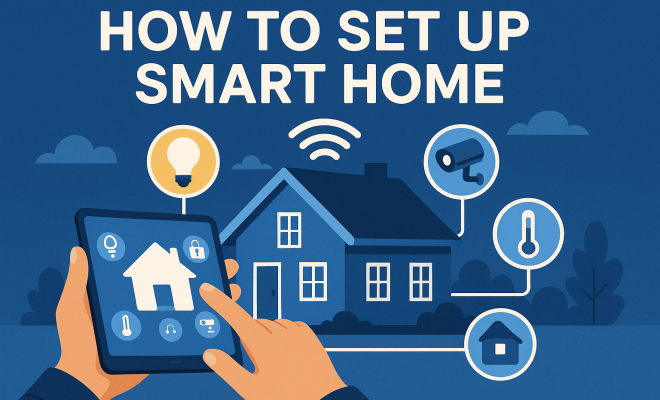
Your smart home setup should start with a solid foundation of essential devices. Focus on items that will provide the greatest benefit to your daily life. Common starting points include:
- Smart Speakers: These serve as your central hub for voice control and automation.
- Smart Lights: Control your lighting remotely and set schedules for enhanced energy efficiency.
- Smart Thermostat: Automatically adjust heating and cooling based on your preferences and habits.
- Smart Security Cameras: Keep an eye on your property and receive alerts for any unusual activity.
These foundational devices allow you to experiment with automation without overwhelming yourself. Once these essentials are in place, you can expand your setup by adding more specialized devices as needed.
4. Connectivity Matters: Ensure a Robust Network
Your smart home devices thrive on a reliable Wi-Fi network, making connectivity a vital part of your setup. Before adding devices, assess your home’s existing Wi-Fi coverage. You may need to upgrade your router or invest in Wi-Fi extenders to ensure all corners of your home receive stable connections.
Additionally, consider the bandwidth usage of your devices. Streaming devices, smart appliances, and security cameras can strain your network. Keep this in mind when determining your internet plan, as you may need a higher-tier package to accommodate all your smart devices effectively.
5. Prioritize Security: Protecting Your Smart Home
With great convenience comes the responsibility of safeguarding your smart home. Cybersecurity should be a top priority during your smart home setup. Start by changing default passwords on all devices and enabling two-factor authentication wherever possible.
Moreover, keep your devices updated with the latest firmware to patch any vulnerabilities. Utilize a separate Wi-Fi network for your smart home devices to minimize the risk of unauthorized access. By implementing these security measures, you can enjoy the benefits of your smart home setup without compromising your privacy.
6. Automation is Key: Creating Smart Routines
One of the most exciting aspects of a smart home setup is the ability to automate your daily routines. Automation not only simplifies your life but can also enhance energy efficiency. Consider creating routines that align with your lifestyle. For example, you can set a routine that turns off lights and locks doors at a specific time each night. (See: CDC on smart home safety.)
Most ecosystems offer user-friendly apps where you can create these automations. Take the time to experiment with different scenarios to see what works best for you. Whether it’s a morning routine that gradually brightens your lights or an evening routine that adjusts your thermostat, personalized automation can significantly enhance your smart home experience.
7. Integrate Additional Devices: Expanding Your Smart Home
Once you have the essentials and basic automations in place, it’s time to explore additional devices that can enhance your smart home setup. Consider smart appliances, doorbell cameras, smart blinds, or even smart irrigation systems for your garden.
When integrating new devices, ensure they are compatible with your chosen ecosystem. Take the time to read reviews and user experiences to avoid purchasing devices that may not meet your expectations or work seamlessly with your current setup.
8. Monitor and Maintain: Keeping Your System Running Smoothly
Setting up a smart home is not a one-time effort; it requires ongoing monitoring and maintenance. Regularly check your devices for software updates and ensure your network remains stable. Keep an eye on the performance of your devices and adjust your automations as your needs change over time.
Consider using apps that allow you to monitor energy usage or security alerts. Staying proactive in your maintenance will help you maximize the benefits of your smart home setup while minimizing potential issues.
9. Stay Informed: Keeping Up with Smart Home Trends
The world of smart home technology is constantly evolving, with new devices and features emerging regularly. To ensure that your setup remains cutting-edge and efficient, stay informed about the latest trends and innovations in the industry. Subscribe to tech blogs, follow tech influencers on social media, and participate in online forums dedicated to smart home enthusiasts.
Moreover, consider attending local tech expos or webinars to learn about new products and best practices. Engaging with the community can provide valuable insights and inspiration for enhancing your smart home setup.
10. Choosing the Right Devices: What to Look For
When it comes to selecting devices for your smart home setup, there are a few critical factors to consider. First, think about compatibility; not all devices work with every smart home ecosystem. Before making a purchase, check whether the device you’re considering can connect to your chosen platform. Reading reviews from other users can also give you insight into any potential issues or limitations.
Next, consider the features that matter most. For smart cameras, look for high-definition video, night vision, and motion detection capabilities. For smart thermostats, features such as learning algorithms that adapt to your habits can enhance their functionality. Lastly, make sure to evaluate ease of use; the best devices should come with intuitive apps and setup processes.
11. Energy Efficiency: Saving Money and the Environment
One of the significant benefits of a smart home setup is enhanced energy efficiency. Smart devices can help you monitor and manage your energy consumption better than ever before. For instance, smart thermostats can learn your schedule and preferences, adjusting the temperature accordingly when you’re home or away. According to the U.S. Environmental Protection Agency, homes that use smart thermostats can save an average of 10-12% on heating and cooling costs.
Smart lighting systems offer another layer of energy savings. You can schedule lights to turn off when you leave a room or dim them during the evening hours. Some smart bulbs even allow you to track energy usage through their companion apps, giving you more control over your consumption patterns. By investing in energy-efficient smart devices, you not only save on your utility bills but also contribute to a more sustainable future.
12. Seeking Expert Recommendations: Who to Trust
When navigating the vast landscape of smart home devices, expert opinions can be invaluable. Consider consulting tech publications and websites that specialize in smart home technology. Resources like CNET, TechRadar, and The Verge frequently publish reviews and buying guides that can help you narrow down your options.
You might also find it helpful to follow technology influencers on platforms like YouTube or social media. Many of them provide comprehensive reviews and tutorials that can offer insights into the practical application of devices. Additionally, seeking advice from friends or family who have experience with smart home setups can provide a more personal perspective on what works best.
13. The Importance of User Experience: Making Technology Work for You
User experience (UX) is pivotal in a smart home setup. It’s not just about having the latest technology but ensuring that it genuinely enhances your daily life. A device that’s complicated to use or requires extensive setup can quickly become a frustration rather than a convenience. (See: New York Times on smart home security.)
When selecting devices, look for those with intuitive interfaces and strong customer support. Brands that offer easy-to-navigate apps and comprehensive user manuals can save you time and headaches. Additionally, user-friendly features, like voice control or mobile app integration, can significantly improve your interaction with devices, making your smart home experience more enjoyable.
14. Customizing Your Smart Home: Personal Touches
Customization is a significant advantage of a smart home setup. Beyond basic functionalities, you can personalize how your devices interact based on your lifestyle. For example, you might create different profiles for family members so that individual preferences can be prioritized. Some smart speakers allow multiple voice profiles, tailoring responses based on who is speaking.
Consider setting up different zones in your home, such as a “movie night mode” where the lights dim, the curtains close, and the thermostat adjusts for comfort. With the right programming, your smart home can adapt to various scenarios, making your environment feel truly yours.
15. Frequently Asked Questions (FAQ)
What is a smart home setup?
A smart home setup involves integrating various devices and systems in your home for enhanced control and automation. This includes smart lighting, security systems, thermostats, and more, all connected through a central hub or ecosystem.
What are the benefits of a smart home?
Benefits of a smart home include improved energy efficiency, enhanced security, convenience, and the ability to automate daily tasks. Smart homes can also provide data insights to help you manage your household better.
How do I ensure my smart home is secure?
To ensure your smart home is secure, change default passwords, enable two-factor authentication, keep firmware updated, and consider using a separate Wi-Fi network for your devices.
Can I integrate devices from different manufacturers?
Yes, many ecosystems allow you to integrate devices from different manufacturers, but compatibility varies. Always check if the devices you want to include work with your selected ecosystem before purchasing.
How much does it cost to set up a smart home?
The cost of setting up a smart home can vary widely based on the devices you choose and the complexity of your setup. You can start small with essential devices and expand over time, making it feasible to work within almost any budget.
What are some common mistakes to avoid when setting up a smart home?
One common mistake is overlooking device compatibility when purchasing new items. Always double-check that your new gadgets will work within your chosen ecosystem. Another mistake is failing to secure your network; many users skip this step, leaving their devices vulnerable. Finally, avoid buying too many devices at once; it’s better to start small and gradually expand your system as you understand your needs better.
How can I troubleshoot issues in my smart home setup?
If you’re experiencing issues, start with a basic reset of the affected device and check for firmware updates. Ensure that your Wi-Fi signal is strong and that the device is within range of the router. If problems persist, consult the user manual or the manufacturer’s support website for specific troubleshooting steps.
Are smart home devices worth the investment?
Smart home devices can be a worthwhile investment, especially when considering long-term savings on energy bills and the added convenience they bring. The ability to automate tasks and improve home security can lead to a better quality of life. However, evaluate how these devices fit into your lifestyle before making a purchase.
By following these nine essential steps, you’ll not only create a smart home setup that meets your needs but also enjoy the countless benefits of living in a connected, automated environment. From increased convenience to enhanced security, the rewards are well worth the effort. So, roll up your sleeves and get started on transforming your living space into a smarter home! (See: ScienceDirect on smart home technology.)
16. The Future of Smart Homes: Trends and Innovations
As technology continues to evolve, so does the landscape of smart homes. Future trends indicate a shift towards even more interconnected and intuitive home environments. For instance, the integration of artificial intelligence (AI) will likely play a major role in the development of smart home devices. Imagine appliances that not only learn your habits but can also predict your needs based on environmental factors and personal preferences.
Another trend is the rise of home automation systems that can be controlled via a central app or interface, allowing for seamless management of all connected devices. This means you could control everything from your thermostat to your security camera with a single touch, making life even more convenient.
In addition to connectivity, sustainability will be a driving force in future smart home technology. Many consumers are becoming more eco-conscious, pushing manufacturers to develop energy-efficient devices that reduce carbon footprints. Expect more products that utilize renewable energy sources or that provide detailed insights into energy consumption patterns to help users make informed choices.
17. Comparing Smart Home Ecosystems: Which One’s Right for You?
Choosing the right smart home ecosystem can greatly influence your experience. Here’s a quick comparison of the three major players:
- Amazon Alexa: Known for its extensive compatibility with third-party devices, Amazon Alexa boasts a large library of skills and functions. It excels in voice control and smart device integration.
- Google Assistant: Seamless integration with Google services and devices sets Google Assistant apart. It’s great for those already invested in the Google ecosystem, offering robust voice recognition and automation capabilities.
- Apple HomeKit: For Apple users, HomeKit offers tight integration with iOS devices. It prioritizes security and privacy, making it a solid choice for those who value data protection.
Think about what devices you already own and how they align with each ecosystem. This can help you make a more informed decision, minimizing future compatibility headaches.
18. Enhancing Home Security: Smart Solutions to Consider
Home security is one of the most important aspects of a smart home setup. Beyond traditional security cameras and alarms, several emerging smart technologies can bolster your home’s security.
- Smart Doorbells: These devices allow you to see and communicate with anyone at your door via your smartphone, enhancing security and convenience.
- Smart Locks: With features like keyless entry and remote locking, smart locks offer an added layer of security. You can even grant temporary access to guests or service providers from your phone.
- Smart Motion Sensors: These can detect unusual activity around your property and send alerts to your phone, providing peace of mind whether you’re home or away.
Integrating these devices into your smart home can significantly enhance your home’s security. Always consider your specific security needs when choosing devices, as this will help you create a more tailored and effective setup.
19. Smart Home for Renters: Tips and Tricks
If you’re renting, setting up a smart home might seem challenging, but it’s entirely possible. Focus on devices that are easily removable and don’t require significant modifications to the property.
- Smart Plugs: These are an easy way to control lamps and other appliances without permanent installation.
- Smart Lights: Look for smart bulbs that fit into existing fixtures, allowing you to upgrade your lighting without changing the fixtures themselves.
- Portable Smart Speakers: Smart speakers can add functionality to any room and can be easily moved from one space to another.
When setting up your smart home as a renter, prioritize devices that enhance convenience and efficiency without requiring modifications that could breach your rental agreement.
“`
Trending Now
Frequently Asked Questions
What are the first steps to setting up a smart home?
The first steps to setting up a smart home include assessing your needs to understand your goals, such as enhancing security or improving energy efficiency. Then, choose a compatible ecosystem like Google Assistant or Amazon Alexa to govern your devices, ensuring seamless integration.
How do I choose the right ecosystem for my smart home?
To choose the right ecosystem for your smart home, consider the devices you already own and their compatibility with platforms like Google Assistant, Amazon Alexa, or Apple HomeKit. Research their strengths and workflows to find the best fit for your needs.
What essential devices do I need for a smart home?
Start with essential devices such as smart thermostats, smart locks, and smart lighting to build a strong foundation for your smart home. These devices enhance security, improve energy efficiency, and provide convenience in daily routines.
How can I improve my home's energy efficiency with smart technology?
You can improve your home's energy efficiency by incorporating smart thermostats and smart lighting. These devices allow you to monitor and control energy consumption, adjust settings automatically, and reduce costs while maintaining comfort.
What should I consider when purchasing smart home devices?
When purchasing smart home devices, consider their compatibility with your chosen ecosystem, your specific needs, and how they fit into your daily routines. Prioritize devices that align with your goals, such as security enhancements or energy savings.
Have you experienced this yourself? We’d love to hear your story in the comments.