10 Ways to Silence Your PC: Reduce Annoying Computer Noise
“`html
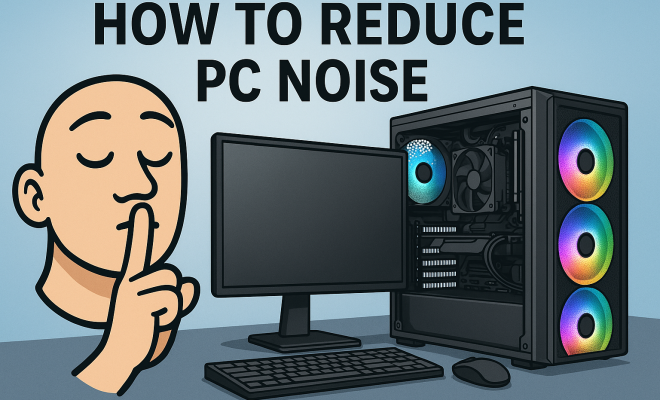
For many of us, the hum of a computer is simply part of the daily routine, but that doesn’t mean it has to be annoying. Whether you’re working from home, gaming at night, or just trying to enjoy some peace and quiet, excessive PC noise can be a real nuisance. In this article, we’ll explore the top 10 ways to reduce PC noise, addressing everything from hardware choices to software solutions. You’ll find practical insights that are not only effective but also budget-friendly.
1. Choose the Right Components
Your PC’s components play a significant role in the noise level it produces. Some parts, particularly fans and storage devices, can contribute a lot to overall noise. When building or upgrading your computer, consider opting for components designed for quieter operation. Look for fanless power supplies, solid-state drives (SSDs), and low-noise CPU coolers. These components tend to produce significantly less noise than their traditional counterparts.
For instance, SSDs have no moving parts compared to HDDs, making them a silent choice for storage. Additionally, many modern CPU coolers come with advanced technology to minimize noise, which is particularly beneficial for high-performance systems often used for gaming or video editing.
2. Improve Airflow and Cooling
Good airflow within your PC case not only aids in cooling but can also help reduce noise. If components are overheating, their fans will ramp up to compensate, leading to more noise. Start by ensuring that your case is well-ventilated. This can involve organizing cables to prevent airflow obstruction and installing additional fans that operate quietly.
Consider using larger fans that can move more air at slower speeds, which results in less noise. Brands like Noctua and be quiet! offer several models designed specifically for silent operation. Additionally, using soft rubber mounts for your fans can help dampen vibrations that contribute to noise.
3. Soundproof Your PC Case
Another effective way to reduce PC noise is by soundproofing your case. Acoustic panels or sound-dampening mats can be added to the inside of your PC case to absorb sound waves. These materials can significantly lower the noise level by reducing the vibrations that escape from your case.
While this may seem like a minor tweak, it can make a noticeable difference, especially in a larger room where the noise might echo. You can find these materials from various hardware retailers, or even DIY your own using household materials like foam padding or old carpet pieces.
4. Utilize Software Solutions
Sometimes, the noise from your PC isn’t a physical issue but rather a problem with the software. Certain applications, particularly those that heavily utilize your CPU or GPU, can cause the internal fans to spin faster, generating more noise. Monitoring software can help you keep track of resource usage.
By identifying resource-hungry applications, you can optimize their settings or replace them with lighter alternatives. Additionally, consider using software like MSI Afterburner to control your GPU fan speeds manually. This way, you can find a balance between performance and noise.
5. Regular Maintenance
Keeping your PC clean and well-maintained can prevent noise issues from arising. Dust build-up can clog fans and affect airflow, causing them to work harder and louder. Regularly cleaning your computer, particularly the fans and heatsinks, can help keep noise levels down.
It’s advisable to clean your PC at least once every few months, depending on your environment. Use compressed air to blow out dust from components, and don’t forget to clean filters on case fans if applicable. A clean PC runs more efficiently and quietly. (See: reducing computer noise levels.)
6. Replace Loud Components
If your PC comes with stock cooling solutions or fans, they might not be the quietest options available. If you notice persistent noise, consider upgrading to premium cooling solutions. There are many aftermarket CPU coolers and case fans available that are specifically designed for low-noise operation.
For instance, brands like Corsair and NZXT offer liquid cooling solutions that operate more quietly than traditional air coolers. Although these upgrades may come with a price tag, the peace of mind and reduced noise can be well worth the investment.
7. Position Your PC Strategically
The placement of your PC can also influence the noise you experience. If your computer is sitting directly on a hard surface, sound can easily travel throughout the area. Placing your PC on a soft mat or stand can help absorb vibrations and reduce noise transmission.
Additionally, consider positioning your PC further away from your primary workspace. This simple action can significantly reduce the sound you hear while still allowing the system to function effectively. Just be mindful of the length of cables and how that might affect your setup.
8. Control Fan Profiles
An often-overlooked option for those looking to reduce PC noise is adjusting fan profiles. Most motherboards come with BIOS settings that allow you to control how aggressively your fans spin in response to temperature changes. By setting a more gradual fan curve, you can reduce noise during normal operation while still ensuring cooling when it’s needed.
Software tools like SpeedFan or your motherboard’s proprietary software can also help you take control of fan speeds and temperatures. This allows you to strike a balance between thermal performance and noise levels.
9. Consider System Load Management
Managing the load on your system can also contribute to noise reduction. When you run multiple demanding applications, your computer’s components work harder, leading to increased fan speeds and noise. Learn to manage your workflows and try not to overload your system.
Utilizing lightweight alternatives for applications can significantly help. For example, instead of running a heavy video editing software, see if there are lighter programs that can achieve similar tasks. By managing your workload, you can significantly cut down on unwanted noise.
10. Invest in Noise-Cancelling Headphones
Finally, if reducing PC noise still leaves you wanting, consider investing in a pair of noise-cancelling headphones. While this doesn’t directly address the noise your PC makes, it does provide a personal solution to blocking out disruptions. Many users find that good-quality noise-cancelling headphones can create a more enjoyable working environment.
These headphones can help you focus on your work, gaming, or entertainment without being disturbed by the whirring of your computer. Brands like Sony and Bose offer excellent options that provide both comfort and effective noise cancellation.
11. Additional Hardware Options
If you’re still struggling with noise after implementing other solutions, consider some additional hardware options that can make a big difference. One such component is the fan controller. A fan controller allows you to manually adjust the speed of your fans, giving you control over how much noise they produce.
Furthermore, you might look into vibration-dampening mounts for your hard drives and other components. These mounts can significantly reduce noise by isolating vibrations caused by spinning drives and fans. In some cases, replacing standard case fans with low RPM fans designed for silence can also yield impressive results.
12. Temperature Monitoring and Management
Keep an eye on your system’s temperatures as high heat can lead to increased fan speeds and, consequently, more noise. Programs like HWMonitor and Core Temp can help you track your CPU, GPU, and overall system temperatures. If you notice that components are running hotter than usual, it might be time to consider additional cooling solutions or improving your case’s ventilation. (See: impact of noise on performance.)
Additionally, thermal paste replacement on CPUs and GPUs can enhance heat dissipation, allowing for more efficient cooling and quieter operation. Frequent thermal paste application can ensure that heat transfer is optimal, which means fans can run more slowly without overheating components.
13. Case Selection and Design
Don’t underestimate the importance of your PC case design when it comes to noise reduction. Cases that are built with sound-dampening materials and features, such as insulated panels or sealed compartments, can effectively minimize noise. Look for cases that specifically highlight noise reduction in their marketing, as they often come with built-in features designed to keep sound at bay.
Some cases even come with pre-installed sound-dampening foam that can absorb and deflect sound waves. Evaluating different case designs and their noise reduction capabilities can lead to significant improvements in your PC’s sound profile.
14. System Upgrade Considerations
If you’ve tried all recommended methods to reduce PC noise and still find it bothersome, it may be time to consider a full system upgrade. Newer components often feature advanced technology that prioritizes silent operation. For example, modern graphics cards and motherboards come equipped with more efficient cooling solutions that can operate quietly under load.
Additionally, when looking to upgrade, consider whisper-quiet models specifically marketed for low noise. This may come at a higher cost, but it often results in a significantly quieter system overall. As technology progresses, many manufacturers are prioritizing reduced noise in their new releases, giving you more options for building a silent PC.
15. Frequently Asked Questions (FAQ)
1. What are the main sources of noise in a PC?
The primary sources of noise in a PC are the cooling fans, hard drives, and power supplies. Fans typically generate the most noise, especially when they run at high speeds to cool components. Hard drives, particularly traditional HDDs, can also produce mechanical noise, while some power supplies can emit a humming sound when under load.
2. How can I tell if my PC is too noisy?
If you find that the noise from your PC is distracting or you can hear it over the ambient sounds in your environment, it may be too loud. If the noise increases significantly during regular tasks, that could indicate that the fans or drives are working harder than necessary, and adjustments may be needed.
3. Is it worth investing in a soundproof case?
If noise reduction is a top priority for you, investing in a soundproof case can be worth it. These cases are designed with materials that absorb sound and reduce vibrations, making a noticeable difference in overall noise levels.
4. Can adding more fans actually reduce noise?
It might seem counterintuitive, but adding more fans can reduce noise if they are larger and designed for quiet operation. Larger fans can move more air at slower speeds, which can result in quieter operation than smaller fans that need to spin faster to achieve the same airflow.
5. How often should I clean my PC to maintain low noise levels?
It’s advisable to clean your PC at least every three to six months, depending on your environment. If you notice dust accumulation or hear increased noise levels, it may be time to clean your system sooner.
6. Will noise-cancelling headphones work with any level of noise?
Noise-cancelling headphones are effective for reducing background noise, but their effectiveness can vary based on the type of noise. They work best with consistent, low-frequency sounds but can still help in environments with more variable noise, like a loud PC. However, the effectiveness also depends on the quality of the headphones you choose. (See: effects of noise pollution.)
7. Is it possible to completely eliminate noise from my PC?
While it’s challenging to completely eliminate all noise from a PC, you can significantly reduce it by combining several of the methods mentioned in this article. With the right components, case design, and maintenance practices, you can create a much quieter computing environment.
16. Understanding Fan Noise
Fan noise is typically measured in decibels (dB), and understanding this measurement can help you choose quieter options. A fan that operates at 20 dB is considered quiet, while anything above 30 dB can become noticeable in a quiet room. When selecting fans, look for those with a dB rating lower than 25 for optimal silence. It’s also worthwhile to check user reviews regarding noise levels, as firsthand accounts can provide insight that specifications alone may not reveal.
17. Aftermarket Cooling Solutions
Aftermarket cooling solutions can vary significantly in performance and noise. For example, custom liquid cooling systems not only provide superior cooling efficiency but can also operate with minimal noise. These systems can be more expensive and require more installation effort, but they often result in a silent computing experience. Brands like EKWB and Corsair offer kits that include everything necessary to set up a quiet and efficient liquid cooling system.
18. Examples of Quiet PC Builds
If you’re considering a new PC build or an upgrade focused on noise reduction, here are some examples of components known for their quiet operation:
- CPU Cooler: Noctua NH-D15 – Renowned for its cooling efficiency and low noise levels.
- Case Fan: be quiet! Silent Wings 3 – Designed specifically for quiet operation while maintaining airflow.
- Power Supply: Seasonic Prime Fanless 600W – A fanless power supply that operates silently.
- Storage: Samsung 970 EVO Plus SSD – A high-performance SSD that produces no noise.
Assembling a PC with these components can lead to a quiet and efficient machine that meets your computing needs without the unwanted noise.
19. Market Trends in PC Noise Reduction
As awareness over environmental noise pollution grows, manufacturers are introducing more products designed to reduce noise. Recent trends show an increase in demand for whisper-quiet models which feature better cooling technology and sound-dampening designs. For example, many new graphics cards now incorporate dual or even triple fan designs that operate at lower RPMs. Additionally, the rise of the mini-PC market has led to innovations in compact cooling solutions that minimize both size and noise.
20. How to Test Your PC’s Noise Levels
If you’re unsure about how noisy your PC is, testing can help you gauge your system’s sound profile. Use a decibel meter app on your smartphone to measure noise levels at your workstation while the PC is idling and under load. This data can help you identify peak noise levels and see how effective your noise-reducing measures are. Additionally, comparing these measurements against standards can help you decide if further action is needed to reduce PC noise.
Reducing PC noise doesn’t have to be an overwhelming task. By implementing these strategies, you can create a quieter computing environment that enhances your productivity and overall enjoyment. Whether you’re gaming, working, or just browsing, a quieter PC can make all the difference. So, take control, make the right adjustments, and enjoy the peaceful sound of your silence.
“`
Trending Now
Frequently Asked Questions
How can I reduce the noise from my computer?
To reduce computer noise, choose quieter components like fanless power supplies and solid-state drives (SSDs). Improve airflow by organizing cables and using larger, quieter fans. Additionally, consider soundproofing your PC case with acoustic foam or other materials to dampen noise further.
What components make a PC noisy?
The main components that contribute to PC noise are fans, hard disk drives (HDDs), and sometimes the power supply. Fans can become noisy when they work harder due to poor airflow or overheating, while HDDs produce noise due to their moving parts. Opting for quieter alternatives can help mitigate this.
Do SSDs make noise compared to HDDs?
No, solid-state drives (SSDs) do not make noise like hard disk drives (HDDs) because they have no moving parts. This makes SSDs a silent storage solution, ideal for those looking to minimize PC noise.
How important is airflow for reducing PC noise?
Airflow is crucial for reducing PC noise. Proper ventilation prevents components from overheating, which can cause fans to spin faster and become noisier. Ensuring good airflow through your case can help maintain lower temperatures and quieter operation.
What are some budget-friendly ways to soundproof a PC?
Budget-friendly ways to soundproof your PC include using acoustic foam or sound-dampening mats inside the case. Additionally, employing rubber mounts for fans can help reduce vibrations and noise. Organizing cables for better airflow is another cost-effective solution.
Have you experienced this yourself? We’d love to hear your story in the comments.