How to enable twofactor authentication
“`html
In an age where our personal information is just a click away from theft or misuse, securing our online accounts has never been more crucial. One powerful method to safeguard your sensitive data is by using two-factor authentication (2FA). By the end of this article, you’ll understand why you should enable two factor authentication and how to do it effectively across various platforms.
1. Understanding Two-Factor Authentication
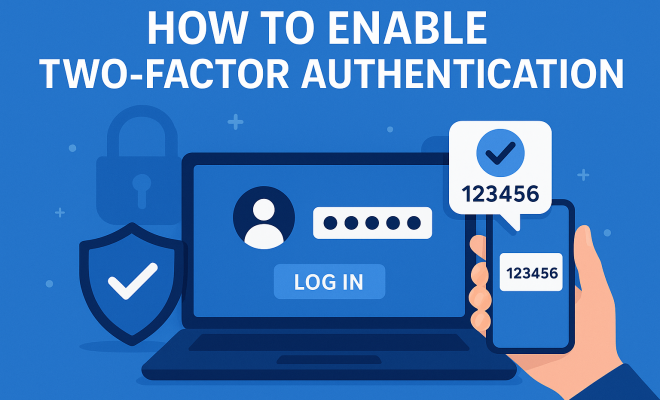
Two-factor authentication is a security process that requires two different forms of identification before granting access to an account. This typically combines something you know (like a password) with something you have (like a smartphone). The primary goal of 2FA is to add an extra layer of security, making it more challenging for unauthorized access.
Consider this: the majority of data breaches start with compromised passwords. With 2FA, even if someone manages to steal your password, they still won’t be able to access your account without the second factor of authentication. This dual requirement significantly reduces your vulnerability to hacking.
2. Why Enable Two-Factor Authentication?
Enabling two factor authentication is essential for anyone who uses online services, especially for sensitive accounts such as banking, email, and social media. A report from the Cybersecurity & Infrastructure Security Agency (CISA) highlights that organizations implementing 2FA can reduce the risk of account compromise by 99.9%.
This statistic alone should give you pause. Imagine a world where your accounts are essentially impenetrable to hackers. That’s the promise of 2FA. Many cybersecurity experts recommend enabling 2FA for all accounts, not just those that seem sensitive. This proactive approach can prevent potential breaches before they happen.
3. Types of Two-Factor Authentication
Understanding the different types of two-factor authentication can help you choose the best method for your needs. Here are the most common types:
- SMS or Voice calls: A code is sent to your phone via text or voice call. While easy to use, this method is vulnerable to SIM swapping attacks.
- Authenticator apps: Apps like Google Authenticator or Authy generate time-based one-time passwords (TOTPs) that you enter after your password. This method is often more secure than SMS.
- Hardware tokens: Physical devices that generate a code or connect to your computer. These are highly secure but can be lost or damaged.
- Biometric authentication: This includes fingerprint scans or facial recognition, which are becoming increasingly popular on mobile devices.
Choosing the right type of 2FA depends on your comfort level and the level of security required. For most users, an authenticator app or biometric authentication offers a good balance of security and convenience.
4. How to Enable Two-Factor Authentication on Popular Platforms
Enabling two factor authentication varies by service, but most platforms have made it user-friendly. Here’s a step-by-step guide for some popular platforms:
1. Go to your Google Account settings.
2. Click on Security.
3. Under “Signing in to Google,” select 2-Step Verification.
4. Follow the prompts to add your phone number and choose your preferred method (SMS or authenticator app).
1. Go to your Facebook settings.
2. Click on Security and Login.
3. In the “Two-Factor Authentication” section, click Edit.
4. Choose your preferred method and follow the prompts.
1. Go to Twitter settings.
2. Click on Security and account access, then Security.
3. Select Two-factor authentication and choose your method.
Each platform has its own nuances, but the core process remains the same. Always ensure that you save backup codes provided after enabling 2FA in case you lose access to your second factor. (See: CISA guide on multi-factor authentication.)
5. Backup Options for Two-Factor Authentication
What if you lose access to your phone or the device linked to your two-factor authentication? This is where backup options come into play. Most services allow you to set up backup methods, such as:
- Backup Codes: These are one-time codes you can save in a secure location. They can be used to log in if you lose access to your primary method.
- Email Verification: Some services allow you to receive verification codes via email.
- Backup Authenticator App: You can set up multiple authenticator apps to ensure you have access even if one app fails.
Always check your account settings for backup options and make the necessary arrangements. This step is often overlooked but can save you a lot of hassle in case of emergencies.
6. Common Pitfalls When Using Two-Factor Authentication
While two-factor authentication significantly enhances your security, it’s not foolproof. Here are some common pitfalls users should avoid:
- Relying solely on SMS: As mentioned, SMS-based 2FA can be compromised. Opt for authenticator apps or hardware tokens whenever possible.
- Ignoring backup options: Failing to set up backup methods can lock you out of your account permanently.
- Phishing attacks: Be cautious of emails or messages prompting you to enter your 2FA code. Always verify the source before entering sensitive information.
By being aware of these pitfalls, you can enhance the effectiveness of your two-factor authentication and avoid common traps that might compromise your security.
7. The Future of Two-Factor Authentication
As technology evolves, so does the landscape of cybersecurity. Emerging trends such as passwordless authentication and advanced biometric methods are reshaping how we think about 2FA. For instance, some companies are already experimenting with methods that use behavioral biometrics, which analyze patterns like typing speed and mouse movements to verify identity.
Moreover, there’s a growing consensus that integrating 2FA into everyday online activities will become the norm rather than the exception. As more organizations recognize the importance of securing user data, we can expect to see a wider adoption of advanced authentication methods.
8. Educating Others About Two-Factor Authentication
One of the most impactful ways to improve personal and organizational security is by educating others about the importance of enabling two factor authentication. Share your knowledge with friends, family, and colleagues, and encourage them to implement 2FA on their accounts.
Consider hosting workshops or informational sessions to demonstrate how to enable two factor authentication across various platforms. By spreading awareness, you not only protect yourself but also contribute to a more secure digital community.
9. Final Thoughts on Two-Factor Authentication
In a world where cyber threats are constantly evolving, enabling two factor authentication is a relatively simple yet incredibly effective way to protect your online identity. It’s a small step that takes only a few minutes but can save you from significant hassle and potential financial loss in the long run.
So, take action today. Whether it’s for your email, social media, or financial accounts, make it a habit to enable two factor authentication wherever possible. Your future self will thank you for the added security and peace of mind.
10. Statistics Highlighting the Risks of Not Using Two-Factor Authentication
To grasp the importance of two-factor authentication, consider these eye-opening statistics:
- According to a report by the Verizon Data Breach Investigations Report, 81% of hacking-related breaches are tied to stolen or weak passwords.
- A survey conducted by Google found that 2FA can block up to 100% of automated bots trying to access accounts.
- The Ponemon Institute reports that the average cost of a data breach is about $4.24 million, highlighting the financial stakes involved in not securing accounts.
These statistics paint a compelling picture of the risks associated with weak security. Enabling two-factor authentication can reduce the chances of becoming a statistic in this alarming trend.
11. Real-World Scenarios: The Impact of Two-Factor Authentication
Think about a scenario where a person didn’t enable two-factor authentication on their online banking account. One day, they receive a notification regarding suspicious activity. They realize someone has accessed their account, transferring a significant amount of money to an unknown account.
If they had 2FA enabled, the unauthorized individual would’ve needed access to a secondary method of verification (like a code sent to the user’s mobile phone) to complete that transaction. This added layer could easily prevent the loss of funds and the stress that follows such breaches. (See: Wikipedia page on two-factor authentication.)
Another example involves social media accounts, where a popular influencer had their account hacked. The hacker sent out harmful messages to followers, damaging the influencer’s reputation. If they had enabled 2FA, they could have thwarted the attack, preserving not just their account but also their brand.
12. FAQs About Two-Factor Authentication
What is the primary purpose of two-factor authentication?
The main purpose of two-factor authentication is to provide an additional layer of security beyond just a password. It requires users to verify their identity through a second method, significantly reducing the risk of unauthorized access.
How does two-factor authentication work?
Two-factor authentication works by requiring two distinct forms of verification. After entering your password, you’ll need to provide a second factor, which could be a one-time code from an authenticator app, an SMS code, or a biometric scan.
Is two-factor authentication foolproof?
While two-factor authentication greatly enhances security, it is not entirely foolproof. Advanced phishing attacks and social engineering can still compromise accounts, but 2FA makes unauthorized access considerably more difficult.
Can I enable two-factor authentication on all my accounts?
Most major online services and platforms offer two-factor authentication as an option. While it’s not available on every single service, it’s advisable to enable it wherever possible to enhance your security.
What should I do if I lose access to my two-factor authentication method?
If you lose access to your primary 2FA method, most services provide backup codes during the initial setup. You can use these codes to regain access. Additionally, you should check if the service has alternative recovery options.
How often should I change my primary password if I use two-factor authentication?
Even with two-factor authentication, it’s a good practice to change your passwords periodically. Aim for at least every six months, and always change your password immediately if you suspect any compromise.
13. Case Studies: Organizations Benefiting from Two-Factor Authentication
Many organizations have reaped the benefits of implementing two-factor authentication. For instance, Dropbox adopted 2FA and reported a significant decrease in unauthorized access attempts. By introducing this protective measure, they not only enhanced security but also boosted user confidence.
Another compelling case is that of Google. They implemented 2FA across their services and reported that users who enabled it were 50% less likely to have their accounts compromised. This statistic exemplifies the tangible benefits of adopting two-factor authentication in safeguarding sensitive data.
14. Best Practices for Managing Two-Factor Authentication
Implementing two-factor authentication is just the first step; managing it effectively is crucial. Here are some best practices:
- Keep your recovery options updated: Ensure that your backup methods, such as email addresses and phone numbers, are current.
- Use a password manager: This can help you generate and store strong passwords, as well as manage your 2FA methods in one place.
- Regularly review account activity: Check for any unauthorized access or unusual activity across your accounts, and report it immediately.
- Educate yourself about phishing: Being aware of phishing techniques will help you avoid falling victim to scams that attempt to bypass 2FA.
15. The Role of Two-Factor Authentication in Business Security
For businesses, enabling two-factor authentication is not just about protecting individual user accounts; it’s a critical element of overall organizational security. Cybersecurity breaches can have devastating consequences, including data loss, reputational damage, and financial penalty. In 2022 alone, the average cost of a data breach for a business was reported at $4.35 million, according to IBM.
By implementing 2FA, businesses can ensure that even if employee passwords are compromised, the risk of unauthorized access is significantly minimized. Additionally, many regulatory frameworks, including GDPR and HIPAA, increasingly require organizations to implement robust security measures, of which two-factor authentication is a key component. (See: NIST's cybersecurity framework FAQ.)
Furthermore, staff training on cybersecurity and 2FA usage can foster a culture of security awareness, making employees the first line of defense against cyber threats.
16. Enhancing Security with Multi-Factor Authentication
While two-factor authentication is a great start, multi-factor authentication (MFA) takes security a step further. MFA requires users to provide two or more verification factors to gain access. These factors can include knowledge (something you know), possession (something you have), and inherence (something you are), which can be especially effective in preventing unauthorized access.
For example, a banking app might require a password (knowledge), a code sent to your phone (possession), and a fingerprint scan (inherence). Implementing MFA can create a significantly more secure environment for sensitive transactions and data access.
17. Common Misconceptions About Two-Factor Authentication
There are several misconceptions surrounding two-factor authentication that can lead individuals to avoid enabling it. Here are a few:
- It’s too complicated: Many people believe that setting up 2FA is daunting. In reality, most platforms offer straightforward step-by-step guides to make the process simple.
- It slows down the login process: While it does add an extra step, the added security often outweighs the minor inconvenience of entering a code.
- It’s only for tech-savvy individuals: Anyone can enable 2FA, regardless of their technical expertise. Most services have user-friendly interfaces to guide you through the process.
Overcoming these misconceptions can encourage more users to adopt this crucial security measure and protect their sensitive information.
18. Comparison of Two-Factor Authentication Methods
When it comes to choosing a method of two-factor authentication, understanding the pros and cons of each is important. Here’s a quick comparison:
| Method | Pros | Cons |
|---|---|---|
| SMS | Easy to set up; widely available. | Vulnerable to SIM swap attacks; can be intercepted. |
| Authenticator Apps | More secure than SMS; generates codes offline. | Requires smartphone; codes only valid for a short time. |
| Hardware Tokens | Highly secure; not dependent on a network connection. | Can be lost or damaged; often an added cost. |
| Biometric Authentication | Very secure; fast and convenient. | Not all devices support it; privacy concerns over data storage. |
By understanding these methods, you can select the one that best meets your security needs.
19. Beyond Two-Factor Authentication: Other Security Measures
While enabling two-factor authentication is crucial, it’s just one part of a larger security strategy. Here are some additional measures you can take to enhance your overall security:
- Regular Software Updates: Keeping your software and devices up-to-date helps protect against known vulnerabilities.
- Strong, Unique Passwords: Use a strong, unique password for each account. A password manager can help with this.
- Monitor Account Activity: Regularly check your accounts for any unusual or unauthorized activity.
- Security Awareness Training: Consider training for yourself and employees on recognizing phishing attempts and other cyber threats.
Incorporating these practices alongside 2FA can significantly reduce your risk of falling victim to cyberattacks.
“`
Trending Now
Frequently Asked Questions
What is two-factor authentication?
Two-factor authentication (2FA) is a security process that requires two different forms of identification to access an account. Typically, this involves something you know, like a password, combined with something you have, like a smartphone, adding an extra layer of security against unauthorized access.
Why should I enable two-factor authentication?
Enabling two-factor authentication is crucial for securing online accounts, particularly sensitive ones like banking and email. It significantly reduces the risk of account compromise, with reports showing that organizations using 2FA can decrease the likelihood of breaches by 99.9%.
How does two-factor authentication work?
Two-factor authentication works by requiring two forms of verification before granting access to an account. This usually involves entering your password and then providing a second factor, such as a code sent to your smartphone, ensuring that even if your password is compromised, your account remains secure.
What are the types of two-factor authentication?
There are several types of two-factor authentication, including SMS-based codes, authenticator apps, biometric verification (like fingerprint scans), and hardware tokens. Each method offers varying levels of security and convenience, allowing you to choose the best fit for your needs.
Is two-factor authentication necessary?
While not mandatory, two-factor authentication is highly recommended for everyone using online services, especially for accounts containing sensitive information. It acts as a strong deterrent against hacking attempts and helps protect your personal data from unauthorized access.
What’s your take on this? Share your thoughts in the comments below — we read every one.