How to unsubscribe from emails
“`html
Email has become an integral part of our daily lives, but with it comes the overwhelming flood of promotional messages, newsletters, and notifications. If you’re tired of sifting through endless emails just to find the important ones, you’re not alone. In this guide, we’ll explore how to unsubscribe from emails effectively and regain control over your inbox.
1. Understanding the Email Overload
Before diving into the practical steps to unsubscribe from emails, it’s essential to understand why we face email overload in the first place. According to a report from the Radicati Group, over 300 billion emails are sent each day, a figure projected to increase to over 376 billion by 2025. Much of this traffic consists of marketing emails, which can clutter your inbox like junk mail piling up on your doorstep.
This bombardment affects not just productivity but also mental well-being. Research from Purdue University indicates that a cluttered inbox can lead to increased stress levels. As a result, many individuals find it crucial to manage their subscriptions effectively.
2. The Benefits of Unsubscribing
Unsubscribing from unwanted emails offers several benefits. For starters, it significantly reduces the clutter in your inbox, allowing you to focus on important communications. Studies show that a clean inbox can lead to improved productivity; with fewer distractions, you’re likely to tackle tasks more efficiently.
Moreover, a streamlined inbox can also enhance your mental clarity. When you unsubscribe from emails, you’re not just clearing out old messages; you’re also decluttering your mind. This can lead to a more organized and peaceful digital environment, which many users find refreshing.
3. Identifying Unwanted Emails
Before you can unsubscribe from emails, you need to identify which ones are unnecessary. Take a moment to analyze the types of emails you regularly receive. Are they mostly promotional? Newsletters you never read? Notifications from sites you rarely visit? A good practice is to categorize your emails into ‘necessary’ and ‘unnecessary’ categories to make the unsubscribe process more manageable.
Once you’ve categorized your emails, the next step is to pinpoint the sources of the unwanted messages. Check your email subscriptions regularly; many services require you to opt-in, and it’s easy to forget which ones you’ve signed up for. Keeping track can save you time and effort in the long run.
4. How to Unsubscribe Manually
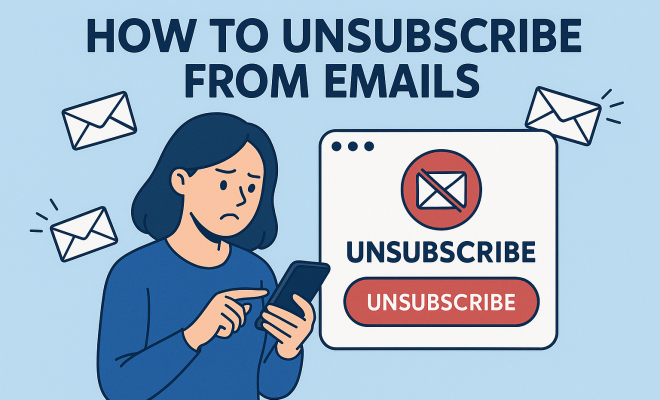
Many emails contain an unsubscribe link, typically located at the bottom of the message. Clicking on this link will often redirect you to a confirmation page where you can finalize your decision to unsubscribe from emails. It’s a straightforward process that may require only a few clicks.
However, be cautious: some companies make the unsubscribe process deliberately complicated. You might encounter multiple confirmation steps or be redirected to a lengthy survey. If you find yourself facing this, don’t hesitate to mark the email as spam instead. This will help filter out future emails from that sender.
5. Using Email Client Features
Most email clients offer built-in tools to help you unsubscribe from unwanted emails. For example, Gmail provides an “Unsubscribe” link at the top of promotional emails, making it easier to opt-out without scrolling to the bottom. Similarly, Outlook offers a clean-up tool that helps sort out unwanted messages. (See: Purdue University study on inbox clutter.)
Additionally, many email clients allow you to set rules or filters to manage incoming messages better. You can automatically send emails from specific senders to your trash or designate them to a separate folder, effectively decluttering your primary inbox.
6. Third-Party Services to Manage Subscriptions
If you’re looking for a more automated approach, consider using third-party services to help you unsubscribe from emails. Tools like Unroll.me or Cleanfox allow you to view all your subscriptions in one place. With a simple click, you can unsubscribe from multiple lists, saving you significant time and hassle.
While these services can be convenient, it’s vital to ensure they are reputable. Review their privacy policies before signing up, as your email information might be shared or sold. Choose a service that prioritizes user security and data protection.
7. Staying Unsubscribed: Tips for the Future
Once you’ve successfully unsubscribed from unwanted emails, maintaining that progress is crucial. Consider creating a separate email address for promotional content. This will allow you to keep your primary inbox focused on essential communications while still receiving promotional messages in another folder.
Additionally, take advantage of browser extensions or email settings that can help you monitor new subscriptions. Whenever you sign up for a new service that requires your email, assess whether you genuinely want to receive their updates. Make it a habit to unsubscribe immediately if you feel that the content isn’t valuable to you.
8. The Importance of Privacy and Data Security
Unsubscribing from emails isn’t just about decluttering; it also ties into larger issues of privacy and data security. Many companies use your email address for targeted advertising, which can lead to further unwanted messages. By taking control of your subscriptions, you’re also taking a stand against invasive marketing tactics.
Be vigilant about the information you share online. Whenever you sign up for a new service, make sure to read their privacy policy and understand how your data will be used. Opt-out options should be readily available, so take advantage of them whenever possible to safeguard your information.
9. Understanding Email Marketing Strategies
Companies invest a lot in understanding email marketing strategies, and it’s beneficial to recognize how they operate. Marketers often rely on psychological triggers to keep you engaged. Subject lines are crafted to entice, and many emails use urgency and exclusivity, often featuring phrases like “limited time offer” or “exclusive deal just for you.” Understanding these tactics can empower you to make informed decisions about which emails to keep and which ones to unsubscribe from.
For example, the use of personalized content—emails that address you by name or recommend items based on your past purchases—can create a sense of connection. However, if you find that you’re receiving too many of these emails, don’t hesitate to unsubscribe. It’s about curating your digital experience to what matters most to you.
10. Statistics on Email Unsubscribing
Statistics show that email fatigue is a real phenomenon. According to a survey by HubSpot, 78% of people have unsubscribed from emails because they receive too many. Additionally, the same survey found that 69% of consumers prefer to receive promotional content via email rather than other channels, making it crucial for companies to strike the right balance.
The average email open rate is around 20%, but this number can drop significantly for brands that overwhelm their audiences. A well-timed unsubscribe can not only help you but can also aid companies in refining their email strategies; they should learn from their audience’s preferences to ensure their lists are engaging rather than overwhelming.
11. Expert Perspectives on Email Management
Experts in productivity and digital wellness often emphasize the need for regular email audits. Dr. Cal Newport, author of “Deep Work,” suggests that individuals should assess their digital routines periodically, including their email subscriptions. He recommends setting aside time each month to review which subscriptions are valuable and which ones have become background noise.
Another expert, Julie Morgenstern, a time management coach, advocates for the importance of having a clutter-free email environment. She mentions that keeping your inbox clear is akin to maintaining a tidy workspace—both can significantly boost focus and productivity. Building a habit around unsubscribing is crucial; every time you find yourself overwhelmed, take a moment to unsubscribe rather than simply deleting emails.
12. Comparative Analysis of Email Clients
When it comes to managing email subscriptions, different email clients offer varying features. For instance, Gmail’s unsubscribe feature, mentioned earlier, is user-friendly, providing an easy way to opt-out. In contrast, Yahoo Mail has a bulk unsubscribe option that allows users to manage multiple subscriptions in a single action, which can be beneficial for those with a high volume of emails.
Outlook’s clean-up tool is another notable feature, providing users with the ability to categorize and delete unwanted emails efficiently. In contrast, ProtonMail focuses heavily on security and privacy, making it a preferred choice for users concerned about data sharing. Knowing the strengths and limitations of your email client can help you make informed choices about how to best manage your inbox.
13. FAQs About Unsubscribing from Emails
What should I do if I can’t find the unsubscribe link?
If you can’t locate the unsubscribe link, consider marking the email as spam. This action will help your email provider filter out future emails from that sender. Additionally, check the sender’s website, as they may have an option to manage your subscription preferences directly on their platform.
Is it safe to use third-party unsubscribe tools?
While many third-party tools can be safe, it’s essential to review their privacy policies carefully. Ensure that the service you choose does not sell your data or share your email address without your consent. Look for reputable tools that prioritize user security and have positive reviews.
How can I prevent unwanted emails from being sent in the first place?
To minimize unwanted emails, be cautious when sharing your email address. Always read the terms and conditions before signing up for services, as many companies include options to subscribe to their mailing lists by default. Finally, consider using a temporary or disposable email address for one-time registrations.
How often should I unsubscribe from emails?
It’s a good habit to review your email subscriptions every few months. Regular audits can help you stay on top of your inbox and eliminate subscriptions that no longer serve you. The goal is to create a manageable and focused email environment.
Can I unsubscribe from emails on mobile devices?
Yes! Most email applications on mobile devices also support the unsubscribe links found in emails. Simply tap the link, and you should be directed through the same unsubscribe process you would encounter on a desktop. Some email apps may even have built-in features for managing subscriptions.
14. The Role of Email Etiquette in Unsubscribing
Email etiquette plays a crucial role in the unsubscribe process. When you receive marketing emails, it’s often a good practice to consider the sender’s efforts before hitting the unsubscribe button. Many companies invest time and resources into crafting their messages, and while you may no longer find them relevant, a polite approach to unsubscribing can go a long way.
For instance, rather than simply ignoring emails, consider taking a moment to provide feedback when prompted. Some companies may ask why you’re unsubscribing, and sharing your thoughts can help them improve their future outreach. This feedback loop can be beneficial not just for the company but also for users who may appreciate a more tailored approach in their inbox.
15. Understanding the Legal Aspects of Email Unsubscribing
Legally, companies must comply with regulations such as the CAN-SPAM Act in the U.S. and GDPR in Europe, which mandate that recipients have the right to unsubscribe from emails. Understanding these laws can empower you as a consumer; it ensures that companies respect your choice to opt-out. If you find that a company is not honoring your unsubscribe request, you may have grounds to report them to the appropriate regulatory body.
Additionally, many countries have implemented similar laws to protect consumers from unsolicited emails. Familiarizing yourself with these regulations can help you navigate your rights when it comes to managing email communication.
16. Tips for Email Management Beyond Unsubscribing
While unsubscribing is a vital step in managing email overload, there are other strategies to consider. One effective method is using email prioritization tools. These tools can help you categorize emails based on importance, allowing you to focus on what truly matters. For example, services like SaneBox sift through your inbox and move less important emails to a separate folder, helping maintain your focus.
Another technique is setting aside specific times during your day to check emails, rather than responding to them as they come in. This “batch processing” approach can significantly enhance your productivity and help keep your inbox under control. It also reduces the constant distractions that come with email notifications.
17. Coping with Email Anxiety
For many, dealing with overwhelming amounts of email can lead to anxiety. Acknowledging this is the first step towards finding solutions. Mindfulness techniques, such as deep breathing or short breaks while managing your email, can help alleviate stress. It may also be helpful to set realistic goals regarding how many emails you aim to tackle in a given session. Instead of attempting to reach inbox zero, focus on making gradual progress.
Additionally, employing digital wellness practices—like limiting screen time or engaging in offline activities—can help balance your relationship with email. It’s about creating a healthy digital lifestyle that keeps anxiety at bay.
18. Final Thoughts
Unsubscribing from emails may seem like a small task, but its impact on your productivity and mental clarity can be significant. By following the steps outlined above, you can take control of your inbox and reduce the stress associated with email overload. Whether you choose to unsubscribe manually, utilize email client features, or employ third-party services, the goal remains the same: to reclaim your time and attention. So take a few minutes today to unsubscribe from emails that no longer serve you. Your future self will thank you!
“`
Trending Now
Frequently Asked Questions
How do I unsubscribe from unwanted emails?
To unsubscribe from unwanted emails, look for the 'unsubscribe' link typically found at the bottom of the email. Clicking this link will guide you through the process of removing yourself from the mailing list. If you can't find the link, you can also manage your subscriptions through your email settings.
What happens when I unsubscribe from emails?
When you unsubscribe from emails, you will no longer receive messages from that sender. This helps reduce clutter in your inbox, allowing you to focus on important communications and improving your overall productivity and mental well-being.
Why is my inbox so cluttered with emails?
Your inbox may be cluttered due to the overwhelming number of promotional messages, newsletters, and notifications sent daily. According to reports, over 300 billion emails are sent each day, many of which are marketing emails that contribute to inbox overload.
What are the benefits of unsubscribing from emails?
Unsubscribing from emails offers several benefits, including a cleaner inbox, improved productivity, and enhanced mental clarity. By reducing distractions, you can focus better on essential tasks and create a more organized digital environment.
How can I identify unwanted emails?
To identify unwanted emails, analyze the types of emails you regularly receive. Look for promotional messages, newsletters you never read, or notifications that no longer interest you. This will help you determine which subscriptions to eliminate.
What did we miss? Let us know in the comments and join the conversation.