How to create subtasks in Asana
“`html
1. Understanding Asana’s Task Structure
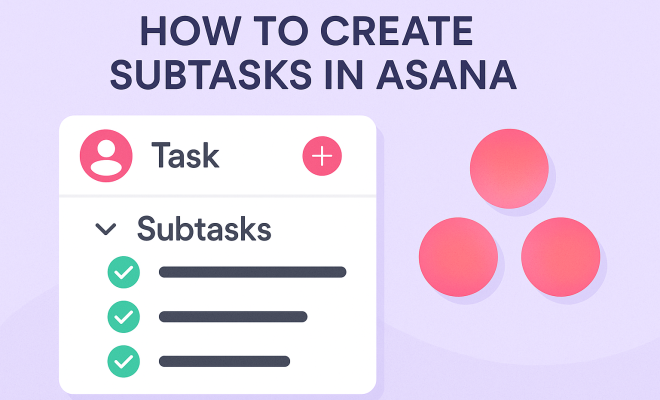
Asana has revolutionized project management by offering a flexible task structure that allows teams to collaborate effectively. At the heart of this structure are tasks and subtasks, which help break down larger projects into manageable pieces. Tasks are the main building blocks, representing any piece of work that needs to be done, while subtasks serve to divide those tasks into smaller, actionable items.
Understanding how to create subtasks in Asana is crucial for anyone looking to streamline their workflow. By using subtasks, you can assign individual responsibilities, set due dates, and attach relevant files, which all contribute to a clearer understanding of project progress. This hierarchical structure not only enhances organization but also helps ensure that nothing slips through the cracks.
2. Why Use Subtasks in Asana?
Subtasks in Asana provide numerous benefits that can enhance your team’s productivity. Firstly, they add a layer of detail to tasks, making it easier to track progress on specific components of a project. For example, if you have a task labeled “Launch Marketing Campaign,” the subtasks could include “Design graphics,” “Create social media posts,” and “Draft email newsletter.” This specificity allows for better accountability within teams. (Top project management tools)
Additionally, using subtasks can improve communication among team members. As each subtask can be assigned to different individuals, it clarifies who is responsible for what, thus reducing confusion and potential overlaps in work. In a fast-paced work environment, being clear about roles is essential for keeping projects on track.
3. How to Create Subtasks in Asana
Creating subtasks in Asana is a straightforward process that can be accomplished in just a few steps. Start by navigating to your main task. Once you have selected the task you wish to detail, look for the option labeled “Add Subtask.” You can find this option in the task details pane, typically located at the bottom or side of the screen.
After clicking on “Add Subtask,” you will enter the title of your new subtask. You can also assign it to a team member, set a due date, and add any necessary attachments or comments. This flexibility ensures that each subtask is tailored to the specific needs of the project and enhances your overall project management strategy.
4. Managing Subtasks Effectively
Once you’ve created subtasks, managing them effectively is key to ensuring your project runs smoothly. Asana offers various features to help you keep track of these subtasks. You can easily check off completed subtasks, which provides an immediate sense of accomplishment and visual progress. Additionally, you can rearrange subtasks by dragging them up or down in the list, allowing you to prioritize as needed.
Consider utilizing Asana’s timeline and calendar views for a broader perspective on your project. These tools allow you to visualize how subtasks fit into the overall project timeline, making it easier to understand deadlines and dependencies. This holistic view can help prevent bottlenecks and ensure that every piece of the project is on track.
5. Integrating Subtasks with Other Asana Features
Asana is packed with features that can enhance your use of subtasks. For instance, you can link subtasks to larger projects or create dependencies between them. This means that a subtask won’t start until another is completed, which can be crucial for time-sensitive projects. To create a dependency, click on the subtask and select the option to add a dependency, then choose the relevant task.
Another useful feature is comments. Team members can discuss subtasks directly within Asana, which keeps all communications in one place and easily accessible. This reduces the need for external emails or messages, streamlining communication and ensuring everyone is on the same page. (See: Project management overview.)
6. Best Practices for Creating Subtasks
While creating subtasks in Asana is simple, employing best practices can take your project management to the next level. First, keep your subtasks concise and actionable. Each subtask should represent a clear, specific action that can be completed independently. This clarity helps team members understand exactly what is expected and reduces ambiguity.
Secondly, regularly review and update your subtasks. As projects evolve, so too should your subtasks. Make it a habit to check in on them during team meetings or project updates, ensuring everyone is aligned on responsibilities and deadlines. This practice fosters accountability and helps keep your project on course.
7. Common Challenges and Solutions
While using subtasks can enhance productivity, challenges may arise. One common issue is overloading tasks with too many subtasks, which can lead to confusion about priorities. To combat this, make sure to limit the number of subtasks to what is manageable. If a task has too many components, consider breaking it down into separate tasks instead.
Another challenge is lack of visibility. Team members may overlook subtasks if they think only about the main task. To remedy this, encourage team members to check subtasks regularly and incorporate them into their daily workflow. Educating your team about the importance of subtasks can improve overall engagement.
8. Advanced Techniques for Power Users
For those looking to maximize their efficiency in Asana, there are several advanced techniques to consider when creating and managing subtasks. One powerful method involves using templates. If you frequently engage in similar projects, create a project template with standard tasks and subtasks pre-filled. This can save you significant time and ensure consistency across projects.
Another technique is leveraging Asana’s automation features. You can set rules to automatically convert certain tasks into subtasks or trigger notifications based on subtask completion. These automations can drastically reduce manual effort and help keep your projects organized without constant oversight.
9. The Future of Asana and Task Management
Asana continues to evolve, with regular updates introducing new features to enhance user experience. The future of task management in Asana likely includes improved AI capabilities that can help teams prioritize tasks based on workload and deadlines. Additionally, more integrations with other tools are expected, allowing for a seamless flow of information across platforms.
As you learn how to create subtasks in Asana, remember that the tool is designed to adapt to your workflow. By staying informed about updates and utilizing best practices, you can ensure that Asana remains an invaluable asset in your project management toolkit.
10. Comparison of Subtasks and Main Tasks
It’s useful to understand the distinctions between main tasks and subtasks, especially when managing complex projects. Main tasks are often broader objectives or milestones, while subtasks break these objectives down into concrete steps. For instance, if your main task is “Develop New Website,” the subtasks might include “Research competitors,” “Create wireframes,” and “Write content.” This breakdown ensures clarity and helps teams focus on what’s necessary to achieve the overarching goal. This builds on Keys to effective IT management.
Another important difference lies in visibility and reporting. Main tasks provide a high-level view of progress, often displayed in project timelines or dashboards. Subtasks, on the other hand, may not always be visible in these summaries, which is why it’s essential to keep them updated. For project managers, this distinction can guide how you report progress to stakeholders and how you assess team productivity.
11. Leveraging Custom Fields for Enhanced Task Management
Custom fields in Asana can greatly enhance your task management experience when creating subtasks. By adding custom fields, you can tag subtasks with priority levels, estimated time to complete, or specific client requirements. This extra layer of information can help teams prioritize their work effectively. There’s a fuller look at World's best project management schools.
For instance, you might create a custom field called “Urgency Level” and assign values such as “High,” “Medium,” or “Low” to each subtask. This will allow team members to quickly identify which tasks require immediate attention and which can wait. It also fosters better communication across the team, as everyone will have access to the same information. (See: Promoting healthier workplaces.)
12. Case Studies: Successful Use of Subtasks in Asana
Many organizations have harnessed the power of subtasks in Asana to achieve remarkable results. For example, a digital marketing agency utilized subtasks to manage their content creation process. By breaking down their “Content Creation” task into subtasks such as “Research topics,” “Draft content,” and “Edit for SEO,” the team was able to streamline their workflow and improve accountability. This led to a 30% reduction in turnaround time for content delivery.
Another example comes from a software development firm that used subtasks to manage their Agile sprints. By creating subtasks for user stories, testing, and deployments, they could effectively monitor progress and ensure that all components of the project were aligned with their sprint goals. As a result, they increased their sprint completion rate by 25%.
13. Statistics: The Impact of Using Subtasks
Research shows that teams that effectively use subtasks can experience significant productivity gains. According to a survey conducted by the American Psychological Association, teams that break their work into smaller pieces report a 40% increase in productivity. Additionally, organizations that implement structured task management strategies, like those offered by Asana, see a 20% boost in team engagement and morale.
Moreover, a study published in the Harvard Business Review found that clear task assignments—such as those provided by subtasks—lead to a 25% increase in project success rates. These statistics underline the importance of integrating subtasks into your project management approach.
14. Frequently Asked Questions (FAQ)
What is the difference between a task and a subtask in Asana?
A task is a larger unit of work, representing a significant objective or project milestone, while a subtask is a smaller, more detailed action that contributes to the completion of the main task. Subtasks help in breaking down complex tasks into manageable and actionable items.
Can I assign subtasks to different team members?
Yes, each subtask can be assigned to different team members. This feature allows for clearer delegation and helps ensure that everyone knows their specific responsibilities within the larger task.
How do I prioritize subtasks in Asana?
You can prioritize subtasks by rearranging them in the order of importance within the parent task. Asana also allows for custom fields where you can assign priority levels to subtasks, making it easier for team members to identify what needs immediate attention.
Is there a limit to the number of subtasks I can create?
Asana does not impose a strict limit on the number of subtasks you can create, but it’s advisable to keep them manageable. Overloading tasks with an excessive number of subtasks may lead to confusion and reduce overall productivity.
Can I track the progress of subtasks in Asana?
Yes, you can track the progress of subtasks in Asana just like you would for main tasks. You can check off completed subtasks, and this progress will be reflected in the overall completion status of the main task.
What are some tips for effective subtask management?
Some tips for managing subtasks effectively include keeping subtasks concise and actionable, regularly reviewing and updating them, using custom fields for clarity, and ensuring team members are educated about their responsibilities. Foster a collaborative environment where team members communicate about their subtasks regularly. (See: Latest news on technology trends.)
Can I automate subtask creation in Asana?
Yes, Asana offers automation features that allow you to set rules for automatically creating subtasks based on certain triggers. For example, you could set a rule that generates specific subtasks whenever a main task is created, streamlining your workflow.
How do I remove or delete a subtask in Asana?
To remove a subtask, click on the subtask to open its details, and then select the delete option. Be cautious, as this action cannot be undone and the subtask will be permanently removed.
15. Integrating Subtasks with Agile Methodologies
Many teams today are adopting Agile methodologies for project management. Subtasks play a vital role in Agile frameworks, especially Scrum. In a typical sprint planning session, breaking user stories into subtasks allows teams to estimate effort and track progress more effectively. For instance, if a user story is “Implement Search Functionality,” the associated subtasks might include “Create database for search,” “Develop API for search queries,” and “Design user interface for search results.” By using subtasks in Agile, teams can adapt quickly to changing requirements while maintaining a clear view of their commitments.
16. The Role of Subtasks in Remote Work
Subtasks are especially beneficial in remote work settings, where teams may be spread across various locations and time zones. With clear subtasks, team members can work independently on their assigned items without needing constant communication. This independence can lead to increased productivity, as individuals are empowered to take ownership of their parts of the project. Furthermore, with tools like Asana, team leaders can effortlessly monitor progress, ensuring that everyone stays aligned even when working remotely. We covered Enhancing IT management software in more detail.
17. Real-World Examples of Subtask Utilization
Consider how a nonprofit organization might utilize subtasks to plan an event. Their main task may be “Organize Charity Gala.” Subtasks could include “Book venue,” “Send invitations,” and “Arrange catering.” This structured approach not only clarifies roles but also allows for tracking each component’s status, which is essential for successful event execution. Such examples show the versatility and necessity of utilizing subtasks across various industries and project types.
18. Potential Limitations of Subtasks in Asana
While subtasks are incredibly useful, it’s important to recognize potential limitations. One limitation is the risk of creating too many layers of tasks, which can lead to confusion if not managed well. Teams should aim for simplicity and clarity when creating subtasks. Additionally, some users might find it challenging to navigate subtasks if they’re not familiar with Asana’s interface. Providing training or resources for team members can help mitigate these issues.
19. Conclusion: Enhancing Team Collaboration with Subtasks
Ultimately, learning how to create subtasks in Asana can significantly enhance team collaboration and project management efficiency. By breaking down larger tasks into manageable subtasks, teams can improve accountability, clarity, and overall workflow. Whether you’re in a fast-paced corporate environment or a creative agency, subtasks can help streamline processes and foster a culture of productivity that leads to successful project outcomes.
“`
Trending Now
Frequently Asked Questions
How do I create subtasks in Asana?
To create subtasks in Asana, navigate to the main task you want to detail, then look for the option labeled 'Add Subtask.' Click on it to create and customize your subtasks with specific responsibilities, due dates, and attachments.
What are the benefits of using subtasks in Asana?
Using subtasks in Asana enhances productivity by adding detail to tasks, improving accountability, and clarifying responsibilities among team members. This helps reduce confusion and ensures that all project components are tracked effectively.
Can I assign subtasks to different team members in Asana?
Yes, you can assign subtasks to different team members in Asana. This feature allows you to specify responsibilities for each component of a task, improving communication and collaboration within your team.
What is the difference between tasks and subtasks in Asana?
In Asana, tasks are the main building blocks representing pieces of work, while subtasks break those tasks down into smaller, actionable items. This hierarchical structure helps with organization and project management.
How can subtasks improve project management in Asana?
Subtasks improve project management in Asana by providing clarity and structure. They allow teams to track specific components of a task, assign individual responsibilities, and set due dates, ensuring a more organized workflow and less chance of oversight.
What did we miss? Let us know in the comments and join the conversation.