Connect Your Soundbar to TV: A Simple Setup Guide
“`html
Setting up a soundbar to enhance your home entertainment system can seem daunting at first, but it doesn’t have to be. Whether you’re looking to amplify your movie-watching experience or improve your gaming audio, knowing how to connect a soundbar to your TV is crucial. In this guide, we’ll break down everything you need to know about connecting your soundbar, exploring various methods, troubleshooting common issues, and providing tips for optimal performance.
1. Understanding Soundbars
Soundbars have gained popularity in recent years due to their compact design and ability to produce high-quality sound without the need for a complex speaker system. These audio devices typically feature multiple speakers housed in a single unit, allowing them to deliver a surround sound experience. Many soundbars also come with a subwoofer for deeper bass, enhancing your audio experience significantly.
Before diving into how to connect a soundbar to your TV, it’s important to understand the various types of soundbars available. Some soundbars are passive and require an external amplifier, while others are active, meaning they have built-in amplification. Knowing which type you have can dictate how you connect it to your TV.
2. Choosing the Right Connection Method
There are several ways to connect a soundbar to your TV, each with its pros and cons. Understanding these methods can help you decide which is best for your setup. The common connection methods include:
- HDMI ARC (Audio Return Channel): This is one of the most recommended ways to connect a soundbar to a TV. With HDMI ARC, you can send audio from the TV to the soundbar through the same HDMI cable used to connect your TV. This method supports high-quality audio formats like Dolby Atmos.
- Optical Cable: An optical audio cable transfers digital audio signals using light. It’s a great alternative if your TV or soundbar doesn’t support HDMI ARC, but it does not support high-definition audio formats.
- Bluetooth: For those who prefer wireless connections, many modern soundbars come with Bluetooth capabilities. This allows you to connect your soundbar to your TV without needing any cables. However, keep in mind that Bluetooth might introduce audio latency.
- 3.5mm Aux Cable: This is a straightforward way to connect your soundbar, especially for older models. However, the sound quality may not be as good as other methods.
3. Step-by-Step Guide to Connect Soundbar to TV
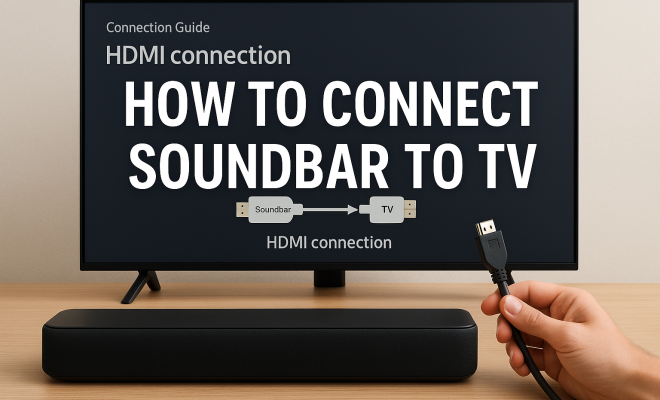
Now that you’ve chosen a connection method, let’s go through the steps to connect your soundbar to your TV. We’ll focus primarily on HDMI ARC, as it is often the best option.
- Check Compatibility: Ensure your TV and soundbar both support HDMI ARC. Look for an HDMI port labeled “ARC” on your TV.
- Connect the Cables: Use an HDMI cable to connect the HDMI ARC port on your TV to the HDMI OUT port on your soundbar.
- Enable HDMI ARC: Access your TV’s audio settings and enable HDMI ARC. This might involve turning off the TV’s internal speakers.
- Test the Connection: Play some audio or video content to ensure the soundbar is functioning correctly.
If you’re using an optical cable or Bluetooth, the process is similar, with specific settings to adjust based on your connection type.
4. Troubleshooting Common Issues
Even after following the correct steps to connect your soundbar to your TV, you might still face some issues. Here are some common problems and their solutions:
- No Sound from Soundbar: Check that the soundbar is powered on and that the volume is turned up. Ensure that the correct input source is selected on the soundbar.
- Audio Delay: If you’re experiencing a delay between the audio and video, this can often be fixed by adjusting the audio sync settings in your TV menu.
- Disconnection Issues: For Bluetooth connections, ensure your TV and soundbar are within the recommended range and that there are no obstructions. You may need to re-pair the devices.
5. Optimizing Soundbar Settings
Once connected, you might want to adjust some settings to optimize your sound experience. Most soundbars come with built-in audio presets that allow you to tailor the sound to your preference. Here are a few tips to get the best audio quality: (See: Understanding soundbars and their types.)
- Adjust Bass and Treble: Many soundbars allow you to customize the bass and treble levels. Experiment with these settings to see what sounds best for your content.
- Sound Modes: Check if your soundbar offers different sound modes such as movie, music, or news. These modes are designed to enhance specific types of audio.
- Volume Leveling: This feature can help maintain consistent volume levels between different sources and content types, reducing sudden loud noises or soft dialogue.
6. Integrating with Smart Home Systems
Many modern soundbars, particularly those that are smart-enabled, can be integrated into your home automation systems. If you have devices like Amazon Alexa or Google Assistant, you can often control your soundbar using voice commands. This functionality can make it much easier to adjust settings without digging through menus.
To connect your soundbar to a smart home system, you’ll typically need to follow a setup process through the corresponding app. This may involve linking your accounts and ensuring both devices are on the same Wi-Fi network. Once set up, you can enjoy the convenience of controlling your audio environment with just your voice.
7. Considerations for Different TV Models
When learning how to connect a soundbar to your TV, it’s essential to consider the TV model you own. Some older TVs might not support HDMI ARC or may have limited audio output options. In such cases, using an optical cable or a 3.5mm aux cable might be the only viable solution.
Conversely, newer models often come equipped with advanced audio features, including compatibility with high-definition audio formats. If your TV supports Dolby Atmos, for example, ensure that your soundbar is also compatible to take full advantage of the technology.
8. Exploring Additional Features
Soundbars can come with a plethora of additional features that enhance your experience. Features like built-in streaming services, multi-room audio support, and customizable EQ settings can significantly improve how you enjoy your audio. If you’re considering purchasing a soundbar, take time to explore these features to find the right fit for your needs.
Some soundbars even offer integration with streaming platforms like Spotify or Apple Music, allowing you to play music directly without needing to connect to your TV. If you love music, this could be a game-changer, providing easy access to your favorite playlists.
9. Maintaining Your Soundbar
Lastly, to ensure your soundbar continues to perform optimally, regular maintenance is essential. Dust accumulation can impact sound quality, so consider cleaning your soundbar periodically using a soft, dry cloth. Additionally, keep the firmware updated, as manufacturers often release updates that improve performance and add features.
To check for updates, refer to your soundbar’s manual or the manufacturer’s website. Updating your device can help resolve bugs and compatibility issues, ensuring a seamless audio experience. (See: Technology and its impact on home entertainment.)
10. Future Trends in Soundbar Technology
The soundbar market is evolving rapidly, with new technologies emerging regularly. Features like Dolby Atmos support and advanced AI-driven sound processing are becoming more common, making them an attractive option for home theater enthusiasts. As manufacturers continue to innovate, you can expect even more user-friendly features and improved sound quality in the future.
As we look ahead, keep an eye on how soundbars can integrate further with smart home technologies, enhancing their functionality. Whether you’re a casual viewer or a serious audiophile, staying informed about these trends will help you make the best choices for your audio setup.
11. Comparing Soundbar Brands
When shopping for a soundbar, brand reputation can significantly impact your choice. Key players in the market include Sonos, Bose, Samsung, and Yamaha, each offering distinct features and sound profiles.
Sonos is celebrated for its multi-room audio capabilities, allowing seamless integration with other Sonos devices. Their soundbars, like the Sonos Arc, support Dolby Atmos, providing a cinematic sound experience.
Bose soundbars are known for their superior sound quality and sleek design. The Bose Smart Soundbar 700 includes voice control features and delivers an immersive audio experience, especially for music lovers.
Samsung often pairs its soundbars with its line of TVs for optimal performance. The Samsung Q950A, for instance, boasts 11.1.4 channel sound and is equipped with Dolby Atmos, making it great for movie enthusiasts.
Yamaha soundbars are often praised for their versatility and sound quality at a competitive price. Their YAS-209 model features DTS Virtual:X technology, providing a surround sound experience without additional speakers.
12. Statistics on Soundbar Usage
Recent surveys indicate that soundbar usage has skyrocketed, with a significant rise in households opting for soundbars over traditional home theater systems. According to a recent report by the Consumer Technology Association, around 60% of U.S. households now own a soundbar. This shows that more people are recognizing the benefits of soundbars for enhancing their audio experience. (See: Latest soundbar reviews and recommendations.)
The same report highlights that 70% of soundbar owners appreciate the simplicity of setup, with many stating that they prefer the minimalist design that avoids the clutter of multiple speakers and wires. Furthermore, about 80% of users report a noticeable improvement in sound quality when switching from TV speakers to a soundbar.
13. Frequently Asked Questions (FAQ)
- Can I connect my soundbar to a non-smart TV? Yes, as long as your non-smart TV has HDMI ARC, optical, or 3.5mm aux output, you can connect your soundbar using one of these methods.
- Will connecting a soundbar improve my gaming experience? Absolutely! A soundbar can provide a more immersive experience, especially when it comes to directional audio in games, making sound effects more engaging.
- Do I need to adjust my TV audio settings after connecting a soundbar? Often, yes. You’ll usually need to turn off your TV’s internal speakers and potentially adjust audio output settings to ensure sound comes through the soundbar.
- What should I do if my soundbar doesn’t turn on? First, check if it’s plugged into a power source. If it is, try a different outlet or check the power cable for damage. If the issue persists, consult the manual or customer support.
- Can a soundbar be used with a projector? Yes, as long as your projector has compatible audio output options, you can connect a soundbar to enhance the audio from your projector.
- How do I know if my soundbar supports Dolby Atmos? Check the specifications on the manufacturer’s website or the product packaging. Most soundbars that support Dolby Atmos will advertise it prominently.
14. Exploring Advanced Features of Soundbars
As technology evolves, soundbars are integrating features that go beyond basic audio enhancement. Here are some advanced features to consider when looking for a soundbar:
- Adaptive Sound Technology: This feature enables soundbars to automatically adjust the sound based on the content being played. Whether you’re watching a quiet drama or an action-packed movie, adaptive sound technology ensures the audio experience remains optimal.
- Surround Sound Virtualization: Many soundbars now offer virtualization features that create an immersive surround sound experience without needing multiple speakers. This technology analyzes the audio input and simulates a multi-directional sound environment, enhancing your viewing experience.
- Wi-Fi Connectivity: In addition to Bluetooth, soundbars with Wi-Fi connectivity allow for more stable connections and can enable features like multi-room audio. This means you can play music through multiple soundbars in different rooms, all controlled from a single device.
- Built-in Voice Assistants: Some soundbars have embedded voice assistants, such as Amazon Alexa or Google Assistant. This allows for hands-free control over your audio settings and other smart home devices, providing a seamless integration into your smart home ecosystem.
15. Common Setup Mistakes and How to Avoid Them
While connecting a soundbar to your TV might seem straightforward, there are common mistakes that can hinder your audio experience. Here’s a look at some pitfalls and how to avoid them:
- Using the Wrong Input: One of the most common mistakes is connecting the soundbar to the wrong input on the TV. Always ensure you’re connecting to the correct HDMI port (if using HDMI ARC) or the right optical input.
- Neglecting Firmware Updates: Many people forget to check for firmware updates after setting up their soundbars. These updates can fix bugs and enhance performance, so make it a habit to check regularly.
- Ignoring Room Acoustics: The placement of your soundbar can significantly impact audio quality. Avoid placing it inside a cabinet or too close to walls, as this can distort sound. Ideally, position the soundbar at ear level when seated for the best experience.
- Overlooking Cables: Using poor-quality or damaged cables can lead to audio dropouts or poor sound quality. Invest in quality cables, especially for HDMI ARC and optical connections, to ensure optimal performance.
16. Soundbar Accessories and Enhancements
To further enhance your soundbar experience, consider investing in some accessories:
- Wall Mounts: If you’re short on space, a wall mount can help position your soundbar for optimal sound while also providing a clean aesthetic.
- Subwoofer Add-ons: While many soundbars come with a built-in subwoofer, some offer the option to add an external one for deeper bass. This can enhance your movie-watching experience, particularly for action films.
- Audio Calibration Tools: Certain soundbars offer calibration tools that analyze your room’s acoustics and adjust audio settings accordingly. This ensures you’re getting the best sound possible based on your environment.
In summary, connecting a soundbar to your TV doesn’t have to be a complicated process. By understanding the various connection methods available, troubleshooting common issues, and optimizing your settings, you can significantly enhance your audio experience. So gather your cables, follow the steps outlined, and elevate your home entertainment to a whole new level.
“`
Trending Now
Frequently Asked Questions
What is the best way to connect a soundbar to a TV?
The best way to connect a soundbar to a TV is through HDMI ARC (Audio Return Channel). This method allows for high-quality audio transmission and enables you to use a single cable for both audio and video, making it a convenient choice for most setups.
Can you connect a soundbar to a TV without HDMI?
Yes, you can connect a soundbar to a TV without HDMI by using an optical audio cable. This method transfers digital audio signals using light and is a great alternative if your TV or soundbar doesn't support HDMI ARC.
Do soundbars require an amplifier?
It depends on the type of soundbar. Active soundbars have built-in amplification and do not require an external amplifier, while passive soundbars do require an external amplifier to function properly.
What are the advantages of using a soundbar?
Soundbars offer a compact design while delivering high-quality sound, providing an immersive audio experience without the complexity of a full surround sound system. Many also come with a subwoofer for enhanced bass, making them ideal for movies and gaming.
How do I troubleshoot my soundbar connection?
To troubleshoot your soundbar connection, first check all cable connections and ensure the correct input is selected on your TV. If issues persist, try resetting the soundbar or consulting the user manual for specific troubleshooting steps related to your model.
What did we miss? Let us know in the comments and join the conversation.