Master Video Looping: Create Seamless Playback & Engage Viewers
“`html
Video content is all around us, from social media platforms to professional presentations. One technique that has gained popularity is the ability to loop video—creating a seamless playback that can captivate audiences. Whether you’re a content creator, an educator, or just someone who enjoys making personal videos, understanding how to loop video can enhance your projects and keep viewers engaged. In this guide, we’ll break down the essentials of looping video, explore techniques, and provide practical tips for various platforms.
1. Understanding the Concept of Looping Video
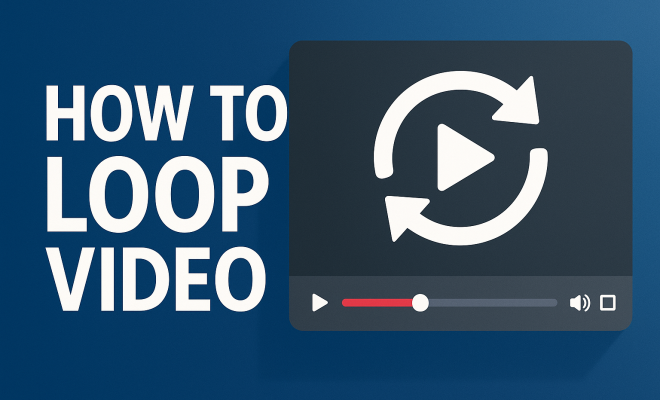
At its core, looping video refers to the continuous playback of a video clip, allowing it to restart automatically once it finishes. This technique can be applied in various contexts, such as background video for websites, music videos, social media posts, or even art installations. The primary appeal of a looped video is its ability to maintain viewer interest without interruption, making it a powerful tool for creative storytelling and engagement.
Looping can be particularly effective for short clips—think of a mesmerizing animation, a catchy music clip, or a scenic view. By eliminating pauses between the end and beginning of a video, you ensure that your audience remains focused, which is crucial in today’s fast-paced digital landscape. With attention spans shorter than ever, creating a smooth loop can vastly improve the effectiveness of your content.
2. The Benefits of Looping Video
Why should you consider looping video for your projects? Here are some compelling reasons:
- Engagement: Looping video keeps viewers interested by providing continuous visual stimulation. This can be especially beneficial for social media, where grabbing attention quickly is vital.
- Flexibility: A loop can adapt to various contexts, whether it’s setting the mood in a presentation, creating a relaxing ambiance in a retail space, or enhancing the visual appeal of a website.
- Ease of Use: With modern editing software, creating a looped video is relatively straightforward, making it accessible for anyone—regardless of their technical skills.
In short, looping video can increase the impact of your message, making it a valuable technique to master.
3. Tools and Software for Looping Video
There are numerous tools available that can help you loop video seamlessly. The choice of software often depends on your specific needs and skill level. Here are some popular options:
- Adobe Premiere Pro: This professional-grade video editing software offers extensive features, including the ability to loop video clips effortlessly. You can set the timeline to repeat a clip indefinitely.
- iMovie: For Mac users, iMovie is a great choice for beginners. While it’s less complex than Premiere, it still allows users to create looped videos easily.
- Final Cut Pro: Another option for Mac users, this software provides advanced editing capabilities, including looping features that can be fine-tuned for precision.
- Online Tools: Websites like Kapwing and Clideo offer online services that allow you to loop videos without downloading software. These are excellent for quick edits.
Choosing the right tool for your needs can streamline the process of creating a looped video and enhance your final product.
4. How to Loop Video in Different Formats
The method you use to loop video may vary based on the format and platform. Here’s how to loop video in some common scenarios:
Looping on Social Media
Platforms like Instagram and TikTok are built around video content, making looping a natural fit. To loop video on these platforms, you typically just upload a clip under a certain length (often less than 15 seconds) and select the loop option during posting.
Looping for Presentations
If you’re using PowerPoint or Keynote, you can insert a video and set it to loop during the presentation. In PowerPoint, select the video, go to the Playback tab, and check the ‘Loop until Stopped’ option. In Keynote, you can select the video, click ‘Format,’ and enable looping in the ‘Movie’ section.
Looping on Websites
For embedding looped videos on websites, HTML5 offers a straightforward solution. By using the `
5. Practical Tips for Creating Effective Loops
Creating a successful loop requires more than just hitting the repeat button. Here are some tips to enhance your looped videos:
- Keep It Short: The best loops are typically short, ranging from a few seconds to around 30 seconds. This allows for a seamless transition without drawing attention to the loop point.
- Match the Ending and Beginning: For a smooth loop, ensure that the end of your video flows naturally back into the beginning. This might require some editing or careful selection of your content.
- Add Audio Wisely: If your loop contains sound, consider how the audio transitions at the loop point. Fading in and out can create a more subtle experience.
These tips can significantly improve the quality of your looped video and make it more enjoyable for your audience. (See: Video looping on Wikipedia.)
6. Common Mistakes to Avoid When Looping Video
While looping video can seem straightforward, there are key pitfalls to be aware of. Here are some common mistakes to avoid:
- Ignoring Quality: Ensure your video retains its quality after looping. Compression can often lead to pixelation or loss of detail.
- Choosing the Wrong Clip: Not all videos are suitable for looping. Long, narrative-driven videos may not work as well as short, visually engaging clips.
- Neglecting Audience Experience: Always consider your audience’s attention span. Overly long loops can lead to viewer fatigue.
By avoiding these mistakes, you can create a more effective loop that resonates with your audience.
7. Case Studies: Successful Loop Videos
Examining successful examples of loop videos can provide insight into what works. Here are a few notable cases:
1. Social Media Campaigns
Brands like Nike and Coca-Cola have used looping videos in their social media campaigns to create eye-catching content that engages followers. For instance, Nike’s Instagram account often features short clips of athletes in dynamic poses, seamlessly looping to create excitement.
2. Art Installations
Artists such as Bill Viola have embraced looping video in their installations. Viola’s work often features continuous video streams that draw viewers into meditative experiences, enhancing the emotional impact of his art.
3. Music Videos
Many music videos utilize looping to emphasize certain sections of a song. For example, the popular song “Happy” by Pharrell Williams often features looped dance sequences that capture the song’s joyful energy.
8. Future Trends in Loop Video Technology
As technology continues to evolve, so too will the methods and applications for looping video. Here are some trends to watch:
- Augmented Reality (AR): AR is likely to play a significant role in looping video as interactive experiences become more prevalent. Imagine a looped video that responds to viewer movements in real-time!
- AI-Driven Editing: Artificial intelligence is increasingly being used in video editing. Future tools may offer automated features for creating seamless loops, simplifying the process for users.
- More Integration with Social Platforms: As social media evolves, expect new features that will enhance how users can create and share loop videos, further popularizing this technique.
Staying ahead of these trends can keep your video content fresh and engaging.
9. Popular Use Cases for Loop Video
Loop video can be employed in a variety of contexts, and understanding these can help you tap into its full potential:
1. Online Courses and Tutorials
In the realm of education, looping video can enhance learning experiences. Think about a tutorial that demonstrates a dance move or a cooking technique. Looping these segments provides learners with the ability to repeat the motion until they master it, creating a more interactive and engaging educational experience.
2. Advertisement and Marketing
Loop videos have become a staple in digital advertising. Brands often use them in ads that run in loops on websites or social media, capturing attention quickly. A well-designed loop can convey a brand’s message in a matter of seconds, making it an efficient tool for marketing.
3. Digital Signage
Businesses are leveraging loop video in digital signage to keep information fresh and engaging. Looping videos can display promotions, announcements, or product demonstrations in a continuous stream, ensuring that customers receive the information without having to wait for it to come back around.
10. FAQ: Common Questions about Loop Video
What file formats can I use to loop video?
Most modern video formats like MP4, MOV, and AVI can be looped. However, compatibility might vary depending on the software or platform you are using, so it’s good to check beforehand.
Can I loop a video on YouTube?
Yes! You can loop a video on YouTube by right-clicking on the video player and selecting the “Loop” option. This will cause the video to play continuously until you stop it. (See: CDC on video communication techniques.)
Is looping video good for SEO?
While looping video itself might not directly impact SEO, the increased engagement and lower bounce rates that come from captivating content can certainly benefit your website’s SEO performance. More engaged viewers may spend longer on your site, positively influencing search rankings.
What’s the best length for a looped video?
The ideal length for a looped video usually falls between 5 to 30 seconds. Shorter clips are typically easier to loop seamlessly, while longer segments may require more careful editing.
Can I loop video in live presentations?
Yes, looping video can enhance live presentations. Many presentation software options, like PowerPoint and Keynote, allow you to set a video to loop. This can create a dynamic backdrop or reinforce a key message throughout your talk.
11. Creating Your Own Loop Videos: Step-by-Step Guide
If you’re ready to dive into creating your own loop video, here’s a simple step-by-step guide:
Step 1: Choose Your Clip
Select a video clip that you think would work well in a loop. Short, visually engaging clips work best. Avoid narrative-driven content that requires a beginning, middle, and end.
Step 2: Use Editing Software
Open your chosen editing software. Import your clip and trim it to the desired length, ensuring it flows well from the end back to the beginning.
Step 3: Enable Looping Features
In your editing software, look for options to enable looping. In many cases, you can simply adjust the timeline settings to repeat the clip. In simpler online tools, look for a loop button or toggle.
Step 4: Export Your Video
Once you’re satisfied with your looped video, export it in a format that’s compatible with the platforms you intend to use.
Step 5: Test Your Video
Before sharing, ensure you test your video in its intended environment to confirm that it loops seamlessly and looks great.
12. The Psychology Behind Looping Video
Understanding the psychological effects of looping video can help you craft content that resonates more profoundly with viewers. Here are some insights:
1. Repetition and Memory
Repetition is a powerful tool in communication. Looping video can aid memory retention by reinforcing messages or themes through repeated exposure. This technique can be particularly helpful in educational contexts.
2. Visual Engagement
Our brains are wired to respond to visual stimuli. Looping videos can capture attention more effectively than static images or traditional video clips because they create a dynamic viewing experience that keeps viewers engaged.
3. Emotional Connection
Looping video can evoke emotions more intensely. For instance, a loop of serene nature scenes can create a calming effect, while vibrant, upbeat clips can generate excitement. Understanding the emotional response you want to evoke can guide your video creation process. (See: NY Times on video creation tools.)
13. Exploring Different Styles of Loop Videos
Not all loop videos are created equal. Different styles can serve various purposes, depending on the target audience and the platform. Here’s a look at some popular styles:
1. Abstract and Artistic Loops
Abstract loops often focus on visually stunning graphics or animations. These types of videos are great for setting a mood or aesthetic on platforms like Instagram or as background visuals in art galleries. The mesmerizing movements draw viewers’ eyes and can keep them engaged for extended periods.
2. Informative Loops
These videos are designed to deliver information in a brief yet engaging manner. They might include infographics, quick how-to guides, or snippets of tutorials. This style is particularly effective for educational content on platforms like YouTube or in corporate settings where training materials are utilized.
3. Natural and Scenic Loops
Videos showcasing nature, landscapes, or cityscapes can create relaxing atmospheres. These loop videos are often used in wellness spaces, such as spas or yoga studios, to promote relaxation and focus. The continuous flow of beautiful visuals can help people unwind and feel more connected to their environment.
14. Loop Video for Branding: Best Practices
When it comes to using loop video for branding, there are several best practices you should follow:
1. Stay True to Your Brand Identity
Your loop video should reflect your brand’s personality and values. Use colors, fonts, and imagery that align with your overall branding strategy. This consistency helps reinforce brand recognition.
2. Craft a Clear Message
Even though loop videos are short, they should communicate a clear and concise message. Ensure that your visuals and any accompanying text work together to convey your intended message effectively.
3. Consider Your Audience
Understand who your target audience is and tailor your loop videos to their preferences. For instance, a younger audience might respond better to fast-paced, vibrant content, while a more mature audience might appreciate slower, more thoughtful visuals.
15. Conclusion: The Power of Loop Video
Looping video is more than just a trendy technique; it’s a powerful tool that can enhance engagement and communication in various settings. By understanding the principles behind looping, utilizing the right tools, and avoiding common pitfalls, you can create captivating content that keeps viewers coming back for more. As video continues to dominate the digital landscape, mastering how to loop video effectively will ensure you stay at the forefront of creative expression. So, whether you’re crafting social media posts, enhancing presentations, or exploring artistic endeavors, remember the power of the loop!
“`
Trending Now
Frequently Asked Questions
How do you loop a video on a website?
To loop a video on a website, you can use the HTML `<video>` tag with the 'loop' attribute. For example: `<video src='yourvideo.mp4' loop autoplay></video>`. This will ensure that the video restarts automatically once it finishes playing, providing a seamless viewing experience for visitors.
What are the benefits of looping a video?
Looping a video offers several benefits, including increased viewer engagement, as it maintains interest without interruptions. It also provides flexibility for various contexts, whether for social media, presentations, or websites, making it a versatile tool for enhancing visual storytelling.
Can you loop videos on social media?
Yes, most social media platforms allow you to loop videos. For instance, on Instagram, you can create looped videos by using the Boomerang feature or by uploading a video that automatically loops when played. This feature helps capture attention quickly in fast-paced feeds.
What types of videos work best for looping?
Short clips, such as animations, music videos, or scenic views, work best for looping. These types of videos can create a mesmerizing effect and maintain viewer interest without losing engagement, making them ideal for various applications like presentations or social media posts.
How can I create a seamless loop in video editing?
To create a seamless loop in video editing, ensure that the end of your video transitions smoothly back to the beginning. Use editing software to trim the video carefully and apply crossfades or similar effects, if necessary, to eliminate any noticeable gaps or jumps in playback.
What’s your take on this? Share your thoughts in the comments below — we read every one.