Calibrate Your Apple Watch for Peak Fitness Tracking
“`html
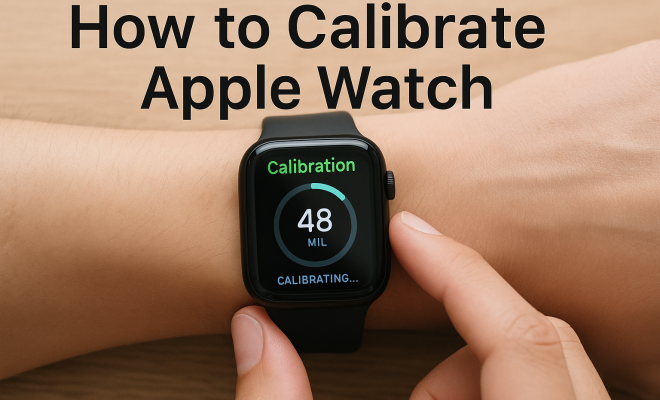
The Apple Watch is more than just a stylish accessory; it’s a powerful health and fitness companion. However, to get the most accurate readings from your device, it’s crucial to calibrate your Apple Watch properly. Calibration ensures that the watch accurately measures your heart rate, tracks workouts, and manages other health metrics effectively. In this article, we’ll explore the step-by-step process needed to calibrate your Apple Watch and discuss why it’s important for your fitness journey.
1. Understanding the Calibration Process
Calibration involves adjusting the settings of your Apple Watch to ensure that it accurately reflects your personal metrics. This process is especially important for features like the Activity app, which relies on data from your heart rate sensor and accelerometer. When you calibrate your watch, you’re primarily teaching it about your unique walking and running patterns.
Essentially, you’ll be syncing your Apple Watch with your personal activity levels. While the device comes pre-calibrated to some extent, factors like changes in weight, fitness levels, or simply switching to a different workout routine can affect its accuracy. Regular calibration helps maintain the integrity of the data it collects.
2. Why Calibration Matters
Properly calibrating your Apple Watch offers several benefits. First and foremost, it enhances the accuracy of distance and pace measurements during workouts. Imagine going for a run and your watch tells you you’ve covered a mile in 10 minutes when, in reality, it’s been 12 minutes. That discrepancy can hinder your training efforts and mislead your progress.
Moreover, accurate heart rate monitoring is crucial for effective training. Understanding your heart rate zones can help optimize your workouts, allowing you to push harder when needed or dial back when you’re overexerting yourself. Accurate metrics can also play a vital role in tracking overall health, as they can alert you to potential issues like irregular heartbeats.
3. Prepare Your Apple Watch for Calibration
Before diving into the calibration process, it’s essential to make sure your Apple Watch is ready. Ensure that your watch is updated to the latest watchOS version. You can do this by navigating to the Watch app on your iPhone, selecting ‘General,’ and then ‘Software Update.’ Keeping your watch updated means you’ll have the latest features and bug fixes, which can improve calibration accuracy.
Also, check that your watch is snug on your wrist. If it’s too loose, it may not measure heart rates correctly. You can also reset any outdated or inaccurate personal information in the Health app, such as weight or height, which can affect how your watch interprets movement data.
4. Starting the Calibration Walk
Once your Apple Watch is prepared, the next step is to begin the calibration process with an outdoor walk. The ideal scenario is to find a flat, open area free from interruptions. Ideally, you should walk at a pace that’s comfortable for you, and it’s recommended to do this for about 20 minutes.
During this walk, ensure that both your Apple Watch and iPhone (if you have it with you) are connected and that GPS is enabled. The GPS will help the watch get a more accurate reading of the distance you cover. While walking, the watch will gather data from its accelerometer and GPS to better understand your stride and pace.
5. Running and Calibrating: Taking Things Up a Notch
If you’re more inclined toward running, you can also calibrate your Apple Watch using a running session. The process is similar to walking; however, it’s critical to maintain a steady pace for the most accurate results. Aim to run for at least 20 minutes, and try to keep your pace consistent.
Much like with walking, ensure that you’re in an area with good GPS coverage, as poor signal could lead to inaccurate data. If you’re running on a track or a treadmill, it’s best to calibrate outdoors to ensure that your watch can access strong GPS signals. Keep in mind that the Apple Watch uses your location data to understand how far you’ve run, which is crucial for effective calibration. (See: Measuring physical activity accurately.)
6. Post-Calibrating: What to Do Next
After completing your walk or run, your Apple Watch should have gathered enough data to adjust its calibration settings. It’s wise to check your heart rate and distance metrics to ensure they align with what you expect. If you notice significant discrepancies, you can repeat the calibration process.
Additionally, consider logging your workouts in the Health app. This practice not only keeps a record of your fitness journey but can also help you identify trends in your activity levels over time. If your metrics seem off again after calibration, it might be time to recalibrate, especially if you change your workout style or experience significant changes in fitness.
7. Maintaining Accurate Measurements Over Time
Calibration is not a one-time task; it’s something you should revisit regularly to ensure continued accuracy. Ideally, recalibrate your Apple Watch every few months, or whenever you make significant changes to your activity routine. This consistency will help ensure that your watch continues to track your movements accurately.
Another helpful tip is to keep your personal information updated within the Health app. Changes in weight or height can affect how the watch interprets your activity. Regularly checking and updating this data helps your Apple Watch provide the best fitness tracking experience possible.
8. Understanding the Technology Behind Calibration
The technology that powers the Apple Watch relies heavily on sensors. The device is equipped with an accelerometer, gyroscope, and heart rate monitor, all of which communicate to provide you with real-time data on your activities. The accelerometer tracks movements in three dimensions, allowing the watch to detect not only steps but also the intensity of your workouts.
The gyroscope enhances this ability by providing information about the orientation and rotation of your wrist, which is helpful in distinguishing between different types of activities. The heart rate monitor uses photoplethysmography to measure blood flow through your wrist, giving accurate heart rate readings that are essential for monitoring your fitness levels.
Calibration adjusts how these sensors interpret your personal metrics, ensuring that they align with your unique body mechanics and fitness levels. This combination of technology and calibration allows the Apple Watch to provide a tailored workout experience, which can be particularly beneficial as you strive to meet specific fitness goals.
9. Common Calibration Mistakes to Avoid
To get the most accurate data, avoiding common mistakes during the calibration process is vital. One of the primary errors is not walking or running for the recommended duration of at least 20 minutes. Shorter durations can lead to insufficient data collection, making it harder for the watch to learn your stride patterns.
Another mistake is failing to maintain a consistent pace. Sudden acceleration or deceleration can confuse the calibration process, leading to inaccurate data. It’s also essential to avoid locations with poor GPS signals, such as areas surrounded by tall buildings or dense trees, as this can inhibit the watch’s ability to track distance accurately.
Lastly, wearing your watch too loose can affect heart rate readings. Ensure that the watch fits snugly against your wrist, as this will help it perform better during the calibration and throughout your workouts.
10. Frequently Asked Questions (FAQ)
Q1: How often should I calibrate my Apple Watch?
A1: It’s recommended to recalibrate your Apple Watch every few months or whenever you notice discrepancies in your fitness data. You should also consider recalibrating following significant changes in your fitness routine, weight, or health conditions.
Q2: Can I calibrate my Apple Watch indoors?
A2: While it’s possible to calibrate indoors, it’s best to do so outdoors where GPS signals are stronger. This helps ensure the accuracy of distance measurements. If you must calibrate indoors, make sure you have a way to measure your distance accurately. (See: Importance of physical activity.)
Q3: What should I do if my Apple Watch is still inaccurate after calibration?
A3: If your Apple Watch continues to provide inaccurate readings even after calibration, you may want to reset your watch to factory settings or check for software updates. You can also consult Apple Support for further assistance.
Q4: Does the Apple Watch need to be connected to my iPhone to calibrate?
A4: While it’s not strictly necessary for the Apple Watch to be connected to your iPhone during calibration, keeping them connected can provide additional data that may enhance the accuracy of the calibration process.
Q5: Does my Apple Watch remember my calibration data?
A5: Yes, your Apple Watch saves calibration data, which is used to improve the accuracy of future workouts. This data helps the watch learn about your unique walking and running patterns over time.
Q6: What is the importance of personal information in the Health app?
A6: Your personal information, such as height, weight, and age, is crucial for the Apple Watch to provide accurate fitness metrics. Changes in this information can affect how the watch interprets movement, so keeping it up to date is essential for accurate tracking.
Q7: Can changes in my fitness level affect calibration?
A7: Absolutely. Significant changes in your fitness level can alter your stride length and heart rate response, which may require recalibration to ensure accurate tracking.
Q8: How does elevation affect Apple Watch calibration?
A8: Elevation changes can impact your workout metrics, especially when running or walking in hilly or mountainous areas. The Apple Watch uses elevation data, combined with GPS, to calculate distance and effort accurately. If you frequently train in varied terrains, consider calibrating your watch in those specific conditions to improve accuracy.
Q9: What’s the relationship between GPS and accuracy during calibration?
A9: GPS plays a crucial role in ensuring the accuracy of distance measurements. When calibrating, strong GPS signals help the watch learn how far you’ve traveled. If the GPS signal is weak or obstructed, it can miscalculate distances and, consequently, your calibration data may be off. Always aim for an area with a clear view of the sky during calibration.
Q10: How can I assess the accuracy of my calibration?
A10: After calibrating, you can assess accuracy by comparing the distance your Apple Watch records during activities against known distances (like a measured track). If your watch consistently reports discrepancies, it may require recalibration or possible troubleshooting.
11. Advanced Calibration Techniques
If you’re serious about optimizing your Apple Watch calibration, there are advanced techniques you can adopt. One effective method is to calibrate in different environments and conditions. For instance, calibrate both on flat surfaces and uphill or downhill routes to provide a broader range of data for your watch.
Additionally, consider using apps designed for serious runners or athletes that can provide detailed metrics and analysis. These can work in tandem with the Apple Watch to give you insights into performance, heart rate variability, and even recovery times that can enhance your training regimen. (See: World Health Organization on physical activity.)
12. Comparing Calibration Across Different Devices
Calibration isn’t exclusive to the Apple Watch. Other popular fitness trackers, like Fitbit or Garmin, also require calibration for accuracy. However, each device employs different methods and technologies. For instance, some devices might use advanced sensors and algorithms to automatically adjust without user intervention, while others rely on manual calibration similar to the Apple Watch.
It’s worth noting that user experiences may vary. A study by TechRadar indicated that many users find the Apple Watch to be one of the most accurate devices for tracking workouts, particularly in varied terrains, due to its combination of GPS and heart rate monitoring accuracy.
13. Real-Life Calibration Experiences
Many Apple Watch users have shared their calibration experiences, revealing insights about the process. For example, Jessica, a marathon runner, noticed that her watch initially miscalculated her distance by up to 0.5 miles during long runs. After recalibrating in a hilly area where she usually trains, her distance readings improved significantly.
Another user, Mike, found that after losing weight, his heart rate readings became less consistent. Following a recalibration, his Apple Watch was able to more accurately reflect his new fitness levels. These stories highlight the importance of calibration not just in terms of metrics but also in maintaining motivation and meeting fitness goals.
14. The Future of Calibration Technology
Looking ahead, calibration technology is likely to evolve. With advancements in machine learning and artificial intelligence, future versions of the Apple Watch may automatically calibrate based on user behavior and workouts without the need for manual input. This could lead to even more personalized fitness tracking, providing insights based on historical data and workout patterns.
Additionally, as biometric technology advances, we might see improvements in heart rate monitoring and other health metrics, making calibration even more crucial for accurate tracking. Keeping up with these changes can help you leverage the full potential of your Apple Watch.
In summary, calibrating your Apple Watch is an essential process for anyone looking to get the most out of their fitness and health tracking. By following the steps outlined above and making calibration a regular part of your routine, you can ensure accurate readings that help you achieve your goals. So, lace up those shoes, head outside, and calibrate Apple Watch today for a more precise and insightful fitness journey.
“`
Trending Now
Frequently Asked Questions
How do I calibrate my Apple Watch?
To calibrate your Apple Watch, go to the Settings app, select Privacy, then Location Services, and ensure that Motion Calibration & Distance is enabled. Next, take your watch outside for a 20-minute walk or run in an open area to help it learn your unique activity patterns.
Why is it important to calibrate my Apple Watch?
Calibrating your Apple Watch is essential for accurate tracking of distance, pace, and heart rate. Proper calibration ensures that the watch reflects your unique walking and running patterns, which enhances the reliability of the metrics it provides during workouts.
What happens if I don’t calibrate my Apple Watch?
If you don’t calibrate your Apple Watch, you may experience inaccuracies in distance and pace measurements, which can mislead your training efforts. This could hinder your progress and affect your understanding of your heart rate zones and overall fitness.
How often should I calibrate my Apple Watch?
It's recommended to calibrate your Apple Watch regularly, especially after significant changes in weight, fitness levels, or when switching workout routines. Regular calibration helps maintain the accuracy of the health metrics collected by the device.
Can I manually adjust the calibration settings on my Apple Watch?
While you cannot manually adjust calibration settings directly, you can improve accuracy by ensuring that motion calibration is enabled and by performing outdoor walks or runs to help the watch learn your activity patterns more effectively.
What’s your take on this? Share your thoughts in the comments below — we read every one.