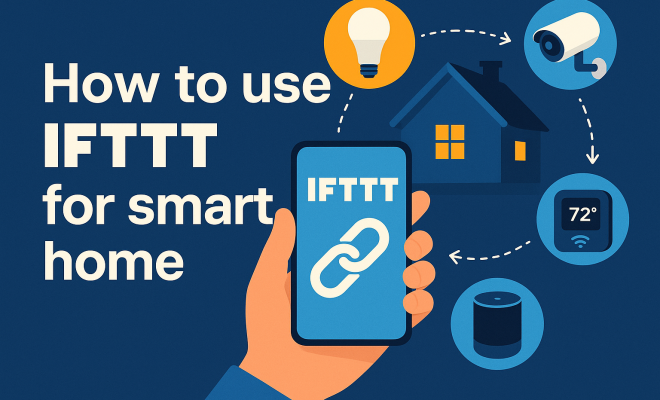
How to use IFTTT for smart home
“`html
The concept of a smart home has rapidly gained traction in the last few years, providing homeowners with increased convenience, energy efficiency, and security. At the heart of this technological revolution lies IFTTT (If This Then That), a platform that enables users to create connections between various smart devices and services. This article will explore how to use IFTTT for your smart home, detailing its benefits, practical applications, and tips to get started.
1. Understanding IFTTT
IFTTT stands for “If This Then That,” and it acts as a bridge between different apps and devices, allowing them to communicate and automate tasks. The platform operates on simple conditional statements—when a specified event occurs (the trigger), IFTTT performs a designated action automatically. With over 700 services integrated, including popular brands like Philips Hue, Google Home, and Nest, the possibilities for automation are virtually endless.
To get started, you’ll need to create an IFTTT account and link your smart devices. The user interface is intuitive, allowing anyone—even those without a technical background—to set up automations in minutes. By utilizing IFTTT smart home capabilities, you can streamline daily tasks, enhancing your home’s functionality.
2. Creating Your First Applet
The core of IFTTT’s functionality lies in its “applets,” automated sequences that perform specific tasks. To create your first applet, log in to your IFTTT account, and click on the “Create” button. From there, you’ll be prompted to select a service and a trigger. For example, if you want to receive a notification when your smart thermostat detects a temperature change, you’d select the thermostat as your trigger.
Next, you’ll specify the action that follows the trigger—perhaps turning on a smart fan or sending a text message. The process is straightforward, enabling you to experiment with various triggers and actions to find the best setup for your needs. Over time, you’ll develop a library of applets that cater specifically to your lifestyle.
3. Enhancing Home Security
One of the most compelling uses of IFTTT in your smart home is for security. By integrating IFTTT with your security camera system or smart locks, you can set up automated alerts and actions to enhance surveillance. For instance, if your security camera detects motion, you can program IFTTT to send you an email or text message, providing real-time updates on potential intrusions.
Furthermore, combining IFTTT with smart locks allows you to create additional layers of security. You could set an applet that automatically locks your doors at a specified time each evening or when your smartphone leaves a particular geofence. These automations not only enhance security but also provide peace of mind when you’re away from home.
4. Energy Efficiency and Cost Savings
Using IFTTT for energy management can help minimize your utility bills while promoting sustainable living. For example, you can connect your smart thermostat with IFTTT to create an automated schedule based on your daily routine. Let’s say you leave for work at 8 AM; you can set an applet to lower the temperature during the day and raise it again before you arrive home, optimizing energy usage without sacrificing comfort.
Additionally, you can link smart lights to your daily routines. For instance, set your lights to turn off automatically when you leave home, or schedule them to turn on at sunset. By managing your energy consumption through IFTTT, you not only save money but also contribute to reducing your carbon footprint. (See: Smart home technology overview.)
5. Streamlining Daily Routines
IFTTT can significantly simplify your daily routines, allowing you to focus on what matters most. Automation can help manage mundane tasks that often consume time and energy. For instance, you can create an applet that turns on your coffee maker automatically when your morning alarm goes off. Imagine waking up to the smell of fresh coffee without lifting a finger!
You could also integrate IFTTT with your calendar. An applet can be set to remind you of important events by sending notifications to your phone or smart speaker. By streamlining these small tasks, you can enhance productivity and enjoy a more organized lifestyle.
6. Connecting Devices for a Seamless Experience
One of the main challenges in a smart home environment is ensuring compatibility among various devices and platforms. IFTTT excels in this area by allowing disparate smart devices to work together, creating a seamless experience. For example, if you have a smart doorbell and a smart speaker, you can program an applet that plays a specific sound on your speaker whenever someone rings the doorbell.
This level of integration can extend to other devices as well. Want your living room lights to flash when someone sends you a specific message on social media? There’s an applet for that! The ability to connect devices in ways that manufacturers may not have intended adds another layer of flexibility and customization to your IFTTT smart home.
7. Integration with Other Services
IFTTT doesn’t just stop at connecting smart home devices; it also integrates with numerous web services and applications. For example, you can connect your smart home with weather services to automate actions based on forecasts. If rain is expected, set an applet to close your smart blinds or send you a reminder to bring in outdoor furniture. This proactive approach helps you take control of your environment based on real-time data.
Moreover, IFTTT can link to your email, social media, and more, allowing you to automate notifications and interactions across various platforms. Imagine receiving an email summary of your smart home activity or being alerted when someone mentions you on Twitter. With IFTTT, the synergy between your digital life and physical space becomes a reality.
8. Best Practices for Using IFTTT
While using IFTTT for your smart home can be incredibly beneficial, following best practices ensures you get the most out of the platform. Start small—focus on one or two applets that address your immediate needs before expanding to more complex automations. This approach helps you understand how different devices interact and what configurations work best for your lifestyle.
Additionally, regularly review and tweak your applets to optimize performance. As your routines change or new devices are added, some applets may become obsolete while others may need adjustment. Staying engaged with your IFTTT setup means your smart home continuously evolves alongside you, remaining efficient and functional.
9. The Future of Smart Home Automation with IFTTT
As smart home technology continues to evolve, so does IFTTT. The platform is constantly updating, adding new services and enhancing existing features. This means that the opportunities for automation and integration will only expand in the future. With advancements in artificial intelligence and machine learning, we can expect IFTTT to become even more intelligent, capable of predicting user needs and automating tasks without manual input.
For example, imagine your smart home learning your patterns over time. It could automatically adjust your heating, lighting, and even your grocery orders based on your preferences and routines. This level of customization and responsiveness will make homes not just smart, but truly intuitive. (See: CDC on smart home safety.)
10. Examples of Popular IFTTT Smart Home Automations
To give you some inspiration, here are some popular IFTTT smart home automations that users have found particularly useful:
- Weather Alerts: Set up an applet to receive notifications when the temperature drops below a certain level, so you can prepare your home accordingly.
- Homecoming Lights: Automatically turn on your smart lights when your smartphone is detected within a certain distance of your home.
- Garden Watering: Connect your smart irrigation system to IFTTT and create an applet that waters your garden when the weather forecast predicts no rain for the upcoming week.
- Music Playback: Use IFTTT to start playing your favorite music on a smart speaker when you arrive home or when you say a specific phrase to your assistant.
11. Challenges and Limitations of Using IFTTT
While IFTTT offers tremendous flexibility and convenience, it’s not without its challenges. One common limitation is the reliance on internet connectivity. If your Wi-Fi goes down, so does your ability to use most IFTTT automations. Additionally, some users may encounter latency issues, where there’s a noticeable delay between the trigger and the action.
Another consideration is the potential complexity of managing multiple applets. As you create more automations, it can become challenging to keep track of them all. Over-automation can lead to confusion or even conflicts between applets that may not work well together. Keeping your automations organized and regularly monitoring them helps mitigate these issues.
12. Frequently Asked Questions about IFTTT Smart Home
What devices are compatible with IFTTT?
IFTTT is compatible with a wide range of devices, including smart lights, thermostats, security cameras, locks, and more from various brands like Philips Hue, Nest, Ecobee, and TP-Link. It also connects with hundreds of web services and apps, allowing for a comprehensive smart home experience.
Do I need to pay for IFTTT?
IFTTT offers a free version with a robust set of features. However, there’s also a paid plan that provides additional capabilities, such as unlimited applets and more advanced customization options for power users.
Can I use IFTTT with my existing smart home devices?
Yes, many existing smart home devices are compatible with IFTTT. However, you’ll want to check the IFTTT website or app to confirm your specific devices are supported. If they are not, you may need to look into alternative smart home platforms or solutions to achieve similar automation.
Is IFTTT safe to use?
IFTTT is generally considered safe to use, but like any online platform, it’s important to use strong, unique passwords and be mindful of the permissions you grant to services. Ensure you only connect trusted devices and services to protect your privacy and security.
How do I troubleshoot issues with IFTTT applets?
If you encounter issues with your applets, first check to ensure all connected devices are online and functioning. Next, review the applet settings to confirm the triggers and actions are correctly configured. You can also consult the IFTTT support resources or community forums for additional help.
13. Real-World Examples of IFTTT Smart Home Setups
To give you a clearer picture of how IFTTT can work in various environments, here are a few real-world examples of smart home setups that utilize IFTTT. (See: New York Times on smart devices.)
- Family Home: A family with children uses IFTTT to automate their morning routine. When the alarm goes off, their smart coffee maker starts brewing coffee, the smart lights gradually brighten to simulate a sunrise, and the thermostat adjusts to a comfortable morning temperature. Once the kids leave for school, the system automatically locks the doors and turns off lights in any unoccupied rooms.
- Smart Apartment: In a compact city apartment, a busy professional uses IFTTT to manage their space efficiently. They have automated their smart speaker to play their favorite morning playlist at a specific time and sync their smart thermostat to adjust the temperature based on their calendar events. If they’re working late, the lights are programmed to dim at a set time, ensuring they come home to a cozy atmosphere.
- Eco-Conscious Home: An environmentally conscious homeowner has set up IFTTT to optimize energy usage throughout their home. They use weather-based applets to adjust the thermostat based on the forecast—heating or cooling only when needed. Additionally, their outdoor sprinkler system is tied to local rainfall data, preventing unnecessary watering when rain is expected.
14. The Role of Artificial Intelligence in Future IFTTT Automations
Artificial intelligence (AI) is already making waves in various sectors, and smart home automation is no exception. In the future, AI could enhance IFTTT’s functionality by enabling predictive behaviors. Rather than just reacting to triggers set by users, AI could analyze past routines and suggest or even implement automations that streamline daily life.
For example, if you frequently adjust your thermostat to a certain temperature after returning home from work, an AI-enhanced IFTTT could learn this pattern and automatically set the thermostat in advance without any input needed from you. This proactive approach could further reduce energy consumption and enhance comfort.
Moreover, using natural language processing, future iterations of IFTTT might allow users to create applets using simple spoken commands, making the tool even more user-friendly and accessible.
15. IFTTT vs. Other Smart Home Automation Platforms
It’s essential to understand how IFTTT compares with other automation platforms like Zapier, Home Assistant, and SmartThings. Each service offers unique strengths, and the best choice often depends on your specific needs.
- Zapier: This platform focuses more on business automation rather than smart home integrations. It excels in connecting web applications and automating workflows in a professional context, so while it can work with smart home devices, it’s not as tailored for them as IFTTT.
- Home Assistant: This open-source platform allows for extensive customization and advanced automations, but it may require more technical knowledge to set up. If you’re comfortable with coding or want to create complex automations, Home Assistant could be the way to go.
- SmartThings: Samsung’s SmartThings platform provides a robust smart home ecosystem. It offers direct integrations with many devices and a more comprehensive set of features for managing smart home devices. However, its compatibility is generally limited to devices within the SmartThings ecosystem, whereas IFTTT connects a broader range of services.
16. Additional Resources for IFTTT Smart Home Users
To further enhance your experience with IFTTT, consider exploring some additional resources:
- IFTTT Community Forums: Join discussions with other users to share tips, get advice, and discover innovative applet ideas.
- YouTube Tutorials: There are plenty of video tutorials available that can guide you through setting up specific automations.
- Blog Posts and Articles: Many tech blogs regularly publish updated guides and articles about new features, applet ideas, and smart home trends.
- Manufacturer Websites: Check out the websites of your smart devices’ manufacturers for applet ideas and integration tips specific to their products.
IFTTT provides a powerful toolkit for optimizing your smart home experience, from enhancing security to streamlining daily tasks and promoting energy efficiency. By understanding its capabilities and implementing best practices, you can transform your home into a responsive, integrated space that meets your unique needs. Whether you’re a tech novice or a seasoned pro, IFTTT opens the door to endless possibilities in smart home automation.
“`
Trending Now
Frequently Asked Questions
What is IFTTT and how does it work?
IFTTT stands for 'If This Then That' and acts as a bridge between different apps and devices. It automates tasks by using conditional statements: when a specified event occurs (the trigger), IFTTT performs a designated action automatically, allowing seamless integration of over 700 services.
How do I set up IFTTT for my smart home?
To set up IFTTT for your smart home, create an IFTTT account and link your smart devices. The user-friendly interface allows you to easily create applets by selecting a trigger and corresponding action, streamlining the automation process for various tasks in your home.
What are applets in IFTTT?
Applets are automated sequences in IFTTT that perform specific tasks based on triggers. For instance, you can create an applet that sends you a notification when your smart thermostat detects a temperature change, enhancing your home's functionality and convenience.
Can IFTTT work with any smart device?
IFTTT supports integration with over 700 services, including popular smart devices like Philips Hue, Google Home, and Nest. This extensive compatibility allows users to automate a wide range of tasks across various smart devices, making it a versatile tool for smart home management.
What are the benefits of using IFTTT for a smart home?
Using IFTTT for your smart home enhances convenience, energy efficiency, and security. It allows for seamless automation of daily tasks, enabling users to customize their home environment and streamline operations through simple conditional statements and applet creations.
What’s your take on this? Share your thoughts in the comments below — we read every one.