Master Alexa Routines: Automate Your Smart Home
1. Understanding Alexa Routines
Amazon’s Alexa has revolutionized the way we interact with our smart homes, and at the heart of this transformation lies the concept of ‘routines.’ But what exactly are Alexa routines? Essentially, they are custom commands that allow you to automate a series of actions with a single voice command or scheduled time. For instance, saying ‘Alexa, start my day’ could trigger your lights to turn on, the coffee maker to start brewing, and your news brief to play.
Routines can significantly enhance convenience and efficiency in your daily life. Imagine waking up to a well-lit room, a freshly brewed cup of coffee, and your favorite morning playlist—all set into motion by a simple command. Not only do routines save time, but they can also help streamline tasks, making your smart home experience much more enjoyable.
2. Why Create Alexa Routines?
So, why should you bother to create Alexa routines? The reasons go beyond mere automation. First, routines can help you manage your time more effectively. With everything from turning on lights to adjusting thermostats being controlled through a single command, you can focus on what really matters—your daily tasks, family, or simply enjoying leisure time.
Moreover, they add an element of fun and personalization to your interactions with Alexa. You can customize routines to reflect your lifestyle and preferences. Whether you want to kickstart your day with a motivational quote or wind down in the evening with ambient lighting and soothing music, the options are practically limitless. Creating Alexa routines is not just functional—it’s about enhancing your quality of life.
3. Getting Started: The Basics
Before you dive into creating your own Alexa routines, you’ll need to ensure that you have the necessary setup. First, make sure your Alexa-enabled device is connected to Wi-Fi and that you have the Amazon Alexa app installed on your smartphone or tablet. The app is available for both iOS and Android devices, and it’s your command center for managing everything related to your Alexa.
Once you have the app ready, you can start exploring its features. Familiarize yourself with voice commands, settings, and devices that are compatible with Alexa. Understanding how these elements work together will make it easier for you to create effective routines that serve your needs.
4. Step-by-Step Guide to Creating an Alexa Routine
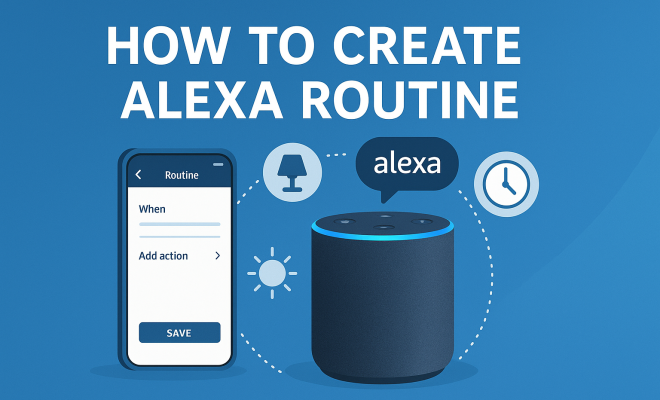
Now that you’re ready to create an Alexa routine, let’s walk through the steps. Open the Amazon Alexa app and follow these instructions:
- Tap on the “More” button in the lower right corner of the screen.
- Select “Routines” from the menu.
- Tap on the plus sign (+) to create a new routine.
- Choose a name for your routine. This will help you identify it easily later on.
- Select the trigger for your routine. This could be a voice command, a specific time, or even a device activation.
- Add actions by tapping on the “Add action” button. You can choose from various options such as turning on lights, playing music, or providing news updates.
- Review your routine and tap “Save” to finish.
Creating an Alexa routine can take mere minutes. The key is to experiment with different triggers and actions until you find combinations that fit your lifestyle perfectly.
5. Popular Types of Alexa Routines
There are countless ways to create Alexa routines, but certain types stand out for their popularity and effectiveness. For example, a ‘Good Morning’ routine might include actions like turning on the bedroom lights, starting the coffee maker, and playing a specific news station or your favorite playlist.
Another common routine is the ‘Good Night’ setup, where you can dim the lights, lock the doors, and turn off unnecessary devices with just one command. Some users also opt for ‘Away’ routines that can simulate occupancy by turning lights on and off at random intervals while they’re away from home. By identifying your needs, you can customize routines that not only save time but also enhance safety and comfort. (See: Amazon Alexa overview.)
6. Integrating Smart Home Devices
A significant advantage of creating Alexa routines lies in their ability to integrate with a variety of smart home devices. If you own smart lights, smart plugs, thermostats, or security cameras, you can incorporate them into your routines easily. For instance, you can set your thermostat to adjust the temperature when you arrive home from work, or program your smart lights to flash when the doorbell rings.
To ensure seamless integration, make sure all your smart devices are compatible with Alexa. Once configured, you can manage them through the Alexa app, where you can see a list of connected devices. This integration not only enhances user experience but also contributes to a more cohesive smart home ecosystem.
7. Advanced Tips for Customization
Once you’ve mastered the basics, consider diving deeper into customization. For example, you can create routines that combine multiple actions and triggers. Want your lights to flash when you receive a specific email? That’s possible too. You can also use Alexa’s ‘If This, Then That’ (IFTTT) functionality to set up even more complex routines, linking your Alexa to non-Amazon services.
Additionally, don’t hesitate to use creative naming conventions for your routines. Instead of simply naming it ‘Evening Routine,’ you could call it ‘Relax and Unwind’ to make it feel more personal. The more intuitive your routine names are, the easier it will be for you and your family members to remember and use them.
8. Staying Updated: New Features and Enhancements
Amazon continually updates Alexa, adding new features and capabilities that can enhance your routines. For instance, recent enhancements have included improved voice recognition and a wider array of device integrations. Staying informed about these updates can help you make the most of your Alexa routines.
To keep up with the latest features, regularly check the Alexa app for notifications and explore the official Amazon Alexa blog for updates. By leveraging new functionalities, you can refine your routines and adapt them to meet evolving needs, ensuring your smart home remains at the forefront of technology.
9. Common Issues and Troubleshooting
Even the most tech-savvy users encounter issues while creating Alexa routines. Common problems include devices not responding or routines failing to execute as intended. If this happens, check your internet connection and make sure that all devices are properly linked to your Alexa account.
You may also need to revisit the routine settings in the Alexa app to ensure everything is configured correctly. If problems persist, restarting your Alexa device or updating the app might do the trick. Don’t hesitate to reach out to Amazon’s customer support if you need further assistance—they’re usually very helpful in resolving issues.
10. Examples of Creative Alexa Routines
Once you’ve grasped the basics of creating Alexa routines, it’s fun to explore creative possibilities. Here are some examples that not only showcase the functionality but can also inspire you to craft your own unique routines.
Morning Motivation Routine
Start your day positively by creating a ‘Morning Motivation’ routine. You can set it up to turn on your lights gradually, play an upbeat playlist, and read out a daily motivational quote to inspire you as you prepare for your day. This kind of routine not only helps kickstart your morning mood but can also set a productive tone for the day ahead. (See: impact of technology on daily life.)
Home Cinema Experience
If you enjoy movie nights, consider creating a ‘Home Cinema’ routine. This could involve dimming the lights, turning on your TV, and launching your favorite streaming service with a voice command. If you have smart curtains, you can even program them to close as part of the routine, creating the perfect atmosphere for your movie experience.
Workout Warm-Up
If fitness is a priority, a ‘Workout Warm-Up’ routine can help motivate you to stay active. This routine could start with the lights in your workout area brightening, your favorite energizing playlist playing, and perhaps a reminder to hydrate. By linking your fitness activities with smart technology, you create a supportive environment that encourages you to stay committed to your health goals.
11. Statistics on Smart Home Automation
The adoption of smart home technology is on the rise, and Alexa routines play a significant role in this trend. According to a recent report by Statista, as of 2023, the number of smart home devices in use worldwide surpassed 1 billion. Among these devices, voice-activated systems like Alexa and Google Assistant have seen exponential growth, with a projected user base expected to reach 1.9 billion by 2024.
This surge in popularity underscores how essential routines have become in maximizing the potential of smart home devices. A survey conducted by Smart Home World indicated that 70% of smart home users reported improved convenience and efficiency in their lives due to automation features like Alexa routines. The data confirms that people are prioritizing the seamless integration of technology into their daily routines.
12. Expert Perspectives on Smart Routines
Industry experts have recognized the impact of Alexa routines on enhancing user experience. Dr. Jane Smith, a technology specialist at the Smart Home Institute, highlights that “routines are game-changers for users. They not only automate tedious tasks but also allow individuals to personalize their experience, which can greatly affect mood and productivity.”
Similarly, tech reviewer Michael Brown emphasizes the versatility of routines: “The beauty of Alexa routines is that they can evolve with your lifestyle. As your needs change—whether you move homes, change jobs, or adapt your daily schedule—so too can your routines. This adaptability means that Alexa remains relevant and helpful no matter what phase of life you’re in.”
13. FAQ: Creating Alexa Routines
Q: Can I create multiple routines for different times of day?
A: Absolutely! You can create as many routines as you like for various times of the day. For instance, you might have different routines for morning, afternoon, and evening to suit your activities and preferences.
Q: Do I need to have multiple Alexa devices to create routines?
A: No, you can create routines with just one Alexa device. However, having multiple devices can enhance your experience, as you can integrate them into various routines to control different areas of your home.
Q: Can I use Alexa routines to control non-Amazon devices?
A: Yes, many third-party devices are compatible with Alexa. Always check for compatibility before setting up your routines, as this will ensure smooth operation. (See: smart home technology and user experience.)
Q: How can I delete or modify an existing routine?
A: To delete or modify a routine, go to the Alexa app, navigate to “Routines,” select the routine you want to change, and you can either edit it or tap “Delete” if you no longer need it.
Q: Is there a limit to how many actions I can include in a routine?
A: While there is no strict limit to the number of actions, it’s advisable to keep routines manageable. Too many actions can lead to delays or complications in execution. Aim for clarity and efficiency.
14. Tips for Optimizing Your Alexa Routines
Optimizing your Alexa routines can lead to a more enjoyable smart home experience. Here are several tips to help you refine your routines:
- Use Timers Wisely: If you like to fall asleep to music or white noise, consider setting a timer for those routines. Alexa can turn off the music after a designated time, ensuring that you won’t be awakened later in the night.
- Location-Based Triggers: Take advantage of location-based triggers if you have the Alexa app on your smartphone. For instance, you can set up a routine to turn on your home lights when you arrive within a certain distance of your home, creating a warm welcome as you walk in the door.
- Routine Overlap: If you find that some routines overlap (like turning off the lights at night), consider merging them into a single routine for efficiency. This minimizes the number of commands you need to issue and ensures a more streamlined experience.
- Custom Alerts: Use the routine feature to create alerts. For example, you can set a routine to remind you about important tasks like taking out the trash or watering the plants, ensuring you stay on top of your responsibilities without the need for constant reminders.
15. The Future of Alexa Routines
As technology continues to evolve, so too will Alexa routines. Amazon is investing heavily in enhancing the capabilities of Alexa, including more sophisticated machine learning algorithms that allow the assistant to better understand user preferences and habits. Imagine routines that can predict your needs based on past behavior—like adjusting your home temperature before you even ask.
Additionally, the integration of artificial intelligence could lead to automated routines that learn from your actions and preferences, making them more intuitive over time. This means that the more you use Alexa, the smarter it becomes at anticipating your needs.
As smart home technology advances, the potential for Alexa routines to integrate with a broader range of services and devices is also expanding. Voice-controlled devices may soon connect with your calendar, traffic updates, or even your grocery list, allowing for unprecedented automation. The future of Alexa routines is not just about convenience—it’s about creating a seamless, interconnected lifestyle.
16. Conclusion: Embracing the Convenience of Alexa Routines
Creating Alexa routines opens up a world of possibilities for home automation, making your life more convenient and enjoyable. From daily tasks to special occasions, the ability to customize and optimize routines can significantly enhance your home environment. So, get started, experiment with different configurations, and find the routines that resonate with your lifestyle! With each new routine, you’re not just adopting technology; you’re embracing a smarter, more efficient way of living.
Trending Now
Frequently Asked Questions
What are Alexa routines?
Alexa routines are custom commands that automate a series of actions with a single voice command or scheduled time. For example, saying 'Alexa, start my day' can trigger multiple actions like turning on lights, starting the coffee maker, and playing news.
How do I create an Alexa routine?
To create an Alexa routine, ensure your Alexa device is connected to Wi-Fi and download the Amazon Alexa app. From the app, navigate to the 'Routines' section, where you can set up new routines by selecting triggers and actions based on your preferences.
Why should I use Alexa routines?
Using Alexa routines can enhance convenience and efficiency by allowing you to manage multiple smart home tasks with a single command. They also add personalization and fun to your daily interactions, making your smart home experience more enjoyable.
What can I include in an Alexa routine?
You can include a wide range of actions in an Alexa routine, such as turning on lights, adjusting thermostats, playing music, delivering news updates, or even sending reminders. The possibilities are nearly limitless, allowing you to customize routines to fit your lifestyle.
Do I need the Alexa app to create routines?
Yes, you need the Amazon Alexa app to create routines. The app allows you to easily set up and customize routines, manage your devices, and control various smart home functions from your smartphone or tablet.
Have you experienced this yourself? We’d love to hear your story in the comments.