How to remove connection on LinkedIn
“`html
LinkedIn has transformed the way professionals connect, network, and share knowledge in the digital age. However, there may come a time when you find yourself needing to declutter your connections. Whether it’s to maintain a more relevant network, remove unwanted connections, or simply manage your profile better, knowing how to remove connection on LinkedIn is a crucial skill. In this guide, we’ll explore the intricacies of managing your LinkedIn connections effectively.
1. Understanding the Importance of Clean Connections
Before diving into the mechanics of removing connections, it’s essential to understand why it’s important to keep your LinkedIn network clean. A cluttered network can dilute your professional brand and make it harder for you to connect with the right opportunities. Having connections that don’t align with your career goals can lead to missed opportunities and irrelevant content cluttering your feed.
Moreover, LinkedIn operates as both a social platform and a powerful job-search tool. A curated list of connections increases the likelihood of engaging with industry leaders, potential employers, and like-minded professionals. By removing connections that no longer serve your professional interests, you can enhance the quality of your interactions on the platform.
2. Steps to Remove a Connection on LinkedIn
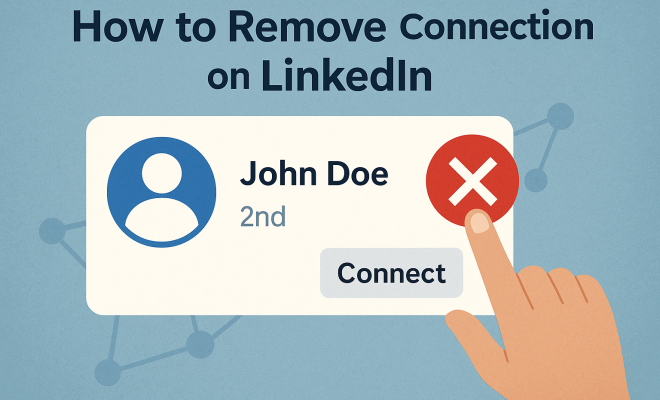
Removing a connection on LinkedIn is a straightforward process, but it’s essential to know exactly how to do it to avoid confusion. Here’s a step-by-step guide:
- Log into your LinkedIn account.
- Navigate to the My Network section located at the top of your homepage.
- Click on Connections on the left sidebar to see your current connections.
- Find the connection you wish to remove and click on the More icon (three dots) next to their name.
- Select Remove Connection from the dropdown menu.
- Confirm the action when prompted.
It’s as simple as that! However, ensure that you genuinely want to sever this tie, as removing a connection is irreversible unless you connect again later.
3. Reasons for Removing Connections
There are many valid reasons for wanting to remove connection on LinkedIn. Perhaps you’ve connected with someone who is no longer relevant to your career path or industry. Alternatively, you might have accepted a connection request out of courtesy, but now realize that you don’t wish to keep them in your network.
Another common scenario is when you encounter spam or inappropriate content from a connection. In such cases, removing these connections can help you maintain a professional and relevant feed. By being selective about your connections, you can ensure your network remains valuable and beneficial for your career.
4. Understanding LinkedIn’s Connection Limits
LinkedIn has specific guidelines regarding connections. You can connect with up to 30,000 people, but the platform encourages quality over quantity. If you reach the limit, you’ll need to remove some connections to add new ones. This is particularly important for users who actively engage with the platform and wish to expand their network.
Furthermore, LinkedIn’s algorithm tends to favor connections that engage with your content regularly. If many of your connections are passive or inactive, it may be time to reassess these relationships to maximize your networking potential.
5. How to Manage Your Connections Wisely
After learning how to remove connection on LinkedIn, it’s crucial to implement a strategy for managing your connections effectively. Regularly audit your network, perhaps once every few months, to identify any connections that may no longer be beneficial. This practice helps maintain a relevant and active network.
Consider categorizing your connections based on industry, relevance, or the frequency of interaction. This can help you prioritize whom to engage with regularly. LinkedIn also allows you to add notes to your connections, which can be useful for remembering key details about your contacts during future interactions.
6. Reconnecting: What to Do After Removing a Connection
If you’ve removed a connection but later find that you would like to reconnect, the process is simple. You can send them a new connection request. However, it’s good practice to include a personalized message explaining why you’d like to reconnect. This helps to clear any potential confusion or hard feelings that may arise from the disconnection.
Reconnecting thoughtfully can lead to renewed opportunities. It’s an excellent way to mend professional relationships and improve your network’s overall quality. Remember, maintaining a professional demeanor is key, even when navigating the complexities of online networking. (See: LinkedIn – Wikipedia.)
7. The Impact of Removing Connections on Your Network
One of the lesser-known impacts of removing connections on LinkedIn is the potential effect on your visibility on the platform. When you remove a connection, you lose the ability to see their updates, and they can’t see yours either. This may reduce your overall reach, especially if you had a close association with that connection.
However, the positives often outweigh the negatives. By focusing on connections that truly matter to your professional life, you increase the chances of receiving relevant job opportunities, collaborations, and insights. Remember, a smaller, engaged network is often more beneficial than a large, passive one.
8. Leveraging LinkedIn Tools for Connection Management
LinkedIn offers various tools and features that can help you manage your connections more effectively. For example, the Connections Page allows you to sort your connections by various filters such as location, industry, or recent activity. You can utilize these filters to identify which connections are engaging and which ones may need to be removed.
Additionally, consider using LinkedIn’s Sales Navigator or LinkedIn Premium features if you’re serious about networking. These tools provide enhanced search capabilities and insights into your connections, enabling you to make informed decisions about who to keep in your network.
9. Best Practices for Maintaining a Healthy LinkedIn Network
To ensure you maintain a healthy LinkedIn network, consider these best practices:
- Regularly Audit Your Connections: Set a schedule to review your connections periodically.
- Personalize Your Requests: Always personalize your connection requests to improve engagement.
- Engage Actively: Like and comment on posts from your connections to foster relationships.
- Use LinkedIn Groups: Join relevant groups to meet new professionals and expand your network strategically.
- Be Mindful of Disconnection: When removing connections, consider the impact on your network and the potential for future collaboration.
In summary, knowing how to remove connection on LinkedIn is just one part of effective network management. By incorporating a strategic approach to your connections, you can cultivate a network that aligns with your professional aspirations, opens doors to new opportunities, and enhances your personal brand.
10. Understanding the Psychology of Networking on LinkedIn
When you think about your LinkedIn connections, it’s helpful to consider the psychology behind networking. People connect for various reasons: professional alignment, mutual interests, or even just to increase their connection count. Understanding these motivations can help you make better decisions about who to connect with and who to remove.
For instance, some professionals believe that a high number of connections equates to greater influence or visibility. However, studies show that engagement matters more than sheer numbers. A smaller, engaged network that interacts meaningfully can yield better results than a large group of passive connections.
11. Statistics on LinkedIn Usage and Networking
To truly grasp the importance of managing your LinkedIn connections, consider the statistics surrounding LinkedIn usage:
- LinkedIn boasts over 900 million members globally.
- Around 40% of users log in daily, which highlights the platform’s active user base.
- According to a survey, 70% of people were hired at a company where they had a connection.
- Content shared by 1st-degree connections receives 8x higher engagement than that from non-connections.
These statistics demonstrate the potential power of a well-managed network. Being intentional about your connections can lead to better job opportunities and a more engaged audience when you share content.
12. Common Mistakes When Managing LinkedIn Connections
When managing your connections, it’s easy to make some common mistakes. Here are a few pitfalls to avoid:
- Connecting Without Purpose: Avoid sending connection requests indiscriminately. Each connection should serve a clear purpose in your network.
- Neglecting to Follow Up: After connecting, make an effort to engage with your new connections. This could mean commenting on their posts or sending them a message.
- Ignoring Inactive Connections: Hold onto connections that don’t engage with your content or respond to your messages. Be proactive in removing those that don’t contribute positively to your network.
- Being Afraid to Disconnect: Don’t hesitate to remove connections that no longer align with your goals. It’s a necessary part of maintaining a healthy network.
13. FAQs about Removing Connections on LinkedIn
Q1: Will the person I remove know that I’ve removed them?
A1: No, LinkedIn does not notify users when they are removed from your connections. However, they might notice that they can no longer see your updates or interact with you.
Q2: Can I see a list of connections I’ve removed? (See: Social Media and Professional Networking.)
A2: No, LinkedIn does not provide a way to view a list of removed connections. However, you can keep track of your connections manually or through notes to help you remember.
Q3: Is it possible to remove multiple connections at once?
A3: Currently, LinkedIn does not allow users to bulk remove connections. You’ll need to remove them one at a time.
Q4: Can I reconnect with someone after removing them?
A4: Yes, you can send a connection request to someone after removing them. Including a personalized message can help clarify your intentions.
Q5: How does removing connections affect my profile views?
A5: Removing connections might initially decrease your profile views, as you lose the ability to engage with that person’s network. However, focusing on more relevant connections can ultimately improve your visibility within a more engaged audience.
14. How to Create a Connection Strategy
Creating a connection strategy on LinkedIn can significantly enhance your networking experience. Start by defining your goals. Are you looking to find a mentor, explore new job opportunities, or expand your knowledge in a specific field? Clearly outlining your objectives can help you decide which connections will add value to your network.
Next, consider your target audience. Think about the professionals you admire in your industry and aim to connect with individuals who can help you achieve your goals. This could include peers, influencers, or leaders within your field. Prioritize quality over quantity, ensuring that each connection aligns with your objectives.
Finally, cultivate relationships with your connections. Regularly reach out to engage with them through messages or by commenting on their posts. This proactive approach can keep your network active and involved, making it easier to leverage these connections when opportunities arise.
15. The Role of LinkedIn Groups in Networking
Joining LinkedIn groups is another effective way to expand your network and connect with like-minded professionals. These groups can provide a forum for discussion, sharing insights, and even job opportunities. When participating in groups, aim to contribute meaningfully by sharing your expertise and engaging with others.
Being an active member of relevant groups can help you meet new connections organically. Don’t hesitate to reach out to group members to connect directly on LinkedIn, especially if you find common ground or shared interests. This approach often leads to more impactful networking than sending generic connection requests.
16. Networking Etiquette on LinkedIn
Understanding networking etiquette is critical when using LinkedIn professionally. Always personalize your connection requests, as this shows that you value the other person’s experience and aren’t just looking to increase your numbers. A brief note on why you want to connect can make all the difference. (See: Harvard University – Networking Resources.)
Respect the boundaries of your connections. Avoid bombarding them with messages or requests, especially if they haven’t responded. Instead, nurture the relationship gradually, allowing it to evolve over time. Additionally, when reaching out to someone after a long period, it’s courteous to reintroduce yourself and reference your previous connection.
17. Examining the LinkedIn Algorithm
The LinkedIn algorithm plays a significant role in how your posts are seen and how connections engage with your content. It determines which posts show up in your feed based on user interaction, relevance, and engagement. Understanding this can help you tailor your posts to maximize visibility.
Engagement is key; the more your connections interact with your content, the more likely it is that they will see your future posts. By maintaining an engaged network, you can leverage the algorithm to your advantage. Regularly sharing valuable content and encouraging discussions can keep your profile visible to your connections—thus enhancing your professional presence on the platform.
18. Utilizing LinkedIn Analytics
LinkedIn provides analytics tools that can help you gauge the effectiveness of your networking strategies. By reviewing the engagement metrics on your posts and profile views, you can identify which types of content resonate most with your connections. This insight can refine your approach moving forward.
For instance, if you notice that posts about industry trends generate high engagement, consider producing similar content more frequently. Understanding the analytics can also guide your connection decisions; if certain connections are consistently engaging with your posts, they may be worth maintaining in your network.
19. Long-Term Networking Strategies
Networking should be viewed as a long-term investment in your professional journey. Prioritize building relationships over transactional connections. Take the initiative to reach out to connections regularly, not just when you need something. This will help you stay on their radar and foster a mutual relationship.
Consider organizing virtual coffee chats or informational interviews with your connections. These interactions can deepen relationships and potentially lead to future collaborations or job opportunities. Building a reputation as someone who is supportive and engaged in your network can also encourage others to reciprocate.
20. Final Thoughts on Managing Your LinkedIn Connections
In today’s fast-paced professional environment, it’s crucial to cultivate a LinkedIn network that truly works for you. Knowing how to remove connection on LinkedIn is essential for maintaining a relevant and engaged network. By being intentional about your connections, leveraging LinkedIn’s tools, and regularly auditing your network, you can ensure that every connection adds value to your professional journey.
Remember, your LinkedIn profile is a reflection of your professional persona. A clean, relevant, and engaged network can open doors to new opportunities, collaborations, and insights, ultimately enhancing your career growth.
“`
Trending Now
Frequently Asked Questions
How do I remove a connection on LinkedIn?
To remove a connection on LinkedIn, log into your account, go to the 'My Network' section, click on 'Connections', find the person you want to remove, click the 'More' icon next to their name, select 'Remove Connection', and confirm the action.
What happens when you remove a connection on LinkedIn?
When you remove a connection on LinkedIn, they will no longer see your updates or be able to message you. However, you will still be able to view their profile, but they won't appear in your connections list.
Can someone tell if I remove them from my LinkedIn connections?
No, LinkedIn does not notify users when they are removed as a connection. They will only realize they have been removed if they try to view your profile or send you a message.
Why should I remove connections on LinkedIn?
Removing connections on LinkedIn helps to maintain a more relevant and focused professional network. It can enhance your engagement with industry leaders and potential employers by decluttering your feed from irrelevant content.
Is it easy to manage LinkedIn connections?
Yes, managing LinkedIn connections is straightforward. You can easily add or remove connections through the 'My Network' section, helping you curate a professional network that aligns with your career goals.
What’s your take on this? Share your thoughts in the comments below — we read every one.