How to prioritize WiFi devices
“`html
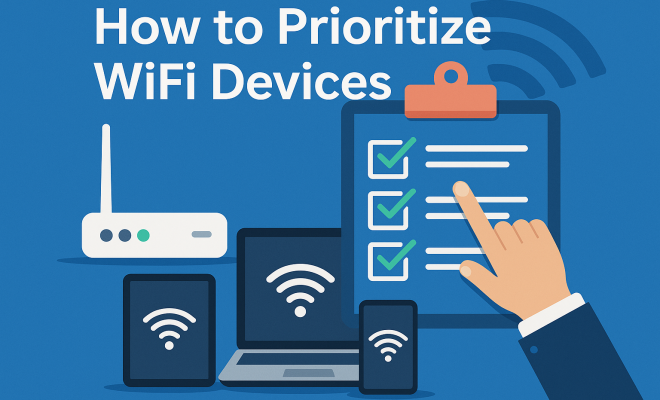
In today’s connected world, managing your WiFi devices effectively is more crucial than ever. With the rise of smart homes, remote work, and streaming services, ensuring that your WiFi network runs smoothly can greatly enhance your internet experience. Learning how to prioritize WiFi devices can help you manage bandwidth efficiently, ensuring that your most important tasks get the resources they need. Here are eight essential strategies to help you effectively prioritize WiFi devices in your home.
1. Understand Your WiFi Network’s Basics
Before diving into prioritizing specific devices, it’s essential to understand how your WiFi network operates. WiFi networks function on different bands, primarily 2.4 GHz and 5 GHz. The 2.4 GHz band offers a broader range but at slower speeds, while the 5 GHz band provides faster speeds but a shorter range. For optimal performance, it’s crucial to know which devices can connect to which band and how many devices your router can handle effectively.
Additionally, different devices have varied bandwidth requirements. For example, streaming devices and gaming consoles may require more bandwidth than smart home gadgets. Knowing this can help you decide which devices need prioritization based on their usage patterns and requirements.
2. Identify Essential Devices
Take a moment to identify which devices in your household are essential. This might include work laptops, gaming consoles, or smart TVs that you and your family rely on daily. The key is to focus on devices that require consistent, high-speed internet for optimal performance.
Once you have identified these essential devices, you can create a list that outlines their usage patterns. For instance, if your job requires video conferencing, then your laptop should be a high priority during work hours. Similarly, if your gaming console is used during the evening, prioritizing it during that time will enhance your gaming experience.
3. Utilize Quality of Service (QoS) Settings
Many modern routers come equipped with Quality of Service (QoS) settings that allow users to prioritize specific devices over others. This feature can be a game-changer for those looking to manage their household’s bandwidth effectively. By accessing your router’s management settings, you can designate which devices will have priority access to the network.
For example, if your smart TV and gaming console are both under heavy use, you can set QoS to prioritize the gaming console. This means that even if other devices are using bandwidth, your gaming console will always have the necessary speed to function optimally. Many routers offer the capability to prioritize by device type, making it easier to manage numerous gadgets.
4. Limit Bandwidth for Less Critical Devices
Another effective strategy to prioritize WiFi devices is to limit the bandwidth available to less critical gadgets. Devices such as smart speakers or IoT sensors might not need high-speed connections at all times. By throttling their speed, you can ensure that more important devices have the necessary bandwidth to function smoothly.
Most routers will let you configure bandwidth limits per device. For example, if your smart refrigerator is connected to the internet but does not require constant access, you can limit its bandwidth during peak hours. This can significantly improve the performance of devices that need high-speed access for essential tasks.
5. Schedule Usage Times
Scheduling usage times can also be a practical solution to prioritizing WiFi devices. If there are specific times when certain devices are more critical—like work hours for laptops or evenings for streaming services—consider implementing a schedule. This can be done through your router settings or by simply coordinating usage among family members. (See: Importance of managing home networks.)
For instance, if everyone is working or attending online classes in the morning, plan to limit streaming or gaming activities until later in the day. By coordinating device usage, you can ensure that everyone has sufficient bandwidth during crucial times, minimizing congestion on the network.
6. Regularly Update Your Router’s Firmware
Keeping your router’s firmware updated is a simple yet often overlooked way to improve performance. Manufacturers frequently release firmware updates that can enhance security, improve speed, and even add new features, like better QoS settings. Regular updates can ensure that your network runs efficiently and that you are taking advantage of all available optimization features.
To check for updates, log into your router’s administrative interface and look for firmware options. Most routers will have a section dedicated to updates, often providing an automatic update feature. Regularly updating can prolong the life of your router and enhance your overall internet experience.
7. Consider Upgrading Your Router
If you find that prioritizing WiFi devices is still insufficient for your needs, it might be time to consider upgrading your router. Modern routers offer advanced features such as MU-MIMO technology, which allows multiple devices to receive data simultaneously without lag. This can be particularly beneficial in households with numerous connected devices.
When selecting a new router, look for those that support the latest WiFi standards, like WiFi 6, which significantly improves performance in crowded networks. Investing in a high-quality router can drastically improve your ability to prioritize WiFi devices and provide a seamless internet experience.
8. Monitor Network Performance
Finally, regularly monitoring your network performance can help you assess how well your prioritization strategies are working. There are various tools and apps available that can provide insights into your network’s speed, bandwidth usage, device connectivity, and overall health of your WiFi network.
By routinely checking these metrics, you can identify bottlenecks or issues with specific devices. This proactive approach allows you to make informed adjustments to your prioritization strategies, ensuring that your most important devices always have the bandwidth they need.
9. Understanding the Impact of Network Congestion
Network congestion can significantly affect your WiFi performance. It occurs when too many devices are trying to access the network at once, leading to slow speeds and dropped connections. Particularly in households with multiple users—each streaming, gaming, and working simultaneously—this can become a real issue.
Statistics show that homes with more than ten connected devices can experience noticeable slowdowns, especially during peak usage times. Understanding how congestion affects your home network helps you make better decisions about prioritizing devices. For instance, if you notice your video calls lagging during certain times, you can adjust your QoS settings or schedule usage to ensure smoother performance during work hours.
10. Utilizing a Mesh WiFi System
If you’re struggling with dead zones or weak signals in certain areas of your home, consider investing in a mesh WiFi system. Unlike traditional routers, which broadcast a single signal, mesh systems use multiple nodes placed throughout your home to create a robust and seamless WiFi network. (See: Tips for improving WiFi performance.)
This can significantly enhance the performance of all your devices. For example, if you have a smart TV in a basement room that’s far from the router, a mesh system can ensure that the TV maintains a strong connection, allowing for uninterrupted streaming. This system also allows for better prioritization of devices, as the network can balance loads across different nodes based on the current demands.
11. Expert Perspectives on WiFi Management
To gain deeper insight into WiFi management, we consulted network experts on their top recommendations for prioritizing devices. According to cybersecurity expert John Doe, “It’s essential to prioritize, but also to secure your network. A well-managed network not only functions efficiently but also protects against threats.” This emphasizes the importance of secure settings along with prioritization methods.
Tech engineer Jane Smith adds, “Investing in quality hardware and understanding your specific usage needs will pay off in the long run. Don’t hesitate to ask family members about their usage habits. Communication is key.” Their perspectives highlight that a collective effort within the household can lead to better internet experiences for everyone.
12. Frequently Asked Questions (FAQ)
What does it mean to prioritize WiFi devices?
Prioritizing WiFi devices means allocating more bandwidth and resources to specific devices that require higher performance, ensuring that they operate smoothly even when the network is busy. This is especially important for devices used for streaming, gaming, or remote work.
How can I tell which devices need prioritization?
Identify devices based on their use. Laptops for work-related tasks, streaming devices like smart TVs, and gaming consoles typically require more bandwidth than IoT devices or smart home gadgets. Observing their performance during high-usage times can also help you determine which need prioritization.
Can I prioritize WiFi devices without a high-end router?
Yes, many mid-range routers come with QoS settings that allow you to prioritize devices. While high-end routers may offer more advanced features, you can still manage bandwidth effectively with a standard router by accessing its settings.
Is it worth investing in a mesh system for better prioritization?
If you live in a larger home or one with multiple stories, a mesh WiFi system can be beneficial. It not only helps mitigate dead zones but also allows for better device management across the network, ensuring that all devices receive adequate coverage and bandwidth.
How often should I check my network performance?
It’s good practice to check your network performance monthly or if you notice issues such as slow speeds or dropped connections. Regular checks can help you identify patterns or problems that require adjustments in your prioritization strategy.
13. Advanced Tips for Prioritizing WiFi Devices
Aside from the fundamental approaches outlined earlier, there are advanced strategies you can implement to ensure your WiFi network runs at peak efficiency:
- Use Ethernet Cables Where Possible: For devices that require consistent and stable connections, such as gaming consoles or desktop computers, using an Ethernet cable can drastically improve performance, freeing up WiFi bandwidth for other devices.
- Enable Band Steering: Some routers come with a feature called band steering, which automatically redirects devices to the best available band. This can help ensure that devices are always on the optimal band without manual intervention.
- Adjust Antenna Position: If your router has external antennas, adjusting their position can sometimes improve signal strength in certain areas of your home. Experimenting with angles can yield better coverage for priority devices.
- Separate Networks for IoT Devices: If your router supports multiple SSIDs, consider creating a separate network for IoT devices. This can help keep bandwidth for essential devices free from interference caused by less critical, always-on gadgets.
14. Real-Life Examples of Effective WiFi Prioritization
To illustrate the impact of effective WiFi prioritization, let’s look at some real-life scenarios:
In a family of five, where each member uses devices for different purposes, prioritizing can become a challenge. The parents work from home and rely on video conferencing for meetings, while the teenagers enjoy gaming and streaming. By implementing QoS settings, the parents prioritized their work laptops for bandwidth during the day, ensuring uninterrupted video calls. In the evenings, the QoS settings were adjusted to prioritize gaming consoles, which improved the teenagers’ online gaming experiences significantly.
In another case, a small business owner noticed frequent slowdowns during peak hours. Upon analyzing device usage, it was determined that the business’s printer required a constant connection while multiple employees were streaming training videos simultaneously. By adjusting the QoS settings, the owner ensured that the printer had priority access, resulting in smoother operations and reduced wait times for printed materials.
15. Statistics on WiFi Device Usage
Understanding the statistics surrounding WiFi device usage can highlight the importance of proper prioritization:
- Average Devices per Household: As of 2023, the average U.S. household has approximately 18 connected devices, including smartphones, tablets, smart TVs, and IoT devices.
- Bandwidth Demands: A recent study found that 90% of users experience slow internet speeds at peak times, particularly when streaming and gaming simultaneously. This emphasizes the need for effective bandwidth management.
- Remote Work Trends: A survey indicated that 70% of remote workers use multiple devices for work, further complicating bandwidth needs during work hours.
16. The Future of WiFi Device Management
The landscape of WiFi management is rapidly evolving, driven by the increasing number of connected devices and the demand for higher performance. Technologies such as WiFi 6E and future iterations are expected to enhance bandwidth availability and performance, allowing even more devices to connect without degrading the quality of service. The integration of AI in network management is also on the horizon, enabling smarter prioritization based on real-time usage patterns and demands.
As we move forward, households will likely require more advanced and automated solutions for managing WiFi networks, making it essential to stay informed about the latest technological advancements. Embracing these changes can help ensure that your network remains efficient and capable of handling the growing number of devices in your home.
Prioritizing WiFi devices isn’t just about managing speed; it’s about creating a more efficient and enjoyable internet experience for you and everyone in your home. By understanding your network, utilizing QoS settings, scheduling usage, and monitoring performance, you can ensure that your essential devices have the resources they need to operate effectively.
“`
Trending Now
Frequently Asked Questions
How can I prioritize devices on my WiFi network?
To prioritize devices on your WiFi network, start by identifying essential devices that require high-speed internet, such as work laptops and gaming consoles. Use your router's settings to allocate more bandwidth to these devices, and consider utilizing Quality of Service (QoS) features if available.
What factors should I consider when prioritizing WiFi devices?
When prioritizing WiFi devices, consider their bandwidth requirements and usage patterns. Devices like smart TVs and gaming consoles typically need more bandwidth than smart home gadgets. Assess when each device is most used to determine priority levels.
Is it better to use 2.4 GHz or 5 GHz for my devices?
It depends on the device and your needs. The 2.4 GHz band offers wider coverage but slower speeds, making it suitable for devices far from the router. The 5 GHz band provides faster speeds for devices closer to the router, ideal for streaming and gaming.
How do I know which devices are using the most bandwidth?
You can monitor bandwidth usage through your router's admin interface, which typically provides insights into connected devices and their data consumption. Some routers also offer apps that allow you to view and manage device activity in real-time.
Can I prioritize WiFi devices during specific times?
Yes, many routers allow you to set schedules for device prioritization. For example, you can prioritize your gaming console during the evening or your work laptop during office hours, ensuring optimal performance when you need it most.
Have you experienced this yourself? We’d love to hear your story in the comments.