Mastering Floor Plans: Your Essential Creation Guide
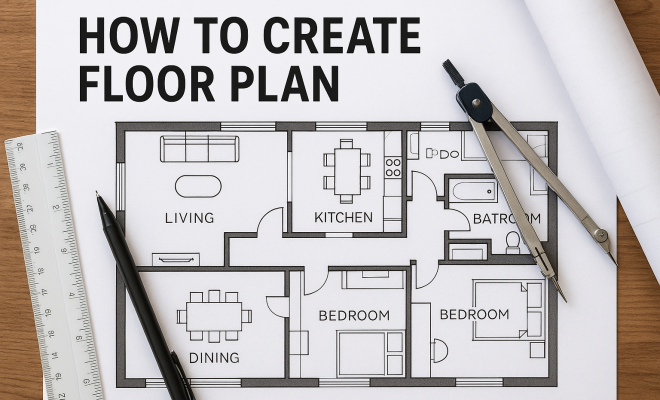
“`html
Creating a floor plan is an essential step in any design project, whether it’s a new home, an office, or a renovation. A well-thought-out floor plan can make all the difference in usability, aesthetics, and functionality. This guide will take you through the key elements and practical insights needed to create a floor plan that meets your needs and maximizes your space. Let’s dive in!
1. Understanding the Purpose of Your Floor Plan
Before you begin sketching out your floor plan, it’s crucial to understand its purpose. Are you designing a new home, planning an office layout, or renovating an existing space? The intent behind your floor plan will influence every decision you make, from room sizes to the flow of movement within the space.
For residential projects, consider the lifestyle of the occupants. For example, a family with children might prioritize open spaces for play and interaction, while a professional may value privacy for a home office. In commercial settings, traffic flow and accessibility become paramount, as you’ll need to account for customer movement and staff functionality.
Taking the time to clarify the purpose of your floor plan will ultimately save you time and resources during the design and construction phases. It can also help streamline discussions with contractors and other professionals involved in the project, ensuring everyone is on the same page.
2. Gathering Tools and Resources
To create a floor plan, you’ll need a set of tools and resources. Traditional methods involve graph paper, rulers, and pencils, but modern technology has revolutionized this process. Various software and applications offer user-friendly interfaces that allow you to create floor plans digitally. Some popular ones include SketchUp, AutoCAD, and RoomSketcher.
Additionally, it’s beneficial to gather inspiration and reference materials. Websites like Pinterest and Houzz are excellent for viewing examples of floor plans and designs that resonate with you. These resources can provide insights into layout possibilities and design trends, enabling you to make more informed choices.
Consider creating a mood board, either digitally or physically, to compile images, color swatches, and textures that reflect your vision. This serves as a helpful guide as you create your floor plan, keeping your design intentions clear and focused.
3. Measuring Your Space
Accurate measurements are the foundation of a successful floor plan. Start by measuring the dimensions of the area you’re working with. Use a tape measure and jot down the lengths of walls, doorways, and windows, including their heights. Be meticulous, as even small discrepancies can lead to major issues down the line.
Once you have these measurements, sketch a rough outline of the space on graph paper or within your chosen software. Ensure to indicate the location of doors, windows, and any built-in features like closets or appliances. This preliminary sketch will serve as the base for your final floor plan.
It can be useful to create a legend to differentiate between various elements like windows, doors, and furniture. This not only keeps your plan organized but also helps anyone looking at it understand your design intent quickly.
4. Drafting Your Initial Floor Plan
With your space measured and your tools ready, it’s time to draft your initial floor plan. Start by drawing the walls according to the measurements you’ve taken. If you’re using software, you can often drag and drop wall segments to create the boundaries of each room. (See: Wikipedia on floor plans.)
Consider the functionality of each room as you draw. Think about how rooms will interact with one another; for instance, a kitchen should ideally be adjacent to a dining area. Keep in mind accessibility features, ensuring hallways and doorways are wide enough to accommodate movement. As you create your layout, don’t hesitate to make adjustments — this is part of the design process!
While drafting, think about long-term use of the space. For instance, if you expect to have guests often, consider including extra guest rooms or convertible spaces. This forward-thinking approach can add significant value and functionality to your design.
5. Incorporating Essential Features
Now that you have your basic layout, it’s time to incorporate essential features into your floor plan. This includes furniture placement, electrical outlets, and plumbing fixtures. Visualizing how different elements will fit into your space is crucial for functionality.
For residential spaces, consider the flow of traffic around furniture. Avoid placing large pieces in high-traffic areas to maintain an open and inviting atmosphere. In commercial spaces, design should focus on optimizing customer experience, meaning features like aisles, checkout counters, and waiting areas must be strategically positioned.
Don’t forget about lighting! Planning for natural and artificial light sources can enhance the usability of each room. Consider where windows are located and how they affect the overall ambiance. In darker spaces, think about the types of fixtures that would work best for illuminating the room without compromising the overall design.
6. Review and Refine Your Design
Once you have your initial floor plan drafted, it’s time to review and refine it. Step back and evaluate your design critically. Does the layout meet the needs you identified at the beginning? Are there any areas where space feels cramped or underutilized?
Involving others in this review process can also be beneficial. Share your design with family members or coworkers and gather their feedback. Sometimes, a fresh pair of eyes can identify issues you may have overlooked or suggest alternative solutions that enhance the overall layout.
Consider conducting a walkthrough of your design using a 3D modeling tool. This can allow you to visualize how the space will feel and function. Adjustments made in the virtual model can save time and resources in the actual construction phase.
7. Finalizing Your Floor Plan
The final step in creating your floor plan is to finalize your design. This involves cleaning up your draft, ensuring all measurements are accurate, and making any last-minute adjustments based on feedback. If you’re using software, you may have the option to produce a 3D model of your floor plan, which can be incredibly helpful for visualizing the space as a whole.
Once you’re satisfied with your floor plan, consider printing it out or saving it in a commonly used format like PDF. Having a readily accessible version will be useful as you move forward with construction or renovation. Remember, a well-thought-out floor plan is a blueprint for successful execution, so take your time with this final stage!
Additionally, consider documenting your design process. Keeping notes on what worked and what didn’t can be invaluable for future projects. This can also serve as a portfolio piece showcasing your ability to create functional spaces.
8. Common Mistakes to Avoid When Creating a Floor Plan
Even seasoned designers can make mistakes when creating a floor plan. Here are some common pitfalls to watch out for: (See: CDC on urban planning and design.)
- Ignoring Scale: A floor plan must be drawn to scale to be functional and accurate. Failing to adhere to scale can lead to unrealistic expectations about space usage.
- Underestimating Dimensions: Make sure to account for all dimensions, including ceiling heights and the thickness of walls, to avoid surprises later.
- Neglecting Traffic Flow: Always consider how people will move through the space. A beautiful room layout can fall flat if it disrupts the natural flow of movement.
- Overcrowding Spaces: Fitting too much furniture into a room can make it feel cramped. Prioritize essential pieces and leave ample space for movement.
- Skipping Functionality Checks: Ensure that the intended use of each room aligns with its layout. A perfectly designed room can become useless if it doesn’t meet the needs of its occupants.
9. Examples of Effective Floor Plans
To provide some context, let’s look at a few effective floor plan examples:
Residential Example: Family-Friendly Layout
In a modern family home, an effective floor plan might feature an open-concept living area that flows into the kitchen and dining room. This layout allows parents to keep an eye on children while preparing meals. Bedrooms are situated away from the common areas for privacy, and a small office can be tucked away in a quiet corner, maximizing functionality without compromising family interaction.
Additionally, consider incorporating multi-functional spaces, such as a guest room that doubles as a home gym. This adaptability can be a game-changer, especially in smaller homes where every square foot counts.
Commercial Example: Retail Store Layout
A successful retail store layout often includes a clear entrance, wide aisles, and strategically placed product displays that encourage browsing. Placing customer service near the entrance can help guide shoppers and improve their overall experience. Additionally, clear signage and easy navigation can enhance customer flow, making shopping more enjoyable and efficient.
Another effective strategy is to zone the store into sections, such as seasonal items or special promotions. This not only helps with organization but can also drive sales by drawing customers to different parts of the store.
10. Utilizing Technology in Floor Plan Creation
With advancements in technology, creating a floor plan has become more accessible and interactive. Here are some tools and technologies you can leverage:
- 3D Modeling Software: Programs like SketchUp and Blender allow you to visualize your design in three dimensions, giving you a more realistic view of how the space will look once completed.
- Virtual Reality (VR): Some software now supports VR, enabling you to walk through your floor plan in a virtual environment. This immersive approach can help identify potential issues before construction begins.
- Augmented Reality (AR): AR apps let you overlay your digital floor plan onto your physical space using your smartphone or tablet, providing a unique perspective on how your design will fit into the existing environment.
- AI and Machine Learning: Emerging tools utilize AI algorithms to suggest optimal floor plan layouts based on user inputs and preferences, streamlining the design process.
11. Statistics on Floor Plan Effectiveness
Understanding the impact of an effective floor plan can be bolstered by statistics. Here are a few noteworthy figures:
- According to a study by the National Association of Home Builders, 66% of homebuyers consider an open floor plan essential, reinforcing its popularity in modern residential design.
- A survey by the American Institute of Architects found that 62% of architects report that clients often request designs that enhance flow and connectivity between spaces.
- Research conducted by the International Journal of Design suggests that efficient space planning can increase productivity in office environments by up to 20%.
- Furthermore, a report from the National Association of Realtors indicates that well-designed floor plans can lead to quicker sales, with homes selling 15% faster than those with poor layouts.
12. Expert Perspectives on Creating a Floor Plan
Industry experts have valuable insights into what makes a floor plan successful. Here are a few quotes from professionals:
“A floor plan should reflect the lifestyle of its inhabitants. It’s not just about aesthetics; it’s about creating a space that works.” — Jane Smith, Interior Designer
“Understanding how people interact with space is key. The best floor plans promote ease of movement and enhance usability.” — John Doe, Architect (See: New York Times on home design trends.)
Experts also stress the importance of flexibility in design. As lifestyles change, a floor plan that allows for easy modifications can be invaluable. For instance, designing a space that can accommodate a growing family or support remote work can ensure longevity in your investment.
13. Frequently Asked Questions (FAQs)
What is the best software for creating a floor plan?
There are several options available, but popular choices include SketchUp for 3D modeling, AutoCAD for detailed architectural designs, and RoomSketcher for user-friendly floor planning.
How do I determine the scale for my floor plan?
The scale can typically be set within your chosen software. If drawing manually, a common scale is 1/4 inch equals 1 foot. Adjust this based on the size of your paper and the overall dimensions you need to represent.
Can I create a floor plan without professional help?
Absolutely! With modern tools and ample resources available, many individuals successfully create their own floor plans. Just ensure you take accurate measurements and consider functionality.
How does a well-designed floor plan affect value?
A well-designed floor plan can significantly enhance a property’s value. Potential buyers often look for functionality and flow, making a thoughtful layout an attractive selling point.
What are the key elements of a floor plan?
Some key elements include accurate dimensions, room placement, traffic flow, essential features like doors and windows, and furniture placement. All of these contribute to the overall functionality of the space.
How can I ensure my floor plan is optimized for future needs?
To future-proof your floor plan, think about flexibility and adaptability. Design spaces that can serve multiple purposes over time, like a guest room that can transition into a home office. Also, consider incorporating storage solutions that are functional and stylish, allowing the space to adapt as needs change.
Conclusion: Bringing Your Floor Plan to Life
Creating a floor plan is more than just drawing lines on paper; it’s about planning for the future and ensuring that your space meets your needs effectively. By following these steps, you can create a floor plan that serves as a strong foundation for your project, enhancing both functionality and comfort. Whether you’re a homeowner, a business owner, or an architect, understanding how to create a floor plan is a vital skill that will elevate your design projects to new heights.
“`
Trending Now
Frequently Asked Questions
What is the first step in creating a floor plan?
The first step in creating a floor plan is to understand its purpose. Determine whether you are designing a new home, planning an office layout, or renovating an existing space, as this will influence room sizes and the flow of movement.
What tools do I need to create a floor plan?
To create a floor plan, you can use traditional tools like graph paper, rulers, and pencils. However, modern technology offers software applications such as SketchUp, AutoCAD, and RoomSketcher, which provide user-friendly interfaces for digital floor plan creation.
How do I gather inspiration for my floor plan?
Gathering inspiration for your floor plan can be done by browsing websites like Pinterest and Houzz. These platforms offer a variety of examples and designs that can help you visualize different layouts and styles for your project.
Why is a floor plan important in design projects?
A well-thought-out floor plan is crucial because it enhances usability, aesthetics, and functionality. It helps clarify your design intent, saves time and resources during construction, and facilitates effective communication with contractors and professionals.
How can I ensure my floor plan meets my needs?
To ensure your floor plan meets your needs, take the time to clarify its purpose and consider the lifestyle of the occupants. This will guide decisions on space allocation, room sizes, and movement flow, making the design more functional and user-friendly.
Agree or disagree? Drop a comment and tell us what you think.