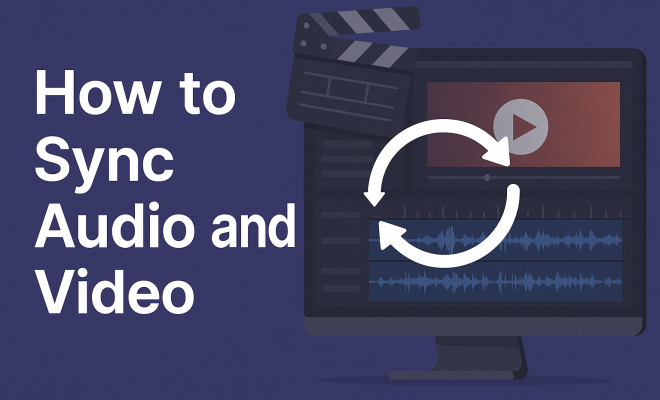
How to sync audio and video
“`html
Syncing audio and video is a crucial skill in video production, streaming, and content creation. Whether you’re a filmmaker, a podcaster, or someone sharing videos on social media, ensuring that your audio track aligns seamlessly with your visual content is vital for a professional finish. In this article, we’ll explore the essential techniques and tools to help you effectively sync audio and video, enhancing the overall quality of your projects.
1. The Importance of Syncing Audio and Video
When creating video content, the auditory and visual elements must work together in harmony. Poorly synced audio can distract viewers, detracting from the message and professionalism of your production. In fact, studies show that viewers are likely to abandon videos that have noticeable sync issues, leading to lost engagement and credibility.
Beyond viewer retention, syncing audio and video correctly can enhance storytelling. With dialogue, sound effects, and music all playing integral roles, having them in sync creates a more immersive experience. It also allows for better emotional resonance; imagine a heartfelt moment in a film where the audio doesn’t match the visuals — it can undermine the entire scene.
According to a survey conducted by the Video Marketing Institute, 60% of respondents stated that audio quality is a significant factor in their perception of video quality. This statistic highlights how critical syncing can be in maintaining viewer engagement and trust.
2. Understanding the Basics of Audio and Video Signals
To effectively sync audio and video, it’s essential to understand how these signals work. Audio and video are both forms of signals that need to be interpreted by your editing software. Audio signals are typically represented in waveforms, while video is comprised of a series of frames. Each frame has a corresponding audio sample rate, which must be matched for perfect synchronization.
Most devices record audio at a sample rate of 44.1 kHz or 48 kHz, while video usually operates at various frame rates, such as 24, 30, or 60 frames per second (fps). Knowing these details helps you choose the right settings in your editing software for smooth synchronization.
Additionally, understanding latency is crucial. Latency refers to the time delay between audio and video signals as they are processed by your devices. Keeping this delay minimal can significantly improve sync accuracy. Devices that are poorly matched in terms of technology can introduce unwanted latency, complicating the sync process.
3. Choosing the Right Tools for Syncing
There are various tools and software available that can assist you in syncing audio and video. Popular video editing software like Adobe Premiere Pro, Final Cut Pro, and DaVinci Resolve offer built-in features for this task. They provide options such as automatic sync settings and manual synchronization tools.
Additionally, external tools and applications like PluralEyes are designed specifically for syncing audio and video. This software analyzes the audio waveforms from both video and audio tracks and aligns them automatically, saving time and effort.
For those who prefer a more hands-on approach, software like Audacity can be used to edit audio tracks before importing them into your video editing software. This allows you to make adjustments to the audio that can help ensure better syncing later on.
4. Setting Up Your Recording Environment
To reduce the chances of audio sync issues, it’s essential to set up your recording environment correctly. Start by ensuring that your audio and video recording devices are configured to use the same sample rate and frame rate. This helps avoid discrepancies that can lead to sync problems during editing. (See: importance of audio-video sync.)
Additionally, consider using timecodes or clapperboards when recording, especially when working with multiple cameras or audio sources. A clapperboard provides a visual and auditory cue that makes it easier to align tracks in post-production. By marking the beginning of each take visually and acoustically, you create a point of reference to sync audio and video more efficiently.
Lighting and acoustics in your recording space also play a role. Good lighting can help with video clarity, while soundproofing or using soft furnishings can reduce echo and background noise, leading to clearer audio. This clarity is vital when syncing, as any audio distortions can complicate the process.
5. Manual Syncing Techniques
If you’re working with more basic editing software or prefer a hands-on approach, manual syncing can be an effective method. Start by placing both audio and video tracks on the timeline of your editing software. Find the peak in the audio waveform that corresponds with a visual cue from the video, such as a clap or the start of dialogue.
Zooming in on the timeline can help ensure precision. You can nudge the audio track left or right until the sound matches the visual action perfectly. This technique can be time-consuming but often yields the best results if done carefully.
It’s also helpful to use markers within your editing software. Place markers at significant points in both the audio and video tracks, which can serve as visual aids during your syncing process. This method can streamline your workflow and make tracking adjustments easier.
6. Using Automatic Sync Features
Many modern editing programs have automatic sync features that utilize audio waveform analysis to align tracks. For instance, in Adobe Premiere Pro, you can select multiple clips, right-click, and choose the “Synchronize” option. This saves you time, especially when dealing with lengthy projects.
While automatic sync is incredibly useful, it’s not infallible. Always review the synced tracks to ensure they match up correctly. Sometimes, manual adjustment may still be necessary, especially in complex scenes or when working with varying audio qualities.
Newer programs are also integrating AI capabilities to further enhance automatic syncing. These features can learn from past projects, adjusting their algorithms to improve accuracy over time. However, understanding the fundamentals of manual syncing will give you an edge in troubleshooting any discrepancies that may arise.
7. Tips for Avoiding Sync Issues in Post-Production
To minimize sync problems in post-production, consider these proactive strategies. First, always double-check your recording settings before starting. Ensuring that both your audio and video devices are set to the same sample and frame rates can prevent many issues from arising.
Second, maintain consistent recording techniques. If you’re frequently recording audio separately, try to develop a routine that includes using the same microphone, recording environment, and gear. This consistency helps create a baseline that can simplify syncing in post-production.
Another tip is to regularly test your equipment before important recordings. Quick tests can reveal potential issues, such as faulty cables or mismatched settings, that could lead to sync problems later. In addition, always back up your recordings to prevent data loss during the editing process.
8. Current Trends in Audio and Video Syncing
As technology continues to evolve, the methods for syncing audio and video are becoming more sophisticated. Artificial intelligence (AI) is being increasingly integrated into editing software, allowing for even more accurate and efficient syncing processes. AI can analyze audio and video content in real-time, making adjustments that would take hours for a human editor.
Moreover, with the rise of live streaming, the demand for real-time audio and video syncing has increased. Streamers and content creators are now using advanced software solutions that automatically sync audio with video during live broadcasts, enhancing the viewer experience. (See: study on audio-visual synchronization.)
The introduction of 360-degree video and virtual reality (VR) has also changed the landscape of audio and video synchronization. In these formats, spatial audio must be synced with video content to create a truly immersive experience. This requires even more advanced syncing techniques and tools, pushing the boundaries of what is possible in video production.
9. Best Practices for Syncing Audio and Video in Various Scenarios
Different projects can present unique challenges when it comes to syncing audio and video. Here are some best practices tailored for various scenarios:
- Filmmaking: Use a clapperboard and double-system recording to ensure precise syncing. Record a few seconds of ambient sound before starting a take to capture background noise.
- Podcasts: When recording video podcasts, ensure that the camera is set to the same frame rate as your audio recording. This consistency helps simplify the editing process.
- YouTube Videos: Use a consistent introduction or visual cue at the start of your videos. This can help create a reference point for syncing, especially if you edit a lot of content.
- Live Streams: For live content, perform a trial run to test your setup. Ensure that audio and video inputs are correctly configured to minimize any sync issues during the live event.
10. Frequently Asked Questions (FAQ)
What are the common causes of audio sync issues?
Audio sync issues can arise from various factors, including mismatched sample rates, inconsistent frame rates, latency in devices, and environmental noise during recording. Ensuring your devices are properly configured can help avoid these problems.
How can I tell if my audio and video are out of sync?
A telltale sign of sync issues is when the audio does not match the lip movements of speakers or the sound effects do not coincide with their corresponding visual actions. If you notice a delay or mismatch, it’s time to sync them up.
Is it better to sync audio and video during recording or in post-production?
While it’s generally best to sync during recording to avoid complications, post-production offers tools and techniques that can help. Ultimately, the approach depends on your project requirements and the resources available.
Can I sync audio and video using free software?
Yes, several free video editing software options, such as HitFilm Express and Lightworks, offer basic audio sync features. You can also use free audio editing tools like Audacity for audio preparation before syncing in your video software.
What should I do if I still have sync issues after editing?
If sync issues persist, revisit your timeline and check for any misalignment. It can help to isolate the problem by checking individual clips or tracks. If needed, you might have to re-sync specific sections manually.
11. Advanced Techniques for Professional Syncing
For seasoned editors and professionals, several advanced techniques can help improve synchronization. These techniques often involve a deeper understanding of audio properties, as well as leveraging more sophisticated tools.
Using Audio Waveform Matching: Some editing software allows you to visualize audio waveforms. By analyzing these waveforms, you can look for distinctive peaks and valleys that correspond to specific sounds, making it easier to match them with the visual cues on the timeline. This technique is particularly useful for complicated scenes with multiple audio sources.
Leveraging Timecode: For projects involving multiple cameras or audio sources, using timecode can be a game changer. Timecodes provide a numeric reference that allows for precise synchronization. This method is particularly prevalent in professional filmmaking and can significantly streamline the post-production process. (See: how audio-visuals affect emotions.)
Utilizing Plugins and Extensions: Depending on your editing software, there may be plugins available that enhance audio syncing capabilities. For example, tools designed for specific workflows can automate or fine-tune the syncing process, reducing manual effort and the potential for errors.
12. Case Studies: Successful Syncing in Action
Examining real-world examples can provide insight into effective audio and video syncing practices.
Case Study 1: Feature Film Production – A notable feature film utilized a two-camera setup to capture a complex dialogue scene. The production team opted for a double-system recording method, using both a clapperboard and timecode to ensure every take was precisely synced. The result was a seamless edit that enhanced the emotional impact of the scene.
Case Study 2: Live Streaming Event – During a major live-streaming event, the technical team implemented an automatic sync feature that adjusted for latency in real time. This ensured that the audio commentary matched the action on screen, creating a polished viewing experience for the audience.
13. The Future of Audio and Video Syncing
The landscape of audio and video syncing is continuously evolving. With advancements in technology, we can anticipate improvements in AI-driven tools that will further simplify the syncing process. Emerging trends like immersive audio and enhanced machine learning algorithms are set to redefine how we approach synchronization.
As virtual reality and augmented reality gain traction, the demand for precise audio-video synchronization will grow. These platforms require a level of sync that matches the user’s movements with audio feedback, creating a more immersive experience.
In addition, future editing software may integrate cloud-based solutions that enable team collaborations across different locations, allowing for real-time syncing and editing. Such advancements will likely make the process more efficient, especially for remote teams working on large-scale projects.
14. Final Thoughts
Mastering how to sync audio and video is an essential skill that can greatly enhance your video projects. Understanding the tools available, setting up a proper recording environment, and utilizing both manual and automatic syncing techniques are key to achieving a professional finish. By staying updated with current trends and technologies, you can ensure your content stands out in a crowded digital landscape. With practice and the right techniques, you’ll find that syncing audio and video can become a seamless part of your creative process.
“`
Trending Now
Frequently Asked Questions
How do you sync audio and video?
To sync audio and video, start by aligning the audio waveform with the video frames in your editing software. Use visual cues like claps or other sharp sounds to help match the audio track with the corresponding visuals. Adjust the audio track's position until the sound matches the action on screen for a seamless experience.
Why is syncing audio and video important?
Syncing audio and video is crucial because poorly synced audio can distract viewers and reduce engagement. Proper synchronization enhances storytelling, ensuring that dialogue, sound effects, and music align with the visuals, creating a more immersive and professional viewing experience.
What tools can I use to sync audio and video?
There are several tools available for syncing audio and video, including video editing software like Adobe Premiere Pro, Final Cut Pro, and DaVinci Resolve. These tools offer features that allow you to visualize audio waveforms and easily align them with your video frames for precise synchronization.
What are common mistakes in audio and video syncing?
Common mistakes when syncing audio and video include failing to use visual cues for alignment, ignoring audio sample rates, and not checking for latency issues. These errors can lead to noticeable sync problems that detract from the overall quality of your video production.
How can I improve audio quality in my videos?
To improve audio quality in your videos, use high-quality microphones, minimize background noise, and ensure proper placement of audio recording devices. Additionally, syncing audio accurately with video enhances the overall quality, making your content more engaging and professional.
What did we miss? Let us know in the comments and join the conversation.