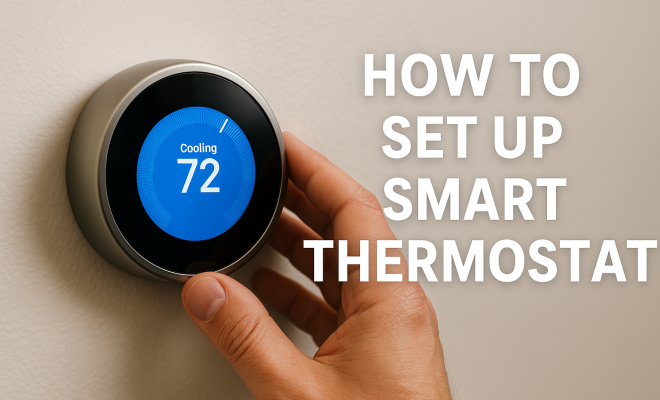
How to set up smart thermostat
“`html
As energy efficiency becomes a priority for homeowners, the allure of smart thermostats grows stronger. These devices not only promise cost savings but also enhance comfort levels and provide invaluable control over your home climate. However, the smart thermostat setup can seem daunting at first. Fear not! This comprehensive guide will walk you through everything you need to know about installing and optimizing your smart thermostat.
1. Understanding Smart Thermostats
The term “smart thermostat” refers to a device that can be programmed and controlled remotely, often via a smartphone app. These gadgets learn your heating and cooling habits over time, adjusting settings to save energy and maintain comfort. Popular models include the Nest Learning Thermostat, Ecobee SmartThermostat, and Honeywell Home T9. Each model has unique features, but they all offer the same fundamental benefit: a more intelligent way to manage your home’s temperature.
Understanding how these devices work is essential before you dive into the smart thermostat setup. Most smart thermostats use sensors and algorithms to determine when to heat or cool your home. They can even detect when you’re home or away, thus optimizing energy consumption. This functionality can lead to significant savings on your utility bills — in some cases, up to 23% annually on heating and cooling costs, according to the U.S. Department of Energy.
2. Choosing the Right Smart Thermostat
Before you embark on your smart thermostat setup, the first step is selecting the right model for your home. Consider your heating and cooling systems; some smart thermostats are compatible only with specific systems, such as gas or electric. Make sure the device you choose is suitable for your particular setup.
Also, think about the features that matter most to you. Do you want voice control via smart home assistants like Amazon Alexa or Google Assistant? Would you benefit from features like geofencing, which adjusts the temperature based on your location? Read reviews, compare prices, and check compatibility to ensure you have the right fit for your household needs.
3. Gathering Necessary Tools
Once you’ve selected your smart thermostat, it’s crucial to gather the right tools to facilitate a smooth installation. Typical tools you’ll need include a screwdriver, drill, level, and perhaps a ladder if your thermostat is mounted high. Additionally, having wire strippers and a multimeter handy can be beneficial, especially if you encounter any wiring issues during installation.
Make sure to read the installation manual included with your thermostat, as it will outline specific tools you may need and provide essential safety information. Knowing what to expect will make the smart thermostat setup process easier and less stressful.
4. Preparing for Installation
Preparation is key when you want to ensure a successful smart thermostat setup. Start by turning off power to your HVAC system at the breaker box to avoid electrical shocks. Once the power is off, remove your old thermostat carefully, taking note of how the wires are connected. A smartphone camera can be handy here; snap a picture of the wiring for future reference.
Take stock of the wires you see. Most thermostats will have color-coded wires: typically, red for the power (R), yellow for cooling (Y), green for the fan (G), and white for heating (W). These color codes help ensure you connect the wires correctly to your new smart thermostat, preventing any operational problems later.
5. Connecting Wires to the New Thermostat
With your old thermostat removed and the wires prepared, it’s time to connect them to your new smart thermostat. Most models come with a terminal block indicating where each wire should be placed. Make sure to refer to your earlier photo if you’re uncertain about the connections. Secure each wire into its respective terminal, ensuring they fit snugly.
Once all wires are attached, you can mount the thermostat base to the wall and attach the thermostat faceplate. Some models may require a C-wire or common wire to provide continuous power. If your system doesn’t have one, you may need to install a C-wire adapter or use a power extender kit. This step is crucial for ensuring your smart thermostat operates effectively without draining batteries constantly. (See: Energy Saver Thermostats Guide.)
6. Powering Up and Connecting to Wi-Fi
After you’ve completed the wiring, restore power to your HVAC system and turn on the thermostat. If everything is connected correctly, the thermostat should light up, prompting you to go through the initial setup process. Follow the on-screen instructions, which typically involve selecting your language and connecting to your Wi-Fi network.
Having a stable Wi-Fi connection is essential for your thermostat to function optimally, as it will rely on internet access for remote control features, software updates, and integration with smart home systems. Be prepared to enter your Wi-Fi password to establish this connection. Once connected, your thermostat may download updates before you can proceed.
7. Configuring Your Smart Thermostat
With your thermostat powered on and connected, it’s time to configure your settings. Most devices will prompt you to set up a schedule based on your daily routines. You can usually input times when you want the heating or cooling turned up or down, depending on whether you’re home or away. This scheduling feature is vital for maximizing energy efficiency.
Some smart thermostats also offer additional features like learning capabilities, which analyze your behaviors to create an optimal schedule automatically over time. Don’t hesitate to explore the app’s features thoroughly; you might find energy-saving tips or the ability to set different temperatures for different rooms.
8. Optimizing Your Smart Thermostat Setup
Your initial smart thermostat setup is just the beginning. Optimization is where you’ll see the most benefits. Utilize the analytics provided by your thermostat app to monitor your energy use. Many models will give you insights into energy consumption trends, allowing you to adjust your settings for maximum efficiency.
Consider utilizing features like geofencing, which adjusts the temperature based on your location. If you leave home, the thermostat can automatically enter energy-saving mode, and when you return, it can ensure a comfortable environment awaits you. Additionally, don’t forget that many energy providers offer rebates and programs for smart thermostat users, so keep an eye out for those opportunities to save even more.
9. Common Issues and Troubleshooting
Even with the best intentions, issues may arise during your smart thermostat setup. Common problems include poor Wi-Fi connectivity, failure to recognize wire configurations, or even software glitches. If you encounter connectivity issues, try restarting the thermostat and your router. This often resolves temporary network problems.
If your thermostat isn’t recognizing the wiring, double-check your connections. Ensure that each wire is securely attached and matches the right terminal. Sometimes, software updates can also cause hiccups; make sure your device is running the latest version. If problems persist, reaching out to customer support or consulting the user manual can provide additional help.
10. Advanced Features of Smart Thermostats
Once you’ve completed the basic setup, it’s worth exploring the advanced features that many smart thermostats offer. These features not only enhance user experience but also provide additional avenues for energy savings.
For instance, many smart thermostats have humidity sensors that adjust your HVAC system based on the moisture levels in your home. This can lead to increased comfort and lower energy costs, particularly in regions with high humidity. Additionally, some thermostats allow for multi-zone control, enabling you to manage different areas of your home independently. This is particularly beneficial in larger homes where temperature preferences may vary significantly from room to room.
Another exciting feature is the integration with local weather forecasts. Some smart thermostats can access real-time weather data and adjust your heating or cooling based on outside conditions. If a cold front is moving in, the thermostat may preemptively warm your home before the temperature drops.
11. Energy Savings and ROI
Investing in a smart thermostat can lead to significant energy savings, often justifying the initial purchase price. According to studies, homeowners can save between 10% to 20% on their heating and cooling bills when using a smart thermostat. This translates to annual savings of about $50 to $130 based on average energy costs in the U.S.
To calculate your return on investment (ROI), consider not only the savings on your energy bills but also the potential rebates offered by your energy provider. Many companies incentivize the adoption of energy-efficient technologies, providing rebates that can offset the cost of your smart thermostat. By taking advantage of these opportunities, you can recoup your investment more quickly and enjoy long-term savings. (See: How Smart Thermostats Can Save Money.)
12. Frequently Asked Questions about Smart Thermostat Setup
What is the best location for my smart thermostat?
Your thermostat should be placed in a central location away from direct sunlight, drafts, and heat sources like vents or appliances. This ensures it accurately reads your home’s temperature.
Can I install a smart thermostat in an older home?
Yes, many smart thermostats are compatible with older HVAC systems. However, you may need to check compatibility and potentially install a C-wire if your system doesn’t have one.
How can I ensure my smart thermostat stays connected to Wi-Fi?
Keep your router close to the thermostat and avoid barriers that may weaken the signal. Regularly check for firmware updates to enhance connectivity.
What if my smart thermostat keeps losing Wi-Fi connection?
This may be due to interference or signal strength issues. Restarting your router and thermostat can help. You might also consider a Wi-Fi extender to boost the signal.
How do I reset my smart thermostat?
Most smart thermostats have a reset option in the settings menu. However, consult your specific model’s user manual for detailed instructions on how to perform a reset.
Are smart thermostats worth the investment?
Absolutely! Beyond the energy savings, they offer convenience, control, and enhanced comfort. The potential for long-term savings and rebates makes them a wise choice for homeowners looking to improve energy efficiency.
13. Comparative Analysis of Popular Smart Thermostats
When considering a smart thermostat setup, it’s useful to compare the features and performance of leading models. Here’s a brief overview of some of the most popular options available:
1. Nest Learning Thermostat
The Nest Thermostat is known for its intuitive learning capabilities. It can learn your temperature preferences over time and adjust them automatically. It also includes a unique feature called “Eco Mode,” which helps conserve energy when you’re away. The design is sleek and modern, making it a stylish addition to any home.
2. Ecobee SmartThermostat
Ecobee takes a different approach by incorporating a remote sensor that can detect temperature variations in different rooms. This is particularly advantageous in larger homes. The Ecobee also integrates seamlessly with Amazon Alexa, allowing voice control and providing a hub for other smart devices.
3. Honeywell Home T9
Honeywell’s T9 is designed for those who want a balance of price and features. Like the Ecobee, it allows for remote sensors and has an easy-to-navigate app. It also includes geofencing capabilities and can work with a variety of smart home platforms.
Comparing these models can help you make an informed decision based on your specific needs and preferences. Consider your home size, existing HVAC system, and any smart home integrations you may already have. (See: ENERGY STAR Smart Thermostats.)
14. Case Studies: Real-Life Smart Thermostat Users
To further illustrate the benefits of a smart thermostat setup, let’s look at a few case studies from homeowners who have successfully integrated smart thermostats into their lives:
Case Study 1: The Young Family
The Young family installed a Nest Learning Thermostat in their two-story home. After a few months, they noticed a reduction in their heating bills by approximately 18%. They appreciated how the thermostat learned their schedule, adjusting automatically when they were home or away, leading to increased comfort and savings.
Case Study 2: The Retiree Couple
Mr. and Mrs. Johnson opted for the Ecobee SmartThermostat due to its remote sensor capabilities. They found that certain rooms in their house were consistently warmer than others. With the remote sensors, they could ensure all areas maintained a comfortable temperature without overworking their HVAC system. Their energy bills decreased by around 15% after installation.
15. Future Trends in Smart Thermostats
The world of smart thermostats continues to evolve, with new technologies and features being developed to enhance user experience and energy efficiency. Some future trends to look out for include:
1. Enhanced AI Capabilities
Many manufacturers are integrating artificial intelligence to further improve learning capabilities, allowing thermostats to predict temperature needs based on user behavior and external factors, such as weather forecasts.
2. Improved Integration with Renewable Energy Sources
As more homeowners adopt solar panels and other renewable energy sources, smart thermostats are being designed to work in conjunction with these systems, optimizing energy use based on real-time solar energy production.
3. Advanced Air Quality Monitoring
Future smart thermostats may also include enhanced air quality monitoring features, allowing users to track pollutants and allergens in their home and adjust ventilation systems to improve air quality.
16. Conclusion
In summary, setting up a smart thermostat isn’t just about installation; it’s about creating a more comfortable, efficient home environment. With the right preparation and a willingness to explore the device’s features, you’ll not only enjoy a cozy home but also save money in the long run. By considering your options, troubleshooting common issues, and optimizing your setup, you can maximize the benefits of this modern technology.
“`
Trending Now
Frequently Asked Questions
What is a smart thermostat and how does it work?
A smart thermostat is a device that can be programmed and controlled remotely, often via a smartphone app. It learns your heating and cooling habits, optimizing settings to save energy and maintain comfort. Using sensors and algorithms, it adjusts the temperature based on whether you're home or away, potentially saving you up to 23% on utility bills.
How do I choose the right smart thermostat for my home?
When selecting a smart thermostat, consider compatibility with your heating and cooling systems, as some models work only with specific setups like gas or electric. Additionally, evaluate features that are important to you, such as voice control, geofencing, or integration with smart home assistants like Amazon Alexa or Google Assistant.
Can a smart thermostat really save me money?
Yes, a smart thermostat can lead to significant savings on your utility bills. According to the U.S. Department of Energy, homeowners can save up to 23% annually on heating and cooling costs by using a smart thermostat, as it optimizes energy consumption based on your habits and preferences.
Is it difficult to install a smart thermostat?
Setting up a smart thermostat can seem daunting, but it is generally straightforward. Most models come with detailed installation guides, and many users find they can do it themselves. However, if you're unsure or uncomfortable, it's advisable to hire a professional to ensure proper installation.
What features should I look for in a smart thermostat?
When choosing a smart thermostat, look for features such as remote control via a smartphone app, compatibility with voice assistants like Amazon Alexa or Google Assistant, learning capabilities to adjust settings based on your habits, and geofencing to optimize energy use when you're away from home.
What did we miss? Let us know in the comments and join the conversation.