How to recover deleted files
“`html
Have you ever hit ‘delete’ on a file only to realize moments later that you need it? You’re not alone. Whether it’s an important document, a cherished photo, or a vital piece of software, losing files can be both frustrating and stressful. Luckily, understanding how to recover deleted files can save you from panic and potential loss of valuable data. Let’s explore the methods, tools, and best practices to ensure you can retrieve those missing files effectively.
1. Understanding File Deletion: What Happens When You Hit Delete
When you delete a file on your computer, it doesn’t vanish into thin air. Instead, the operating system marks the space occupied by that file as available for new data. This means that until that space is overwritten, there’s a chance to recover the file. Understanding this process is crucial because it underscores the importance of acting quickly after a file has been deleted.
Data recovery relies on the fact that deleted files remain on the storage medium until they are physically overwritten with new information. The longer you wait, the more likely it is that the space will be filled. Therefore, if you’ve mistakenly deleted a file, your first step should be to stop using the device immediately.
2. Check the Recycle Bin or Trash
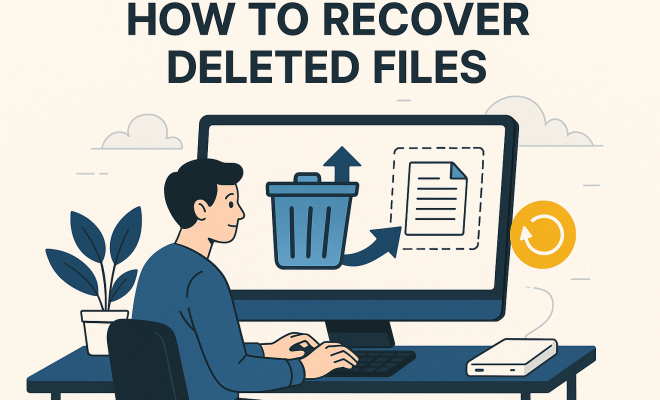
The first place to look for deleted files is the Recycle Bin (Windows) or Trash (Mac). These folders act like a safety net, holding deleted items until they are permanently removed. Simply open the Recycle Bin, locate your file, right-click, and select ‘Restore’. It’s as easy as that!
On a Mac, you can open the Trash and either drag the file back to your desktop or right-click and choose ‘Put Back’. If you find your file here, it’s a quick and straightforward recovery method. However, if you’ve emptied the Recycle Bin or Trash, you’ll need to explore other recovery options.
3. Utilize Built-in Recovery Features
Many operating systems come with built-in recovery tools that can help you recover deleted files. For Windows, the ‘Previous Versions’ feature is a lifesaver. Right-click on the folder where the deleted file was located, select ‘Restore previous versions’, and you’ll see a list of versions available for recovery. This method relies on your system restore points, so it’s crucial to have them enabled.
For Mac users, the Time Machine feature automatically backs up your files, making it easy to recover deleted items. If you have Time Machine set up, you can open it and navigate through past backups to find and restore your lost files. This proactive approach to data management can save you from future headaches.
4. Third-Party Recovery Software
If the above methods fail, third-party recovery software can be a game-changer. Programs like Recuva, EaseUS Data Recovery Wizard, and Stellar Data Recovery are designed specifically for situations like these. They scan your hard drive to locate remnants of deleted files and help you recover them.
Before choosing a recovery software, consider factors such as compatibility with your operating system, ease of use, and customer reviews. Many of these applications offer free versions that allow you to recover files of a certain size or in a limited capacity. It’s often worth trying one of these before opting for a paid version.
5. Professional Data Recovery Services
In cases where DIY methods and software fail, professional data recovery services are available. These experts use advanced tools and techniques to recover data from damaged drives or complicated deletions. While this option can be costly, it’s often the last resort for important files that simply must be retrieved.
Before committing to a service, research their reputation and success rates. Some reputable companies might offer a free consultation or evaluation, allowing you to gauge the likelihood of recovering your lost data. Remember, there’s no guarantee when it comes to data recovery, but professionals can significantly improve your chances. (See: understanding file systems and deletion.)
6. Preventative Measures: Avoid Future Data Loss
While knowing how to recover deleted files is vital, taking steps to prevent future data loss is just as important. Regularly back up your files using cloud storage services like Google Drive, Dropbox, or Microsoft OneDrive. Scheduling automatic backups ensures your data is consistently protected without requiring much effort.
Additionally, consider external hard drives or NAS (Network Attached Storage) systems for local backups. These devices offer additional security and can store large amounts of data. Being proactive about file management can save you from the stress of recovery later.
7. File Recovery on Mobile Devices
Recovering deleted files on mobile devices can be slightly different from computers. Both iOS and Android platforms offer unique methods for data recovery. For iPhone users, if you’ve backed up your device via iCloud or iTunes, you can restore the entire backup to retrieve deleted files. However, be cautious as this will overwrite any current data on the device.
For Android users, various file recovery apps available in the Google Play Store can help retrieve deleted files, provided the data hasn’t been overwritten. Apps like DiskDigger or EaseUS MobiSaver can scan your device for recoverable files. Just remember, accessing root permissions can enhance the effectiveness of these applications.
8. Final Thoughts on Recovering Deleted Files
Recovering deleted files doesn’t have to feel like a daunting task. With the right knowledge and tools, you can reclaim lost data effectively. Start with the simplest methods, like checking the Recycle Bin or using built-in recovery features, before moving on to software or professional services. The key is to act quickly and avoid using the device until you’ve attempted recovery.
Ultimately, the best strategy is to be proactive. Regular backups and a strong understanding of data management will ensure that, should you ever find yourself in a situation where you need to recover deleted files, you’ll be prepared and equipped to handle it like a pro.
9. Common Scenarios for File Deletion
Understanding the common scenarios in which files are deleted can help you be better prepared for recovery. Here are a few situations that frequently lead to file loss:
- Accidental Deletions: The most common cause of file loss, often caused by misclicks or dragging files to the Trash.
- Software Crashes: Unexpected software malfunctions can lead to data loss, especially if files were not saved correctly.
- Malware Attacks: Viruses and ransomware can delete or encrypt files, making them inaccessible.
- Hardware Failures: Hard drive crashes or SSD failures can result in the loss of files that were otherwise recoverable.
- Formatting Errors: Mistakenly formatting a drive can erase all data, including files you meant to keep.
10. Statistics on Data Loss
Data loss is an issue that many users face. Here are some eye-opening statistics to consider:
- According to a study by the University of California, about 70% of all computer users experience data loss at least once in their lifetime.
- Data recovery services report that approximately 25% of people who experience data loss do not recover their files.
- Research indicates that over 60% of small businesses that suffer significant data loss shut down within six months.
- A survey conducted by IBM found that human error is responsible for 22% of data loss incidents.
11. Expert Perspectives on Data Recovery
Experts in the field of data recovery emphasize the importance of understanding how deletions work. “The biggest misconception is that once you hit delete, the data is lost forever,” says a data recovery specialist. “In most cases, if you act quickly and use the right tools, you can recover files that seem lost.”
Additionally, cybersecurity experts stress the importance of preventive measures. “Backing up your data is like an insurance policy for your digital life,” they say. “You may never need it, but when you do, you’ll be grateful you took those extra steps.”
12. Frequently Asked Questions (FAQ)
What should I do immediately after deleting a file?
Stop using the device to prevent overwriting the space where the deleted file was stored. Check the Recycle Bin or Trash first, and if the file isn’t there, consider using recovery software or professional services.
Can I recover files from a formatted drive?
Yes, it’s possible to recover files from a formatted drive using specialized recovery software, as long as the data hasn’t been overwritten. However, the chances of success depend on how the formatting was done and how much the drive has been used since formatting. (See: importance of data recovery techniques.)
Are there free options for data recovery?
Yes, there are several free data recovery tools available, such as Recuva and PhotoRec. These can be effective for recovering smaller files or less complex recoveries.
How much does professional data recovery cost?
The cost can vary widely based on the complexity of the recovery and the company you choose. Simple recoveries might cost around $100-$300, while more complex recoveries can range from $500 to over $2000.
Is it safe to use recovery software?
Most reputable recovery software is safe to use, but it’s essential to download from official websites to avoid malicious software. Always read reviews and check for recommendations before downloading any software.
Can I prevent data loss in the future?
Absolutely! Regularly backing up your data, using reliable antivirus software, and being cautious about file management can significantly reduce the risk of data loss.
13. Advanced Recovery Techniques
Besides the conventional methods of recovery, there are advanced techniques that can be used under specific circumstances. For instance, if you’re dealing with a hard drive that has sustained physical damage, data recovery may require specialized hardware and software tools. This type of recovery is often complex and is best left to professionals.
Another advanced method is the use of disk imaging. Imaging creates an exact copy of the storage medium, which can be analyzed and worked on without risking further damage to the original drive. Tools like ddrescue can help create such disk images. Once you have an image, you can apply recovery software to the copy, preserving your original data.
Furthermore, if you suspect that deleted files might still be lurking on your drive, file carving techniques can be beneficial. This process involves scanning the raw data on a disk to find specific file signatures, even if the file system no longer recognizes them. While this method requires technical expertise, it can be a last resort for severe cases of data loss.
14. File Recovery for Specific Use Cases
Different scenarios necessitate tailored recovery approaches. For instance, recovering images from a digital camera or memory card often requires different software tools than those used for recovering documents from a computer. Tools like PhotoRec are specifically designed for recovering lost pictures and videos from various storage devices.
Another use case arises when dealing with emails. If you’ve deleted important emails from your mailbox, many email providers like Gmail or Outlook have options for recovering deleted emails within a certain timeframe. Always check your email provider’s recovery policies first.
If your goal is to recover files from a cloud storage service, the methods can vary based on the provider. Most cloud services have their own version of a ‘trash’ where deleted files are temporarily stored. For example, Google Drive has a Trash folder where files remain for 30 days before permanent deletion. Always explore these built-in features before trying third-party solutions. (See: latest trends in data recovery.)
15. Understanding Different File Systems
When attempting to recover deleted files, it’s essential to understand the file system your device is using. Different systems handle deletions and recoveries in unique ways. For instance, the NTFS file system (common in Windows) uses a master file table (MFT) to track files and free space, allowing for different recovery strategies compared to FAT32 or exFAT systems.
On the other hand, Apple’s APFS file system uses snapshots, which can be advantageous for recovery because they keep a record of the file system’s state at specific points in time. Knowing your file system can help you choose the best recovery tools or methods for your situation.
16. Future Trends in Data Recovery
As technology continues to evolve, the field of data recovery is also progressing. One significant trend is the growing reliance on artificial intelligence in recovery software. AI can enhance the efficiency of data recovery processes by intelligently analyzing data structures and optimizing recovery paths.
Another trend is the rise of cloud-based recovery solutions. As more people store data in the cloud, future recovery software may focus more on retrieving lost files from cloud environments rather than traditional hard drives. This shift will require new tools and techniques tailored to the unique characteristics and security measures of cloud systems.
17. The Importance of Education and Awareness
In the digital age, being educated about data management and recovery can greatly reduce anxiety related to file loss. Many users still operate under the assumption that once a file is deleted, it’s gone forever. By educating yourself about file systems, recovery options, and best practices for data management, you can mitigate risks and improve your chances of successful recovery in the future.
Consider taking courses or reading resources on data management and recovery. Many online platforms offer free tutorials on how to back up data effectively, utilize recovery tools, and understand the nuances of different file systems. Knowledge is empowering, especially when it comes to protecting your digital assets.
18. Conclusion
Recovering deleted files is a manageable process when you have the right knowledge and tools at your disposal. By understanding the mechanics behind file deletion and employing the appropriate methods for recovery, you can save yourself a lot of stress. Remember, acting quickly is essential, as the chances of recovery diminish the longer you wait. Always prioritize preventive measures, such as regular backups and staying informed about data management strategies. With the right approach, you can navigate the challenges of data recovery like a pro.
“`
Trending Now
Frequently Asked Questions
How can I recover deleted files from my computer?
To recover deleted files, first check the Recycle Bin (Windows) or Trash (Mac) as they often hold deleted items. If the file isn't there, you can use built-in recovery features or third-party data recovery software to attempt restoration before the data space is overwritten.
What happens to files when I delete them?
When you delete a file, the operating system marks the space it occupied as available for new data. The file isn't immediately erased but can be recovered until that space is overwritten by new information.
Is it possible to recover permanently deleted files?
Yes, it is possible to recover permanently deleted files if the data hasn't been overwritten. You can use data recovery software or built-in recovery tools to attempt to restore the files, but acting quickly increases the chances of success.
What should I do immediately after deleting a file?
Immediately stop using the device to prevent overwriting the deleted file's space. Check the Recycle Bin or Trash first for easy recovery, and consider using recovery software if the file isn't there.
Are there built-in tools to recover deleted files?
Yes, many operating systems have built-in recovery tools designed to help retrieve deleted files. For instance, Windows has File History, and Macs offer Time Machine, both of which can assist in recovering lost data.
What did we miss? Let us know in the comments and join the conversation.