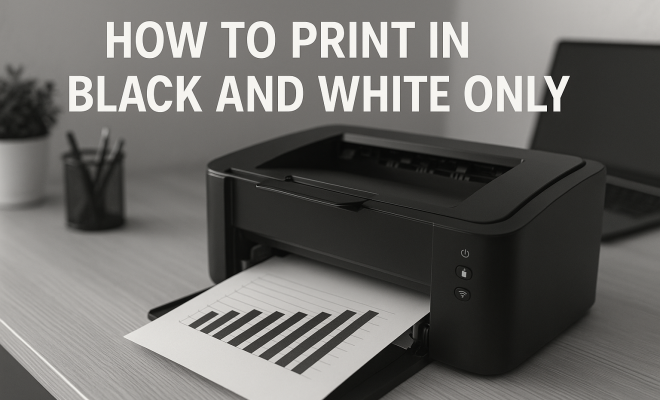
How to print in black and white only
“`html
Printing in black and white is a simple yet often overlooked skill that can save you money, time, and resources. Whether it’s for school projects, professional reports, or personal documents, knowing how to print in black and white can make a significant difference. This article will guide you through the essential steps and considerations to ensure your printing needs are met efficiently.
1. Understanding the Basics of Black and White Printing
Before diving into the technical aspects, it’s helpful to understand what black and white printing entails. At its core, this process uses only black ink on white paper, making it a cost-effective option when color isn’t necessary. Black and white printing can produce sharp text and detailed images, which makes it ideal for tasks like creating documents, contracts, and academic papers.
In contrast, color printing typically requires more ink and can significantly increase costs. If you’re looking to print in bulk or need documents for archive purposes, black and white printing is the way to go. Additionally, documents printed in this manner are often easier to read, lending a certain professionalism to your work.
2. Choosing the Right Printer
Not all printers are created equal, especially when it comes to black and white printing. Generally speaking, laser printers are recommended for their ability to produce high-quality text and graphics quickly and efficiently. They use a toner cartridge instead of ink, resulting in sharper lines and less smudging.
Inkjet printers, on the other hand, can also print in black and white, but they may not offer the same level of quality or speed as laser printers. If you frequently print in black and white, investing in a laser printer can ultimately save you both time and money.
It’s also important to consider multifunction printers. These devices can print, scan, and copy, making them versatile for home or office use. When evaluating these printers, check their black and white printing capabilities, speed, and cost per page to ensure they meet your needs.
3. Setting Up Your Printer for Black and White Printing
Once you’ve selected the right printer, it’s time to set it up for black and white printing. This process can vary depending on the make and model of your printer, but the general principles remain the same. First, ensure that your printer is connected to your computer and that the necessary drivers are installed.
Next, navigate to the printer settings on your computer. This can typically be found in the Control Panel for Windows or System Preferences for Mac users. Within these settings, look for the option that allows you to choose the color mode. Here, you can select “black and white,” “grayscale,” or “monochrome” as your printing option. It’s crucial to confirm that these settings are saved before you proceed to print.
Another tip is to regularly update your printer drivers. Printer manufacturers frequently release updates that can enhance performance, fix bugs, and improve compatibility with various operating systems. Keeping your software up to date will help maintain optimal printing quality.
4. Understanding Grayscale vs. Black and White
When you print in black and white, you might encounter two different modes: grayscale and true black and white. Grayscale printing uses varying shades of gray to represent images and text. In contrast, true black and white printing uses only black ink without any gray tones.
The choice between these two modes can affect the outcome of your print job. Grayscale may be suitable for photographs or images where subtle detail is essential, while true black and white is best for high-contrast documents where clarity is paramount. Understanding this distinction will help you make informed decisions based on the type of document you’re printing.
For example, if you’re printing a family photo for a scrapbook, grayscale might capture the soft transitions in the image better than a stark black and white. However, for a legal document, sticking to true black and white will ensure all text is crisp and legible. (See: Overview of printer technology.)
5. Paper Selection Matters
The type of paper you choose for your black and white printing can also impact the final result. Standard printer paper works for most tasks, but if you’re aiming for a professional finish, consider using higher quality paper. There are various types available, such as matte, glossy, or even recycled paper, each offering different textures and weights.
Matte paper is often favored for text-heavy documents, while glossy paper can enhance images. The weight of the paper can also play a role in the overall look and feel of your printed document. Thicker paper tends to provide a more substantial appearance, making it suitable for presentations or official documents.
Additionally, paper brightness is another key factor. A higher brightness rating can improve contrast in black and white prints, making text stand out more. Look for paper with a brightness rating of at least 90 for optimal clarity.
6. Cost-Effectiveness of Black and White Printing
One of the most compelling reasons to print in black and white is the cost savings associated with using less ink. Color cartridges can be quite expensive, and when printing high volumes, the costs can quickly add up. By opting for black and white printing, you can reduce your expenses significantly.
Additionally, many printers have a draft mode that allows you to use less ink, making it even cheaper to print. While this mode may sacrifice some quality, it’s perfect for internal documents or rough drafts. Taking advantage of these settings can lead to substantial savings, especially if you print frequently.
According to a study by the Office of Energy Efficiency and Renewable Energy, using black and white printing can reduce your overall printing costs by up to 50%. This makes it an attractive option for businesses and individuals who are conscious of their budgets.
7. Practical Tips for Optimal Results
To achieve the best results while printing in black and white, consider these practical tips. First, always preview your document before printing—this can save you time and reduce waste. Look out for any formatting issues or misplaced elements that could affect the final print.
Second, make sure your printer’s nozzles are clean to prevent streaks or uneven printing. Most printers come equipped with maintenance tools to help you with this process. Finally, don’t forget to adjust the print quality settings according to your needs. For detailed images, select a higher quality setting, while standard documents can often be printed at a lower quality.
By following these tips and understanding the nuances of black and white printing, you’ll not only improve your skills but also enhance the quality and efficiency of your printed materials.
8. Environmental Considerations
When you print in black and white, you’re not just saving money; you’re also making a more environmentally responsible choice. Color printing often consumes more resources, from ink to energy. Black and white printing reduces the overall environmental impact of printing activities.
For instance, did you know that using recycled paper can lower your carbon footprint significantly? According to the Environmental Protection Agency, the use of recycled paper can save around 60% of energy, 70% of water, and reduce greenhouse gas emissions compared to virgin paper. Combining black and white printing with recycled paper is a win-win for both your budget and the planet.
9. Comparison of Black and White vs. Color Printing
Understanding the differences between black and white and color printing can help you make informed choices based on your specific needs. Here’s a quick comparison:
- Cost: Black and white printing is generally cheaper due to less ink consumption.
- Speed: Black and white prints typically process faster than color prints, making them more efficient for bulk jobs.
- Quality: While color can enhance images, black and white often delivers sharper text and clearer lines.
- Use Cases: Black and white is preferred for text-heavy documents, while color is reserved for presentations, marketing materials, and visuals.
Evaluating these factors can aid in deciding which printing method best suits your project, whether it be for school, work, or personal use. (See: Health and safety in printing.)
10. Frequently Asked Questions (FAQ)
What is the difference between grayscale and black and white printing?
Grayscale printing uses a range of gray tones to reproduce images and text, making it suitable for photos. In contrast, black and white printing uses only black ink, creating a high-contrast image ideal for clear text and documents.
How can I save ink when printing in black and white?
You can save ink by using draft mode settings, printing two or more pages per sheet, and utilizing the ‘print on both sides’ feature if your printer supports it. Additionally, reducing the print quality for less critical documents can also conserve ink.
Is it better to print in black and white or color for presentations?
It largely depends on the content of your presentation. If your presentation relies heavily on color graphics and images, then color printing is the way to go. However, if text is the primary focus, black and white printing can provide clarity and professionalism.
Can I print color documents in black and white?
Yes, most printers allow you to print color documents in black and white by selecting the appropriate settings in the print dialog. Just remember that this may alter the appearance of any images or colored texts.
What types of documents are best suited for black and white printing?
Documents that are text-heavy, such as reports, contracts, and academic papers, are well-suited for black and white printing. High-contrast images or illustrations may also work well in this format, especially for presentations that need to be printed quickly and economically.
Will printing in black and white affect the quality of images?
Yes, images printed in black and white will lose color detail and may not appear as vibrant. For photos or multi-colored graphics, grayscale might be a better option if you want to preserve some depth. However, for line drawings or text, black and white offers clarity and focus.
11. Future Trends in Printing Technology
As technology advances, the methods and capabilities of printing are evolving. One area to watch is the development of printers that utilize eco-friendly inks and materials, making black and white printing even more sustainable. Companies are also innovating to create more energy-efficient printers that reduce waste and energy consumption.
Additionally, cloud printing technology is improving, allowing users to print from anywhere without needing a direct connection to a printer. This convenience can further streamline the black and white printing process, making it easier for users to manage their documents remotely.
3D printing is another exciting frontier that is starting to incorporate black and white printing capabilities, expanding the possibilities for design and manufacturing in various industries.
Staying informed about these advancements can not only enhance your printing experience but also contribute to a more sustainable future.
12. Enhancing Your Black and White Prints with Software
While printer settings are crucial for achieving quality black and white prints, software tools can also play a significant role. Many users overlook the power of software when preparing documents for printing. Applications like Adobe Photoshop or even free software like GIMP allow you to adjust contrast, brightness, and sharpness before printing.
For example, if you’re printing a document that contains both text and images, you might want to adjust the contrast to ensure that the text stands out clearly against the images. Using the software’s editing capabilities can make a noticeable difference in the quality of your printouts. (See: Tips for efficient printing.)
Moreover, some document editors, like Microsoft Word, offer built-in features to enhance print quality. They can help you adjust the layout, margins, and spacing, ensuring that the document looks polished and professional once printed.
13. Black and White Printing in Business Settings
In a business context, black and white printing can be particularly advantageous. Companies often need to print large volumes of reports, contracts, and presentations. Utilizing black and white printing not only helps in cutting costs but also enables businesses to manage their resources more effectively.
For instance, a marketing agency that regularly prints proposals might find that switching to black and white for internal drafts can lead to substantial savings over time. By doing this, they can allocate their budget to color printing for final presentations or marketing materials where color is crucial for impact.
Additionally, many businesses are beginning to embrace eco-friendly practices. By opting for black and white printing on recycled paper, companies can enhance their sustainability profile while still maintaining professionalism in their printed materials.
14. DIY Projects for Black and White Printing
If you’re looking to explore your creative side, black and white printing can be an excellent medium for DIY projects. Consider creating personalized stationery, greeting cards, or even art prints. Using your printer creatively can yield impressive results.
For instance, you can design custom invitations for events like weddings or parties. By incorporating your own unique designs and printing them in black and white, you can achieve a chic, minimalist look that’s often very appealing. The use of high-quality paper can elevate these projects even further, giving them a professional touch.
Additionally, printing black and white photos for collages or scrapbooking can add a nostalgic vibe to your projects. The absence of color often highlights the emotions captured in the images, allowing for deeper storytelling through visuals.
15. Conclusion
With its cost-effectiveness and versatility, black and white printing remains a vital skill in today’s digital age. Whether for academic, professional, or personal use, mastering the art of printing in black and white not only enhances the quality of your documents but also contributes to responsible resource management. As technology continues to improve, black and white printing will remain an essential tool for efficiency, sustainability, and creativity.
“`
Trending Now
Frequently Asked Questions
How do I set my printer to print in black and white?
To set your printer to print in black and white, access the printer settings from your computer. Select the 'Print' option, then choose 'Properties' or 'Preferences.' Look for the 'Color' option and switch it to 'Black and White' or 'Grayscale' before printing.
What type of printer is best for black and white printing?
Laser printers are generally considered the best for black and white printing due to their speed, quality, and cost-effectiveness. They produce sharper text and graphics and use toner cartridges, which last longer than ink cartridges typically used in inkjet printers.
Can I print in black and white with an inkjet printer?
Yes, you can print in black and white with an inkjet printer. However, while inkjet printers can produce decent quality, they may not match the speed or quality of laser printers, especially for bulk printing tasks.
Why is black and white printing more cost-effective?
Black and white printing is more cost-effective because it uses only black ink on white paper, reducing ink usage and overall printing costs. Additionally, it eliminates the need for color cartridges, making it a budget-friendly option for large printing jobs.
What are the benefits of printing in black and white?
Printing in black and white offers several benefits, including lower costs, faster print speeds, and easier readability. It is ideal for professional documents, academic papers, and situations where color is unnecessary, providing a clean and polished look.
Agree or disagree? Drop a comment and tell us what you think.