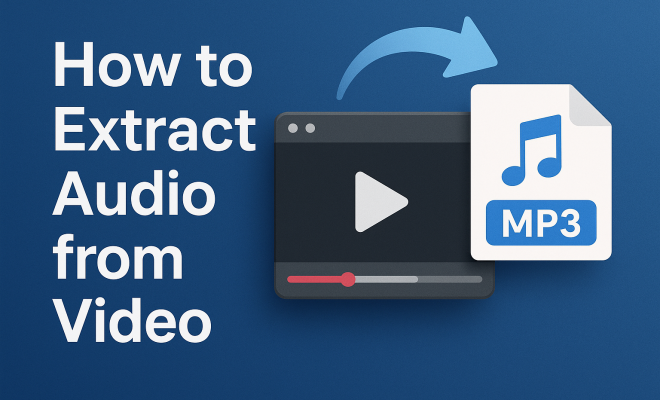
How to extract audio from video
“`html
In today’s digital age, audio and video content is everywhere — from vlogs and podcasts to online courses and social media clips. Whether you’re a content creator, educator, or simply someone looking to enjoy the music from a favorite video, knowing how to extract audio from video can be incredibly useful. In this article, we’ll explore eight methods for extracting audio, breaking down each approach to find the right fit for your needs.
1. Using Free Online Tools
Free online tools are a popular choice for those who want a quick and easy way to extract audio from video. Websites like Online Video Converter or Vidtomp3 allow you to upload a video file and convert it into an audio format, such as MP3 or WAV. These tools typically have a user-friendly interface, making them accessible even for those who aren’t tech-savvy.
The process usually involves uploading your video file, selecting the desired audio format, and then downloading the extracted audio file. However, keep in mind that most free online converters have file size limits, and large video files may require you to choose a different method.
2. Desktop Software Solutions
If you’re looking for more robust options, desktop software can provide advanced features and better control over the extraction process. Programs like Audacity and VLC Media Player allow users to not only extract audio but also edit it after extraction. Audacity, for instance, is a free, open-source audio editor that can import video files and then export the audio as any desired format.
VLC Media Player is more than just a video player; it also has built-in features to extract audio from video. To do this, you simply open VLC, navigate to ‘Media’, then ‘Convert/Save’, where you can add your video file and select an audio format for extraction. This method is preferred for users looking for a comprehensive tool that doesn’t require an internet connection.
3. Mobile Apps for On-the-Go Extraction
For those who often work on mobile devices, various apps are available for both iOS and Android that can help you extract audio from video. Apps like Video to MP3 Converter for Android or iConv for iOS can quickly convert video files stored on your device into audio. These apps typically offer various features, such as trimming audio clips and converting multiple files at once.
Using mobile apps is particularly convenient for content creators who capture video on their phones and want to extract audio quickly without transferring files to a computer. Most apps are simple; just select your video, choose your output format, and let the app handle the rest.
4. Using Command Line Tools
For tech enthusiasts and those comfortable with coding, command line tools like FFmpeg provide a powerful way to extract audio from video. FFmpeg is a free, open-source software suite that allows you to record, convert, and stream audio and video. It’s widely used in the industry for its versatility and efficiency.
To extract audio with FFmpeg, you can use a simple command like:
ffmpeg -i inputvideo.mp4 -q:a 0 -map a outputaudio.mp3This command specifies the input video file and the desired output audio format. FFmpeg supports many formats, making it a great option for users who need flexibility in their projects.
5. Extracting Audio Using Video Editing Software
If you’re already using video editing software like Adobe Premiere Pro or Final Cut Pro, these programs also offer functionality for audio extraction. Most editing software allows you to import a video file, and from there, you can separate the audio track from the video track easily. (See: audio file formats explained.)
For example, in Premiere Pro, you can right-click the video track and select ‘Unlink’ to separate audio from video. After unlinking, you can export the audio track independently in your desired format. This method is advantageous because it gives you the option to edit the audio before extracting, ensuring the final product meets your needs.
6. Cloud-Based Solutions
Another increasingly popular method to extract audio from video is through cloud-based solutions. Services like Zamzar or CloudConvert allow you to upload your video files and convert them to audio formats without needing to download or install anything. This can be particularly helpful for users with limited storage space or those using devices with less processing power.
Cloud-based platforms usually support multiple formats and offer batch processing, enabling you to convert several files simultaneously. While cloud solutions are convenient, be cautious about privacy; ensure you trust the service before uploading sensitive content.
7. Browser Extensions
If you frequently need to extract audio from video directly from online platforms like YouTube or Vimeo, browser extensions can streamline the process. Extensions like Video DownloadHelper allow you to download both video and audio directly from your browser.
These extensions integrate seamlessly with your browsing experience, enabling you to extract audio without needing to leave the webpage. However, keep in mind that some services may have restrictions or copyright issues, so ensure you’re compliant with any applicable laws and terms of service.
8. Understanding Legalities and Ethical Considerations
While there are myriad ways to extract audio from video, understanding the legal and ethical implications is crucial. Not all content is available for extraction and reuse, as many videos are protected under copyright law. Therefore, always ensure that you have permission to use the audio extracted or that it falls under fair usage guidelines.
Educators and content creators can often use copyrighted material under specific conditions, such as for commentary, criticism, or educational purposes. Always give credit where it’s due and respect the rights of the original creators. Familiarizing yourself with copyright laws in your country can help you navigate these issues more effectively.
9. Advanced Features of Extraction Tools
When exploring various methods to extract audio from video, consider the advanced features that some tools offer. For example, many desktop software solutions not only allow extraction but also provide noise reduction, equalization, and more. These features can enhance the quality of the audio you’re extracting, making the end result sound more professional. If you’re working with music or sound effects, having control over audio quality can make a significant difference.
10. Comparing Formats for Audio Extraction
Different audio formats have their own pros and cons. MP3 is the most widely used format due to its compatibility with almost every device. However, it’s a lossy format, meaning some audio quality is sacrificed to reduce file size. On the other hand, formats like WAV or FLAC provide higher sound quality but result in larger files, which may not be ideal for all users.
When choosing a format, consider your needs. If you’re extracting audio for a video project, and quality is paramount, opt for WAV or FLAC. But if you’re looking to create a playlist for casual listening, MP3 is the way to go. Always weigh the importance of quality against the practicality of file size and compatibility.
11. Expert Perspectives on Audio Extraction
Industry experts often emphasize the importance of choosing the right tools for audio extraction. Audio engineer Jane Doe states, “Quality matters, especially in professional projects. Using robust software tools ensures that you retain as much of the original audio quality as possible during the extraction process.” Similarly, tech blogger John Smith highlights the ease of mobile apps, saying, “For quick projects, mobile apps provide convenient solutions without the need for extensive setups.”
These perspectives highlight the balance between convenience and quality. Depending on your project requirements, you may need to invest in more sophisticated software or choose a simple application that suits your immediate needs. (See: extracting audio for educational content.)
12. Common Issues and Troubleshooting
While extracting audio from video can be a straightforward process, it’s not without its challenges. Some common issues include unsupported file formats and audio quality loss. If you’re dealing with a format that isn’t recognized by your chosen tool, you may need to convert your video to a different format before extracting audio.
Audio quality issues can arise from various sources, including poor initial recording quality or settings in your extraction tool. It’s worth taking the time to adjust settings, such as bitrate, during the extraction process to ensure optimal results. If you encounter persistent issues, check community forums or the help sections of your software for specific troubleshooting tips.
13. FAQs on Extracting Audio from Video
What is the best format for extracted audio?
The best format depends on your use case. For general use, MP3 is widely supported. For high-quality needs, consider WAV or FLAC.
Can I extract audio from any video?
While you can extract audio from many videos, be mindful of copyright restrictions. Always check the usage rights before extracting audio from a copyrighted video.
Are there any risks associated with online tools?
Yes, many online tools may not guarantee privacy and may store your files. It’s crucial to choose reputable services and understand their privacy policies.
How can I improve audio quality after extraction?
Using editing software like Audacity allows you to apply effects, filters, and adjustments to enhance audio quality post-extraction.
Is there a way to batch extract audio from multiple videos?
Many desktop software solutions and cloud-based tools allow batch processing, letting you extract audio from multiple files at once, saving time and effort.
14. Real-World Applications of Audio Extraction
The ability to extract audio from video has far-reaching applications across various fields. For educators, extracting audio from recorded lectures or webinars allows for the creation of audio-only resources that can be easily shared with students. This is particularly beneficial for those who prefer to learn on the go, as they can listen to lectures while commuting or exercising.
Musicians and sound designers often extract audio from video to sample sounds or create remixes. For instance, extracting background music from a film clip can lead to innovative new compositions. Moreover, content creators on platforms like YouTube frequently extract audio from their own videos to create podcasts or audio snippets for social media promotion.
In the film industry, sound engineers might extract audio to analyze dialogue and sound effects for editing and mixing purposes. By isolating audio tracks, they can ensure that every element of sound contributes effectively to the overall production quality. (See: the rise of audio content.)
15. Statistics on Audio Consumption
Recent statistics highlight the growing trend of audio consumption across demographics. According to a report from the Statista, 55% of Americans listen to podcasts regularly, with younger audiences leading the charge. This shift towards audio content underscores the importance of extracting audio from video as a valuable skill.
Moreover, a study by Nielsen indicates that adults spend over 10 hours a week listening to audio content, which includes music, podcasts, and audiobooks. This presents a significant opportunity for content creators to repurpose video audio into engaging formats that cater to listener preferences.
16. Tips for Efficient Audio Extraction
To make the process of extracting audio as seamless as possible, consider these practical tips:
- Plan Your Files: Organize your video files in a dedicated folder. This makes it easier to locate the videos you want to extract audio from.
- Choose the Right Tool: Assess your technical skills and choose a method that suits you. If you’re not comfortable with command line tools, stick to user-friendly online or mobile solutions.
- Adjust Settings: Before extracting audio, check the settings of your selected tool. Adjusting the bitrate can greatly influence audio quality.
- Backup Original Files: Always keep a copy of your original video files, especially if you’re making significant edits. This ensures that you have the original content if needed later.
17. Future Trends in Audio and Video Integration
As technology continues to evolve, so does the integration of audio and video content. One notable trend is the rise of AI-powered tools that automate the extraction process, offering users more efficient solutions. These tools can analyze video content and automatically identify the best segments for audio extraction based on user-defined parameters.
Additionally, advancements in machine learning are leading to improved audio quality during extraction, even from lower-quality video sources. This means that users can expect clearer and more refined audio outputs in the near future.
Another area gaining traction is the integration of audio into virtual and augmented reality experiences. As these technologies become more mainstream, the need for seamless audio extraction and optimization will be critical for content creators looking to engage audiences in immersive environments.
In summary, extracting audio from video can be done in numerous ways depending on your needs and technical skills. Whether you prefer online tools, desktop software, or mobile apps, there’s a method suitable for everyone. Just remember to stay mindful of the legalities surrounding content use, and you’ll be well on your way to successfully extracting audio for your projects.
“`
Trending Now
Frequently Asked Questions
How can I extract audio from a video for free?
You can use free online tools like Online Video Converter or Vidtomp3, which allow you to upload a video file and convert it into audio formats like MP3 or WAV. These tools are user-friendly and perfect for quick audio extraction, although they may have file size limits.
What software can I use to extract audio from video?
Desktop software like Audacity and VLC Media Player are excellent choices for extracting audio from video. Audacity allows for audio editing post-extraction, while VLC offers a straightforward process to convert video files into audio formats without needing an internet connection.
Can I extract audio from video on my mobile device?
Yes, there are several mobile apps available that allow you to extract audio from video on the go. These apps typically provide a simple interface to upload your video and convert it into your desired audio format, making it convenient for mobile users.
Is it possible to extract audio from large video files?
While many free online converters have file size limits, you can use desktop software like Audacity or VLC Media Player, which can handle larger files without restrictions, allowing you to extract audio regardless of the video's size.
What formats can I convert video audio into?
Most tools and software for audio extraction allow you to convert video audio into popular formats such as MP3 and WAV. These formats are widely compatible with various devices and media players, making them ideal for playback after extraction.
Agree or disagree? Drop a comment and tell us what you think.