How to install custom launcher Android
“`html
1. What Is a Custom Launcher?
When you think of your Android device, the home screen is likely the first thing that comes to mind. It’s where you access your apps, widgets, and settings. However, the default launcher that comes with your device might not suit your personal style or organizational needs. Enter custom launchers. A custom launcher replaces the default interface with a new design that often offers enhanced features, customization options, and a fresh look.
A custom launcher can dramatically change the way you interact with your device. Whether you’re after a minimalistic aesthetic or an interface loaded with functionality, the right launcher can breathe new life into your Android experience. There are numerous options available on the Google Play Store, each catering to different preferences and needs.
2. Why Install a Custom Launcher?
Installing a custom launcher is a way to personalize your Android device beyond the limitations set by manufacturers. Here are some compelling reasons to consider:
- Customization: Custom launchers allow you to change icons, layouts, and themes, providing a completely unique interface.
- Improved Performance: Some launchers are designed to be lightweight and fast, potentially enhancing your device’s performance.
- Extra Features: Many custom launchers come with additional features, such as gesture controls, integrated search functions, and advanced widget options.
With these benefits in mind, it’s no wonder that many Android users opt to install a custom launcher to tailor their experience to their liking.
3. Choosing the Right Custom Launcher
With a plethora of options available, how do you choose the right custom launcher for your needs? Here are a few popular ones:
- Nova Launcher: Highly customizable and user-friendly, Nova Launcher is one of the most popular choices. It allows you to modify icons, animations, and gestures, making it a versatile option.
- Action Launcher: This launcher combines customization with efficiency. It features a Quicktheme option that allows you to match colors based on your wallpaper.
- Apex Launcher: Similar to Nova, Apex Launcher offers robust customization options and is known for its smooth performance.
When selecting a custom launcher, consider factors such as ease of use, customization abilities, and compatibility with your device.
4. How to Install a Custom Launcher on Android
Installing a custom launcher on Android is a straightforward process. Here’s a step-by-step guide:
- Open the Google Play Store: On your device, locate the Google Play Store icon and tap it to launch.
- Search for Your Chosen Launcher: Use the search bar to find the custom launcher you want to install, such as Nova Launcher or Action Launcher.
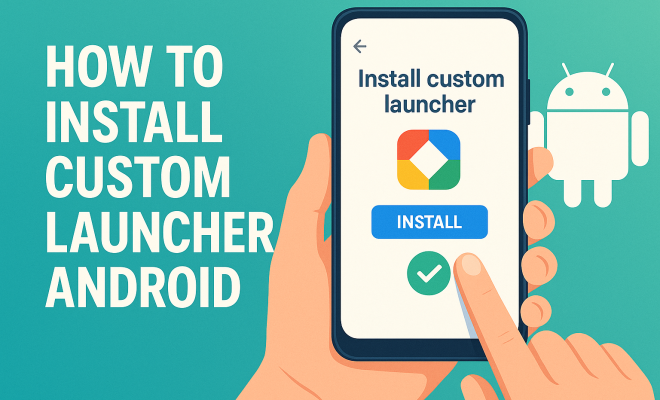
- Download and Install: Tap on the app in the search results and select the ‘Install’ button. Wait for the installation to complete.
- Set as Default: After installation, press the Home button. A prompt will appear asking which launcher you want to use. Select your new launcher and tap ‘Always’ to set it as the default.
This simple process opens the door to a variety of customization options and new features, transforming your Android experience.
5. Setting Up Your Custom Launcher
Once you’ve installed your custom launcher, it’s time to set it up to fit your style. The setup process varies based on the launcher you choose, but here are some general steps: (See: Overview of Android operating system.)
- Customize Your Home Screen: Most launchers allow you to change the grid size, add widgets, and adjust the background. Take some time to explore these options and create a layout that works for you.
- Change Icons: Many launchers support icon packs. Browse available icon packs in the Play Store or create your own. Change individual app icons or modify the entire look with a single pack.
- Adjust Settings: Dive into the launcher’s settings to fine-tune animations, gestures, and other functionalities. This step is crucial for optimizing performance.
By taking a moment to personalize your launcher, you can create a functional and visually appealing setup that reflects your personality.
6. Advanced Features of Custom Launchers
Custom launchers often come packed with advanced features that standard launchers may lack. Here are a few to consider:
- Gestures: Many launchers support gestures, allowing you to perform actions (like opening apps) with swipes or taps. For example, you can set a double-tap to lock your screen.
- App Search: Some launchers provide a built-in search function that lets you find apps quickly by typing or using voice search.
- Dock Customization: You can often modify the dock area where your most-used apps reside, allowing for easy access without cluttering your home screen.
These features can significantly enhance usability and efficiency, making your Android experience smoother and more enjoyable.
7. Maintaining Your Custom Launcher
After you’ve installed and set up your custom launcher, it’s essential to maintain it for optimal performance. Regularly updating the launcher ensures you benefit from the latest features and security improvements. Here are some maintenance tips:
- Keep Your Apps Updated: Just like your launcher, your apps should be kept up to date. This avoids compatibility issues and bugs.
- Clear Cache Regularly: Periodically clearing the cache of your launcher can help enhance speed and responsiveness.
- Backup Configurations: If your launcher offers a backup feature, use it. This way, you can restore your settings in case you need to uninstall or reinstall the app.
These maintenance tasks help keep your device running smoothly and ensure that you can enjoy your custom launcher without hiccups.
8. Troubleshooting Common Issues
Even the best custom launchers can run into problems. Here are some common issues and how to resolve them:
- Launcher Crashing: If your custom launcher crashes frequently, try clearing its cache or data. If the problem persists, consider reinstalling the launcher.
- Widgets Not Displaying: Sometimes widgets may fail to load correctly. Restarting the launcher or your device can often fix this issue.
- Performance Sluggishness: If your device feels slow after installing a custom launcher, check your settings. Reducing animations and widget counts can improve performance.
Identifying and addressing these issues quickly ensures you get the most out of your custom launcher.
9. The Future of Custom Launchers on Android
The landscape for Android customization is ever-changing. As Android evolves, so do custom launchers. With advances in design, functionality, and user experience, future custom launchers may offer even more features, like AI-driven personalizations or enhanced security.
Moreover, as device manufacturers continue to experiment with their native launchers, users may find themselves increasingly seeking out custom launchers that can fill the gaps left by stock interfaces. Whether you’re a tech enthusiast or a casual user looking to personalize your device, the future of custom launchers is bright and full of possibilities.
In summary, embracing a custom launcher can rejuvenate your Android experience. By following the steps outlined in this guide, you’ll not only learn how to install a custom launcher Android but also how to maximize its potential. Dive into the world of personalization and enjoy the unique interface tailored just for you.
10. New Trends in Custom Launchers
As technology evolves, so do the trends in custom launchers. Many users are seeking more than just aesthetic changes; they want functionality that enhances their daily routines. Here are a few trends gaining traction: (See: Impact of technology on health.)
- Dark Mode: With the rise in popularity of dark mode across apps and operating systems, many custom launchers have integrated dark themes that are easier on the eyes, especially in low-light environments.
- Minimalism: Minimalist designs continue to be a popular choice. Users are leaning towards launchers that prioritize simplicity, reducing clutter and distractions.
- AI Features: Some custom launchers are beginning to incorporate AI to learn user habits and suggest apps or shortcuts based on usage patterns. This can optimize the way users interact with their devices.
- Integrations with Smart Home Devices: Users are increasingly looking for launchers that can integrate with their smart home devices, allowing them to control aspects of their home directly from their launcher.
11. Comparative Analysis of Top Custom Launchers
With so many custom launchers available, it can be challenging to decide which one is right for you. Here’s a brief comparison of some of the top options:
| Launcher | Customization | User Rating | Unique Features |
|---|---|---|---|
| Nova Launcher | High | 4.8/5 | Gestures, backup/restore options |
| Action Launcher | Moderate | 4.6/5 | Quicktheme, Shutters |
| Apex Launcher | High | 4.5/5 | Scrollable dock, customizable app drawer |
| Microsoft Launcher | Moderate | 4.5/5 | Integration with Microsoft services, personalized news feed |
This comparison can help you weigh the pros and cons of each option and find the best fit for your preferences.
12. Real User Experiences with Custom Launchers
To better understand the impact of custom launchers, let’s take a look at some user experiences:
- Sarah, a Graphic Designer: “Switching to a custom launcher has made a big difference in my workflow. I can quickly access my design apps and organize them in a way that suits my creative process. The ability to change icons and themes is just the cherry on top!”
- John, a Tech Enthusiast: “I love tinkering with my device. Custom launchers allow me to tailor every aspect of my UI to match my preferences. I frequently change themes and layouts just for fun!”
- Jessica, a Busy Professional: “I installed a custom launcher to declutter my home screen. Now, I have quick access to my most-used apps without any distractions, which has really helped my productivity during work hours.”
13. Frequently Asked Questions (FAQ)
1. Will installing a custom launcher void my warranty?
Generally, installing a launcher does not void your warranty, as it is just an application. However, if you root your device or install unauthorized software, that could void your warranty.
2. Can I use multiple launchers at the same time?
You can install multiple launchers, but only one can be set as the default at a time. You can switch between them whenever you like.
3. Are custom launchers safe to use?
Yes, most popular custom launchers available on the Google Play Store are safe. However, always check reviews and download from reputable developers to ensure security.
4. How can I uninstall a custom launcher?
To uninstall a custom launcher, go to Settings > Apps, find the launcher, and select ‘Uninstall.’ If it’s set as default, you may first need to switch back to the original launcher.
5. Can I revert back to my original launcher?
Absolutely! You can switch back to your original launcher at any time by selecting it as the default when prompted after pressing the Home button.
14. Advanced Customization Techniques
While most launchers come with a range of customization options, there are advanced techniques that can help you create a truly unique interface. Here are some ideas to consider: (See: User interface design and performance.)
- Custom Widgets: Some launchers allow you to create or integrate custom widgets. For instance, using apps like KWGT, you can design widgets that show the information you want, such as battery life, weather updates, or even direct access to specific app functions.
- Task Automation: Integrate automation apps like Tasker with your launcher to create shortcuts that perform multiple actions with a single tap. For instance, you can set a button to turn on Wi-Fi, launch a specific app, and send a message simultaneously.
- Icon Theming: Go beyond standard icon packs by creating your own themed icons. This can involve using graphic design tools like Adobe Illustrator or free alternatives like GIMP to craft icons that fit your personal brand or aesthetic.
These advanced techniques can make your custom launcher not only a visual treat but also a powerful tool in enhancing your productivity and efficiency on your Android device.
15. Performance Metrics: How Custom Launchers Affect Your Device
While custom launchers can add visual appeal, they may also impact your device’s performance. Here’s a look at how different launchers compare when it comes to resource usage:
| Launcher | RAM Usage | CPU Usage | Battery Impact |
|---|---|---|---|
| Nova Launcher | Low | Medium | Minimal |
| Action Launcher | Medium | Medium | Moderate |
| Apex Launcher | Low | Low | Minimal |
| Microsoft Launcher | Medium | Medium | Moderate |
This comparison shows that while some launchers prioritize aesthetics and additional features, they can have varying impacts on your device’s performance. It’s crucial to choose a launcher that aligns with your performance expectations and device capabilities.
16. Future Innovations in Custom Launchers
The future of custom launchers is likely to be influenced by ongoing advancements in technology. Here are some innovations we can expect to see:
- Integration of Augmented Reality: As AR technology advances, future launchers may leverage AR to provide immersive experiences, allowing users to interact with their apps in unique ways.
- AI Personalization: More launchers may employ AI to analyze user behavior, making recommendations for app arrangements, shortcuts, and even themes based on usage patterns.
- Enhanced Security Features: With increasing concerns about privacy, future launchers may integrate advanced security features, such as biometric authentication or secure folders for sensitive apps.
These innovations could fundamentally change how users interact with their devices, making custom launchers not just a cosmetic enhancement but a vital component of user experience.
17. Conclusion: Transforming Your Android Experience
Custom launchers offer an incredible opportunity to personalize your Android device in ways that truly fit your lifestyle and preferences. Whether you’re seeking a more organized layout, aesthetic enhancements, or functional features, there’s a launcher out there that can meet your needs. With the right custom launcher, you can enhance your productivity, make your device more visually appealing, and significantly improve your overall Android experience. Take the leap and explore the world of custom launchers today!
“`
Trending Now
Frequently Asked Questions
What is a custom launcher for Android?
A custom launcher for Android is an application that replaces the default home screen interface of your device. It allows users to customize their home screen layout, icons, and overall design, offering enhanced features and personalization options that cater to individual preferences.
Why should I install a custom launcher on my Android?
Installing a custom launcher can significantly enhance your Android experience by providing customization options, improving device performance, and offering additional features like gesture controls and advanced widget options that are not available with the default launcher.
How do I choose the right custom launcher for my Android?
Choosing the right custom launcher involves considering your specific needs and preferences. Popular options like Nova Launcher offer extensive customization and user-friendly interfaces, while others may cater to different aesthetics or performance demands. Explore user reviews and features before making a decision.
Can custom launchers improve Android device performance?
Yes, many custom launchers are designed to be lightweight and fast, potentially improving the overall performance of your Android device. By using a more efficient launcher, you may experience faster loading times and smoother navigation.
What features can I expect from a custom launcher?
Custom launchers typically offer a variety of features, including customizable icons and layouts, gesture controls, integrated search functions, and advanced widget options. These features allow users to create a personalized and functional home screen that suits their needs.
Agree or disagree? Drop a comment and tell us what you think.