How to add captions to TikTok
“`html
TikTok has taken the digital world by storm, offering a platform where creativity knows no bounds. However, as more users jump on the TikTok bandwagon, it’s become increasingly important to make content accessible through features like captions. Adding captions to TikTok not only enhances accessibility but also boosts engagement by catering to a wider audience. Here’s a deep dive into why you should add captions to TikTok videos, how to do it, and some expert tips for maximizing your reach.
1. The Importance of Captions on TikTok
Captions serve various vital functions on TikTok. First and foremost, they enhance accessibility for users who are deaf or hard of hearing. The World Health Organization estimates that over 5% of the world’s population, or about 430 million people, has disabling hearing loss. By adding captions, TikTok creators can ensure their videos reach this significant demographic.
Moreover, captions improve comprehension. Many TikTok users scroll through the app in environments where sound might not be an option, such as in public places or during meetings. Captions allow viewers to grasp the content without sound, thus increasing the likelihood that they will engage with your video. This is crucial in a platform where attention spans are short and competition is fierce.
Furthermore, adding captions can significantly enhance the emotional connection viewers have with your content. When users see the words on screen, they might engage with the message on a deeper level. This emotional connection can lead to increased shares, likes, and comments, ultimately expanding your reach on the platform.
2. How to Add Captions Directly in TikTok
Adding captions to TikTok is straightforward, thanks to built-in features that TikTok offers. Here’s how you can add captions directly when creating a video:
- Record your video: Start by recording your video as you usually would.
- Edit your video: After recording, tap on the checkmark to proceed to the editing page.
- Add Text: Tap on the ‘Text’ option. Type out what you want to say in your video. You can customize the font, color, and position of the text.
- Set Duration: Tap on the text after adding it to adjust its duration on the screen. This allows you to sync text with what you are saying.
- Publish: Once you’re satisfied with your video, hit ‘Next’ and publish!
By following these simple steps, you’ll be able to create videos that are not only visually engaging but also accessible. Keep in mind that testing different styles and placements of captions can help you find what resonates best with your audience.
3. Utilizing TikTok’s Auto-Caption Feature
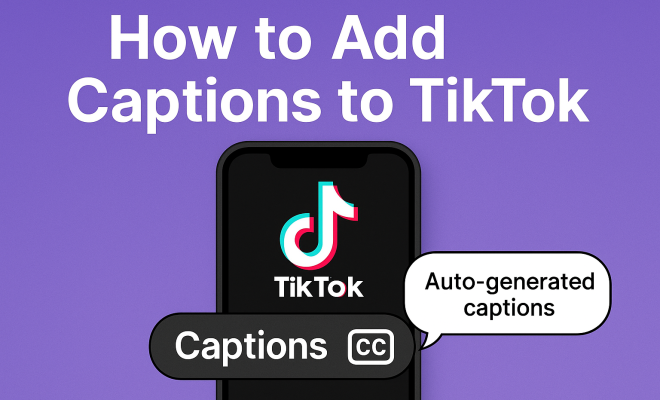
If you’d rather not type out your captions manually, TikTok also offers an auto-caption feature. This feature automatically generates captions for your spoken words. Here’s how you can use it:
- Record your video: As before, start by recording your content.
- Select ‘Captions’: After recording, go to the editing page and tap on ‘Captions.’
- Enable Auto-Captions: Toggle on the auto-caption feature. The app will listen to your audio and create captions based on what you say.
- Edit if Necessary: Review the generated captions to ensure accuracy. You can edit any mistakes before publishing.
This feature is a game changer for content creators who want to save time while still making their videos accessible. However, it’s essential to remember that while TikTok’s auto-caption feature is convenient, it isn’t perfect. Always double-check for errors, especially with names, slang, or unique phrases.
4. Best Practices for Writing Captions
While adding captions is essential, how you write them can make a big difference in viewer engagement. Here are some best practices to consider:
- Be Clear and Concise: Ensure that your captions are easy to read. Avoid long sentences that might confuse viewers. Aim for short, snappy phrases that convey your message.
- Use Proper Grammar and Spelling: Mistakes can undermine your credibility and distract viewers. Always proofread your captions before publishing.
- Incorporate Emojis: Emojis can add a fun element to your captions while also serving as visual cues for viewers.
- Match the Tone of Your Video: The style of your captions should reflect the tone of your video. If your video is humorous, let your captions have a light-hearted touch; if it’s serious, maintain a professional tone.
By adhering to these best practices, you’ll ensure that your captions contribute positively to your videos and resonate with your audience. Testing different styles and formats can help you find what works best for your particular niche on the platform. (See: World Health Organization on hearing loss.)
5. Enhancing Accessibility with Custom Captions
Custom captions go beyond mere transcription; they can add context and emotion to your videos. For instance, if there’s background noise or music, including descriptions can help provide context. Here are a few tips for enhancing accessibility through custom captions:
- Describe Sounds: If there are sound effects or music that are integral to the video, include captions like “[upbeat music playing]” or “[laughter]” to give viewers more context.
- Use Tone Indicators: For videos with humor or sarcasm, consider adding tone indicators like “[sarcastic]” to help convey the intended emotion.
- Segment Captions: Break down longer captions into smaller sections for better readability. This can prevent viewers from feeling overwhelmed.
By customizing captions in this way, you’re not only accommodating more viewers but also enriching their overall experience. Creators who take the time to build more inclusive captions often find their audience is more engaged, leading to better performance metrics.
6. Exploring Third-Party Captioning Tools
While TikTok’s built-in options are robust, some creators may prefer third-party tools for additional features. Software like Kapwing, Rev, or Veed.io provides extensive captioning options that can enhance your TikTok videos. Here’s a quick overview:
- Kapwing: This online video editor allows users to upload their TikTok videos and automatically generate captions. Users can also customize font styles, colors, and positions before exporting the video back to TikTok.
- Rev: Rev offers transcription and captioning services that are done by humans, ensuring high accuracy for your videos. It’s a paid service but might be worth the investment for those who prioritize quality.
- Veed.io: This platform combines video editing with automatic caption generation. Users can edit and style the captions extensively, making it a versatile option for creators.
Using third-party tools can provide additional features that may not be available on TikTok, allowing you to experiment with your captioning style. For example, you might want to create captions that include unique fonts or colors to match your branding.
7. Engagement and Metrics: How Captions Impact Performance
Adding captions to TikTok videos has a direct correlation with engagement metrics. Research shows that videos with captions see an increase in shares, likes, and comments. According to a study by the National Institute on Deafness and Other Communication Disorders, videos with captions are 80% more likely to be watched all the way through.
Furthermore, captions can affect your video’s discoverability. TikTok’s algorithm takes into account user interaction metrics, and when viewers engage positively with your captions, it boosts your visibility on the platform. Thus, captions aren’t just a nice-to-have—they’re a key component in optimizing your TikTok strategy.
Additionally, there’s data suggesting that platforms with integrated captions generally enjoy higher viewer retention rates. A report from the American Speech-Language-Hearing Association found that viewers often prefer content with captions, even when sound is available. This suggests that captions could potentially be a deciding factor in whether someone continues to watch your video or scrolls past it.
8. Current Trends in Captioning on TikTok
The landscape of TikTok is ever-evolving, and captioning trends are no exception. Recently, there’s been a notable shift towards using a more conversational tone in captions, as creators aim for authenticity and relatability. Additionally, the rise of TikTok challenges and trends has led to the incorporation of captions that engage viewers in real-time, prompting them to participate or comment.
Another emerging trend is the use of multi-language captions, as TikTok’s global user base expands. Creators who add captions in multiple languages can tap into diverse audiences and foster inclusivity. Thus, staying updated with these trends can significantly enhance your TikTok presence.
Another interesting trend is the use of “caption montages,” where creators display snippets of captions that highlight key moments or phrases in their videos. This approach not only aids in retention but also emphasizes important messages, making the content more impactful.
9. Common Challenges in Captioning and How to Overcome Them
While adding captions can undoubtedly benefit your TikTok content, there are challenges creators may face. Here are common issues and how to tackle them:
- Time Constraints: Creating captions can be time-consuming, especially for lengthy videos. Consider batch editing, where you prepare multiple videos at once, to streamline the process.
- Accuracy Issues: Auto-generated captions can sometimes misinterpret words. Always review and edit these captions to ensure they reflect your intended message accurately.
- Font and Color Choices: Choosing the right font and color for captions is critical for readability. Test different combinations to find what works best against your video background.
- Screen Space Limitations: Captions can overcrowd the screen, especially with fast-paced videos. Use concise language and consider segmenting your captions into smaller, digestible parts.
By being aware of these challenges, you can proactively implement strategies that enhance your captioning process and, ultimately, your video’s performance. (See: CDC information on hearing loss.)
10. Frequently Asked Questions About Adding Captions to TikTok
1. Why should I add captions to my TikTok videos?
Captions improve accessibility for viewers who are deaf or hard of hearing, and they help engage users who might be watching without sound. Additionally, captions can boost viewer retention and engagement metrics.
2. How can I ensure my captions are accurate?
Always review auto-generated captions for errors, especially with names, slang, or unique phrases. Manually editing them for clarity and correctness is essential.
3. Are there character limits for captions on TikTok?
Yes, TikTok captions have a character limit of 100 characters. Make sure your captions are concise while still conveying your message effectively.
4. Can I add captions to videos I’ve already posted?
Currently, you cannot edit video captions after publishing. You would have to remove the video and re-upload it with the correct captions.
5. Do captions affect TikTok’s algorithm?
Yes, captions can positively influence your engagement metrics, which TikTok’s algorithm considers when showing your content to more users. Higher engagement can lead to increased visibility on the platform.
6. How do I choose the right style for my captions?
Consider the tone of your video and your target audience. Experiment with different styles and formats to see what resonates best with your viewers.
11. How Captions Can Enhance Your Brand’s Voice
Your brand’s voice is essential in creating a lasting impression on viewers. Captions give you a chance to express this voice visually and textually. For instance, if you’re a brand known for humor, apply witty captions that reflect your personality. If you’re in a more serious field, straightforward and professional captions might be more appropriate. The way you style your captions, including the choice of words, emojis, and even color schemes, can all help to reinforce your brand identity.
Moreover, using consistent caption styles across your TikTok videos can help cement your brand’s aesthetic. Think about how brands use specific color palettes and fonts in traditional advertising; captions can serve a similar function in your TikTok content. This consistency can help viewers quickly identify your content, even when scrolling through a crowded feed.
12. Interactive Captioning Techniques
As TikTok continues to evolve, interactive content has become increasingly popular. Think about ways to make your captions interactive. For example, you could create polls or questions in your captions that encourage viewers to comment. Phrases like “What do you think?” or “Let me know if you agree!” can prompt engagement and get viewers involved in the conversation.
Additionally, consider using captions to guide viewers through a call-to-action. Phrasing like “Swipe up to learn more” or “Tap for the next part” can direct users and keep them engaged longer. This can be especially effective in educational or tutorial videos, where clear directions can lead to better viewer retention. (See: New York Times article on TikTok captions.)
13. Analyzing Competitors’ Captioning Strategies
Take some time to look at how successful accounts in your niche use captions. Analyze the style, length, and complexity of their captions. Are they using humor, emojis, or straightforward text? What seems to resonate with their audience? By studying your competitors, you can gain valuable insights and possibly identify gaps in your own captioning strategy. This analysis can help you discover what works and what doesn’t, allowing you to refine your approach in a way that sets your content apart.
Don’t hesitate to adopt and adapt successful strategies from others, but always make sure to add your unique voice and perspective. The goal is to keep your content fresh and engaging while learning from the best practices of others in your field.
14. Examples of Effective Use of Captions on TikTok
To better understand how captions can enhance content, let’s look at a few examples from popular TikTok creators:
- Comedy Skits: Creators like @SarahCooper use captions to add punchlines or reactions, enhancing the humor of the video while ensuring those who may not hear the audio still get the joke.
- Tutorials: @MakeupByMandy employs captions that break down the steps of a makeup tutorial. Not only do the captions make it easier to follow along, but they also provide additional tips that enhance the viewer’s learning.
- Social Causes: @GretaThunberg’s videos often include captions that emphasize key messages about climate change. The captions serve to reinforce her message while making it accessible to a broader audience.
These examples showcase how captions can be tailored to fit various content types, enhancing both accessibility and engagement.
15. Continual Improvement: Analyzing Your Engagement Metrics
Once you start adding captions to your videos, it’s important to monitor how they affect viewer engagement. Keep track of metrics such as likes, shares, comments, and watch time to see if there’s a noticeable difference in performance. If you find certain styles of captions lead to higher engagement, make those a regular part of your strategy. Additionally, tools offered by TikTok can help you analyze viewer behavior, giving you insights into what draws them in and what might make them scroll past.
Don’t be afraid to experiment! Try different lengths, styles, and even color schemes of captions to see what drives more engagement. Some creators find that short, punchy captions work best, while others prefer detailed explanations. The key is to find what resonates with your audience and keep refining your approach based on the data.
Ultimately, learning how to add captions to TikTok is not just about making your content accessible. It’s about engaging with a broader audience, enhancing viewer experience, and optimizing your content for performance. As you navigate the exciting world of TikTok, remember that every caption counts—make them meaningful, engaging, and reflective of your unique voice.
“`
Trending Now
Frequently Asked Questions
How do I add captions to my TikTok videos?
To add captions to your TikTok videos, start by recording your video as usual. After recording, tap the checkmark to enter the editing screen. From there, you can choose the captions feature to add text directly to your video.
Why are captions important on TikTok?
Captions are essential on TikTok as they enhance accessibility for users with hearing impairments and improve comprehension for viewers in sound-sensitive environments. They also help create a deeper emotional connection with the audience, leading to increased engagement.
Can I edit captions on TikTok after posting?
Once a TikTok video is posted, you cannot edit the captions directly. However, you can delete the video and re-upload a new version with the desired captions if needed.
Do captions help with TikTok engagement?
Yes, adding captions to TikTok videos can significantly boost engagement. Captions allow viewers to understand the content without sound, making it more likely they will interact with your video, leading to more likes, shares, and comments.
What are the benefits of using captions on TikTok?
The benefits of using captions on TikTok include improved accessibility for users with hearing loss, enhanced comprehension for viewers in noisy environments, and a stronger emotional connection with the audience, ultimately increasing your video's reach and engagement.
What did we miss? Let us know in the comments and join the conversation.