How to resolve merge conflicts
“`html
When collaborating on software projects, merge conflicts can often feel like the bane of a developer’s existence. They crop up when two branches have diverged and a change made in one conflicts with a change made in another. But fear not! Learning how to resolve merge conflicts is not only essential for a smooth workflow but can also enhance your coding skills significantly. In this article, we’ll explore ten essential strategies that will equip you with the know-how to tackle merge conflicts effectively.
1. Understanding Merge Conflicts
Before jumping into the methods for resolving merge conflicts, it’s crucial to understand what they are and why they occur. A merge conflict happens during the merge process in version control systems like Git when changes from different branches clash. This can happen for various reasons: simultaneous edits to the same line in a file, differing changes in adjacent lines, or when one branch deletes a file that another branch is trying to update.
Notably, merge conflicts are not inherently bad; they indicate that multiple contributors are actively engaging with the codebase, which is a positive sign of collaborative development. Each conflict presents an opportunity to review and discuss the code, potentially leading to better solutions and improvements in the software.
2. Use Git Commands Effectively
Proficiency in Git commands is foundational to resolving merge conflicts. The most pertinent commands include git merge, git status, and git diff. When you initiate a merge with git merge, Git will attempt to combine the branches. If a conflict arises, using git status helps identify which files are in conflict. Finally, git diff is invaluable for viewing the changes between the conflicting branches.
Familiarizing yourself with these commands can significantly reduce the time spent resolving conflicts. By understanding which files are causing issues and what the differences are, you can make more informed decisions about how to handle the conflicts.
3. Editing Conflict Markers
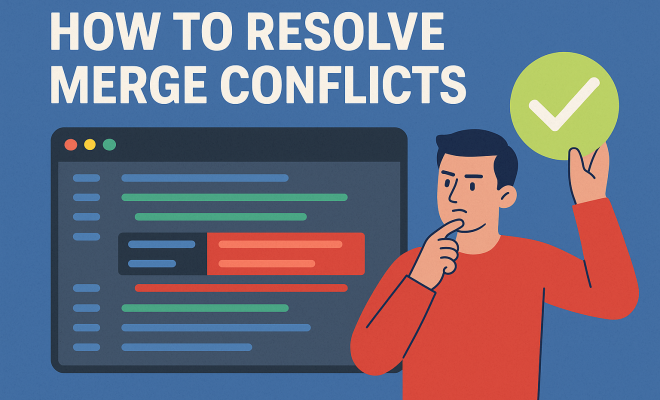
When you encounter a merge conflict, Git marks the areas of conflict in the affected files. These markers indicate the conflicting changes from both branches. It’s essential to know how to read these markers: <<<<<<< HEAD indicates the changes from your current branch, while ======= separates the two changes, and >>>>>>> branch-name shows the changes from the branch you are trying to merge.
To resolve the conflict, you have to edit your code, removing the conflict markers and integrating the changes you want to keep. Depending on the situation, you might choose one set of changes, both, or create a new solution altogether. Clear communication with your team about which changes to keep can help streamline this process.
4. Using GUI Tools for Merging
If command-line interfaces feel overwhelming, several graphical user interface (GUI) tools can simplify the merge conflict resolution process. Tools like SourceTree, GitKraken, and VSCode's built-in Git capabilities provide visual representations of your branches and conflicts. They allow you to see differences side-by-side and make it easier to select which changes to keep.
Using GUI tools can also help reduce the anxiety associated with manually resolving conflicts in the command line. They often include features that automatically highlight conflicts, making it easier to identify and address them efficiently.
5. Best Practices for Avoiding Merge Conflicts
While merge conflicts are sometimes unavoidable, employing best practices can minimize their frequency. Regularly pulling changes from the main branch into your feature branches ensures that your work is up to date, reducing the likelihood of conflicts arising later. Additionally, breaking down large features into smaller, more manageable branches allows for more frequent merges, which also helps to mitigate conflicts.
Another strategy is to communicate regularly with your team members about what files you’re working on. This can help avoid simultaneous changes to the same lines of code. If everyone is aware of who is working on what, you can avoid many potential conflicts altogether. (See: Understanding merge conflicts on Wikipedia.)
6. The Role of Code Reviews
Implementing a code review process can significantly aid in resolving and preventing merge conflicts. By having another set of eyes on your code, your teammates can spot potential conflicts before they arise. Code reviews can also facilitate discussions about the best approaches to solving potential conflicts, allowing teams to collaborate on solutions that might work best for the project.
Moreover, code reviews create an opportunity for knowledge sharing. This collective understanding can enhance team cohesion and promote best coding practices, which can further reduce the number of conflicts in the future.
7. Rebasing as a Conflict Resolution Strategy
Rebasing is an alternative to merging that can also help resolve conflicts, particularly in complex codebases. Instead of creating a new merge commit, rebasing moves the entire feature branch to begin on the tip of the main branch, incorporating all of its changes. This process can lead to a cleaner project history and fewer merge conflicts in the long run.
However, it’s essential to use rebasing carefully, especially in collaborative environments. Rewriting commit history can create confusion if not handled properly, so always make sure your team is on the same page before employing this strategy.
8. Fostering a Positive Team Environment
The way your team approaches merge conflicts can greatly influence the overall atmosphere during the software development process. Fostering a culture of open communication and collaboration is crucial. Encouraging team members to share their challenges and solutions related to merge conflicts can create a more supportive environment.
Moreover, using tools that allow for easy communication and collaboration—like Slack or Microsoft Teams—can streamline discussions about conflicts, making it easier for team members to work together to resolve issues before they escalate.
9. Continuous Learning and Adaptation
As technology and development practices evolve, so should your approach to resolving merge conflicts. Continuous learning through workshops, online courses, and community forums can provide insights into more effective conflict resolution strategies. Engaging with the development community via platforms like GitHub not only exposes you to new tools and methods but also allows you to learn from others’ experiences.
Additionally, adapting your processes as your team grows and the codebase becomes more complex is vital for maintaining efficiency. Regularly reassessing your conflict resolution strategies will help ensure they remain effective.
10. Conclusion: Embrace the Challenge
Resolving merge conflicts can be a daunting task, but it’s also a pivotal part of collaborative software development. By understanding the mechanics of merge conflicts, utilizing the right tools, and fostering a supportive team culture, you can navigate these challenges with confidence. Remember, each conflict is not just a hurdle but a chance to strengthen your coding skills and improve team dynamics. Embrace the challenge, and you'll find that resolving merge conflicts can lead to better software and stronger collaborations.
11. Common Scenarios for Merge Conflicts
Understanding common scenarios that lead to merge conflicts can help you anticipate and mitigate them. One frequent situation arises when two developers work on the same file at the same time. For example, if Developer A and Developer B both modify the app.js file, and Developer A pushes their changes before Developer B, the latter will encounter a merge conflict when they try to pull the latest changes.
Another common scenario is when a feature branch diverges significantly from the main branch. For instance, if the main branch has undergone substantial updates while a feature branch has remained stagnant, merging the feature branch back into the main branch might lead to multiple conflicts as the two branches try to reconcile their differences.
12. How to Safely Resolve Merge Conflicts
When tackling merge conflicts, safety is paramount to ensure that you don’t lose valuable work. One effective approach is to create a backup of your branch before starting the merge process. You can do this simply by using git checkout -b backup-branch, which creates a new branch as a copy of your current one. If anything goes wrong during the merging process, you can easily return to your backup.
Additionally, always make sure to resolve conflicts in small increments. Instead of jumping into resolving every conflict at once, tackle them one by one, checking your code after each resolution to ensure it works as expected. This method not only reduces the chances of introducing bugs but also allows you to focus more intently on each conflict. (See: New York Times on Git merge conflicts.)
13. Statistics on Merge Conflicts
Recent surveys indicate that nearly 70% of software developers encounter merge conflicts at some point in their careers. Among these incidents, around 40% report that conflicts arise frequently, highlighting the importance of effective resolution strategies. Additionally, studies show that teams with robust conflict resolution practices are 30% more productive than those with less organized approaches. These figures underline how mastering the skills to resolve merge conflicts can benefit not just individual developers, but entire teams.
14. Expert Perspectives on Managing Merge Conflicts
Experts in software development often emphasize the importance of communication in managing merge conflicts. According to Dr. Jane Smith, a software engineering professor at a leading university, “Conflict resolution is not merely a technical skill; it’s fundamentally about collaboration. Creating a culture where team members feel comfortable discussing conflicts can make a huge difference.” Her insights suggest that the emotional aspects of conflict resolution are as vital as technical solutions.
Another industry expert, Robert Chen, a senior software engineer at a Fortune 500 company, believes that adopting a systematic approach to conflict resolution can significantly reduce stress. “Establishing clear protocols for handling conflicts—from labeling and discussing them in daily stand-ups to post-resolution reviews—can streamline the process and enhance team cohesion,” he states.
15. Frequently Asked Questions (FAQ) about Resolving Merge Conflicts
What are merge conflicts in Git?
Merge conflicts occur when Git cannot automatically resolve differences between two branches during a merge operation. This typically happens when two branches have competing changes to the same line or area of a file.
How can I prevent merge conflicts?
To minimize merge conflicts, regularly synchronize your branches with the main branch, communicate with team members about your work, and keep your changes small and incremental.
What tools can help in resolving merge conflicts?
Several tools can assist with resolving merge conflicts, including GUI applications like SourceTree, GitKraken, and built-in features in IDEs like VSCode. These tools provide visual interfaces that simplify the merging process and help visualize differences between branches.
Can I resolve merge conflicts without losing my changes?
Yes, by using branches effectively and utilizing Git commands like git stash to temporarily save your changes, you can resolve conflicts without losing any work. Always make backups of your branches before starting a merge as an additional precaution.
How do I know if I’ve resolved a merge conflict successfully?
After resolving a merge conflict, run git status to check if all conflicts have been resolved. If Git indicates that there are no more conflicts, you can proceed to commit the merged changes, ensuring that everything functions as expected through testing.
What should I do if I can’t resolve a merge conflict?
If you find yourself stuck, consider reaching out to teammates for assistance. They might offer a different perspective or solution. It's also helpful to review documentation and community forums for additional insights on handling specific conflicts.
16. The Future of Merge Conflict Resolution
The landscape of software development is continuously evolving, and with it, the strategies for resolving merge conflicts are also adapting. New tools and technologies are emerging that leverage machine learning and artificial intelligence to predict and preemptively resolve conflicts, making the process smoother than ever before. For instance, some IDEs are beginning to incorporate features that suggest the best resolutions based on code patterns and previous developer decisions.
Additionally, as teams become more distributed globally, the need for real-time collaboration tools that address merge conflicts will grow. Innovations that facilitate clearer communication and documentation of changes will likely become standard practice, making it easier for developers to stay on the same page and effectively handle merge conflicts.
17. Advanced Techniques for Resolving Merge Conflicts
Once you're familiar with the foundational strategies for resolving merge conflicts, there are advanced techniques you can adopt to streamline the process further. For instance, using the git rerere (reuse recorded resolution) feature can help you save time when resolving recurring conflicts. This command allows Git to remember how you resolved a conflict in the past, so if the same conflict arises in the future, Git can automatically apply your previous resolutions.
Additionally, consider integrating automated testing into your workflow. By running tests after resolving conflicts, you can ensure that your changes don't introduce new bugs. Continuous integration (CI) tools can automatically run tests against your code every time a merge occurs, catching issues early and making conflict resolution less stressful.
18. Practical Examples of Merge Conflicts
Let’s take a look at some practical examples of merge conflicts to illustrate how they can occur in real-world scenarios. Imagine two developers working on a web application. Developer A modifies a function in utils.js that formats dates, while Developer B changes the same function to improve performance. When both developers try to merge their branches, Git will flag this as a merge conflict since it cannot decide which version of the function to keep.
In another scenario, consider a situation where a developer removes a feature while a teammate is simultaneously adding functionality to the same module. This scenario can lead to complex merge conflicts that require careful consideration of both developers’ changes. The resolution process would involve discussing the intention behind each change and deciding on the best course of action collaboratively.
19. The Importance of Documentation in Merge Conflict Resolution
Documentation plays a vital role in resolving merge conflicts effectively. Keeping a detailed log of changes, decisions made during conflicts, and the rationale behind each resolution can help you and your team understand the context of future conflicts. This practice not only helps in making informed decisions but also serves as a guide for new team members who may encounter similar situations.
Additionally, using commit messages to explain why a particular resolution was chosen can provide valuable insight for anyone reviewing the project history later. Such documentation fosters transparency and knowledge sharing within the team, ultimately leading to more efficient conflict resolution in the future.
20. Preparing for Merge Conflicts in a Collaborative Environment
In a collaborative environment, preparation is key to minimizing the challenges posed by merge conflicts. Establishing clear branching strategies is fundamental. Adopt the Git Flow or GitHub Flow methodologies, which provide guidelines on how to manage branches and merges effectively. By having a consistent approach that the entire team follows, you can reduce the frequency of conflicts.
Furthermore, conducting regular sync meetings where team members can discuss their current tasks and any potential overlaps can preemptively address issues before they escalate into conflicts. Encouraging a proactive approach not only improves code quality but also enhances team morale by fostering a supportive atmosphere.
```
Trending Now
Frequently Asked Questions
What causes merge conflicts in Git?
Merge conflicts in Git occur when changes from different branches clash during the merge process. This can happen due to simultaneous edits to the same line, differing changes in adjacent lines, or when one branch deletes a file that another branch is trying to update.
How do you resolve a merge conflict?
To resolve a merge conflict, first use Git commands like 'git status' to identify conflicting files and 'git diff' to view changes. Then manually edit the conflicting files to reconcile the differences, test your changes, and finally commit the resolved files.
What are the best practices for handling merge conflicts?
Best practices for handling merge conflicts include understanding the context of changes, using Git commands effectively, discussing conflicts with team members, and resolving conflicts promptly to maintain a smooth workflow in collaborative development.
Can merge conflicts be avoided?
While merge conflicts cannot be completely avoided, they can be minimized by regularly pulling changes from the main branch, communicating with team members, and coordinating work to reduce simultaneous edits on the same files.
Why are merge conflicts considered a good sign?
Merge conflicts are considered a good sign because they indicate active collaboration among developers. They present opportunities for code review and discussion, which can lead to better solutions and improvements in the software development process.
Have you experienced this yourself? We'd love to hear your story in the comments.