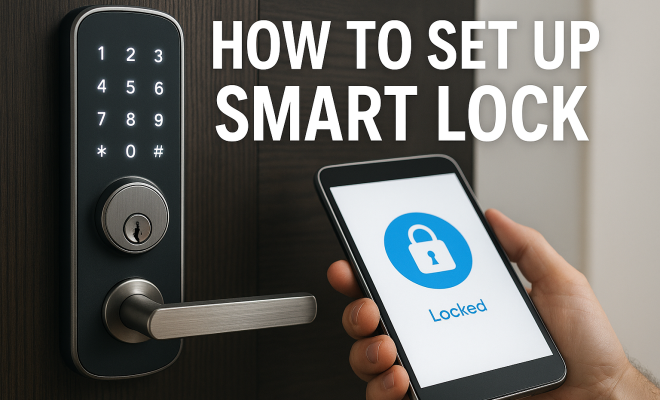
How to set up smart lock
“`html
1. Understanding Smart Locks
Smart locks are revolutionizing how we secure our homes. Unlike traditional locks that require physical keys, smart locks offer a variety of ways to access your home, ranging from mobile apps to biometric scanning. These devices connect to your home’s Wi-Fi or Bluetooth, allowing you to control them from anywhere via your smartphone or tablet. This technology not only enhances convenience but also boosts security by allowing you to monitor access to your home.
As the demand for smart home devices grows, the market has become flooded with various options. It’s crucial to understand the differences among them. Some smart locks replace your existing deadbolts, while others attach directly to your current lock mechanism, enabling you to maintain your traditional locking system. This flexibility means that you can select a solution that best fits your security needs and lifestyle.
2. Choosing the Right Smart Lock
When it comes to smart lock setup, the first step is selecting the right lock. Factors to consider include compatibility with your door type, the technology used for unlocking (like Wi-Fi, Bluetooth, or Z-Wave), and the overall design. For instance, if you live in an apartment with a metal door, look for locks designed to work with such materials. Additionally, different smart locks have varying features such as keyless entry, remote access, and auto-lock capabilities.
Some of the top smart locks currently available include the August Smart Lock Pro, Schlage Encode, and Yale Assure Lock SL. Each of these models has its strengths; for example, the August lock allows you to keep your existing deadbolt while adding smart functions, while the Schlage Encode features built-in Wi-Fi for easy remote access. Make sure to read reviews and compare specifications to find the best fit for your needs.
Don’t forget to check how frequently the manufacturer updates the software for the lock. A lock that receives regular updates will likely have better security and more features over time. Look for locks with strong community support and ample user feedback, as this can provide valuable insights into long-term performance and reliability.
3. Preparing for Installation
Before you dive into the installation process, preparation is key. Gather all necessary tools, such as a screwdriver, a drill (if required), and a level, to ensure a smooth installation. It’s also wise to check the lock’s user manual for specific installation instructions, as they can vary by model. If your smart lock requires a mobile app, download it beforehand to simplify the setup process.
Additionally, check your door and frame for any obstructions or damages that might hinder installation. Ensuring your door closes properly can save you time and headache later, as a misaligned door can affect the lock’s performance. A level is particularly useful here to make sure your lock sits straight.
It’s also beneficial to familiarize yourself with common installation mistakes. These can include failing to align the strike plate correctly or neglecting to secure the screws adequately. Watching installation videos online can give you a clearer idea of what to expect and help you avoid common pitfalls.
4. Smart Lock Setup Process
The smart lock setup generally follows a straightforward process, but it can vary based on the model you choose. Most installations involve removing the existing lock, attaching the smart lock mechanism, and then configuring it through the associated mobile app. Begin by removing the old lock, which usually involves unscrewing it from the door. After that, follow the instructions in the smart lock manual to install the new hardware.
Once installed, it’s time to pair your lock with its mobile app. This often requires creating an account, connecting to your home Wi-Fi, and following on-screen prompts. Many apps will guide you through the setup, making it easy to connect your smart lock. Remember to test the lock after the setup process to ensure that everything functions correctly.
While setting up, ensure that you have a stable internet connection. A weak Wi-Fi signal can lead to connectivity issues with your smart lock, causing delays or failures in operation. If possible, position your router close to the lock or consider using a Wi-Fi extender to enhance connectivity.
5. Integrating with Smart Home Systems
If you have a broader smart home system, integrating your new smart lock can enhance its functionality. Many smart locks, like the August Smart Lock Pro, work with platforms such as Amazon Alexa, Google Assistant, and Apple HomeKit. This allows you to control your lock with voice commands or automate it to work with other smart devices in your home. (See: Understanding smart locks on Wikipedia.)
For instance, you could set your smart lock to auto-unlock when you arrive home, provided your phone is within range. Additionally, you can create virtual keys for guests or service providers that can be set to expire after a certain time, adding an extra layer of convenience and security.
Consider using geofencing technology, which can automatically lock or unlock your door based on your location. This feature can be particularly useful for families, ensuring that children or elderly family members have easy access without needing to carry keys or remember codes.
6. Security Features to Look For
When setting up your smart lock, it’s essential to ensure it has robust security features. Look for locks that offer encryption for data transmission; this prevents hackers from intercepting your access codes or commands. Biometric features, such as fingerprint recognition, can also add an extra layer of security, allowing only authorized users access.
Another critical feature is two-factor authentication (2FA). This security measure requires a second form of identification before allowing access, typically through a mobile app or a text message. With these features in place, you can feel more secure about leaving your home unattended.
It’s also beneficial to check whether the lock has a tamper alert function. This feature will notify you if someone is attempting to force entry or tamper with the lock, allowing you to respond quickly. Additionally, explore locks that have an automatic locking feature, which ensures that doors lock securely after a set period, reducing the risk of leaving your door unlocked.
7. Maintaining Your Smart Lock
Once your smart lock is installed and set up, maintenance is crucial to ensuring it continues to function correctly. Just like a traditional lock, smart locks can accumulate dust and dirt, which may impede their operation. Regularly clean the lock and check for any signs of wear. Most manufacturers recommend battery checks every few months, as a dying battery can leave you locked out.
Also, update the firmware of your smart lock when prompted. These updates often include essential security patches and new features that can enhance the functionality of your device. Keeping your software up to date is a fundamental part of smart lock setup maintenance.
Consider implementing a maintenance schedule that includes periodic checks on the lock’s mechanical components, ensuring that everything is functioning smoothly. This proactive approach can prevent issues before they arise, helping to maintain both security and convenience.
8. Understanding Privacy Concerns
While smart locks offer convenience, they also raise privacy concerns that are worth considering. Since these devices connect to the internet, they can potentially be vulnerable to hacking. Always use strong, unique passwords for your lock’s app, and consider changing them periodically. Utilizing features like 2FA can also help protect your account.
Be aware of the data your smart lock collects and how it is used. Some companies may share data with third parties or use it for advertising purposes. It’s wise to review the privacy policy of the lock manufacturer to ensure you’re comfortable with how your information is handled.
Privacy concerns can also arise from the use of location data. Some smart locks use your phone’s location to facilitate features like auto-locking or unlocking. Familiarize yourself with how your lock uses this data and whether you can disable location tracking if desired. Understanding these data practices can empower you to make informed decisions regarding your smart security system.
9. Future of Smart Lock Technology
The future of smart lock technology looks promising. As the Internet of Things (IoT) continues to evolve, we can expect even more innovative features that enhance security and convenience. Trends like facial recognition, geofencing, and integration with advanced home automation systems are already emerging.
Moreover, as cybersecurity technologies improve, we can anticipate more sophisticated encryption methods that will make smart locks even safer. For homeowners, this means better security solutions that not only simplify access but also keep homes secure in an increasingly digital world. Embracing smart lock technology now could put you ahead of the curve when it comes to home security.
In addition to evolving technology, we should also expect to see more customizable options for smart locks. Future models may allow users to select specific features based on their unique needs, such as customizable access schedules or enhanced user permissions for different family members. These developments will further tailor smart lock functionality to individual lifestyles. (See: NIST guidelines on smart locks.)
10. Common Issues and Troubleshooting
Even the best smart locks can experience issues from time to time. Here are some common problems you might encounter, along with troubleshooting tips to resolve them.
- Lock not responding: If your smart lock isn’t responding when you try to unlock or lock it via the app, check your Wi-Fi or Bluetooth connection. Ensure that your phone is within range of the lock.
- Battery issues: If your smart lock starts to behave erratically or won’t operate at all, it might be time to replace the batteries. Most smart locks will send a notification when the battery is low, but it’s good practice to check periodically.
- App connectivity problems: If the smart lock app isn’t connecting, try restarting your phone or reinstalling the app. Sometimes a simple refresh can solve connectivity issues.
- Lock misalignment: If your lock is misaligned or not fitting correctly into the strike plate, make sure the installation was done correctly. Loosen the screws slightly and adjust the lock’s position before tightening them again.
Having a list of common troubleshooting steps at hand can save you time and frustration, allowing you to address issues swiftly without needing professional assistance.
11. FAQ about Smart Lock Setup
What should I do if I lose my smartphone that has the lock app?
If you lose your smartphone, immediately change the password for your smart lock app. If possible, disable access temporarily through the app from another device. Most smart lock manufacturers allow you to manage access remotely.
Can I still use a physical key with a smart lock?
Many smart locks are designed to function with a physical key as a backup. Check your specific model’s features to confirm whether it supports this option.
Are smart locks weatherproof?
While many smart locks are designed to withstand various weather conditions, it’s essential to check the specifications for your specific model. Some locks may require additional protection in extreme environments.
How do I know if my smart lock is secure?
Look for features such as encryption, biometric access, and two-factor authentication. Additionally, consider locks that have received certifications from security organizations, as these can provide assurance of their safety.
What happens if my smart lock’s battery dies?
Most smart locks will give you a low battery warning through the app. If it does die, many models have a backup key option or a way to temporarily power the lock using a 9V battery. Always check the manufacturer’s guidelines for specific procedures.
Can I integrate my smart lock with other security systems?
Absolutely! Many smart locks are compatible with home security systems and other smart home devices. Check compatibility with your existing system, and utilize the app to set up integration.
Is it hard to install a smart lock by myself?
Most smart locks come with user-friendly instructions, making DIY installation quite feasible. However, if you’re not comfortable with tools or installation, consider hiring a professional for the setup.
How do smart locks improve home security?
Smart locks enhance home security by providing remote access controls, real-time notifications of access, and the ability to create temporary access codes for guests. These features help you maintain a secure environment more effectively than traditional locks.
12. Comparing Popular Smart Lock Brands
When considering a smart lock setup, it’s helpful to compare the leading brands in the market. Each brand offers unique selling points that cater to different user needs.
August Smart Lock: Known for its retrofitting capability, August allows you to keep your existing key and deadbolt. It integrates well with smart home systems and offers features like door sensing, which can alert you if the door is open or closed. (See: CDC on smart home technology.)
Schlage: Schlage locks, especially the Schlage Encode, stand out for their built-in Wi-Fi, eliminating the need for additional hubs. They have a robust design and are praised for their durability and security features.
Yale: Yale offers a variety of smart locks with keyless entry and a keypad for code access. They are known for their high compatibility with various smart home systems and are often a top choice for those looking for a holistic security solution.
In terms of pricing, August tends to be in the mid-range, while Schlage and Yale can be more expensive but offer premium features. Take into account your budget and the features that matter most to you when making a decision.
13. Real-Life Use Cases of Smart Lock Technology
Many people are already enjoying the benefits of smart lock setups in their daily lives. Here are some real-world scenarios that highlight their advantages:
Airbnb Hosts: Smart locks allow Airbnb hosts to manage access effortlessly. They can generate temporary codes for guests and set expiration dates, eliminating the need for physical key exchanges.
Families with Children: Families can easily provide access to children without the worry of them losing a physical key. Parents can monitor who enters and exits, providing peace of mind.
Home-Based Businesses: Entrepreneurs working from home can use smart locks to manage access for cleaners or maintenance workers. They can set codes that only work for the duration of the service, enhancing security while allowing necessary access.
14. Best Practices for Enhancing Smart Lock Security
To maximize your smart lock’s potential, consider these best practices:
- Regularly Update Passwords: Change the password for your smart lock app periodically and use complex combinations of letters, numbers, and symbols.
- Monitor Access Logs: Many smart locks provide access logs. Regularly review these logs to track who has entered your home and when.
- Enable Alerts: Set up notifications for any unauthorized access attempts or lock malfunctions. Being immediately aware can help you take action quickly.
- Secure Your Wi-Fi Network: Ensure your Wi-Fi network is secure by using strong encryption (WPA3 if available) and hiding your SSID to prevent unauthorized access.
15. Final Thoughts on Smart Lock Setup
With the right knowledge and preparation, setting up a smart lock can be a rewarding and straightforward process. By choosing the best model for your needs and understanding the features and security implications, you can significantly enhance both your home’s convenience and security. As technology evolves, being informed about the latest advancements in smart locks will help you make the best choices for your home security needs.
“`
Trending Now
Frequently Asked Questions
What is a smart lock and how does it work?
A smart lock is a device that secures your home without traditional keys, using methods like mobile apps or biometric scanning. It connects to your Wi-Fi or Bluetooth, allowing you to control access remotely via your smartphone or tablet, enhancing both convenience and security.
How do I choose the right smart lock for my home?
To choose the right smart lock, consider factors like compatibility with your door type, the unlocking technology (Wi-Fi, Bluetooth, Z-Wave), and features such as keyless entry and remote access. Research different models and read reviews to find the best fit for your needs.
Can I install a smart lock myself?
Yes, many smart locks are designed for easy DIY installation and come with clear instructions. However, if you're unsure or uncomfortable with the process, hiring a professional locksmith can ensure it's installed correctly.
What are some popular smart lock brands?
Popular smart lock brands include August, Schlage, and Yale. Each offers unique features; for example, August allows you to retain your existing deadbolt, while Schlage has built-in Wi-Fi for remote access.
How secure are smart locks compared to traditional locks?
Smart locks can enhance security by allowing you to monitor access and use advanced features like auto-locking. However, their security depends on the technology used and how well they're maintained, so choose reputable brands and keep software updated.
What’s your take on this? Share your thoughts in the comments below — we read every one.