The Tech Edvocate

Top Menu

  • Advertisement
  • Apps
  • Home Page
  • Home Page Five (No Sidebar)
  • Home Page Four
  • Home Page Three
  • Home Page Two
  • Home Tech2
  • Icons [No Sidebar]
  • Left Sidbear Page
  • Lynch Educational Consulting
  • My Account
  • My Speaking Page
  • Newsletter Sign Up Confirmation
  • Newsletter Unsubscription
  • Our Brands
  • Page Example
  • Privacy Policy
  • Protected Content
  • Register
  • Request a Product Review
  • Shop
  • Shortcodes Examples
  • Signup
  • Start Here
    • Governance
    • Careers
    • Contact Us
  • Terms and Conditions
  • The Edvocate
  • The Tech Edvocate Product Guide
  • Topics
  • Write For Us
  • Advertise

Main Menu

  • Start Here
    • Our Brands
    • Governance
      • Lynch Educational Consulting, LLC.
      • Dr. Lynch’s Personal Website
      • Careers
    • Write For Us
    • The Tech Edvocate Product Guide
    • Contact Us
    • Books
    • Edupedia
    • Post a Job
    • The Edvocate Podcast
    • Terms and Conditions
    • Privacy Policy
  • Topics
    • Assistive Technology
    • Child Development Tech
    • Early Childhood & K-12 EdTech
    • EdTech Futures
    • EdTech News
    • EdTech Policy & Reform
    • EdTech Startups & Businesses
    • Higher Education EdTech
    • Online Learning & eLearning
    • Parent & Family Tech
    • Personalized Learning
    • Product Reviews
  • Advertise
  • Tech Edvocate Awards
  • The Edvocate
  • Pedagogue
  • School Ratings

logo

The Tech Edvocate

  • Start Here
    • Our Brands
    • Governance
      • Lynch Educational Consulting, LLC.
      • Dr. Lynch’s Personal Website
        • My Speaking Page
      • Careers
    • Write For Us
    • The Tech Edvocate Product Guide
    • Contact Us
    • Books
    • Edupedia
    • Post a Job
    • The Edvocate Podcast
    • Terms and Conditions
    • Privacy Policy
  • Topics
    • Assistive Technology
    • Child Development Tech
    • Early Childhood & K-12 EdTech
    • EdTech Futures
    • EdTech News
    • EdTech Policy & Reform
    • EdTech Startups & Businesses
    • Higher Education EdTech
    • Online Learning & eLearning
    • Parent & Family Tech
    • Personalized Learning
    • Product Reviews
  • Advertise
  • Tech Edvocate Awards
  • The Edvocate
  • Pedagogue
  • School Ratings
  • Philippines Sees 1% Drop in External Debt Amid Rising Fuel Prices and Global Economic Tensions

  • Stability in Fuel Prices Amid Global Turmoil: What You Need to Know

  • Nifty 50 Plummets Amid Escalating Middle East Tensions and Oil Price Volatility

  • Crude Oil Prices Surge as Tensions Rise Over Iran Threats

  • China’s Economic Resilience in Early 2026 Amid Global Turbulence

  • Revolutionizing Entrepreneurship: The Rise of One-Person Startups in China Using AI

  • Bold Secures $40 Million to Revolutionize AI-Driven Cybersecurity Solutions

  • Breaking Through the Noise: Google and Accel India Select Promising Startups Beyond AI ‘Wrappers’

  • Accel and Google’s AI Futures Fund Highlights Innovation with 2026 Atoms AI Cohort

  • Capital Shifts: The New Wave of Startup Investments in AI and Robotics

Online Learning & eLearning
Home›Online Learning & eLearning›Top 8 Ways to Fix Safari Not Downloading Files on iPhone

Top 8 Ways to Fix Safari Not Downloading Files on iPhone
By Matthew Lynch
May 28, 2023
0
Spread the love

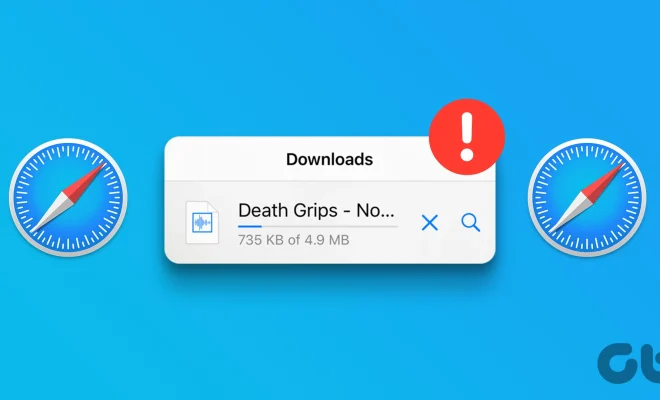
Safari is the default web browser on iPhones, and for many users, it’s the go-to application for browsing the internet. However, sometimes Safari can act a little wonky, and one of the problems that users may face is the inability to download files. If you find yourself in this predicament, there are various ways to fix it. In this article, we’ll outline the top eight ways to fix Safari not downloading files on your iPhone.

1. Check your internet connection. If you have a weak internet connection, Safari may struggle to download files. Ensure that the Wi-Fi or cellular data signal is strong, and try to download the file again.

2. Clear your cache and history. Sometimes, your browsing data can interfere with downloading files. Go to Settings > Safari > Clear History and Website Data. This removes all the cookies, cache, and browsing history, which can help with downloading issues.

3. Disable content blockers. Content blockers are plugins used to block ads and tracking cookies on websites. However, some of these blockers can interfere with downloading files. Try disabling content blockers temporarily by going to Safari > Content Blockers and toggling them off.

4. Disable VPN. A Virtual Private Network creates a secure connection to the internet and encrypts your data. If you have a VPN enabled, disable it temporarily and try to download the file again.

5. Enable JavaScript. Some websites require JavaScript to download files. Ensure that JavaScript is enabled by going to Settings > Safari > Advanced > JavaScript > Toggle On.

6. Disable Airplane Mode. If you’ve enabled Airplane Mode accidentally, disable it by swiping up from the bottom of the screen to open Control Center > Tap on the Airplane Mode icon to turn it off.

7. Restart Safari. In some cases, Safari may stop working entirely. If that happens, restart the app by quitting it and opening it again. To do this, swipe up from the bottom of the screen, swipe to the right to find Safari, and swipe up to close it.

8. Update iOS. If Safari still doesn’t download files, it’s time to update your iPhone’s operating system. Go to Settings > General > Software Update. If an update is available, download and install it, as it may contain a fix for your downloading issue.

In conclusion, Safari not downloading files can be frustrating, especially when you’re trying to access an important document or file. However, with the above solutions, you can fix the problem and get back to browsing the internet seamlessly. Remember to check your internet connection, clear your cache, and ensure that you’re running the latest version of iOS. If all else fails, you can try using a different browser or contacting Apple’s support team for further assistance.


Previous Article

The Best Free Programs and Online Services ...

Next Article

First Come, First Served (FCFS)

Matthew Lynch

Related articles More from author

  • Online Learning & eLearning

    Blended Learning is Not an Option Anymore

    April 25, 2018
    By Matthew Lynch
  • Online Learning & eLearning

    Nigerian Prince Scams: What Are They and Why Aren’t You Rich?

    June 15, 2023
    By Matthew Lynch
  • Online Learning & eLearning

    Top 10 Benefits of Blockchain Technology for Business

    April 1, 2023
    By Matthew Lynch
  • Online Learning & eLearning

    Top 6 Ways to Fix Facebook Marketplace Not Working

    April 3, 2023
    By Matthew Lynch
  • Online Learning & eLearning

    How Does Remote Proctoring Actually Work?

    January 23, 2023
    By Matthew Lynch
  • Online Learning & eLearning

    What to Know Before You Order GPS With a Rental Car

    June 14, 2023
    By Matthew Lynch

Search

Login & Registration

  • Register
  • Log in
  • Entries feed
  • Comments feed
  • WordPress.org

Newsletter

Signup for The Tech Edvocate Newsletter and have the latest in EdTech news and opinion delivered to your email address!

About Us

Since technology is not going anywhere and does more good than harm, adapting is the best course of action. That is where The Tech Edvocate comes in. We plan to cover the PreK-12 and Higher Education EdTech sectors and provide our readers with the latest news and opinion on the subject. From time to time, I will invite other voices to weigh in on important issues in EdTech. We hope to provide a well-rounded, multi-faceted look at the past, present, the future of EdTech in the US and internationally.

We started this journey back in June 2016, and we plan to continue it for many more years to come. I hope that you will join us in this discussion of the past, present and future of EdTech and lend your own insight to the issues that are discussed.

Newsletter

Signup for The Tech Edvocate Newsletter and have the latest in EdTech news and opinion delivered to your email address!

Contact Us

The Tech Edvocate
910 Goddin Street
Richmond, VA 23231
(601) 630-5238
[email protected]

Copyright © 2025 Matthew Lynch. All rights reserved.