The Tech Edvocate

Top Menu

  • Advertisement
  • Apps
  • Home Page
  • Home Page Five (No Sidebar)
  • Home Page Four
  • Home Page Three
  • Home Page Two
  • Home Tech2
  • Icons [No Sidebar]
  • Left Sidbear Page
  • Lynch Educational Consulting
  • My Account
  • My Speaking Page
  • Newsletter Sign Up Confirmation
  • Newsletter Unsubscription
  • Our Brands
  • Page Example
  • Privacy Policy
  • Protected Content
  • Register
  • Request a Product Review
  • Shop
  • Shortcodes Examples
  • Signup
  • Start Here
    • Governance
    • Careers
    • Contact Us
  • Terms and Conditions
  • The Edvocate
  • The Tech Edvocate Product Guide
  • Topics
  • Write For Us
  • Advertise

Main Menu

  • Start Here
    • Our Brands
    • Governance
      • Lynch Educational Consulting, LLC.
      • Dr. Lynch’s Personal Website
      • Careers
    • Write For Us
    • The Tech Edvocate Product Guide
    • Contact Us
    • Books
    • Edupedia
    • Post a Job
    • The Edvocate Podcast
    • Terms and Conditions
    • Privacy Policy
  • Topics
    • Assistive Technology
    • Child Development Tech
    • Early Childhood & K-12 EdTech
    • EdTech Futures
    • EdTech News
    • EdTech Policy & Reform
    • EdTech Startups & Businesses
    • Higher Education EdTech
    • Online Learning & eLearning
    • Parent & Family Tech
    • Personalized Learning
    • Product Reviews
  • Advertise
  • Tech Edvocate Awards
  • The Edvocate
  • Pedagogue
  • School Ratings

logo

The Tech Edvocate

  • Start Here
    • Our Brands
    • Governance
      • Lynch Educational Consulting, LLC.
      • Dr. Lynch’s Personal Website
        • My Speaking Page
      • Careers
    • Write For Us
    • The Tech Edvocate Product Guide
    • Contact Us
    • Books
    • Edupedia
    • Post a Job
    • The Edvocate Podcast
    • Terms and Conditions
    • Privacy Policy
  • Topics
    • Assistive Technology
    • Child Development Tech
    • Early Childhood & K-12 EdTech
    • EdTech Futures
    • EdTech News
    • EdTech Policy & Reform
    • EdTech Startups & Businesses
    • Higher Education EdTech
    • Online Learning & eLearning
    • Parent & Family Tech
    • Personalized Learning
    • Product Reviews
  • Advertise
  • Tech Edvocate Awards
  • The Edvocate
  • Pedagogue
  • School Ratings
  • A Visitors Guide to Long Beach (CA), United States

  • A Visitor’s Guide to Fresno (CA), United States

  • A Visitors Guide to New Orleans (LA), United States

  • A Visitors Guide to Sacramento (CA), United States

  • A Visitors Guide to Lyon, France

  • JisuLife Ultra2 Portable Fan: A Powerful Multi-Function Cooling Solution

  • A Visitors Guide to Viña del Mar, Chile

  • A Visitors Guide to Århus, Denmark

  • A Visitors Guide to Bakersfield (CA), United States

  • A Visitors Guide to Aurora (CO), United States

EdTech & Innovation
Home›EdTech & Innovation›How to Teach with Your iPhone: Apps to Use in the Classroom

How to Teach with Your iPhone: Apps to Use in the Classroom

By Matthew Lynch
April 29, 2017
0
Spread the love

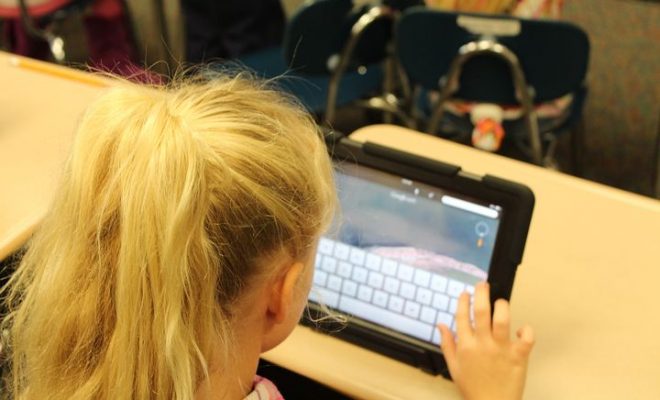
Many schools support a Bring Your Device (BYOD) policy for teachers. Other schools provide products like iPads and iPhones for teachers to use in their classes. Either way, there are plenty of apps that can be used in the classroom on an iPhone or an iPad. Some apps work well for different things, but they all are designed to do one thing: make the teaching process easier and more productive at the same time. Here are some apps that are essential to use on an iPhone in the classroom to gain that easy productivity to meet all needs and desires a teacher may have.

MasteryConnect

MasteryConnect is a great app for keeping aligned with Common Core State Standards. It keeps the information for each standard right at a teacher’s fingertips for ease of use. These standards are organized by grade level and subject, so they are easy to navigate. Other resources exist within the app, too, such as tools needed for teachers who work with English-Language Learners and students with special needs. The interface is easy to use and lessens the need to make endless photocopies or having to reference the app every, single time a lesson or unit is made.

Pick a Student

Students must be held accountable for their participation in class discussions, so it is important that everyone has a chance to speak his or her mind. Coffee can with popsicle sticks is a thing of the past now. Apps like Pick a Student does much of the same task without having to make a physical means of tracking information about who has and who has not participated. Multiple class lists with students’ names can be made with ease, and even smaller groups of students can make into lists. The randomize button on the screen picks which student should answer. These apps are great for review sessions or Socratic circle discussions.

All the Timers

Using a timer to keep students focused and on topic with their answers is essential for preparation for state exams or making sure students do not cut themselves short or take too long. Certain iPhones and iPads come standard with both of a Sand Timer and a Traffic Light. These apps are interactive and visually appealing, but they do not use numbers like normal countdown timers. This visual aid is less pressing than watching numbers count down. The Traffic Light is especially helpful because it sections off the time visually, thus making students focus on what to say and when to wrap everything up.

Organize the Classroom Library

Organizing a classroom library according to student interests is one thing. However, making sure the books are also organized according to the level of difficulty is important, too. The BookLeveler does exactly this task without having to do a lot of research in the meantime. By scanning a barcode on a book, users can locate the level of a text with ease. Typing in the name of a book and the author works just as well, too.

GroovyGrader

The iPhone also has an app that can make grading all the easier. GroovyGrader allows teachers to figure out the percentages of questions that students struggle with rather easily. In other words, it does the math for teachers when it comes to converting grades into percentages.

Scan those Documents

Keeping track of paperwork can be a trial in patience for teachers. However, there is an iPhone app that will make tracking paperwork so much easier. DocScan HD allows pictures of documents to be turned in PDFs or JPGs without much of a hassle. This app comes with an upgrade that then stores the files automatically in Dropbox, a cloud sharing service.

Conclusion

There are so many apps that are available on the iPhone for teachers and students to use. These are necessary for a functional classroom at all costs. Ironically, most of these apps do not cost anything to use, and those apps that do charge a fee are relatively affordable compared to other programs that do not operate on a mobile device as easily. A teacher living in these modern times simply cannot live with iPhone apps such as these.


TagsEdtechedtechchatelearningSTEAMSTEM
Previous Article

How to Use Augmented Reality in Education

Next Article

Reading: How to Teach it in the ...

Matthew Lynch

Related articles More from author

  • EdTech FuturesEdTech Policy & Reform

    How can Robotics bring STEM learning to life?

    January 4, 2017
    By Matthew Lynch
  • Best of the Best ListsHigher Education EdTech

    Top 7 Educational Technology Tools, Apps, and Resources for Higher Education

    July 20, 2017
    By Matthew Lynch
  • Best of the Best ListsEarly Childhood & K-12 EdTechHigher Education EdTech

    8 Must-Have Artificial Intelligence Apps and Tools

    November 25, 2017
    By Matthew Lynch
  • Early Childhood & K-12 EdTech

    Should teachers pay for apps?

    June 27, 2016
    By Matthew Lynch
  • EdTech & Innovation

    Edtech in the Classroom: Improving Learning Opportunities for Students with Special Needs

    June 9, 2017
    By Matthew Lynch
  • Personalized Learning

    Gamify Your Own Personal Learning Experiences and Watch What Happens

    January 13, 2017
    By Matthew Lynch

Search

Login & Registration

  • Register
  • Log in
  • Entries feed
  • Comments feed
  • WordPress.org

Newsletter

Signup for The Tech Edvocate Newsletter and have the latest in EdTech news and opinion delivered to your email address!

About Us

Since technology is not going anywhere and does more good than harm, adapting is the best course of action. That is where The Tech Edvocate comes in. We plan to cover the PreK-12 and Higher Education EdTech sectors and provide our readers with the latest news and opinion on the subject. From time to time, I will invite other voices to weigh in on important issues in EdTech. We hope to provide a well-rounded, multi-faceted look at the past, present, the future of EdTech in the US and internationally.

We started this journey back in June 2016, and we plan to continue it for many more years to come. I hope that you will join us in this discussion of the past, present and future of EdTech and lend your own insight to the issues that are discussed.

Newsletter

Signup for The Tech Edvocate Newsletter and have the latest in EdTech news and opinion delivered to your email address!

Contact Us

The Tech Edvocate
910 Goddin Street
Richmond, VA 23231
(601) 630-5238
[email protected]

Copyright © 2025 Matthew Lynch. All rights reserved.