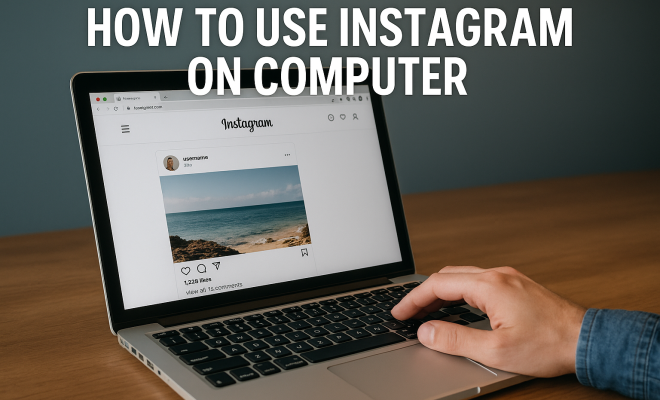
How to use Instagram on computer
“`html
Instagram is primarily known as a mobile app, but its functionality on a computer is often overlooked. Many users are unaware that they can easily manage their accounts, post photos, and browse content directly from their desktops. In this comprehensive guide, we’ll explore how to use Instagram on computer effectively, covering the various features available, tips for a better experience, and useful hacks for both new and seasoned users.
1. Accessing Instagram on Your Computer
The first step in learning how to use Instagram on computer is knowing how to access it. You can use Instagram via the web browser by visiting www.instagram.com. Just log in with your existing credentials. Alternatively, Instagram also offers a desktop app for Windows 10 users, which can be downloaded from the Microsoft Store. This app provides many of the same features as the mobile version, making it a convenient choice for those who prefer a dedicated application.
2. Navigating the Interface
Once you’re logged in, you’ll find that the layout is quite user-friendly. The main components include your feed, notifications, direct messages, and profile. Unlike the mobile app, the computer interface allows for easier navigation with a mouse and larger screen size. You’ll notice the icons are similar, but the real estate on a computer allows for more content to be displayed at once.
It’s also important to familiarize yourself with the search function on the top bar. Here, you can explore hashtags, people, and places, making it easier to find content that interests you. The computer interface also retains all the features available on mobile, including stories, posts, and IGTV.
3. Uploading Photos and Videos
One of the most significant limitations of using Instagram on a computer is the uploading process. Originally, users could only upload photos via mobile devices. However, Instagram has since made it possible to upload photos and videos directly from your computer. To do this, click on the ‘+’ icon located at the top right corner of your homepage. This functionality allows you to select files from your computer, making it easy to share high-quality images.
When uploading, you’ll also have the option to edit your photos using Instagram’s built-in filters and editing tools. This means you can add effects, adjust brightness, contrast, and more, just like you would on the mobile version.
4. Direct Messaging on Desktop
Direct messaging is a feature that enhances Instagram’s social aspect. On the computer version, you can access your messages by clicking on the paper airplane icon in the top right corner. This opens a chat window where you can engage with friends, send photos, and even have group chats.
While the messaging feature is not as seamless as other messaging apps, it’s functional and provides a way to communicate without switching devices. If you’re someone who often uses Instagram for networking or maintaining friendships, this feature will be particularly useful.
5. Using Instagram Stories on Your Computer
Instagram Stories, a feature that allows users to post photos and videos that disappear after 24 hours, can also be accessed via desktop. You can view stories by clicking on the profile icons at the top of your feed. However, posting a new story is more complicated. Currently, you cannot upload stories directly from your computer.
Despite this limitation, you can create engaging stories on your mobile device and then utilize Instagram’s desktop features for other tasks. Keep in mind stories are vital for user engagement, so plan to incorporate them into your social media strategy where possible.
6. Using Instagram Insights for Analytics
If you’re managing a business account, the ability to analyze performance is crucial. Instagram offers a feature called Insights, which is available on both mobile and desktop platforms. You can access it through your profile, where you’ll find metrics related to your posts, followers, and overall engagement.
Understanding your audience demographics and engagement levels will help you tailor your content strategy effectively. The desktop version allows you to analyze these metrics on a larger screen, making it easier to compare data over time or visualize trends. (See: Instagram Wikipedia page.)
7. Saving Posts and Organizing Content
Another fantastic feature on Instagram is the ability to save posts. If you stumble upon something interesting, you can save it to revisit later. On your computer, simply click on the three dots at the top right of a post and select “Save.” This is particularly useful for users looking to curate content for inspiration or future reference.
Additionally, the Collections feature allows you to organize your saved posts into categories. This can be a game-changer for anyone looking to create a content calendar or gather inspiration for specific projects.
8. Using Instagram for Business
If you’re a business owner or influencer, knowing how to use Instagram on computer opens up a plethora of marketing opportunities. The desktop version is excellent for managing ads, researching analytics, and planning content. Instagram’s Ads Manager can be accessed through your computer, enabling you to create targeted advertising campaigns efficiently.
Moreover, using third-party tools, you can schedule posts and analyze your performance over time. Many businesses find that using a desktop can streamline their social media management, allowing them to focus on creating engaging content rather than just posting it.
9. Using Extensions and Third-Party Tools
There’s a range of extensions and third-party applications that can enhance your Instagram experience on the computer. For instance, tools like Grammarly can help ensure your captions and comments are error-free. Similarly, photo editing software can allow for more advanced editing than what Instagram provides.
Other productivity tools allow you to automate posting, analyze performance, and even track your engagement. These tools can save time and help you maintain a consistent online presence without the hassle of switching between devices.
10. Security and Privacy Considerations
When using Instagram on a computer, it’s essential to keep security and privacy in mind. Always ensure that you log out of your account, especially if you’re using a public computer. Additionally, enable two-factor authentication for added security. This helps protect your account against unauthorized access.
Finally, be cautious about sharing personal information online. Familiarize yourself with Instagram’s privacy settings to control who can see your posts and stories. By taking these precautions, you can enjoy using Instagram on your computer while safeguarding your personal information.
11. Engaging with Your Audience
Engagement is key to growing your presence on Instagram, whether you’re an influencer, a business, or just someone who enjoys sharing content. The desktop platform allows you to easily reply to comments, like posts, and engage with your audience directly. Being responsive to comments and messages creates a sense of community and increases user loyalty.
Consider using the desktop to write thoughtful replies or even create polls and questions in your stories. Although you can’t post stories from your computer, you can plan and prepare your content more effectively. It can be beneficial to draft responses to frequent questions or comments in advance, saving time when you’re interacting live.
12. Analytics and Performance Tracking
For those serious about their Instagram presence, tracking analytics is crucial. Instagram Insights is a powerful tool that provides valuable data on your posts’ performance. You can see which types of posts perform best, what times your audience is active, and how your followers are interacting with your content.
This insight is critical for refining your content strategy. For example, if you notice that videos perform better than photos, you might decide to incorporate more video content into your feed. Likewise, understanding the demographics of your audience helps craft content that resonates with them more effectively.
13. Taking Advantage of Instagram Reels on Desktop
Instagram Reels are shorter videos that can be an engaging way to showcase your creativity or product offerings. While the ability to create Reels from your desktop version is currently limited, you can still engage with this content. You can view, like, and comment on Reels directly from the computer, which can help you stay connected with popular trends and influencers in your niche. (See: CDC on social media safety.)
For those looking to create Reels, consider producing video content on your computer using video editing software, and then uploading it through your mobile device. This gives you more control over the editing process and enhances the quality of your final product.
14. Common Issues and Troubleshooting
While using Instagram on your computer is generally smooth, you may encounter some common issues. Here are a few troubleshooting tips:
- Log-in Problems: If you have trouble logging in, ensure that your password is correct. You can reset it through the “Forgot Password?” link.
- Loading Issues: If Instagram isn’t loading properly, try clearing your browser cache or checking your internet connection. Sometimes, switching to a different browser can help as well.
- Notification Problems: If you’re not receiving notifications, check your browser settings to ensure that notifications for Instagram are enabled.
15. Expert Tips for Enhancing Your Experience
To truly maximize your Instagram experience on a computer, consider these expert tips:
- Schedule Your Posts: Use third-party tools like Hootsuite or Buffer to schedule your posts ahead of time. This allows for consistent posting without the need to log in daily.
- Cross-Promote Content: Share your Instagram content on other platforms like Facebook or Twitter. You can copy the link to your Instagram posts and encourage followers from other networks to check out your profile.
- Join Instagram Communities: Engage with niche communities on Instagram to boost your visibility. Look for groups or hashtags that align with your interests or business goals, and participate actively.
16. Frequently Asked Questions (FAQ)
Can I use Instagram on a Mac computer?
Yes, Instagram can be accessed on any computer with a web browser, including Mac. Just go to www.instagram.com and log in.
Can I upload stories from my computer?
Currently, you cannot upload stories directly from your computer. You have to use the mobile app for that feature, but you can view stories from your desktop.
What are the benefits of using Instagram on a computer?
Using Instagram on a computer allows for larger screen viewing, easier text input, and the ability to manage your account while multitasking. It’s also easier to analyze metrics and manage content with a keyboard and mouse.
Are there any features missing on the desktop version?
Yes, some features like creating stories and Reels directly from the computer are not available. The mobile app is still necessary for full functionality.
How can I improve my Instagram engagement using a computer?
Use the desktop to engage with your audience by responding to comments, analyzing your post performance, and planning your content strategy effectively. Regularly interact with your followers to create a community around your profile.
Is it safe to use Instagram on a public computer?
Using Instagram on a public computer can pose security risks. Make sure to log out after your session and avoid saving your password. If possible, use your personal devices for sensitive activities.
17. Advanced Tips for Businesses on Instagram
For business users, mastering Instagram on desktop can lead to significant benefits. One overlooked aspect is the ability to run and monitor multiple accounts efficiently. If you manage several brands or campaigns, using Instagram on your computer allows you to switch between accounts seamlessly, making it easier to stay organized and responsive.
Consider utilizing Instagram Shopping features through the desktop. You can set up your product catalog, tag products in your posts, and create a shoppable feed. This can greatly enhance your sales funnel by allowing users to make purchases directly from their posts.
18. Influencer Marketing on Instagram
If you’re an influencer, using Instagram on a computer can help you manage brand partnerships better. You can keep track of your collaborations, analyze the performance of sponsored posts, and communicate with brands more effectively through direct messages. By leveraging the larger screen, you can also create media kits that showcase your metrics and engagement rates clearly, making you a more attractive partner for brands.
19. Comparing Instagram on Mobile vs. Desktop
While both mobile and desktop versions of Instagram have their strengths, they serve different purposes for users. The mobile app excels in immediacy—it’s perfect for spontaneous posting and on-the-go engagement. However, the desktop version shines in analytics, post planning, and content management. (See: New York Times on Instagram desktop use.)
For instance, when scheduling posts, the larger screen allows for a more comprehensive overview of your content calendar. You can see your upcoming posts at a glance and adjust your strategy as needed. This is particularly beneficial for businesses aiming to maintain a cohesive brand image and message.
20. Statistics on Instagram Usage
As of 2023, Instagram boasts over 2 billion monthly active users, with a significant portion accessing the platform via desktop. Research shows that posts with videos get 48% more engagement compared to those without. Additionally, brands that use Instagram Stories gain 20% more engagement than those that don’t. Understanding these statistics can help inform your content strategy and engagement efforts.
21. Creating a Content Strategy for Instagram
Developing a robust content strategy is crucial for success on Instagram. Using the desktop version, you can draft your content calendar, analyze your audience’s preferences, and plan for seasonal promotions effectively. Consider using tools like Canva for designing graphics that appeal to your audience, and then upload them through your computer for better quality.
Don’t forget to consider A/B testing for your posts. Experiment with different types of content, such as photos versus videos, or varying captions to see what resonates best with your audience. The insights you gain from these tests can dramatically improve your engagement rates.
22. Best Practices for Posting on Instagram
When using Instagram on computer, it’s essential to follow best practices for posting. Make sure your images are high-resolution and that your captions are engaging and relevant. Consider using relevant hashtags to increase your visibility. Although there are limitations on features, you can still engage your audience effectively by focusing on the quality of your posts.
Posting during peak times can also increase engagement. Research shows that the best times to post on Instagram are usually during lunch hours and in the evenings during weekdays. Monitor your audience’s activity using Instagram Insights to find the optimal times tailored specifically to your followers.
23. Additional Resources for Instagram Users
There are many resources available to help you navigate Instagram more effectively. Websites like Later and Hootsuite provide excellent blogs and guides on Instagram marketing, while forums dedicated to social media marketing can offer useful tips and peer advice. Consider following experts in the field on Instagram and other platforms to keep up with the latest trends and strategies.
24. Final Thoughts
Learning how to use Instagram on computer effectively can open up a world of opportunities for personal and professional growth. By understanding the features available and utilizing them strategically, you can enhance your presence on the platform, engage more deeply with your audience, and manage your content more efficiently. Whether you’re crafting the perfect post, analyzing your performance, or connecting with your community, Instagram on desktop can elevate your social media game like never before.
“`
Trending Now
Frequently Asked Questions
Can you use Instagram on a computer?
Yes, you can use Instagram on a computer by visiting www.instagram.com and logging in with your credentials. Additionally, Windows 10 users can download the Instagram desktop app from the Microsoft Store for a more integrated experience.
How do I access my Instagram account on a PC?
To access your Instagram account on a PC, simply open a web browser and go to www.instagram.com. Enter your username and password to log in and start using the platform.
Can you upload photos to Instagram from a computer?
Yes, Instagram allows users to upload photos and videos directly from a computer. Once logged in via the web or the desktop app, you can easily upload content just like you would on the mobile app.
Is the Instagram interface different on a computer?
The Instagram interface on a computer is designed for ease of use, featuring a layout that allows for better navigation with a mouse and a larger display. While the icons are similar, the computer version can show more content at once.
What features are available on Instagram's desktop version?
Instagram's desktop version includes features such as browsing your feed, checking notifications, sending direct messages, and exploring hashtags. It retains most functionalities found in the mobile app, including viewing stories and IGTV.
What did we miss? Let us know in the comments and join the conversation.