How to use Google search by image
“`html
In our visually-driven digital era, the ability to search by image has become a game-changing tool, and Google Reverse Image Search leads the way. This feature not only enhances your search experience but also opens up a world of possibilities for discovering information, verifying sources, and even protecting your own images. Whether you’re an amateur photographer, a business owner, or just someone curious about a picture you stumbled upon, understanding how to utilize this tool effectively can yield remarkable insights. In this comprehensive guide, we’ll explore how to use Google Reverse Image Search, its significance, practical tips, and examples to illustrate its application.
1. What is Google Reverse Image Search?
Google Reverse Image Search is a powerful tool that enables users to search the internet using images instead of text. Launched in 2011, it allows users to upload an image or provide a URL to find similar images, identify the source, or gather related information. This functionality is particularly useful for a variety of tasks, from finding the original source of an image to verifying the authenticity of photos.
The search operates on advanced algorithms that analyze the visual content of the image, including colors, shapes, and patterns, to find matching or similar images across the web. As a result, users can access a wealth of information that might not be immediately apparent through standard text searches.
2. How to Access Google Reverse Image Search
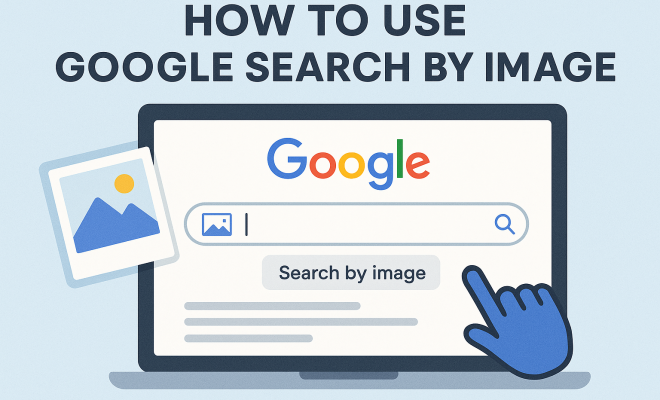
Accessing Google Reverse Image Search is straightforward. You can begin by visiting the Google Images website. There, you’ll notice a camera icon in the search bar, which indicates the option to search by image. Here’s a step-by-step guide:
- Visit Google Images: Go to images.google.com.
- Click the Camera Icon: In the search bar, click on the camera icon to either paste an image URL or upload an image from your device.
- Upload or Paste: Choose whether to upload an image directly or paste the URL of an image you want to search.
- Hit Search: Click on the search button, and Google will process the image.
After the search completes, you’ll be presented with results that include visually similar images, web pages containing the image, and other relevant data.
3. Common Uses for Google Reverse Image Search
The potential applications of Google Reverse Image Search are vast and varied. Here are some of the most common uses:
- Identifying Unknown Objects: If you come across an image of an object or place and want to know more about it, this tool can help.
- Verifying Image Authenticity: In an age where misinformation can spread rapidly, verifying images is crucial. This search can help determine if an image has been altered or if it’s been published elsewhere.
- Finding Image Sources: If you find an image that piques your interest, this tool can help trace it back to its original source or the first instance it appeared online.
- Market Research: Businesses can use reverse image searches to find similar products or gauge pricing trends.
- Discovering Copyright Issues: Photographers and artists can track where their work is being used online to manage copyright more effectively.
These uses illustrate just how versatile and beneficial Google Reverse Image Search can be, serving various needs across different fields.
4. Practical Tips for Effective Image Searches
To get the most out of Google Reverse Image Search, consider the following practical tips:
- Use High-Quality Images: The clearer and more detailed the image, the better the search results. Avoid low-resolution images, as they may not yield accurate matches.
- Try Different Angles: If your first search doesn’t yield satisfactory results, try uploading different angles or variations of the image.
- Search by URL: If you find an image on a website, copying and pasting the image URL can sometimes provide more precise results than uploading a downloaded file.
- Check the Search Filters: After performing a reverse image search, utilize Google’s search filters, such as size, color, and type, to refine your results.
By implementing these tips, you can enhance your search experience and increase the likelihood of finding the information you’re after.
5. The Technology Behind Google Reverse Image Search
At its core, Google Reverse Image Search employs sophisticated machine learning and computer vision techniques. The technology primarily involves analyzing an image’s features and patterns to identify similarities across the web. Google uses a method called feature extraction, which breaks down an image into its essential components. (See: Reverse image search on Wikipedia.)
Once the image features are extracted, they are compared against Google’s extensive database of indexed images. This comparison allows the system to find matches and similar images quickly. Additionally, Google continually updates its algorithms to improve accuracy and efficiency, ensuring users receive the most relevant results.
The integration of artificial intelligence has also played a significant role in enhancing the search capabilities, making the technology increasingly smarter over time.
6. Image Search on Mobile Devices
With the rise of mobile technology, performing a Google Reverse Image Search on smartphones and tablets has become a common practice. The process is slightly different compared to desktop but remains user-friendly. Here’s how you can do it:
- Using the Google App: Open the Google app, tap on the camera icon in the search bar, and either take a new picture or upload one from your gallery.
- Using a Mobile Browser: If you’re using a mobile browser, switch to the desktop version of Google Images by selecting the option in your browser settings. Then follow the same steps as on a desktop.
This mobile functionality allows users to search images on the go, making it an essential tool for anyone who relies on visual content regularly.
7. Limitations of Google Reverse Image Search
While Google Reverse Image Search is a robust tool, it does come with some limitations that users should be aware of:
- Quality of Results: The effectiveness of the search results heavily depends on the quality of the image uploaded. Low-quality images may yield poor results.
- Privacy Concerns: Users should be cautious about uploading sensitive or personal images, as they can be indexed and become publicly accessible.
- No Contextual Understanding: The search does not always comprehend the context behind the image, which can lead to irrelevant results.
- Limited Database: While vast, Google’s image database does not cover every image on the internet, which may result in missing pertinent information.
Being aware of these limitations is crucial, as it sets realistic expectations for users and encourages them to complement their searches with other methods when necessary.
8. Advanced Uses of Google Reverse Image Search
Beyond basic image searching, Google Reverse Image Search can be utilized for more advanced applications, particularly in professional settings. Here are some ways it can be leveraged:
- SEO Analysis: Marketers can analyze top-ranking images within their niche, understanding what works well visually and how to optimize their own content.
- Competitor Research: Businesses can use reverse image searches to identify competitors and analyze their visual branding strategies.
- Social Media Verification: Journalists and fact-checkers can verify images circulating on social media, helping to combat misinformation.
- Academic Research: Researchers can locate images in academic journals, verify their sources, and gather relevant data efficiently.
These advanced applications showcase the potential of Google Reverse Image Search in various industries, highlighting its versatility as a research and analysis tool.
9. The Future of Google Reverse Image Search
As technology continues to evolve, the future of Google Reverse Image Search appears promising. With ongoing advancements in artificial intelligence and machine learning, we can expect the tool to become even more sophisticated. Potential improvements could include:
- Enhanced Contextual Understanding: Future iterations may incorporate better contextual analysis, allowing for more relevant and nuanced search results.
- Integration with Augmented Reality: As AR technology gains traction, integrating image search capabilities with AR experiences could revolutionize how users interact with their environment.
- Broader Database Expansion: Google may continue to expand its index, ensuring that a wider array of images is searchable, enhancing the tool’s overall utility.
The potential for growth and enhancements in this area speaks to the increasing importance of visual content in our digital landscape.
10. Common Questions about Google Reverse Image Search
If you’re new to Google Reverse Image Search or even if you’ve used it before, you might have some questions. Here are some frequently asked questions to help clarify how to make the most of this tool: (See: New York Times article on image search.)
What types of images can I search with Google Reverse Image Search?
You can use any type of image, whether it’s a photograph, a graphic, or even a screenshot. Just make sure the image is clear and relevant to what you’re looking for.
Can I search using images from my phone?
Absolutely! As mentioned earlier, you can perform a Google Reverse Image Search on mobile devices by using the Google app or the mobile browser version. Both methods are straightforward and mobile-friendly.
Is there a limit to how many images I can search at once?
Currently, Google Reverse Image Search allows you to search one image at a time. However, you can easily repeat the process with multiple images by uploading them one after the other.
Does Google save the images I upload for reverse search?
Google states it does not store the images you upload for reverse search purposes. However, always be cautious and avoid uploading sensitive or personal images.
Can I use Google Reverse Image Search for free?
Yes, Google Reverse Image Search is a free tool, and anyone can access it without any subscription or fee. Just visit the Google Images site, and you’re good to go!
How accurate are the results from Google Reverse Image Search?
The accuracy of the results can vary depending on the quality of the image uploaded and how well it matches the existing images in Google’s database. Generally, high-quality images yield better results.
What should I do if I can’t find what I’m looking for?
If you’re not getting the results you expect, try using different images, different angles, or even adjusting the search filters. Sometimes even slight changes can yield better results.
11. Real-World Examples of Google Reverse Image Search
Understanding how Google Reverse Image Search works can be significantly enhanced by looking at real-world examples. Here are a few scenarios where this tool proved invaluable:
Example 1: Identifying a Rare Plant
A nature enthusiast stumbled upon an unusual flower during a hike and snapped a picture. By using Google Reverse Image Search, they were able to identify it as a rare species, leading them to learn more about its habitat, care requirements, and conservation status.
Example 2: Tracking a Stolen Artwork
An artist discovered one of their original works shared on a social media site without permission. They used Google Reverse Image Search to find where the image was being used online, helping them address the copyright issue effectively. (See: Scientific research on image search algorithms.)
Example 3: Researching Historical Images
A historian found an old photograph in a family album and wanted to learn more about its origin. Using Google Reverse Image Search allowed them to identify similar historical images, which helped in providing context and background for the photograph.
12. Comparing Google Reverse Image Search with Other Tools
While Google Reverse Image Search is one of the most well-known tools for image searching, there are several alternatives out there. Here’s a quick comparison:
- Tineye: This reverse image search engine specializes in finding where images appear online. It’s particularly good for tracking image usage and finding higher-resolution versions, but it may not have as extensive a database as Google.
- Bing Visual Search: Similar to Google, Bing offers a visual search feature that allows you to search for images. Some users find its results to be more visually appealing, although its database is smaller compared to Google’s.
- Pinterest Lens: Pinterest features a visual search tool that lets you take pictures of items to find similar content on Pinterest. It’s great for fashion and home decor but is limited to Pinterest’s platform.
Each tool has its strengths and weaknesses, so the best choice often depends on what you’re specifically looking for.
13. Google Reverse Image Search for Businesses
For businesses, utilizing Google Reverse Image Search can provide competitive advantages and enhance brand management. Here are a few ways businesses can leverage this tool:
- Brand Monitoring: Companies can keep track of where their logos or images appear online, making it easier to manage brand reputation.
- Visual Marketing Strategy: By analyzing competitors’ images, businesses can innovate their visual content and align their marketing strategies with market trends.
- Inspiration for Content Creation: Brands can find inspiration for campaigns by discovering how similar products are represented in the market.
These strategies can be instrumental in enhancing a brand’s online presence and ensuring its visual content resonates with target audiences effectively.
14. Ethics of Using Google Reverse Image Search
As powerful as Google Reverse Image Search is, it’s essential to use it ethically. When looking up images, always consider the potential implications of your findings. For instance, using images without the appropriate permissions can lead to copyright infringements. Moreover, this tool can be misused to invade privacy, especially if personal images are involved. It’s crucial to respect the rights of individuals and creators while utilizing this technology.
15. Conclusion: Embracing the Visual Search Era
In a world where visuals reign supreme, Google Reverse Image Search stands out as a vital tool that everyone should know how to use. Whether for personal, professional, or academic purposes, the ability to search by image opens numerous doors for exploration and understanding. As technology continues to advance, staying updated on how to effectively utilize this tool will ensure you remain at the forefront of information discovery. By embracing Google Reverse Image Search, you can enhance your digital literacy, verify information, and uncover new insights, helping you navigate the increasingly visual nature of our online existence.
“`
Trending Now
Frequently Asked Questions
What is Google Reverse Image Search?
Google Reverse Image Search is a tool that allows users to search the internet using images instead of text. By uploading an image or providing a URL, users can find similar images, identify sources, and gather related information, making it useful for verifying authenticity and discovering original content.
How do I use Google Reverse Image Search?
To use Google Reverse Image Search, visit images.google.com, click on the camera icon in the search bar, and either upload an image from your device or paste an image URL. This will initiate a search to find similar images and related information online.
What are the benefits of using Google Reverse Image Search?
The benefits of using Google Reverse Image Search include discovering the original source of an image, verifying the authenticity of photos, and finding similar images. This tool enhances your search experience by providing visual context that text-based searches may overlook.
Can I search for images on Google without text?
Yes, Google Reverse Image Search allows you to search for images without using text. By uploading an image or providing its URL, you can find similar images and related content, making it a powerful alternative to traditional text searches.
Is Google Reverse Image Search free to use?
Yes, Google Reverse Image Search is free to use. Users can access this feature on the Google Images website without any cost, making it an accessible tool for anyone looking to search the internet using images.
Have you experienced this yourself? We'd love to hear your story in the comments.