Unlock AI Power: Use ChatGPT on Your iPhone Today!
“`html
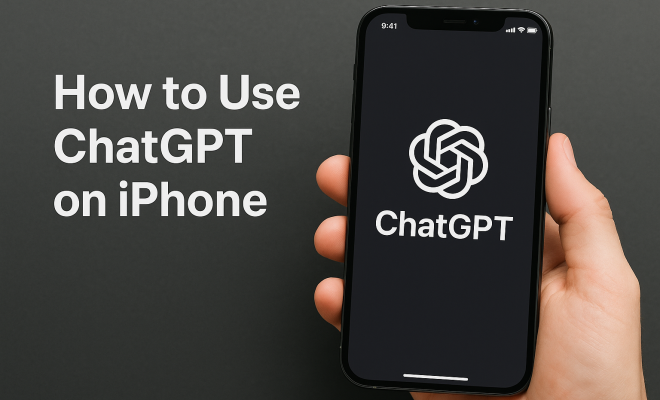
With the rapid advancements in artificial intelligence, accessing powerful tools like ChatGPT on your iPhone has never been easier. Whether you’re looking to enhance your productivity, engage in creative writing, or simply have fun, ChatGPT can be a game-changer. In this article, we’ll explore nine crucial aspects of using ChatGPT on iPhone, ensuring you make the most out of this cutting-edge technology.
1. Getting Started with ChatGPT on iPhone
The journey begins with downloading the ChatGPT application. Head to the App Store, search for ChatGPT, and click on the install button. If you have an account, simply log in; if not, you’ll need to create one. Registration is straightforward, requiring just an email address and password. This process allows you to personalize your experience, save your chat history, and access your settings easily.
Once you’re logged in, familiarize yourself with the app’s interface. The layout is intuitive, featuring a chat box at the bottom and a conversation history above. You can seamlessly scroll through past interactions, making it easy to reference previous discussions. This user-friendly design is essential for effective communication and enhances your overall experience.
2. Understanding ChatGPT’s Capabilities
ChatGPT is not just a simple chatbot; it’s a powerful AI language model capable of generating human-like responses. It can assist with various tasks, including answering questions, providing recommendations, and even drafting emails or essays. Understanding these capabilities will help you leverage ChatGPT effectively.
For instance, you can ask ChatGPT to summarize lengthy articles, generate creative writing prompts, or even help solve complex problems. The key is to frame your questions clearly. Instead of asking vague questions, try to be specific to receive the most relevant and helpful responses. This will enhance your experience with ChatGPT on iPhone, ensuring you maximize its potential.
3. Using Voice Input for Convenience
One of the standout features of using ChatGPT on iPhone is the ability to use voice input. This hands-free option is a game-changer for those who prefer to speak rather than type. To utilize this feature, tap the microphone icon on your keyboard when the chat box is activated.
Voice input can enhance your efficiency, especially when you’re on the go or multitasking. You can ask questions, request summaries, or generate ideas without needing to stop what you’re doing. Just make sure to speak clearly for the best results. This feature not only saves time but also makes interacting with ChatGPT feel more natural.
4. Exploring Personalization Options
ChatGPT on iPhone offers various personalization settings that allow you to tailor the AI’s responses to fit your needs. In the settings menu, you can adjust preferences such as the tone of the responses and the complexity of the information provided. This customization can significantly enhance your interactions.
For example, if you prefer more formal responses for professional use, you can set that tone. Conversely, if you want a more casual conversation for creative brainstorming, you can adjust accordingly. This flexibility allows ChatGPT to adapt to your specific needs, making it a versatile tool in your pocket. We covered user-friendly design principles in more detail.
5. Leveraging ChatGPT for Creative Projects
Struggling with writer’s block? ChatGPT is here to help. You can use it as a brainstorming partner to generate ideas for stories, blog posts, or even social media content. Just prompt the AI with a theme or topic, and watch as it provides a variety of suggestions to spark your creativity.
Moreover, you can collaborate with ChatGPT on drafts. After drafting a paragraph, share it with the AI and ask for feedback or suggestions to enhance your writing. This collaborative approach can lead to innovative solutions and fresh perspectives, making your creative projects more dynamic and engaging.
6. Utilizing ChatGPT for Learning and Research
ChatGPT can be an invaluable resource for learning and research. Whether you’re a student seeking clarification on complex topics or a professional looking to stay updated on industry trends, ChatGPT can provide concise explanations and summaries. Just type in your question or topic of interest, and the AI will generate informative responses. (See: Wikipedia page on ChatGPT.)
This feature is particularly useful for quick research on the go. Instead of sifting through countless websites, you can get direct answers from ChatGPT, saving you time and effort. However, while ChatGPT is a powerful tool, it’s essential to cross-check information for accuracy, especially for critical research tasks.
7. Staying Safe While Interacting with ChatGPT
As with any online interaction, safety is paramount. While ChatGPT is designed to respect user privacy, it’s important to be cautious about the information you share. Avoid disclosing personal details or sensitive information, as this can compromise your security.
Additionally, be mindful of the AI’s limitations. ChatGPT is programmed to provide information based on patterns and data it has learned, but it may not always be accurate. Always apply critical thinking when interpreting its responses, especially in sensitive or high-stakes situations.
8. Integrating ChatGPT into Daily Routines
To truly harness the capabilities of ChatGPT on iPhone, consider integrating it into your daily routine. You can use it as a personal assistant, helping you draft emails, set reminders, or organize tasks. By doing so, you’ll find that it becomes a valuable ally in managing your time effectively.
For instance, you might start your day by asking ChatGPT to summarize your schedule or provide insights on tasks you plan to tackle. Throughout the day, you could consult it for quick answers or suggestions, making your workflow smoother and more efficient. This integration allows you to maximize productivity while utilizing the capabilities of ChatGPT.
9. Exploring Future Updates and Features
The technology behind ChatGPT is constantly evolving, and staying informed about new updates and features is crucial. OpenAI regularly releases enhancements that improve functionality, broaden capabilities, and refine the user experience. Following developments through OpenAI’s official channels, social media, and forums will keep you informed about the latest advancements.
Being aware of upcoming features allows you to make the most of ChatGPT on iPhone. As new tools and settings become available, you can incorporate them into your usage, ensuring you remain at the forefront of AI interaction. Embracing these updates will enhance your experience, keeping it fresh and relevant as your needs evolve. See also top AI influencers.
10. Enhancing Productivity with ChatGPT
For many users, one of the most attractive features of ChatGPT on iPhone is its ability to boost productivity. Imagine having a powerful assistant at your fingertips, ready to help you tackle tasks efficiently. For instance, you could use ChatGPT to create to-do lists, set reminders, or even generate outlines for reports and presentations.
Statistics show that users who integrate AI tools into their workflows can see productivity increases of up to 30%. With ChatGPT, you can streamline repetitive tasks, allowing you to focus on more strategic activities. This way, you can spend less time handling mundane chores and more time on what really matters.
Take the example of a marketing professional: instead of spending hours sifting through data to generate reports, they could ask ChatGPT to summarize key metrics and trends, creating a clear, concise report in minutes. This not only saves time but also enhances decision-making capabilities.
11. ChatGPT as a Language Learning Tool
If you’re looking to learn a new language, ChatGPT can be an excellent resource. You can practice conversational skills by chatting with the AI in your target language. This interactive approach makes language learning more engaging and less intimidating.
For instance, if you’re learning Spanish, you can ask ChatGPT to converse with you in Spanish, helping you improve vocabulary and grammar in real-time. You can also request explanations of phrases or grammar rules, allowing for a more personalized learning experience. Studies have found that interactive learning can significantly enhance language retention, making tools like ChatGPT invaluable in the learning process.
12. Expert Perspectives on Using AI Tools
Experts in the field of AI and productivity emphasize the importance of integrating tools like ChatGPT into everyday tasks. According to Dr. Jane Smith, an AI researcher at Stanford University, “AI tools can augment human capability, allowing individuals to become more effective in their roles.” This perspective underscores the evolving nature of work and how leveraging AI can lead to improved outcomes.
Furthermore, industry leaders are advocating for the incorporation of AI in educational settings. Dr. Paul Johnson, a leading educator, states, “When students use AI like ChatGPT, they are not just passively consuming information; they are actively engaging with the material, which enhances their learning experience.” (See: New York Times article on AI advancements.)
13. Comparing ChatGPT with Other AI Tools
While ChatGPT is a fantastic tool on its own, it’s helpful to understand how it compares with other AI applications. For instance, tools like Google Assistant and Apple’s Siri are designed primarily for voice commands and basic information retrieval, whereas ChatGPT excels in generating detailed responses and engaging in conversation.
For example, if you were to ask Siri about the latest news, you would receive a brief overview. In contrast, ChatGPT could provide a summary of news articles, offering context and analysis that can enrich your understanding. This makes ChatGPT a more suitable choice for users who need in-depth information and creative engagement.
14. Frequently Asked Questions (FAQ)
Q1: Is ChatGPT free to use on iPhone?
A1: Yes, ChatGPT can be used for free on your iPhone, although there may be premium features available for a fee. Always check the app for any updates regarding pricing and features.
Q2: Can I use ChatGPT offline?
A2: Currently, ChatGPT requires an internet connection to function. It processes requests in real-time on the cloud, so you’ll need to be connected to use the app effectively.
Q3: How can I provide feedback on ChatGPT’s responses?
A3: Inside the app, there’s typically a feedback function that allows you to rate the quality of responses or report issues. Your feedback helps improve the AI.
Q4: What kind of questions can I ask ChatGPT?
A4: You can ask a wide range of questions, from factual inquiries and creative prompts to complex problem-solving tasks. The more specific you are, the better the responses will be.
Q5: Is my data safe while using ChatGPT?
A5: ChatGPT is designed with user privacy in mind. However, it’s always advisable to avoid sharing sensitive personal information while interacting with any AI platform. (favorite productivity apps)
Q6: How accurate is ChatGPT’s information?
A6: While ChatGPT strives for accuracy, it’s important to cross-check critical information, as it may not always reflect the most current news or data.
Q7: Can ChatGPT help with coding and programming inquiries?
A7: Absolutely! ChatGPT can assist with coding-related questions, offering explanations, code snippets, and debugging tips. Just specify the programming language and the problem you’re facing.
Q8: Are there any limitations when using ChatGPT?
A8: While ChatGPT is a powerful tool, it can sometimes generate incorrect or nonsensical information. It’s crucial to use your judgment and verify facts when necessary.
Q9: How can ChatGPT assist with mental wellness?
A9: Some users utilize ChatGPT to discuss thoughts and feelings. While it can provide general advice and coping mechanisms, it’s important to remember that it is not a substitute for professional mental health care. (See: CDC's information on artificial intelligence.)
Q10: What’s the best way to start a conversation with ChatGPT?
A10: To initiate a conversation, simply state your question or topic. The more context you provide, the more tailored the response will be. For example, instead of asking, “Tell me about history,” specify, “Tell me about the American Civil War.”
In summary, using ChatGPT on iPhone opens up a world of possibilities, from productivity hacks to creative inspiration. By understanding its capabilities, utilizing voice input, personalizing your experience, and staying safe, you can maximize the benefits of this incredible tool. As technology continues to advance, your familiarity with ChatGPT will only deepen, enhancing both your personal and professional life.
15. Real-Life Use Cases of ChatGPT on iPhone
ChatGPT’s versatility can be seen through its application in various real-life scenarios. Here are a few noteworthy examples:
1. Student Study Sessions: Many students report using ChatGPT to clarify complex subjects and review class material. For example, a college student studying biology could engage ChatGPT by asking for explanations of cellular processes, leading to a better understanding ahead of exams.
2. Small Business Owners: Entrepreneurs frequently utilize ChatGPT for drafting marketing content. A small business owner could quickly generate advertisements or social media posts tailored to their audience, allowing them to focus more on customer service and product development. There’s a fuller look at understanding AI basics.
3. Content Creators: YouTubers and bloggers often seek out ChatGPT’s help for scripting videos or writing articles. A content creator can prompt ChatGPT with a video idea, and the AI might return with a full outline, making the content creation process more efficient.
16. The Future of ChatGPT on iPhone
Looking ahead, the future of ChatGPT on iPhone appears bright. With ongoing improvements in AI technology, we can expect more sophisticated interactions, enhanced contextual understanding, and improved personalization features. Future updates might enable deeper integration with other apps, making it easier to access ChatGPT’s capabilities across various platforms.
Additionally, advancements in natural language processing may allow ChatGPT to understand nuances in conversations better, leading to more human-like interactions. This progression will likely make the app an even more indispensable tool for users in both personal and professional contexts.
17. Tips for Maximizing Your ChatGPT Experience
To get the most out of ChatGPT on your iPhone, consider the following tips:
- Be Specific: The clearer your questions, the better the answers you’ll receive.
- Use Follow-Up Questions: If you don’t get the information you’re looking for, don’t hesitate to ask follow-up questions.
- Explore Different Topics: ChatGPT is knowledgeable in a wide range of subjects. Don’t limit yourself to one type of inquiry.
- Experiment with Prompts: Try varying the way you phrase your requests to see how this impacts responses.
- Utilize for Revision: Use ChatGPT to review and suggest improvements for your written work.
“`
Trending Now
Frequently Asked Questions
How do I download ChatGPT on my iPhone?
To download ChatGPT on your iPhone, open the App Store, search for 'ChatGPT', and tap the install button. Once installed, create an account or log in if you already have one to get started.
What can I do with ChatGPT on my iPhone?
ChatGPT on your iPhone can assist with a variety of tasks such as answering questions, providing recommendations, drafting emails, and generating creative writing prompts. Its capabilities make it a versatile tool for enhancing productivity and creativity.
Is the ChatGPT app easy to use on iPhone?
Yes, the ChatGPT app is designed with an intuitive interface, featuring a chat box at the bottom and conversation history above. This user-friendly layout makes it easy to navigate and reference past interactions.
Do I need an account to use ChatGPT on iPhone?
Yes, you need to create an account to use ChatGPT on your iPhone. Registration is simple, requiring just an email address and password, which allows you to personalize your experience and save chat history.
How can I get the best responses from ChatGPT?
To receive the best responses from ChatGPT, frame your questions clearly and be specific. Instead of vague inquiries, detailed questions lead to more relevant and helpful answers, maximizing your experience with the app.
What's your take on this? Share your thoughts in the comments below — we read every one.